Quillbot
Use FlashID's environment sharing technology to safely share Quillbot subscriptions with team members—prevents platform detection and maintains consistent browser fingerprints for secure access.
Share Quillbot Without Sharing Passwords
Share your Quillbot subscription securely with team members through environment sharing. No password exposure, consistent fingerprints, and full access control.
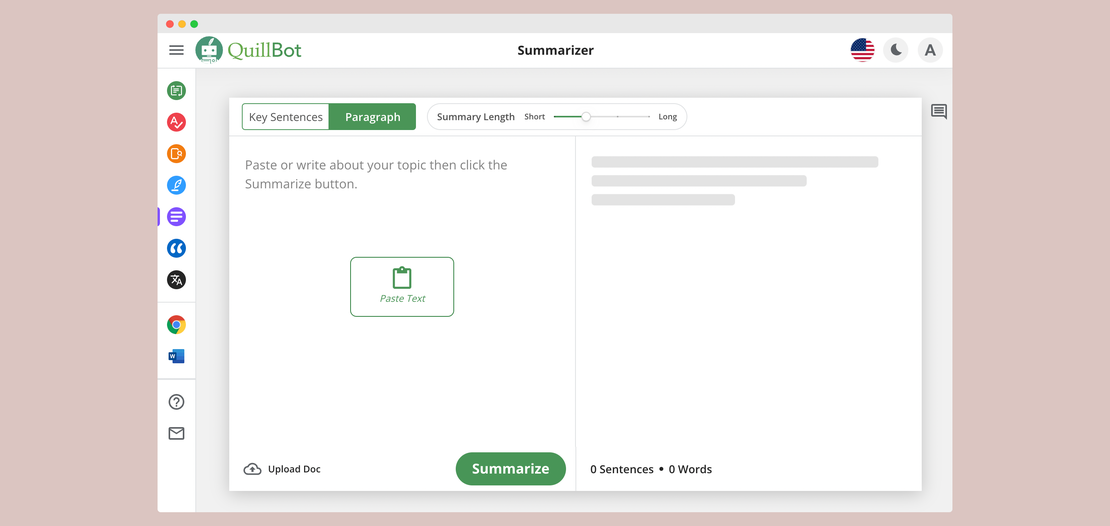
Quillbot is a leading AI-powered writing assistant used by millions worldwide. It offers advanced paraphrasing, grammar checking, summarizing, and plagiarism detection tools. Quillbot provides flexible premium plans for unlimited access, team collaboration features, and seamless integration across devices for writers, students, and professionals.
Environment sharing for seamless access
Create a browser environment, log into your Quillbot account once, then share that environment with team members. Everyone accesses the same logged-in session through their devices without ever seeing the password—perfect for writing teams, remote collaborators, and organizations.
Get Started
Consistent fingerprints prevent detection
Unlike sharing passwords directly, FlashID's environment sharing maintains consistent browser fingerprints and device identities. Quillbot sees normal usage patterns from the shared environment, not suspicious multi-location logins, keeping your subscription secure from detection and restrictions.
Get Started
Flexible sharing with full control
Choose how to share: invite team members for internal collaboration, or generate shareable links for external users. Set granular permissions, monitor active sessions, and revoke access instantly—all without changing passwords. Maintain complete control over who uses your Quillbot subscription.
Get Started

Unlimited Multiplicity
Multiple devices, no limits
No purchase limit, no multiplicity limit, no opening limit

Multi-Platform Control
Anytime, anywhere, just click
No client download required, accessible via PC and mobile browsers

Application Management
Application management so easy
Bulk install, uninstall, and launch applications

RPA
Leverage FlashID’s pre-built RPA templates for fast automation or custom workflows in secure cloud.

API
FlashID API handles account lifecycles and automates browser actions: batch social logins.

One-Click Sharing
Efficient management
Join a team with one click, share cloud devices among multiple users
Prevent Quillbot Detection Through Environment Sharing
FlashID’s environment sharing technology maintains consistent browser fingerprints and device identities for all team members accessing the shared Quillbot account. Unlike traditional password sharing that creates suspicious multi-location patterns, shared environments present unified, legitimate usage to Quillbot’s detection systems—eliminating account warnings and restrictions.
Common related content QA
How does FlashID's environment sharing work for Quillbot?
Do team members need to know the Quillbot password?
What's the difference between team collaboration and environment sharing?
2. Environment Sharing: Generate a shareable link for any environment that can be used by anyone with the link—perfect for sharing with external partners, clients, or temporary collaborators without adding them to your organization.
Will Quillbot detect multiple people using the shared environment?
What should be noted when sharing Quillbot via FlashID?
2. Configure proxies: Set appropriate proxy settings in the environment for geographic consistency.
3. Manage permissions: Only share with trusted individuals and monitor active sessions.
4. Usage coordination: Communicate with team members about access times.
5. Revoke promptly: Remove access for departed team members immediately.
How do I revoke someone's access to the shared Quillbot environment?
Can I share multiple Quillbot accounts using FlashID?
Which Quillbot plan is best for team sharing through FlashID?
2. Teams Plan ($12.50/user/month): Ideal for larger teams with collaboration tools.
Cost comparison: 10 people sharing 1 Teams account via FlashID vs. 10 individual Premium accounts = massive savings.
What's the difference between FlashID environment sharing and traditional password sharing?
FlashID environment sharing: All members access the same logged-in environment → Single consistent fingerprint → Appears as normal single-device usage → No password exposure → Instant access revocation → Minimal detection risk.
Can FlashID share other AI writing tools besides Quillbot?
• Grammarly Premium, Jasper AI, Writesonic, Copy.ai, Rytr
• Research: Perplexity AI, ChatGPT Plus
• Productivity: Notion AI, Microsoft Copilot
Each service gets its own environment with consistent fingerprints, preventing detection across all platforms.
How many people can access a shared Quillbot environment?
Can remote team members in different countries access shared Quillbot environments?
More Recommended Platforms


















Connect all your platform accounts
Thanks to our fingerprint technology, you no longer need to worry about your account being at risk, you just need to focus on your business.
Client Success Stories Trusted Worldwide
Operations Manager, Remote First Agency
CTO, Digital Studio Collective
Finance Director, Growth Tech Startup