Best Incogniton Browser Alternative for Multi-Accounting in 2025

Find the Best Incogniton Antidetect Browser Alternative. Compare browser profiles, fingerprinting & automation capabilities. Try FlashID today!

Discover FlashID now and use it for free!

FlashID vs. Incogniton browser

  • Built-in proxies
    Built-in proxies
  • Web automation
    Web automation
  • Browser fingerprinting customization
    Browser fingerprinting customization
  • Data privacy & security
    Data privacy & security
  • Browser core & antidetect updates
    Browser core & antidetect updates

*Attention: Free to use, no credit card required.
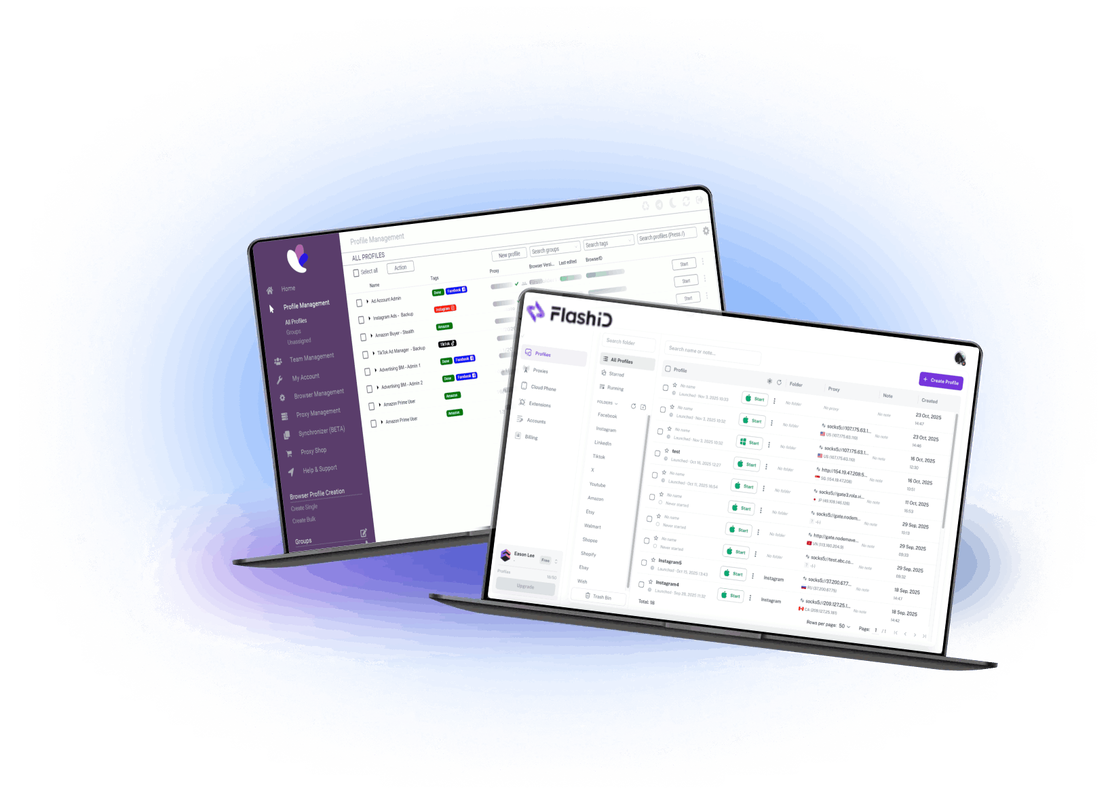
FlashID vs. Incogniton browser

FlashID vs. Incogniton comparison chart

See side-by-side how FlashID stacks up against Incogniton

Free Plan
Yes ✅
No ❌
Country of origin
Singapore Flag  Singapore
Netherlands Flag  Netherlands
Cloud Phone
Yes ✅
No ❌
Built-in proxies
Yes ✅
Yes ✅
Account Center
Yes ✅
No / limited ❌
Window Sync
Yes ✅
No / limited ❌
Profile Template
Yes ✅
Yes ✅
Workspace
Yes ✅
Yes ✅
Recycle Bin
Yes ✅
No ❌
API
Yes ✅
Yes ✅
RPA
Yes ✅
No / limited ❌

What FlashID offers that Incogniton doesn’t

Cloud-phone environment integrated with browser profiles
Window Sync across browser and mobile environments
All-platform browser + mobile app support (web + mobile app workflows)
Unlimited free/starter profiles (subject to plan) and simpler onboarding
Team permission & workspace designed for global teams
Unified operations OS for browser + mobile + automation
Supports both browser and cloud mobile environments natively
Enhanced cross-platform fingerprint isolation per profile

Incogniton user or new to the game? Switch to FlashID today.

A smarter Incogniton browser alternative

FlashID
Built-in proxies

Built-in proxies

FlashID supports built-in proxy integration and cloud-phone environments for browser + mobile workflows, making large-scale multi-account management simpler.
Incogniton supports proxy integration (HTTP, SOCKS5, SSH) per profile, including options for residential and mobile proxies, but lacks native cloud-phone environments.
Web automation

Web automation

FlashID provides API support, cloud phone + browser integration, window sync, and a unified operations OS for browser + mobile.
Incogniton offers automation through Selenium and Puppeteer integration, API access, and bulk profile management, but performance at scale may vary based on user reviews.
Browser fingerprinting customization

Browser fingerprinting customization

FlashID emphasises full cross-platform fingerprinting (Windows, MacOS, iOS, Android) and cloud-phone native mobile fingerprints.
Incogniton supports customizable fingerprints including user-agent, screen resolution, WebGL, Canvas, and hardware parameters, with profile isolation, but mobile-native options are limited.
Data privacy & security

Data privacy & security

FlashID highlights permission-managed workspaces, team features, account centre and isolated environments to protect team data and operations.
Incogniton provides profile encryption, two-factor authentication, and team collaboration features, but enterprise-level workspace management is less emphasized.
Browser core & antidetect updates

Browser core & antidetect updates

FlashID is built from the ground up for large-scale browser + cloud-phone operations, with continuous updates and a full multi-platform approach.
Incogniton uses a Chromium-based core supporting Windows, Mac, and Linux, with regular updates for antidetect features, but lacks integrated mobile cloud-phone support.

Try FlashID Risk-Free — Start for Free!

Get started with FlashID’s free plan and test its full environment without immediate credit card commitment.
  • Free starter browser environments
  • Support for browser + cloud phone workflows
  • Team seats & profile management included

Why does everyone love using FlashID?

Recognised by multi-account professionals

Award1 Award2 Award1
Award3 Award4

Incogniton vs FlashID: Which antidetect browser performs better in 2025?

“Antidetect browsers are indispensable for professionals managing large-scale multi-account operations. As anti-fraud and detection engines become more advanced, your tooling choice can make the difference between stable operations and repeated bans. This comparison puts Incogniton and FlashID side by side to show which delivers better scale, flexibility and future-proof performance.”

Incogniton vs FlashID: User experience (Which scales better for workflow)

Incogniton offers an intuitive interface for profile management, with features like bulk actions, cookie import/export, and team sharing. However, when scaling to hundreds of profiles and cross-platform operations, users report limitations in mobile integration and higher manual overhead.

FlashID, by contrast, is built for scale. With cloud phone integration, window sync across browser and mobile, unified team workspace and streamlined automation, it supports large-team workflows more effectively.

Incogniton vs FlashID: Proxy and environment integration (Which is more flexible)

Incogniton supports proxy integration including HTTP, SOCKS5, and SSH, with options for automatic proxy rotation. FlashID offers browser environments and true Android cloud phone devices with native mobile fingerprints and full app support across platforms.

Incogniton vs FlashID: Fingerprinting technology (Which defends better against detection)

Both platforms provide fingerprint customization (user-agent, WebGL, Canvas, fonts).
Incogniton focuses on realistic fingerprint generation and supports multiple parameters for spoofing. FlashID emphasises “all-platform” fingerprinting, genuine cloud-phone Android fingerprints, and window sync — offering a more unified and modern anti-detect stack.

Incogniton vs FlashID: Team & scale features

Incogniton has team features including role-based access, profile sharing, and collaboration tools. FlashID brings full workspace, permission-managed account centre, browser + mobile sync, and API/automation built for teams and operations — making it more suitable for larger organisations.

Final Verdict: Incogniton or FlashID?

Incogniton is a strong choice for users managing multi-account workflows on desktop browsers, small teams and affiliate tasks.
FlashID, on the other hand, offers a more future-proof solution for teams operating across browser and mobile, managing many profiles, and seeking stronger operational scale and integration.
If you’re scaling operations, require mobile-app support and unified browser + mobile workflows — FlashID is the clear choice.

FAQ: FlashID vs. Incogniton

What is the FlashID browser?

FlashID is a cross-platform antidetect browser and cloud-phone platform designed for secure multi-account management across browsers and mobile apps. It emphasises isolation, fingerprint customization, window sync and team workflows.

How does Incogniton compare to FlashID?

Incogniton offers a well-established antidetect browser with profile isolation, fingerprint customization, proxies and automation support. FlashID extends these features with cloud phone integration, seamless browser + mobile workflows, window sync, team workspace and broader platform support.

Does FlashID support mobile app workflows better than Incogniton?

Yes — FlashID supports genuine Android cloud phone environments and synchronised browser + mobile workflows across web and apps. Incogniton focuses more on desktop browser profiles with less emphasis on native mobile fingerprinting.

Is FlashID more scalable than Incogniton?

For large teams, cross-platform workflows and operations spanning both browser and mobile environments, FlashID is positioned as more scalable and future-ready. Incogniton remains a competent option for smaller teams or desktop-only workflows.

Connect all your platform accounts

Thanks to our fingerprint technology, you no longer need to worry about your account being at risk, you just need to focus on your business.

Download