An antidetect browser only does half the job. It isolates and manages fingerprints, but every profile still reaches the internet through a proxy, and that proxy decides what location, network, and identity the target site actually sees. When the proxy layer is misconfigured, even a perfectly isolated profile starts leaking signals that get accounts flagged, forced into verification, or banned. Most problems that look like browser problems are proxy problems.
This guide breaks down eight proxy mistakes that quietly ruin an antidetect browser setup, why each one matters, and how to fix it. Whether you run a handful of profiles in FlashID or manage hundreds across a team, avoiding these mistakes is what keeps your profiles stable and your GEO targeting accurate.
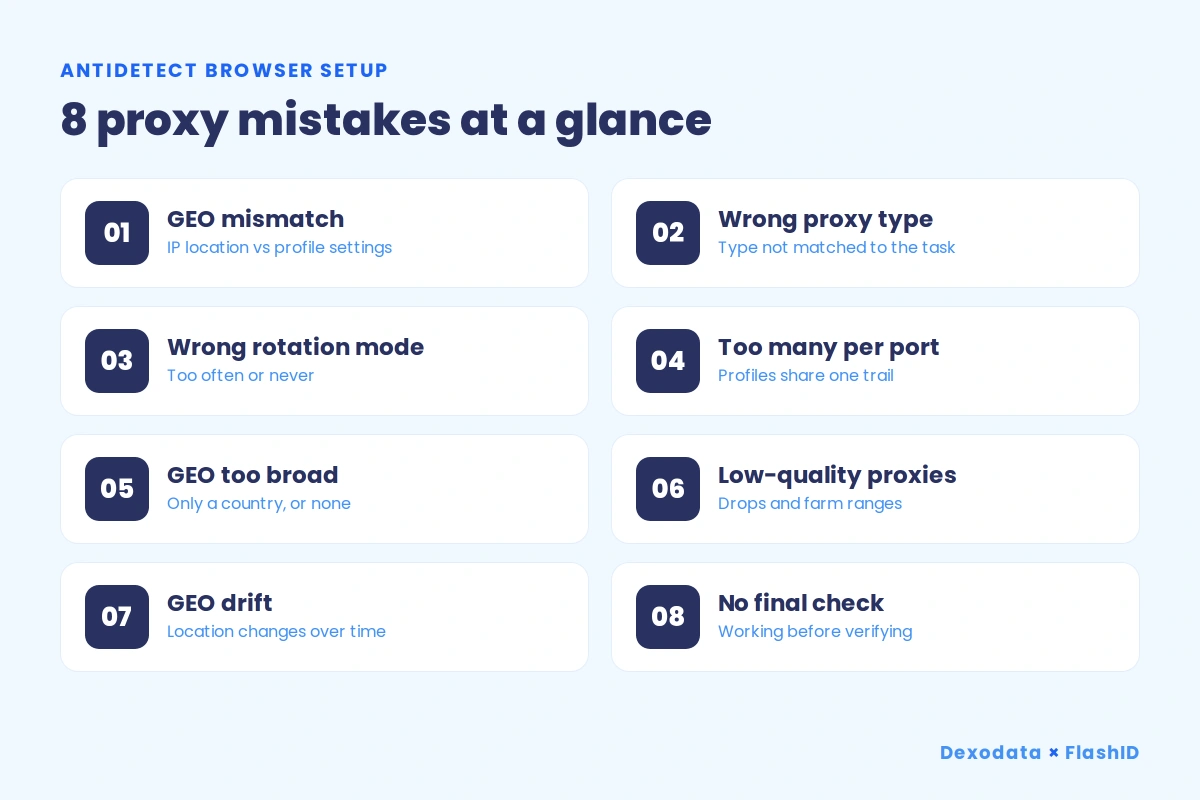 Image 1. The 8 proxy mistakes at a glance.
Mistake 1. The proxy IP location does not match the profile settings
This is the most common leak of all. The IP resolves to Germany, but the profile timezone, language, and geolocation still point somewhere else. Websites cross-check these signals against each other, and a mismatch between the network location and the browser environment is one of the clearest tells that a profile is not what it claims to be.
The fix is consistency. Every layer has to agree with the IP: timezone, locale and language headers, geolocation coordinates, and WebRTC. Set the profile GEO in FlashID to match the country of the proxy, then confirm the two tell the same story before you start working.
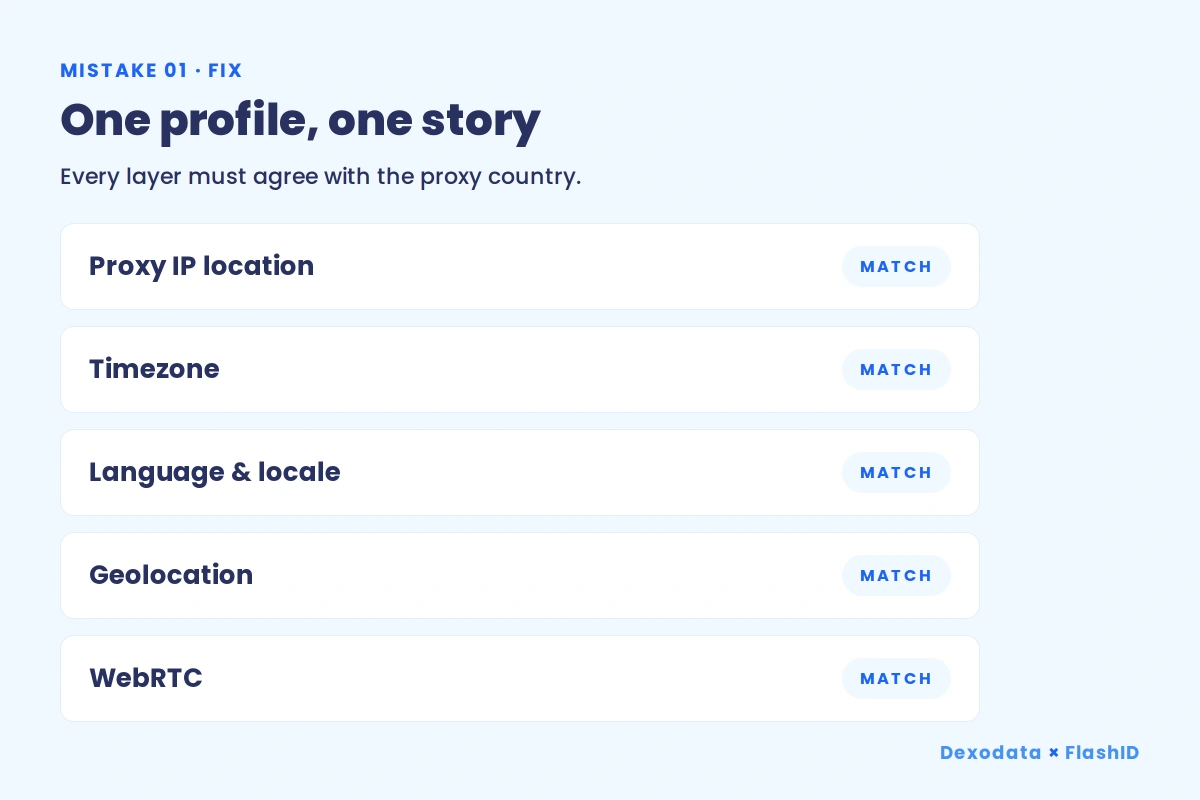 Image 2. GEO consistency: every layer agrees with the proxy country.
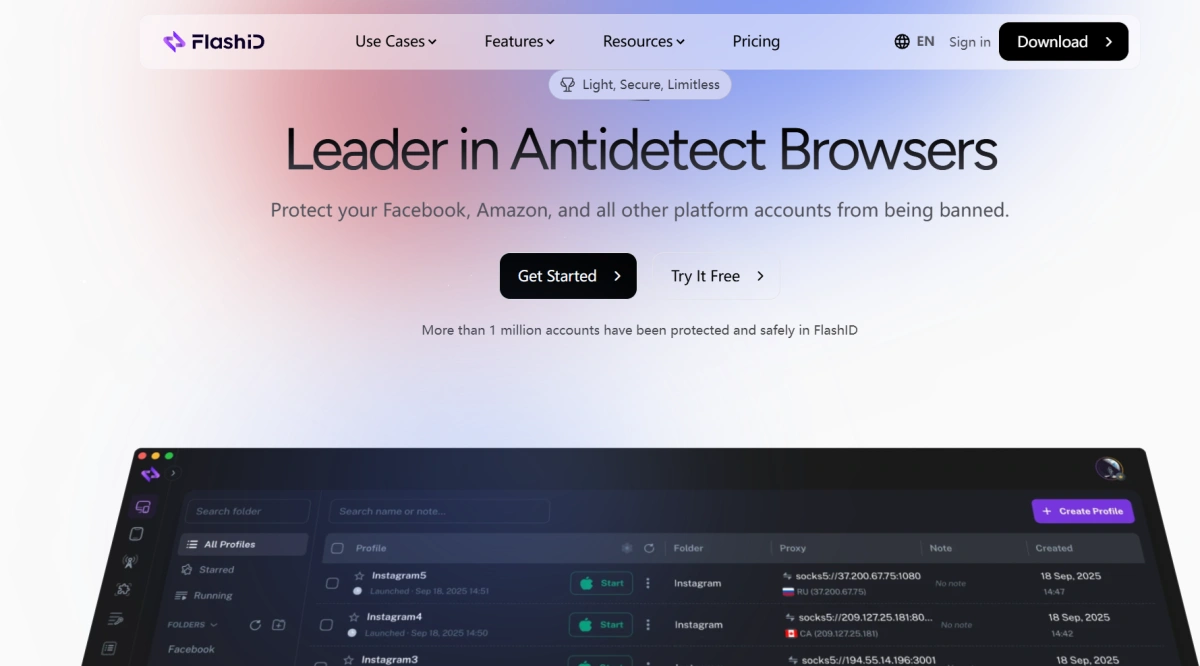
Image 3. FlashID: setting the profile GEO to match the proxy location
With the Dexodata network you choose the exact country for each port, so the IP and the profile can be aligned from the start instead of patched afterwards.
One-time promo code FLASHID gives you 10% off your port purchase on the Dexodata network (valid until October 1, 2027). Set it up once and every proxy example below becomes something you can test in your own FlashID profiles.
Mistake 2. Using the wrong proxy type for the task
Not every task accepts every kind of address. Pointing datacenter proxies at platforms like Reddit or Facebook is a typical example: these sites treat traffic from hosting networks very differently from traffic that looks like an ordinary home or mobile connection. The type of proxy is part of your profile story, not just a technical detail.
Match the type to the job. The Dexodata network provides three types for different tasks: residential for social platforms and marketplaces, mobile for the strictest mobile-first environments, and datacenter for tasks that do not depend on a residential origin, such as tolerant internal tools or low-sensitivity collection.
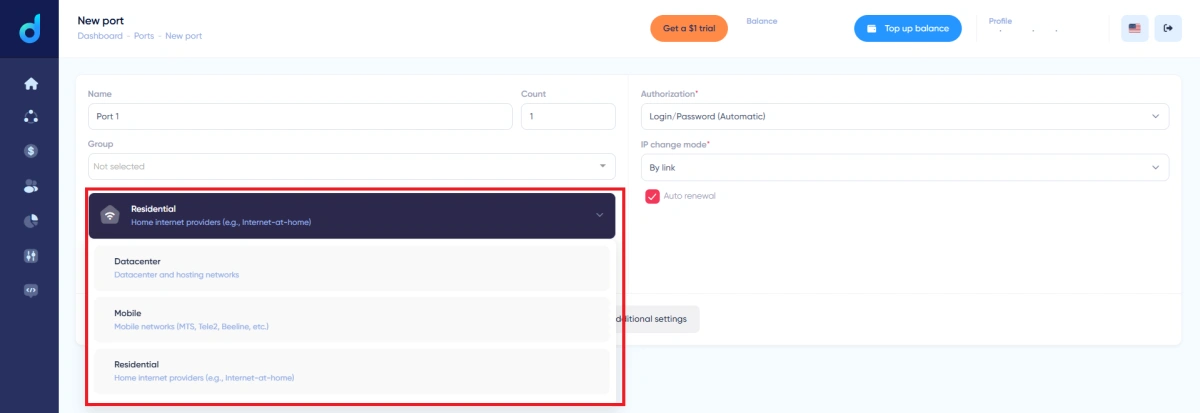
Image 4. Dexodata: selecting the proxy type (Residential, Datacenter, Mobile).
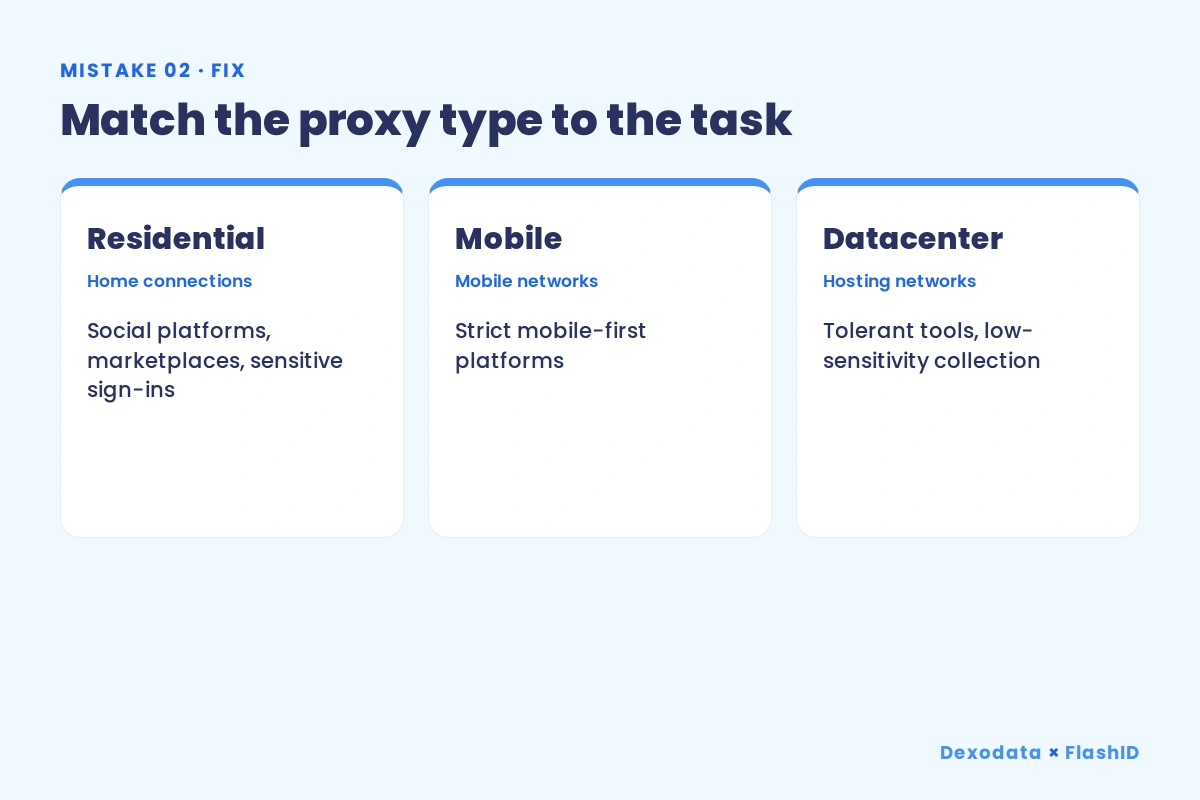
Image 5. Proxy type matched to the task.
Mistake 3. Choosing the wrong rotation mode
Rotation is about controlling when the IP changes, not assuming it will ever stay the same. On any proxy network the address can change at any moment, so the goal is to match the change to the task. Trigger a change in the middle of a logged-in action and the account sees a mid-task network switch; never refresh when a task needs new addresses and you get rate-limited or blocked. Both failures come from the same root cause: a rotation mode that does not match the work.
The Dexodata network uses dynamic IPs, providing access to a flexible, continuously refreshed IP pool. IPs may change as the pool updates, and three rotation modes let you tailor rotation behavior to your task:
• By time – IP rotation is triggered automatically at a set interval.
• By link – IP rotation is triggered when you call a rotation link.
• On each request – a new IP is assigned for every request.
Use By time or By link for account-based work where longer IP sessions are preferred, and On each request for high-volume tasks such as large-scale data collection.
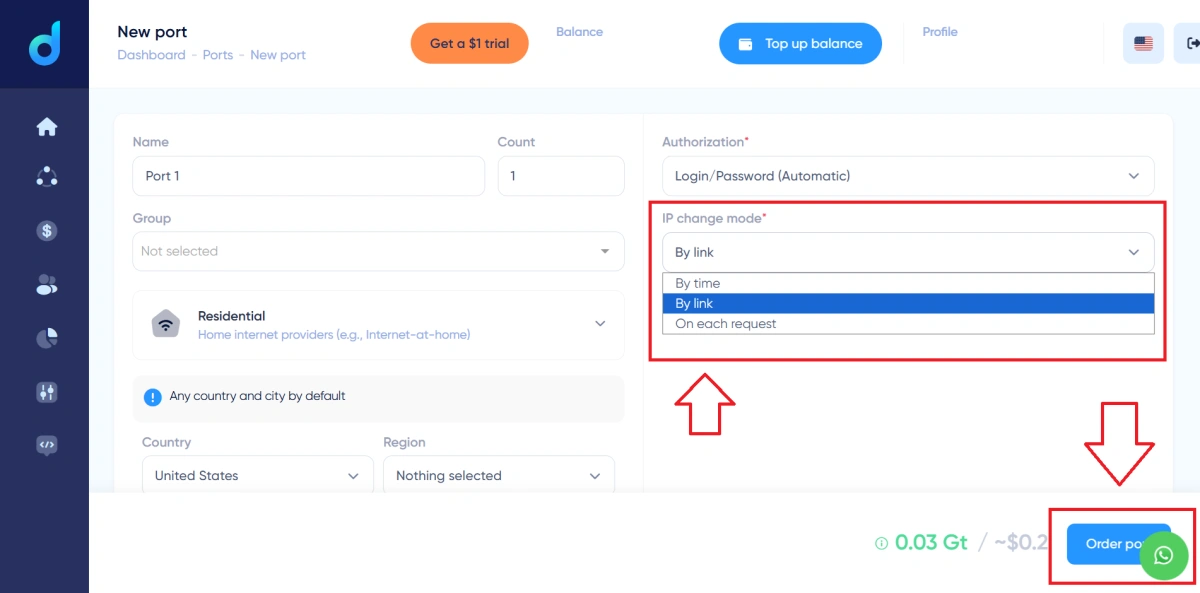
Image 6. Dexodata: the IP change mode (By time, By link, On each request).
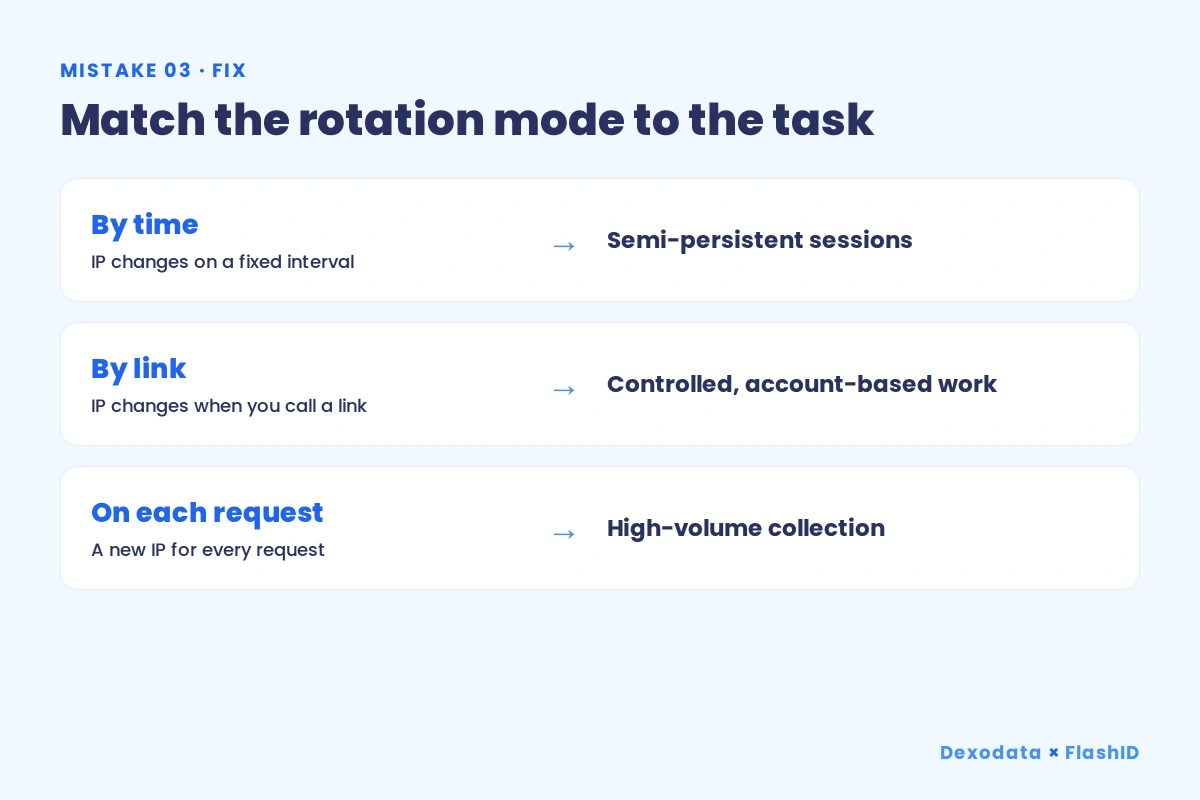
Image 7. Rotation mode matched to the task.
Mistake 4. Too many profiles on a single proxy port
A proxy port is a network configuration, and every profile you attach to it shares that same path to the internet. Stack many identity-based profiles on one port and they share one network trail, which is exactly the link that anti-fraud systems look for when they group accounts together.
The rule of thumb is one identity per port for account-based work: each profile gets its own IP and session so its activity stays separate. Sharing a port is only reasonable for low-risk tasks that are not tied to a persistent identity. In Dexodata you set the number of ports when you order them and keep profiles mapped cleanly to their own configuration.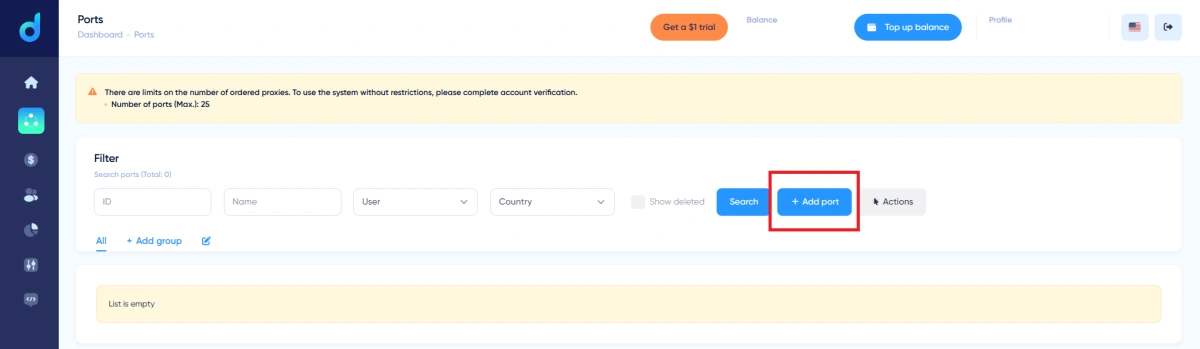
Image 8. Dexodata: the Ports section and adding a port.
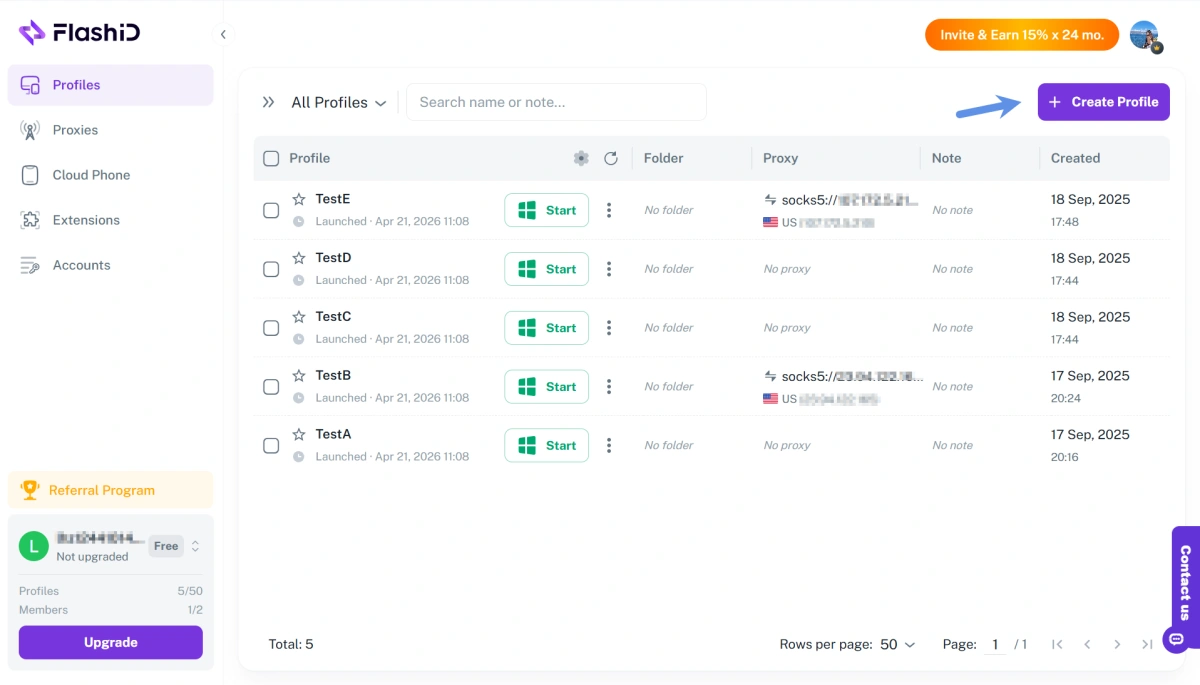
Image 9. FlashID: assigning a proxy port to a profile
Mistake 5. Buying proxies with only a country, or no GEO at all
For some tasks a country is enough. For many others it is not. Local ad delivery, city-level offers, and provider-level targeting all depend on a far more precise location than a national flag, and a profile that targets the wrong city inside the right country still misses the audience it was built for.
The Dexodata network lets you narrow the GEO step by step: Country, then Region, then City, and finally Operator, for provider-level targeting. Pick the level the task actually needs instead of settling for whatever the pool returns by default.
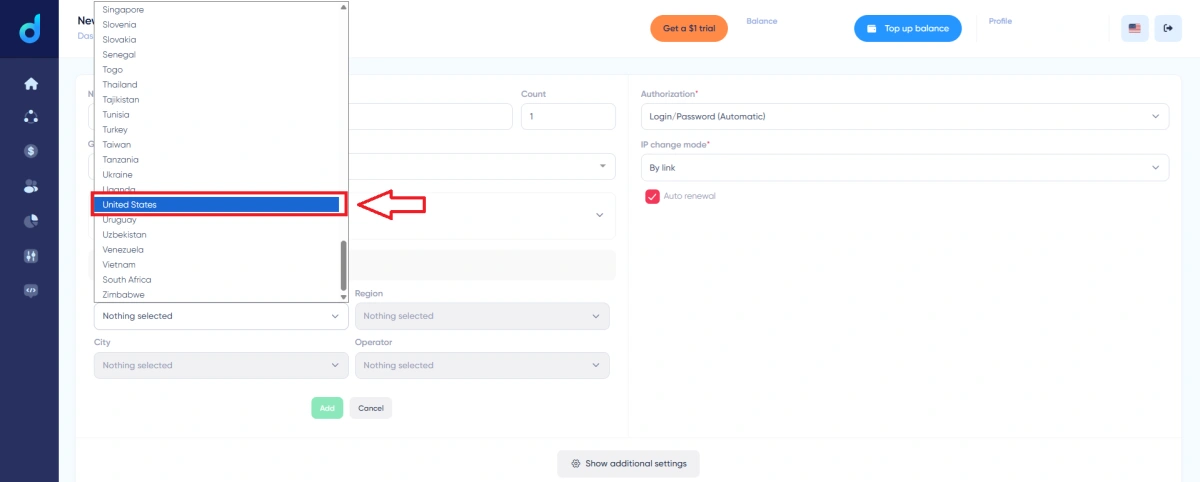
Image 10. Dexodata: selecting the country, with Region, City, and Operator fields.
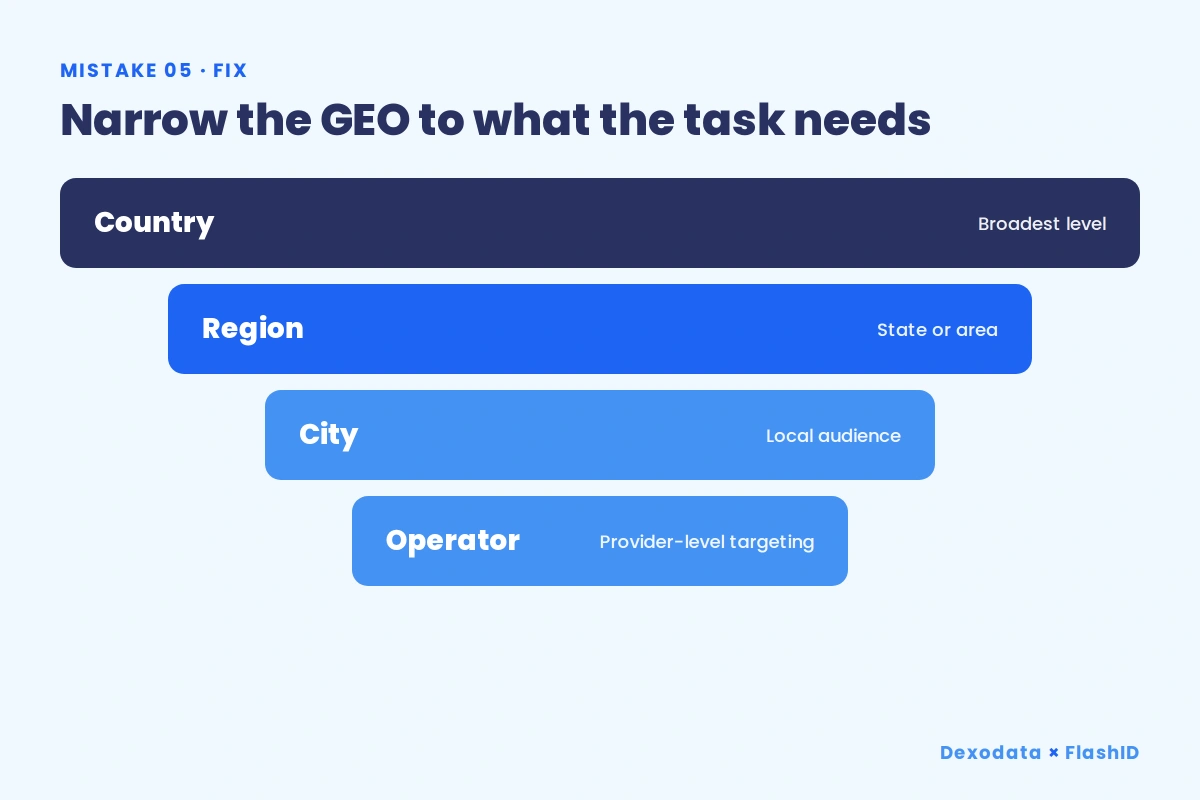 Image 11. GEO granularity: from Country down to Operator.
Mistake 6. Working through low-quality proxies
Unstable addresses, frequent drops, and recycled proxy-farm ranges make a profile unpleasant to work with and easy to flag. Quality is not a luxury here; it is the difference between a profile that behaves like a real user and one that constantly triggers checks.
Before you commit to a source, run a short quality checklist:
- Uptime and availability – the port stays reachable when you need it.
- IP stability – sessions hold instead of dropping unpredictably.
- Real origin – addresses come from genuine residential or mobile connections, not recycled farm ranges.
- Sourcing – the pool is built from real IP addresses provided with user consent.
The Dexodata pool is formed from real IP addresses sourced with user consent, with 99.9% uptime across the network.
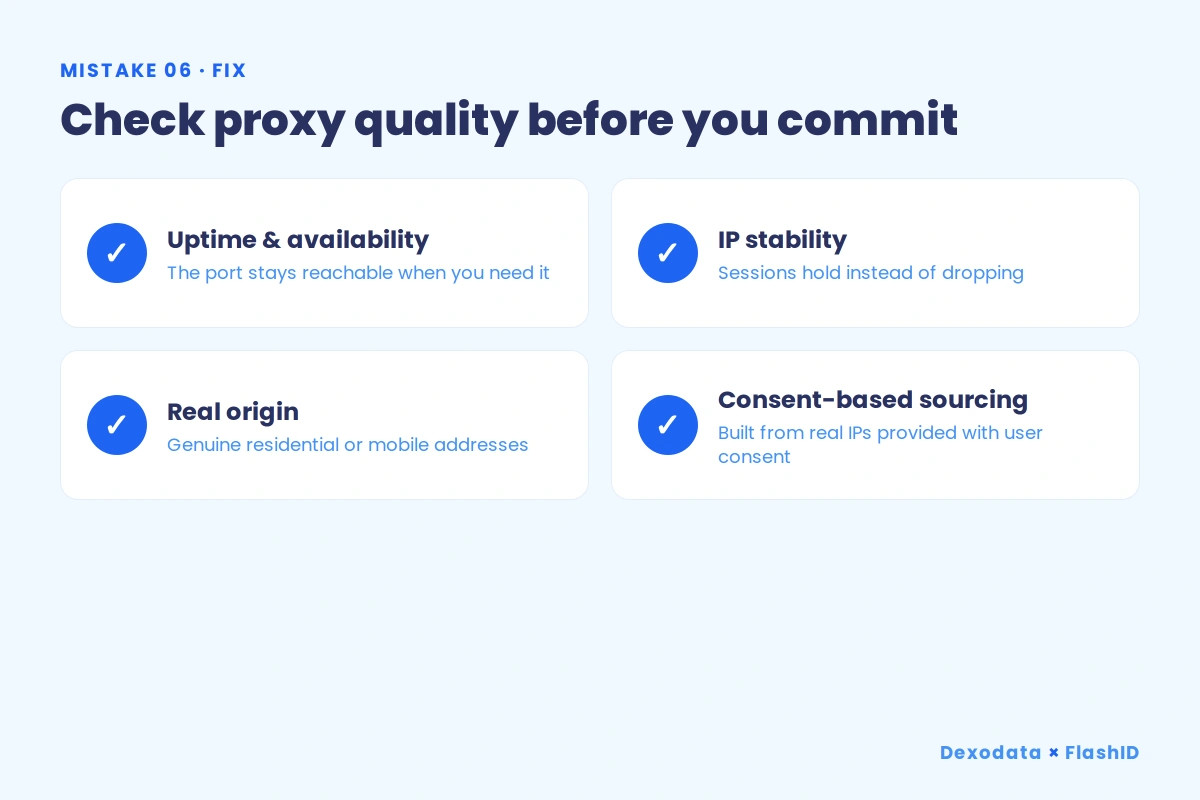
Image 12. A quick proxy quality checklist.
Mistake 7. GEO drift between sessions
A profile works through a United States IP today, and tomorrow it launches through a different configuration by accident. That silent drift in location over time is as damaging as an outright mismatch, because consistency is what makes a profile look like a settled, returning user rather than a moving target.
Bind each profile to a fixed GEO configuration and label everything clearly so the right profile always launches through the right port. Organize profiles into groups in FlashID, and use named ports and groups in Dexodata so each identity stays on its intended location run after run.
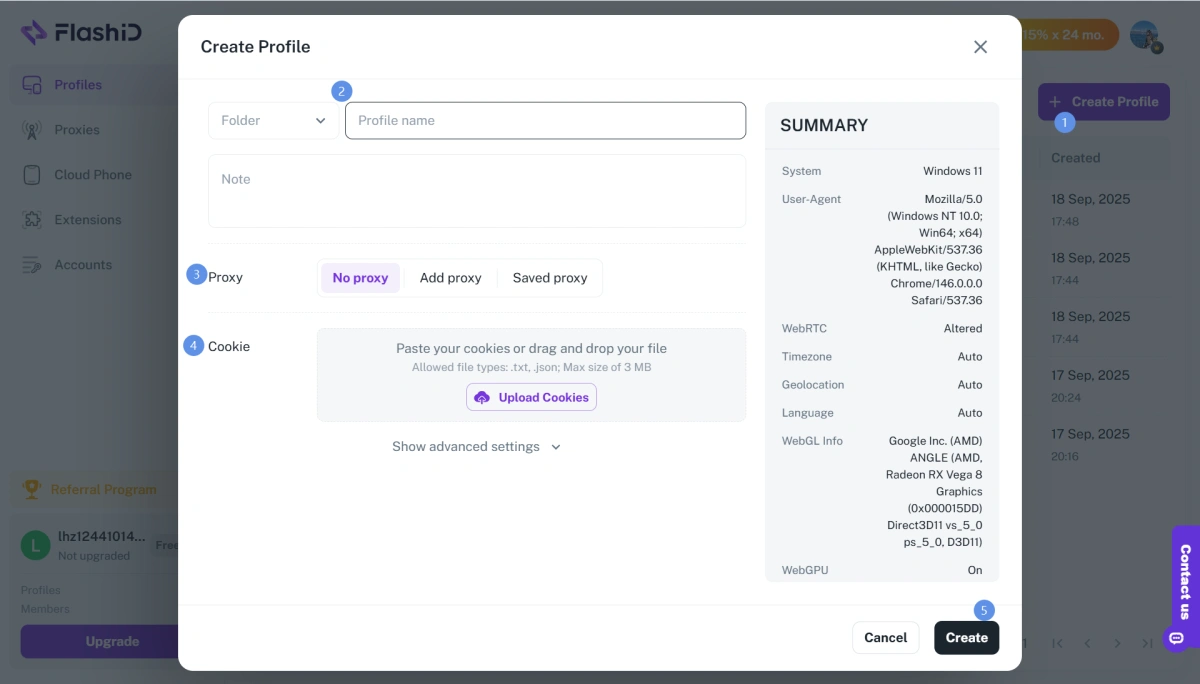
Image 13. FlashID: organizing profiles into groups (to be added).
Mistake 8. Skipping the fingerprint check before work
The last mistake is starting work without a final look. A profile can pass yesterday and leak today after a settings change, an update, or a new port, and the only way to catch it is a quick check every time before you begin.
Run the same short sequence before working any profile: IP, then location, then timezone, then language, then DNS, then WebRTC. If every layer agrees, the profile is ready. If one disagrees, fix it before you touch the target site.
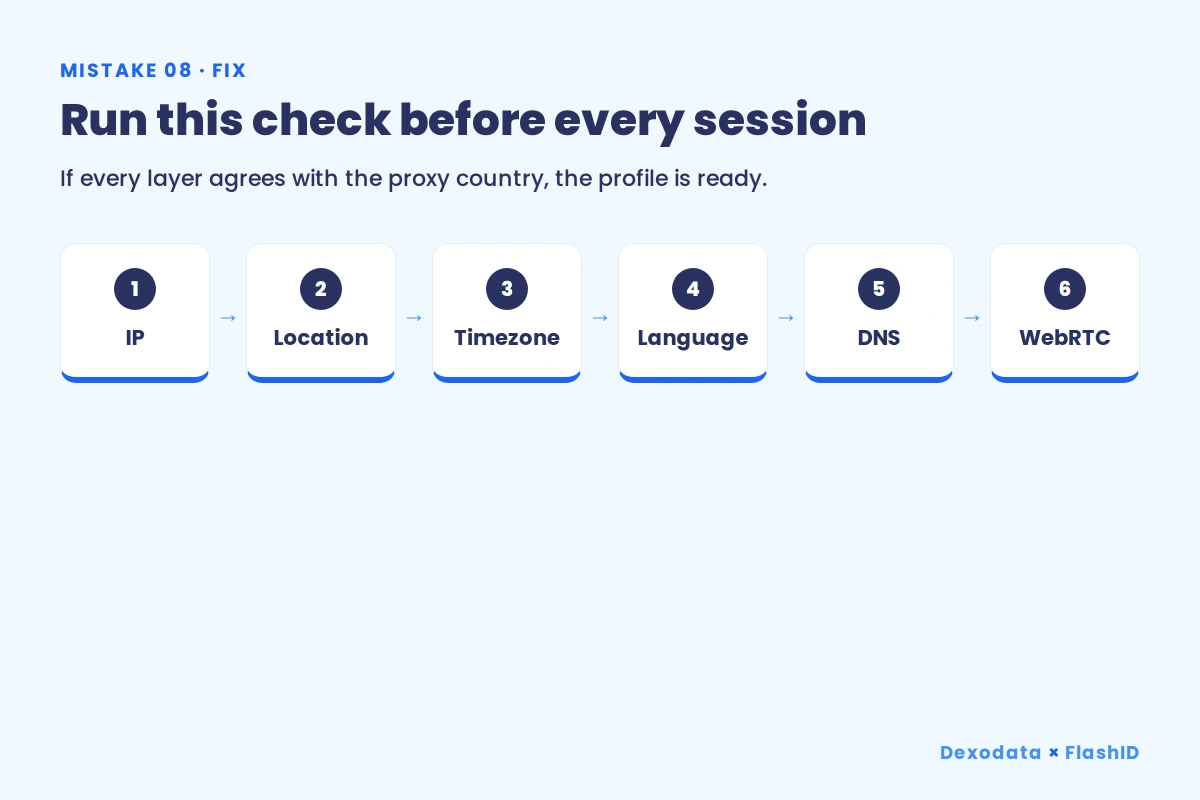
Image 14. The pre-launch fingerprint check.
FAQ
What is the most common proxy mistake in an antidetect browser setup?
A GEO mismatch between the proxy IP and the profile. When the IP location, timezone, language, and geolocation disagree, sites read the profile as inconsistent and flag it. Aligning every layer to the proxy country is the single biggest fix.
How many profiles can I run on one proxy port?
For identity-based work, keep it to one profile per port so each has its own IP and session. Sharing a port links the profiles through a single network trail. Only low-risk, non-identity tasks should share a port.
Why does provider-level targeting matter for GEO?
Because a country is often too broad. Local offers, ad delivery, and provider-level targeting need Region, City, or Operator precision. The Dexodata network lets you narrow the GEO from Country down to Operator so the profile matches the audience.
How do I verify a proxy before using it?
Run the pre-launch check: IP, location, timezone, language, DNS, and WebRTC. If any layer disagrees with the proxy country, correct it before working the profile. This single habit prevents most avoidable bans.
Get started
Fixing these eight mistakes is mostly about consistency: the right proxy type, the right GEO precision, the right rotation mode, and a quick check before every session. Set the foundation once and your FlashID profiles stay stable instead of fighting constant flags.
Use one-time promo code FLASHID for 10% off your port purchase on the Dexodata network (valid until October 1, 2027).
You May Also Like


