In the fiercely competitive world of digital marketing, behind every successful account lies an invisible battlefield—a continuous battle of identity, security, and efficiency. When operators need to manage dozens of social media and e-commerce accounts, the biggest enemy is often not a market rival, but the relentless scrutiny of major platforms’ algorithmic risk control. These systems accurately identify seemingly independent, yet homogenized, “digital identities,” promptly marking, associating, or even banning them.
To build this “firewall,” Antik Browser emerged. It positions itself as a “multi-account privacy expert” with a singular mission: to create completely independent “digital spaces” for PC users through powerful browser fingerprint spoofing and Cookie isolation, ensuring each account’s fingerprint, IP, and behavior are unique, thereby effectively evading platform detection.
However, the operational landscape of the digital world has long since transcended the scope of a single browser. When business operations extend from PC websites to mobile apps, and the definition of “management” evolves from “secure isolation” to “intelligent synergy and process automation,” a larger question arises: do we need merely a powerful “digital impersonator,” or an integrated operating system that connects PC and mobile, integrates automation with teamwork, and drives the entire business loop closed?
Today, we will not only delve into the core capabilities and boundaries of Antik Browser, but also introduce you to a more forward-looking and comprehensive digital operations solution—FlashID. This is more than just a product comparison; it’s an in-depth discussion on the future of operational models.
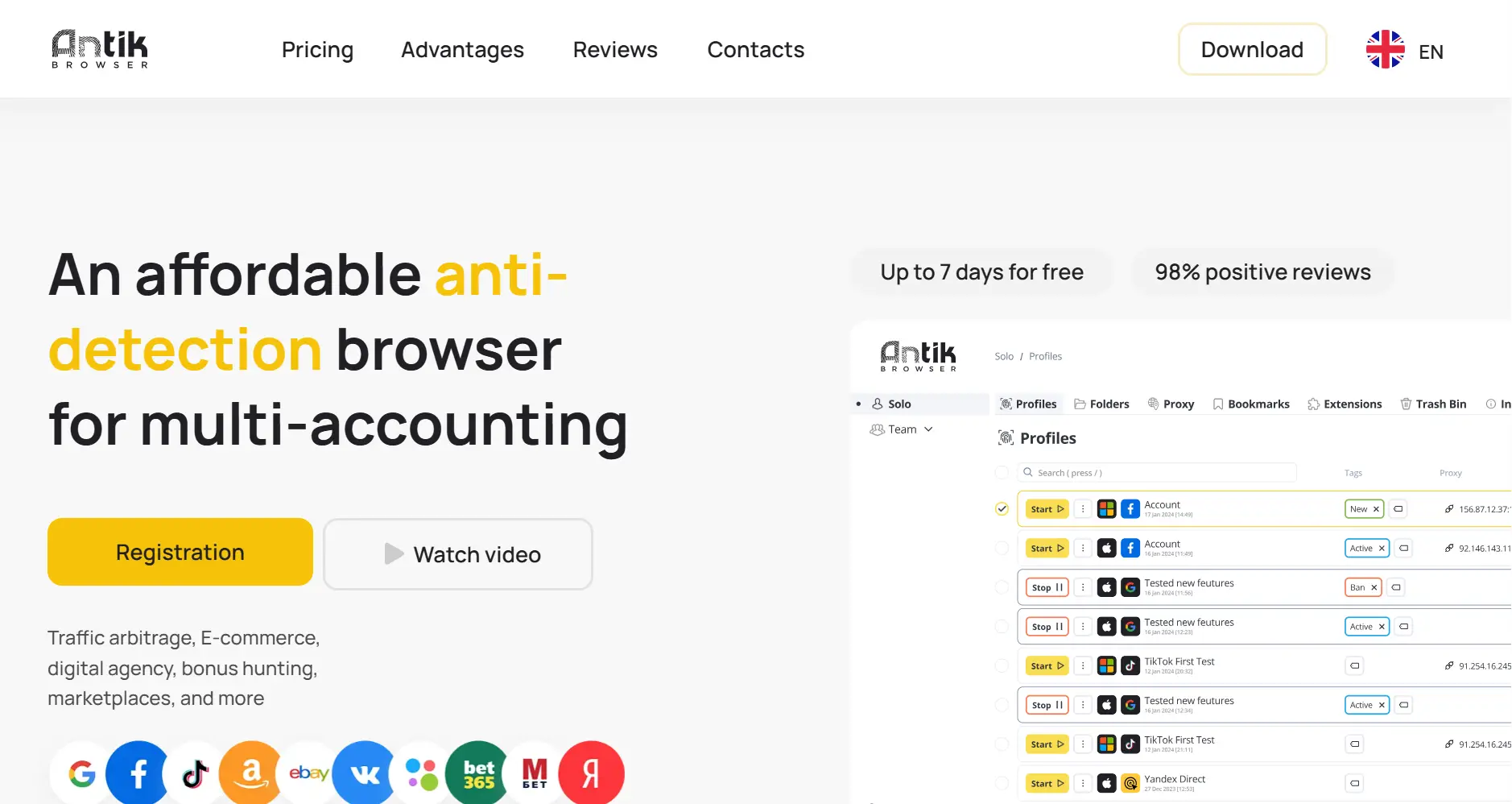
Antik Browser: The “Digital Specialist” Specializing in PC Multi-Account Privacy Impersonation
Product Introduction & Core Positioning
Antik Browser has a clear and firm positioning: Antik Browser is a new anti-detection browser developed by a well-known traffic arbitrage team and can be used on all major platforms. Suitable for account farming, launching ad campaigns, managing accounts, analyzing ads, and business expansion. Antik Browser is an anti-detection browser that offers team plans without participation limits—you only pay for profiles.
Core Features & Applicable Scenarios
All of Antik Browser’s design revolves around the central theme of “ultimate privacy and isolation,” crafting a secure and reliable “digital identity matrix” for PC users.
- Fingerprint Spoofing Engine: This is Antik Browser’s “unique skill.” It allows users to deeply spoof and randomize hundreds of browser parameters, from the basic User-Agent and screen resolution to more complex WebGL Canvas, AudioContext, font lists, and installed plugins. It covers nearly all dimensions that could be used to generate a user fingerprint. By setting a random yet authentic combination of parameters for each profile, it ensures the generated fingerprints are untraceable and uncorrelated in the “forest of fingerprints.”
- Data Isolation: Working in tandem with fingerprint spoofing, Antik Browser provides a perfect data isolation solution. Each profile has its own independent Cookie, LocalStorage, IndexedDB, WebSQL, and other storage spaces. This means login status, cached data, and user preferences within one profile will not affect any other profile, fundamentally preventing account association caused by data leakage.
Based on its focused positioning, ideal use cases for Antik Browser include:
- Social Media Matrix Management: Managing multiple accounts on platforms like Facebook, Instagram, Twitter, TikTok for content distribution, fan growth, and traffic generation, preventing recognition and takedowns by the platform due to operational behavior patterns.
- Cross-Border E-commerce Multi-Store Management: Opening and managing multiple stores on platforms like Amazon, eBay, Shopify, ensuring complete isolation between stores at the underlying information level to avoid “association” leading to store bans.
- Affiliate Marketing Promotion: Using independent browser environments to register and operate a large number of affiliate marketing accounts, preventing them from being identified as abnormal traffic or fraudulent operations by affiliate platforms.
- Web Scraping & Data Collection: Conducting large-scale, multi-threaded data crawling, with fingerprint spoofing and proxy usage to avoid being identified and having their IPs or accounts banned by target websites.
Integration & Convenience
Antik Browser is a product available in the form of a client application. Users need to download, install, and run it on their local computer. It highly integrates profile creation, fingerprint configuration, proxy settings, and data management functions into a single desktop application, providing a direct and familiar experience for users accustomed to local software.
Strengths & Weaknesses
Strengths:
- Simple yet functional interface: Antik Browser saves you time from installation manuals; you can start working immediately after installing the anti-detection browser.
- Exceptional Fingerprint Spoofing Capabilities: Its fingerprint spoofing engine is considered a leader in the industry, offering a massive number of configurable options capable of handling the majority of platforms based on browser fingerprint detection. It is the “impenetrable fortress” for account security.
- Thorough Isolation Effects: Through data isolation and profile templates, it creates a true “one person, one world” for users, perfectly combining the security and convenience of multi-account management.
- Folders, Tabs, Annotations: Organize your workspace, group profiles, and conveniently manage them with new features in a single tool.
- Team Mode: Create multiple independent teams within one account, grant employees access permissions within teams, and quickly transfer profiles, regardless of proxy usage.
Weaknesses:
- Complete lack of mobile support: As a purely PC application, Antik Browser has no support for mobile scenarios (Apps, H5). This is a major hard flaw in today’s mobile-first landscape.
- Blank on automation: The core of Antik Browser is “impersonation” and “isolation.” All operations must be performed manually by the user or assisted by third-party tools. It itself does not possess any form of automation scripts or task scheduling functions, unable to improve the efficiency of repetitive tasks.
- Hardware Compatibility Limitations: The system has specific hardware requirements, which may prevent it from being installed or running properly on some devices.
- Limited Language Support: Currently only supports a few languages, which may limit the user experience for users of other languages.
- Short Free Trial Period: The free testing window is typically 7 days, which may not be sufficient for users who need a longer evaluation period.
- Intermittent Performance Issues: There is feedback indicating that the browser can be unstable at times, with occasional anomalies like failed profile loading.
Reviews & Feedback
Users of Antik Browser, especially individuals and small teams with extremely high requirements for account security, have given high praise to its professional capabilities in “account privacy protection.” They consider it the “ultimate solution for multi-account operations” and the “source of a sense of security.” For those whose core is on the PC and who pursue ultimate security and isolation, it is almost the perfect choice.
However, as a user’s operational boundaries expand or the team size grows, some limitations begin to surface. User feedback is concentrated around “the function is too pure; you’ll find efficiency to be a big problem after using it for a while” and “there’s no automation, so I still have to do a lot of repetitive work myself.” This reflects the huge gap in Antik Browser’s functional breadth and automation, making it feel “insufficient in capabilities” as a user’s operational pursuits shift from “surviving” to “thriving.”
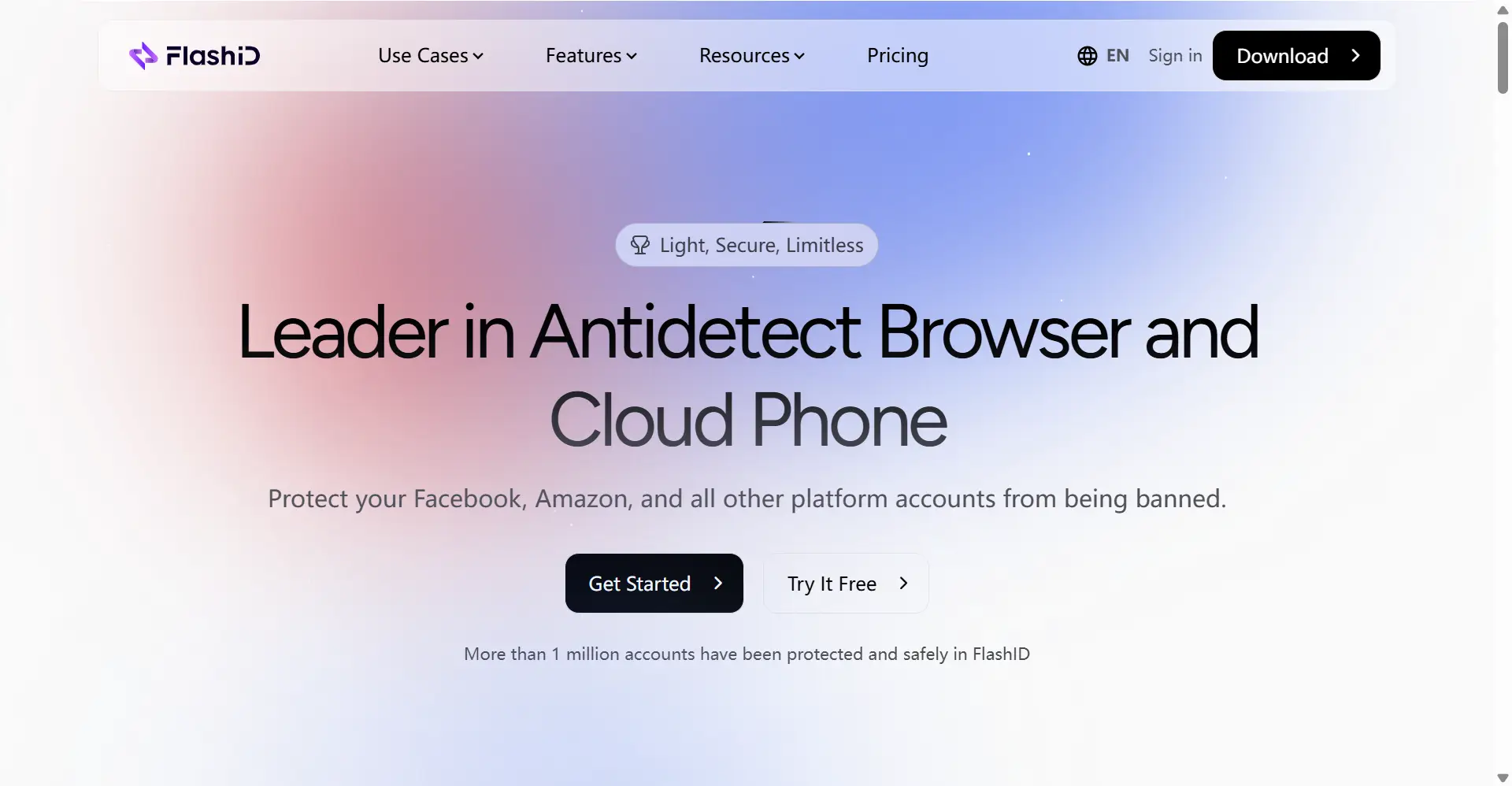
FlashID: An All-Platform Digital Operating System Integrating PC, Mobile, Automation & Collaboration
Product Introduction & Key Features
The disruptive nature of FlashID lies in its creative deep integration of a PC anti-detection browser with an Android cloud phone, creating an “all-platform digital operating system” that covers all mainstream digital scenarios.
Key Features:
- Dual-Core Architecture: PC Anti-Detection Browser + Android Cloud Phone: FlashID perfectly inherits Antik Browser’s core capability—top-tier PC-side fingerprint isolation and spoofing. Going a step further, it provides a complete, real-operational Android phone in the cloud, perfectly solving the multi-account management challenge for mobile Apps, achieving full-scenario coverage from PC to mobile.
- Window Sync Technology: This enables operation synchronization across different browser and cloud phone environments. You only need to perform an operation once to apply it simultaneously to all selected browser configurations and Android virtual devices, achieving seamless integration. This allows you to batch-manage various social media, e-commerce, game, and other Web and mobile accounts with unparalleled efficiency.
- Visual RPA Automation Engine: It offers an automation solution that transcends “manual operation.” Through a graphical workflow designer, users can string together complex business logic (like conditions, loops, cross-platform data transfer) to achieve truly unattended, end-to-end automation, freeing people from repetitive labor.
- Enterprise-Class Team Collaboration Workspace: It provides a complete team management solution, including granular member and role permissions, project space isolation, and operational audit logs, elevating individual task execution to a strategic level of team collaboration.
Integration & Convenience
FlashID uses a unified web console where creating configurations, managing cloud phones, and writing automation scripts all happen within the same interface, providing an excellent integrated experience. At the same time, its open and comprehensive API allows it to easily connect with internal CRM, ERP, and other systems for deeper business process automation.
Core Advantages
FlashID’s core advantages lie in its “one-stop” and “all-scenario” nature, offering digital operations a level of integration and value far exceeding a single tool.
Capability Dimension: Antik Browser is limited to the PC side. FlashID is a “system platform” covering PC, mobile, and automation—a completely different capability dimension.
Automation Capability: From “Manual Operation” to “AI Intelligence”: Antik Browser is entirely dependent on manual operation. FlashID’s RPA automation engine allows you to set it once and have AI complete the entire process of repetitive work for you, achieving an exponential increase in operational efficiency.
Collaboration Model: More Sophisticated Team Strategy: FlashID’s team space transforms isolated individual actions into a planned, division-of-labor, supervised team strategy, forming the cornerstone of scalable operations.
Cost Strategy: Free and Growth-Oriented: Currently, FlashID’s core features are completely free for all users. This means any team can experience and evaluate a comprehensive platform integrating multi-scenario isolation, automation, and team collaboration at zero cost, letting user experience and value be the primary criteria for choice.
FlashID vs Antik Browser: Comprehensive Comparison Table
| Comparison Dimension | Antik Browser | FlashID | FlashID’s Core Advantage |
|---|---|---|---|
| Core Product Positioning | “Digital Specialist” specializing in PC multi-account privacy impersonation: Positioned as an expert in PC multi-account privacy management, focused on providing top-tier browser fingerprint spoofing and data isolation capabilities. | An All-Platform Digital Operating System: Deeply fuses PC cloud fingerprinting with an Android cloud phone to provide a comprehensive solution integrating secure anti-association, cross-platform automation, mobile synergy, and enterprise-class team management. | Evolves from a “single-function specialist” to an “all-scenario solution platform,” with a completely different positioning and capability. |
| Core Value Proposition | Provides ultimate privacy and security isolation for PC multi-accounts: Uses technical means to ensure the independence and anonymity of each digital identity, allowing users to securely manage hundreds of online accounts on the PC side. | Builds a full-chain and full-value-chain platform for digital operations: Not limited to PC-side anti-association, it’s dedicated to connecting PC and mobile, integrating automation with teamwork to realize the complete business loop from traffic acquisition to customer service. | The value proposition is elevated from “security protection” to “business value creation,” at a higher value level. |
| Core Target Audience | Individuals, hackers, social media/e-commerce experts with ultimate privacy needs: Highly focused on the PC side, placing account security first, usually individual or small professional teams. | Scalable digital operators from individuals to enterprises: Complex business involving both PC and mobile, pursuing global efficiency, automation, and team collaboration with the goal of business growth and scale. | Precisely targets the user group pursuing business outcomes and long-term growth. |
| PC Capabilities | ✅Top-Tier: Centered on fingerprint spoofing, offering a massive number of parameter configurations, its anti-detection capabilities are renowned in the industry—a “sharp weapon” for ensuring PC-side account security. | ✅Top-Tier: Also offers top-tier cloud-based fingerprint isolation with high customizability; its anti-association capabilities are validated by massive real-world market cases and are sufficient to handle the vast majority of platforms. | Also provides top-tier PC protection, and its cloud-based management model is more efficient. |
| Cloud Phone Functionality | ❌None: The product is completely confined to the PC browser with no solutions for mobile App scenarios. | ✅Disruptive Feature: Provides a native Android cloud phone, allowing users to operate the phone in real-time from a PC window, perfectly solving the multi-account management, automation, and efficient operation needs on the mobile side. | Completely fills the gap of pure PC tools in the mobile space, achieving a unification of PC and mobile capabilities. |
| PC & Mobile Synergy Efficiency | ❌No Synergy: The PC side is its entire domain, completely disconnected from mobile. Users need to frequently switch between different physical devices, which is inefficient and cannot form cross-platform business processes. | ✅Revolutionary: Through “Window Sync” technology, PC operations are projected in real-time, with zero latency, onto the cloud phone screen, allowing users to handle PC and mobile tasks within the same workflow, drastically increasing efficiency. | Breaks the operational barrier between PC and mobile, achieving true scene integration. |
| Automation Capabilities | ❌None: No automation functions are mentioned. The core function is limited to creating and managing independent environments; all operations must be done manually by the user, making process automation impossible. | ✅Core Feature - RPA Engine: Provides a visual, no-code RPA workflow designer where tasks can span PC browsers and mobile cloud phones, supporting end-to-end, unattended processes, the core of driving business intelligence. | A leap in quality from “none” to “full,” liberating productivity. |
| Team Efficient Collaboration & Management | ✅Available: Can create multiple independent teams within one account and grant employees access permissions within teams. | ✅Enterprise-Class Team Workspace: Provides granular member and role permissions, project space isolation, and detailed operational logs, ensuring teams can collaborate efficiently while ensuring data security and operational compliance. | Provides the indispensable management cornerstone for team-based and scalable operations. |
| Activity Logs | ❌None: Lacks recording and tracing of user operational behavior, providing no data support for troubleshooting and responsibility audits. | ✅Comprehensive Audit Logs: The system automatically logs all key actions, such as logins, profile creation, script execution, and permission changes, providing reliable data for team management and troubleshooting. | Activity logs are the “black box” of team operations, providing a guarantee for efficiency optimization and security retrospection. |
| Free Plan | ✅Available: Offers a 7-day free trial. | ✅Feature-rich and Completely Free: Currently, core functions (fingerprinting, cloud phone, RPA, team workspace) are permanently and fully open, allowing users to experience all high-end features with no barriers. | Users can experience all features at zero cost, letting their value judgment be based on the product itself, not the subscription price. |
| Cost Model | 🔄Primarily Subscription-Based: Users pay monthly or annually linked to the number of profiles or feature tiers, resulting in high and fixed long-term costs. | ✅Currently free, with exclusive discounts for early users. | Zero upfront investment, shifting the user’s focus from “tool cost” to “business value,” while providing future benefits for early users. |
| Ease of Use (for Beginners) | Friendly to a single domain but with a high threshold: For an expert who only wants to configure spoofing on the PC, the functionality is powerful. But new users, faced with hundreds of parameter options, will feel overwhelmed, making the learning curve extremely steep. | ✅Highly friendly and growth-oriented: The unified console and visual automation design make all functions easy to use, and it can provide advanced features as the business grows, eliminating the need to switch tools. | Not only is it beginner-friendly, but it is also a lifelong partner that can grow alongside your business. |
| Browser Security & Privacy | ❓Risk concentrated locally: All data is stored on the user’s local computer. In case of equipment damage or loss, account environment data faces the risk of permanent loss, and security relies on the individual. | ✅Enterprise-class cloud security architecture: Uses high-standard multi-tenant isolation and data encryption technologies. Account data is stored and backed up in the cloud, making it more secure, reliable, and less prone to loss than local storage. | Provides a more professional and reliable cloud security guarantee than local storage. |
| Feature Richness | ⚠️Single: Functions are highly concentrated on PC-side fingerprint environment spoofing, being extremely deficient in areas like mobile, automation, and team management, making it unable to handle complex scenarios. | ✅Comprehensively integrated: Integrates four core modules: PC fingerprints, cloud phone, visual RPA, and team collaboration, covering the full spectrum from basic anti-association to advanced business automation. | One platform can handle the vast majority of mainstream business scenarios, eliminating the need for patchwork “add-on” tools. |
Frequently Asked Questions(FAQ)
Q: I’m a social media marketing expert and have great results managing dozens of accounts with Antik Browser; they are very secure. Why should I consider switching to FlashID?
A: This is a choice between “defense” and “offensive.” Antik Browser has built you a solid “fortress of defense” ensuring your account security. However, when you need to “go on the offensive"—i.e., explore new mobile businesses like TikTok or Telegram—or when you need to upgrade from “managing” accounts to “operating” them—i.e., using automation to publish content, analyze data, and drive conversions—Antik Browser becomes insufficient. FlashID, while inheriting its top-tier PC protection, equips you with the “mobile” and “automation” wings, helping you transform from a secure defender into an efficient attacker and value creator.
Q: I’ve spent a lot of time in Antik Browser configuring perfect fingerprint parameters. If I switch to FlashID, is this experience still applicable?
A: Your experience is very valuable! The knowledge of “how to create a secure digital identity” is a core principle on any platform. FlashID also supports in-depth fingerprint customization, allowing you to seamlessly transfer this experience over. You can continue using Antik Browser for your most core and familiar PC-side tasks, while using FlashID to explore and establish mobile “digital identities.” FlashID’s free policy allows you to verify and expand your capabilities at minimal cost.
Q: Antik Browser has so many fingerprint spoofing options; the configuration is complex but the results are excellent. Can FlashID’s fingerprint capabilities compare? Is the operation simple?
A: FlashID possesses the same top-tier cloud-based fingerprint isolation technology as Antik Browser, and its anti-association capabilities are validated by massive real-world market cases. In terms of operation, FlashID’s design philosophy is “professional capability, simplified operation.” It offers deep customization options to satisfy advanced users while lowering the entry barrier for new users through presets and a visual interface. You no longer need to struggle with configuring hundreds of parameters; instead, you can focus on “creating and executing,” not “debugging and maintaining.”
Q: My workflow is: log in to the backend -> publish content -> monitor data. Antik Browser lets me complete these first three steps very efficiently and securely. How can FlashID help me optimize any step?
A: FlashID can help you completely automate the “monitor data” and “publish content” steps. You can design an RPA workflow: automatically log in to the backend daily using FlashID’s PC-side environment, filter content for publishing -> publish it automatically -> automatically jump to the data monitoring dashboard, capture key metrics and generate a report -> the whole process is unattended. You transform from an “executor” into a “strategist,” with a completely different level of efficiency.
Q: My business is entirely on the PC side, and I have extremely high privacy requirements. Isn’t Antik Browser sufficient for me?
A: The core of the issue is “efficiency.” Even entirely on the PC side, if you are managing hundreds or even thousands of accounts, the daily repetition of logging in, checking in, and data collection will still consume a huge amount of your time and energy. FlashID’s RPA automation is designed to solve this “efficiency bottleneck.” It allows you to conquer the most time-consuming and tedious repetitive tasks while maintaining top-tier PC-side security, freeing up your time and energy for more creative strategic thinking.
Q: Antik Browser supports proxies, and many of my accounts need different IPs. What’s the difference with FlashID in this regard?
A: Both support configuring dedicated proxy IPs for each profile. However, FlashID’s “cloud + proxy” model offers additional benefits. Because the computing environment is in the cloud, you don’t have to worry about your local network environment or device performance affecting the speed and stability of the proxy. All resource allocation is handled in the cloud, providing you with a purer, more stable, and more efficient proxy usage experience.
Q: I’m building a 2-person team and feel it’s hard to collaborate with Antik Browser. Is FlashID’s team space useful for a small team of two?
A: Extremely useful, and it’s a qualitative change. In FlashID, you can create a team space, assigning projects and account profiles to different members. For example, you can manage the “Facebook Project,” and your partner manages the “Instagram Project,” with no interference between you, and all actions are traceable. This is a specialized mode of collaboration that gives your team a professional, “enterprise-grade” working habit and security from the very beginning, which is crucial for the healthy growth of your business.
Q: Antik Browser’s automation function is a blank slate. My business requires many daily repetitive tasks like logging in, clicking, and filling out forms, which are very time-consuming. How can FlashID’s automation features help me?
A: This is exactly where FlashID’s RPA automation excels! You can take these repetitive, logic-driven operations and chain them together in FlashID’s visual workflow editor, like building with LEGOs. For example, a process only needs to be set once, and then it can run automatically in the background every day afterward. You will be completely liberated from this tedious manual labor, freeing up your precious time and energy for more valuable tasks like business analysis, content creation, and strategic decision-making, achieving an exponential leap in operational efficiency.
Q: Besides the PC side, what is FlashID’s biggest advantage over Antik Browser?
A: The biggest advantage is “scalability” and “possibility.” Antik Browser’s world is two-dimensional, limited to the PC browser. FlashID brings you into a three-dimensional, even four-dimensional digital world. It gives you two “battlefields,” PC and mobile, a “superweapon” in automation, and a “task force” in teamwork. It’s not just a simple tool replacement; it opens up a new, vast universe of digital operational imagination for you. The boundaries of your business will no longer be limited by your tools.
Q: Final question, how should I actually choose?
A: The answer is very simple: make your choice based on your goals and future plans. If your goal is “to manage my PC website accounts securely, making them absolutely safe, and I enjoy the fine-tuned process of manual operation,” then Antik Browser is your ideal partner. However, if your goal is “to build an efficient, scalable business empire that can handle more complex scenarios in the future (especially on mobile),” then the answer is without a doubt FlashID. This is not just a tool choice; it’s a choice of operational strategy.
You May Also Like


