AI social media post generators can create captions, hooks, hashtags, platform-specific variations, and content ideas in seconds. The best choice depends on the workflow: Canva and Predis.ai suit visual content, Buffer and SocialBee connect writing with publishing, QuillBot improves existing drafts, while Writesonic supports content repurposing. This guide compares eight tools, explains their strengths and limitations, and shows how to measure AI content before expanding into multi-account social media management.
Key Takeaways
- The eight tools serve different needs, including visual production, caption writing, rewriting, video creation, scheduling, and content repurposing.
- AI-generated posts still require brand details, factual checks, platform adaptation, and human editing before publication.
- Engagement rate, time saved, edit ratio, and overall performance help determine whether AI genuinely improves the content workflow.
- As social media operations grow, teams also need a clear way to organize account access, publishing responsibilities, and separate account environments.
Quick Comparison of 8 AI Social Media Post Generators
| Tool | Best for | Main strengths | Free access | Main limitation |
|---|---|---|---|---|
| Canva | Visual-first content | AI writing, templates, images, and video | Free plan with AI limits | Copy may sound generic |
| Buffer | Simple writing and scheduling | Caption generation, repurposing, and publishing | Free tools and free plan | Limited visual production |
| Predis.ai | Complete social post creation | Captions, carousels, images, videos, and scheduling | Limited free access | Output can feel templated |
| SocialBee | Teams and agencies | AI creation, content categories, approvals, and analytics | 14-day trial | Higher learning curve |
| PlayPlay | Video-focused teams | Multilingual copy, scripts, subtitles, and video production | Free AI tools and platform trial | Less focused on deep copywriting |
| QuillBot | Rewriting existing drafts | Paraphrasing, shortening, tone, and grammar | Free tools | No scheduling or analytics |
| SocialRails | Free writing tools plus publishing | Structured post generation and social scheduling | Several no-sign-up tools | Full workflow requires the main platform |
| Writesonic | Content repurposing | Social copy, brand voice, and long-form-to-short-form workflows | Selected free tools and trial access | Broader than basic caption needs |
Free plans, trials, and AI limits can change. Check each product’s official pricing page before choosing a long-term tool.
How the Tools Were Evaluated
The comparison focuses on five practical factors: output flexibility, ease of use, platform-specific support, the amount of editing required, and how well each tool fits into a wider content workflow.
The goal is not to produce a universal ranking. Each product addresses a different bottleneck, from writing and rewriting to visual production, scheduling, video creation, and team collaboration.
1. Canva
Canva works best when social copy and visual production need to stay in the same workflow. Canva AI can use a campaign brief to generate a social media design, while users can continue refining elements such as the text, font, layout, and visual style through follow-up instructions. The result remains editable inside Canva, where teams can add brand assets and prepare the content for publishing.
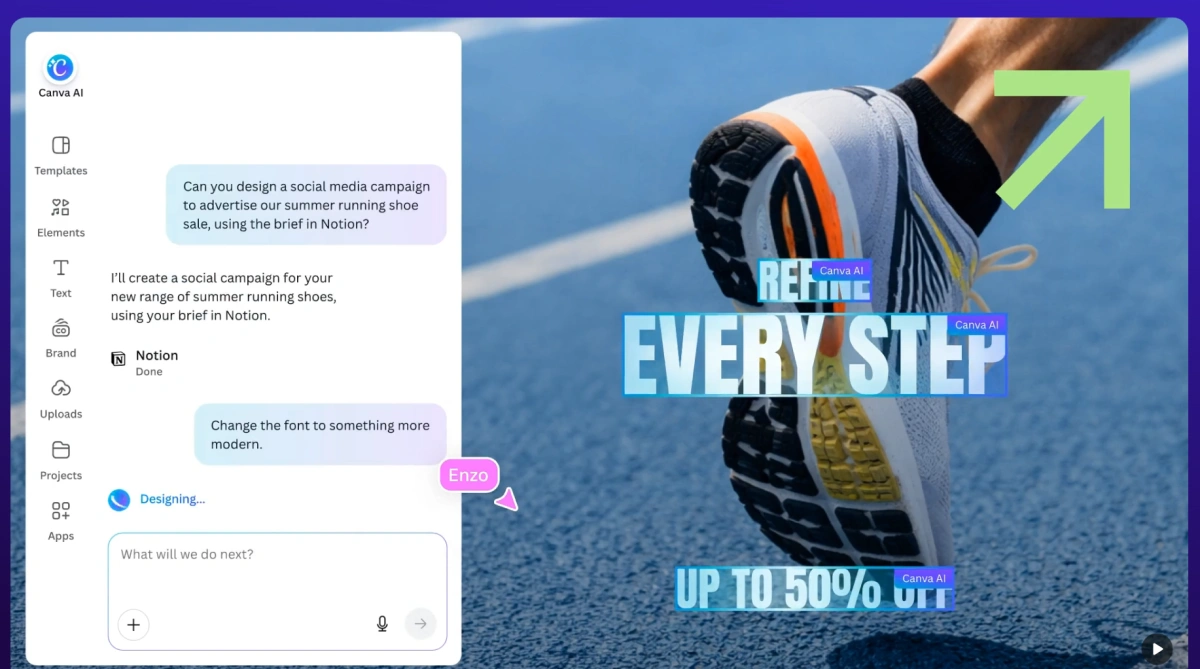
For teams already using Canva, this removes the usual handoff between a copy document and a design file. We find it especially practical for small businesses and lean marketing teams producing simple campaigns at high frequency.
The free plan is useful for testing, but AI usage, Brand Kit controls, resizing, and some publishing features are limited. Canva’s weak point is still the writing itself: the first draft often lacks a sharp opinion or specific product detail, so the hook and supporting examples usually need manual revision.
2. Buffer
Buffer is built around a simple sequence: draft the post, adapt it for each channel, place it on the calendar, and publish. Inside the composer, users can ask the AI Assistant to rewrite a rough idea, shorten a LinkedIn post, expand a brief caption, or change the tone before assigning the content to a date and platform.
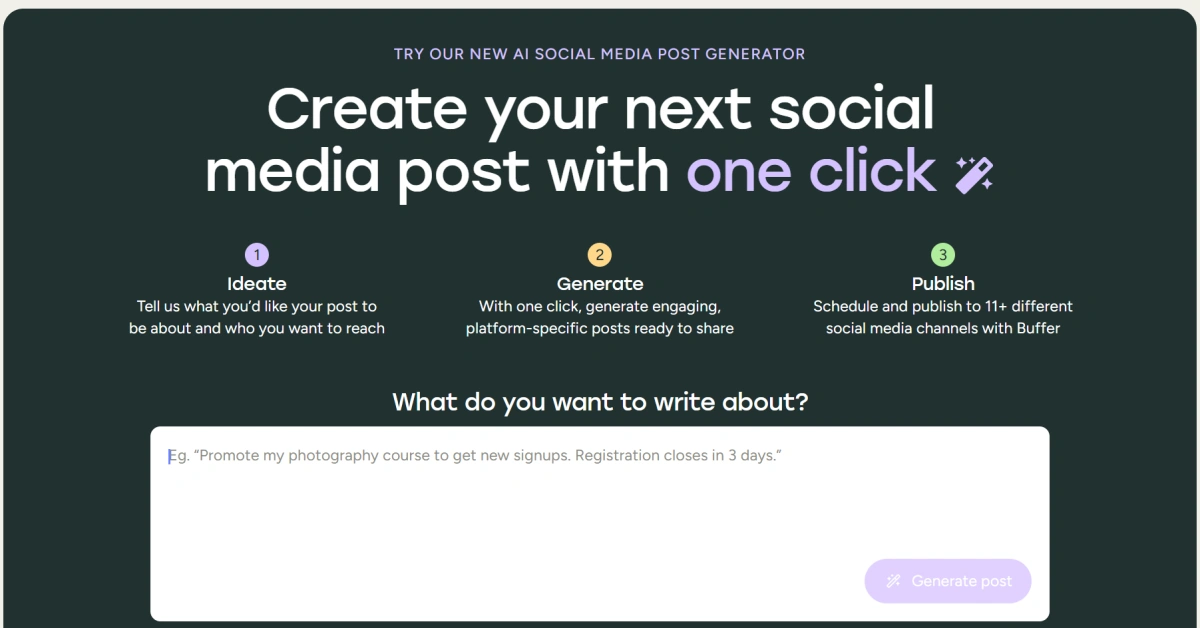
This is more concrete than using a separate chatbot because the finished copy remains next to the scheduling queue and channel preview. We see the strongest fit for solo creators, consultants, and small teams that want a reliable posting routine without learning a marketing system.
The free plan is enough to test basic publishing, although channel and feature limits apply. Buffer is less useful when the campaign also requires original graphics, video editing, or advanced creative production. Its AI output also becomes generic when the prompt lacks audience, offer, and platform context, so the final hook and call to action still need editing.
3. Predis.ai
Predis.ai is designed to turn one brief into several parts of a social post. After entering a product, topic, or campaign idea, users can generate a caption, hashtags, image or video creative, and carousel-style variations from the same workspace. Brand colors, fonts, logos, language, and tone can then be applied before the post is edited or scheduled.
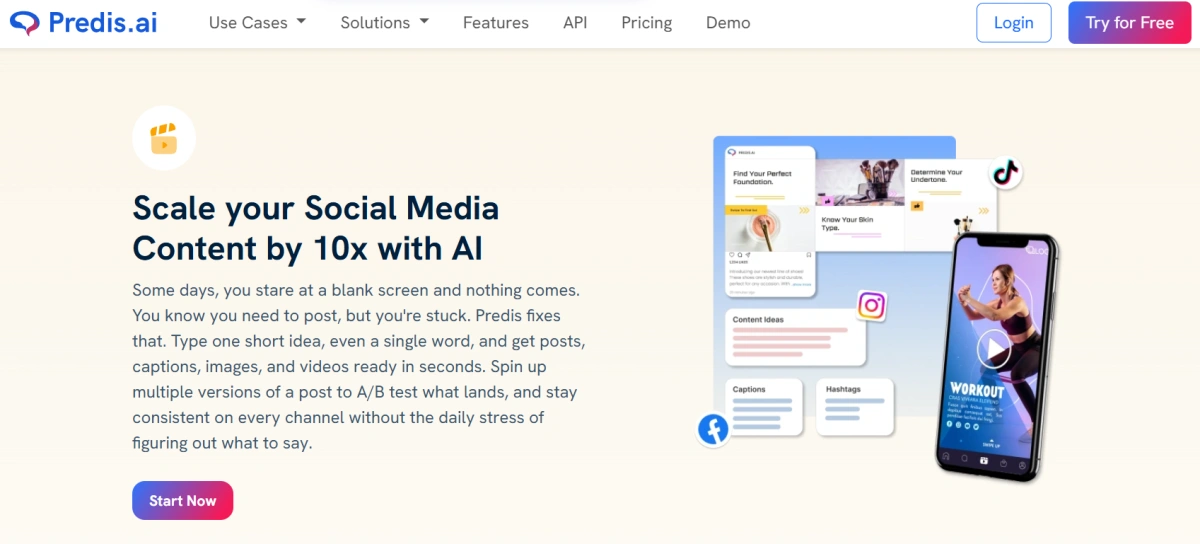
This workflow is useful when a small e-commerce team needs multiple promotional concepts but cannot involve a copywriter and designer in every draft. We would use it for early campaign exploration, product announcements, and weekly content batches because it quickly shows how one idea might look across formats.
The trade-off is that automation can make the visual and wording feel formulaic. Layouts, product claims, and brand voice still need close review, particularly when many posts are generated at once. The free option is suitable for testing, but generation, export, and publishing allowances are limited.
4. SocialBee
SocialBee approaches AI writing as one part of a larger content system. Users can generate post ideas and captions, place them into categories such as educational, promotional, or evergreen content, and then assign those categories to a recurring schedule. Teams can also prepare platform-specific versions, send posts through approval, and review performance without rebuilding the workflow in separate tools.
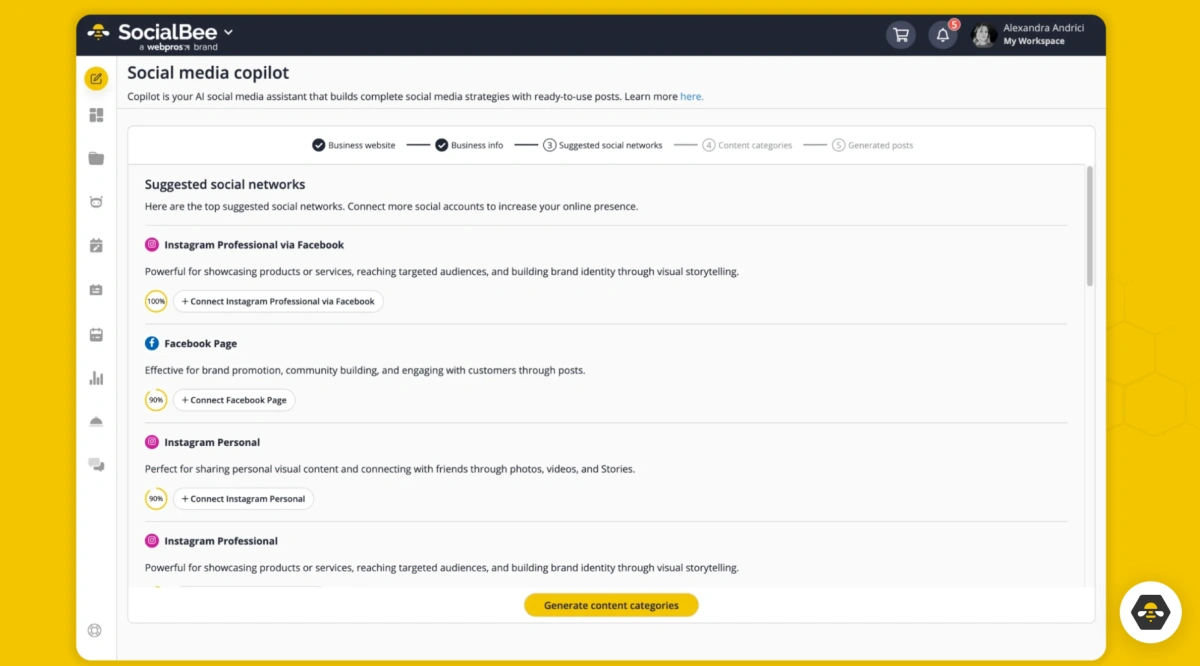
That category-based structure is the feature we find most useful: it helps prevent a calendar from becoming five promotional posts in a row simply because those were easiest to generate. SocialBee therefore suits agencies and growing marketing teams that need consistent rules for planning, reviewing, and publishing content.
The drawback is setup time. Content categories, channels, roles, and approval steps have to be configured before the platform becomes efficient, so it may feel heavy for one person who only needs occasional caption ideas. A trial is available, while the full planning and collaboration workflow requires a paid plan.
5. PlayPlay
PlayPlay is more convincing as a video-production tool with AI writing support than as a pure caption generator. A team can begin with a campaign message, use AI to develop a short script or social caption, select a branded video template, add subtitles or voice-over, and resize the finished asset for vertical, square, or landscape placements.
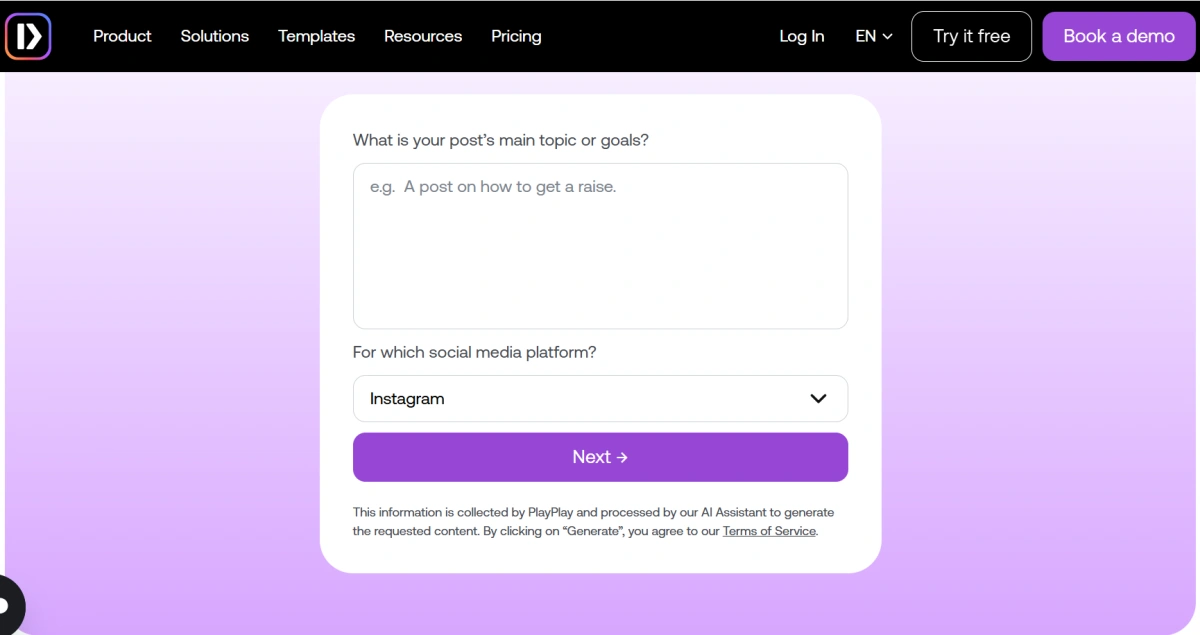
This makes the workflow particularly relevant for communications teams turning company updates, event announcements, interviews, or product stories into short social videos. We also see value for international teams because the platform supports multilingual content and localized versions without requiring a separate editing project for every market.
The limitation is equally clear: users who mainly publish text posts will not benefit from most of the platform. Its strongest features sit in video creation, brand templates, and adaptation rather than detailed caption refinement. Free AI tools can help with initial copy, but the complete production environment is offered through trial and paid access.
6. QuillBot
QuillBot is most useful after a draft already exists. A marketer can paste in a stiff caption, generate alternative wording, shorten a paragraph for X, make a LinkedIn post more formal, or remove repetition without rebuilding the message from zero. Its paraphrasing and tone tools are especially helpful when the main idea is correct but the sentence structure feels clumsy.
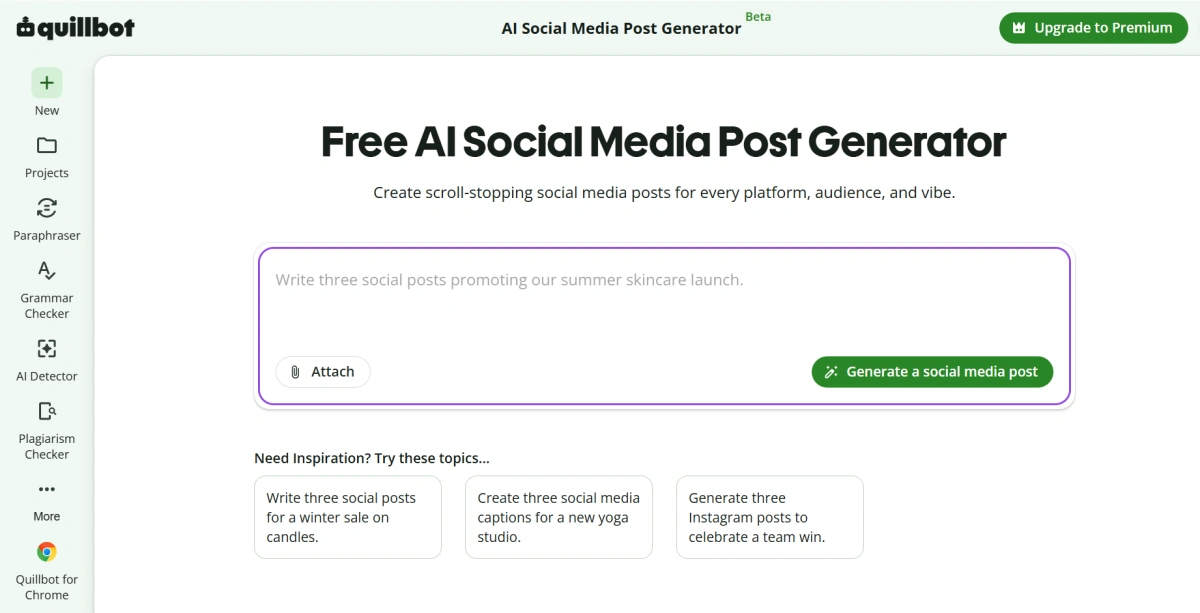
We would use QuillBot near the editing stage—for comparing three possible hooks, tightening a call to action, or adapting one approved message into several tones. That makes it a practical companion to a content calendar, but not a replacement for one.
QuillBot does not create a complete visual campaign, assign approval tasks, schedule posts, or report social performance. It can also smooth the copy so much that the brand’s personality disappears. The free tools are sufficient for basic rewriting, but the final version should still restore specific examples, product language, and a clear point of view.
7. SocialRails
SocialRails separates quick generation from the broader publishing workflow. In its Social Media Post Writer, users select the platform, describe the topic, choose a tone, and define the post’s goal. The tool then structures a draft around elements such as the opening, body, call to action, and supporting hashtags.
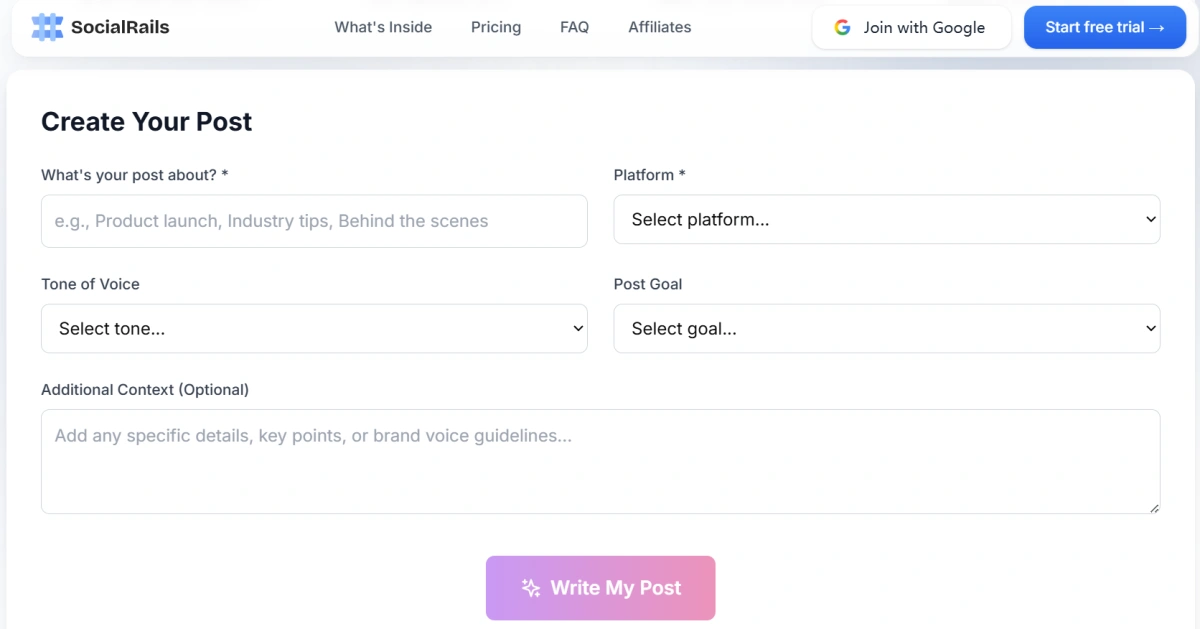
This guided form is useful for people who struggle to write detailed prompts because it asks for the decisions that most directly affect the output. The draft can then support a wider SocialRails workflow that includes scheduling and multi-platform management.
We see it as a practical option for freelancers or small teams that want to test individual writing utilities before adopting another publishing dashboard. The main limitation is that the no-sign-up generators and the full management product solve different levels of the problem. A free draft does not automatically include batch planning, approvals, or a complete calendar, and the generated copy still needs brand examples and factual review.
8. Writesonic
Writesonic is better suited to teams that begin with substantial source material rather than a blank caption box. A marketer can take a blog post, campaign brief, or researched article and turn its main points into shorter assets such as Instagram captions, Facebook posts, hooks, summaries, or content ideas. Brand-voice settings and multilingual generation can help those variations stay closer to an established style.
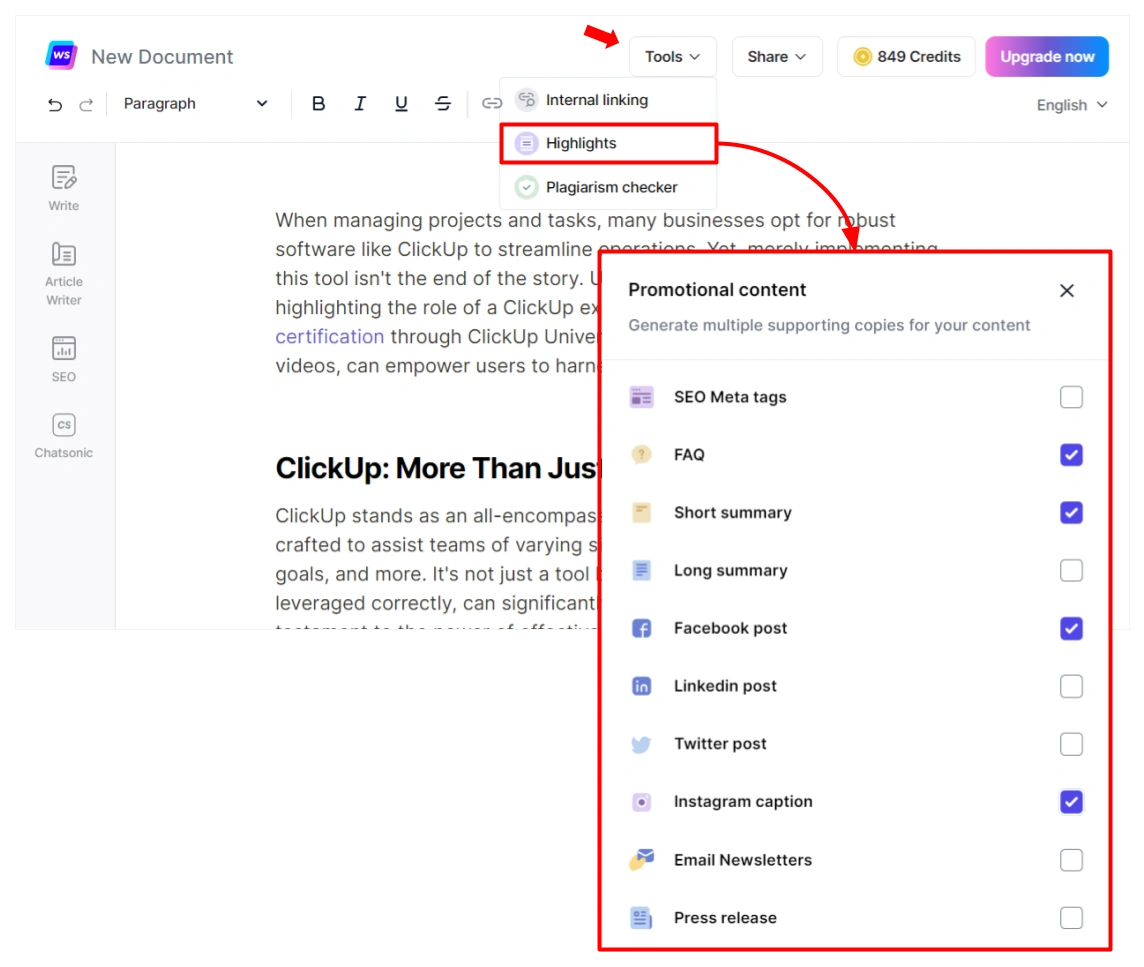
We find this workflow valuable when one long-form article needs to support several weeks of distribution, because the team does not have to restate the source material in every prompt.
The main drawback is that Writesonic has expanded far beyond social copy into SEO, content production, and AI-search visibility. That broader system can be useful for content-led organizations, but it adds cost and complexity for someone who only needs occasional captions. Free tools and trial access provide a starting point, while the more complete repurposing and brand workflow is aimed at paid, professional use.
How to Evaluate AI-Generated Social Media Content
Publishing more often does not automatically mean the content strategy has improved. AI should be evaluated by whether it saves time while maintaining or improving content quality.
1.Engagement Rate
Compare the engagement rate of AI-assisted posts with content written entirely by a person.
Review likes, comments, shares, saves, and other relevant interactions in relation to reach or impressions. The quality of engagement also matters. A detailed question, qualified inquiry, or useful discussion may be more valuable than a large number of low-effort reactions.
2.Time Saved
Record how much time the team actually saves each week.
Include the complete workflow: prompting, regenerating, editing, fact-checking, design, approval, and scheduling. A tool that generates a draft in seconds may offer limited value if the output still requires extensive correction.
3.Edit Ratio
Compare the original AI draft with the final published version.
A high edit ratio may indicate that the prompt is too vague or that the tool does not understand the brand voice. A very low edit ratio is not always positive either. It may mean generic AI language is being published without enough review.
4.Performance
Compare AI-assisted and regular posts across reach, impressions, engagement, clicks, and conversions.
Results should be reviewed by platform and content format because the same caption can perform differently on LinkedIn, Instagram, TikTok, or X. Testing both types of content over several weeks provides more reliable evidence than judging a tool from one generated sample.
From Content Creation to Multi-Account Management
AI tools can improve what a brand publishes, but teams managing several accounts on the same social platform also need a clear way to organize access, publishing, and daily operations.
The most common approaches include:
- Switch between several accounts directly inside apps such as Instagram, TikTok, or X.
- Use official tools such as Meta Business Suite, TikTok Business Center, or LinkedIn Page roles to assign team access.
- Connect multiple accounts to platforms such as Hootsuite for centralized scheduling and publishing.
- Keeping accounts in separate browser profiles to avoid mixing login sessions.
These methods are usually sufficient for individual creators and small teams. As the number of accounts, operators, and mobile workflows grows, some teams also use dedicated devices, cloud phones, or isolated browser environments.
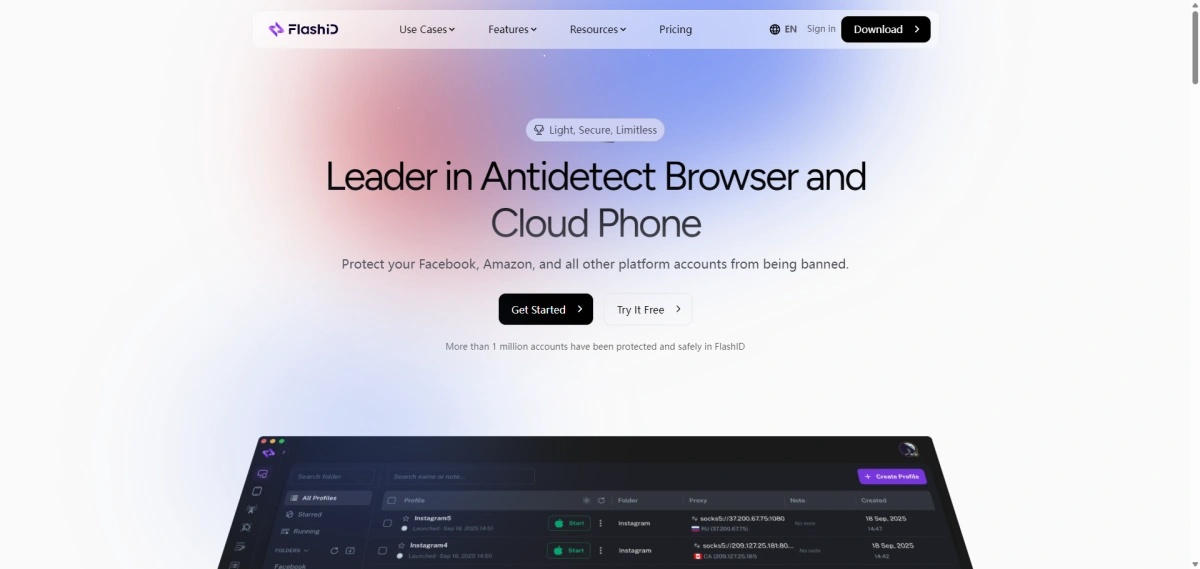
An antidetect browser is one option for teams that need each browser-based account to retain its own cookies, local storage, login session, and settings. FlashID Antidetect Browser, for example, provides separate browser Profiles and team access controls, helping growing teams organize authorized accounts more clearly. It is not necessary for every social media team, but it can provide a more structured workflow when ordinary account switching and browser profiles become difficult to manage.
How Antidetect Browsers Help with Social Media Management
Final Thoughts
The best AI social media post generator is the one that removes a real bottleneck.
Visual teams may prefer Canva or Predis.ai. Publishing-focused users may benefit from Buffer or SocialBee. QuillBot works well for improving existing drafts, while Writesonic is more suitable for teams repurposing larger content assets.
Regardless of the tool, AI output should be edited, tested, and measured. As operations grow, the same discipline should extend beyond content to account organization. Effective social media management depends on both useful content and a clear system for publishing it from the correct accounts.
If you’d like to stay updated with practical insights and industry trends, feel free to join our community.


