FlashID is a strong BitBrowser alternative for teams that need antidetect browser profiles, cloud phones, built-in proxy options, automation, and team-scale account management in one platform. BitBrowser is still a capable antidetect browser with browser profiles, proxy matching, team features, and BitCloudPhone, but FlashID is better suited for users who want a more unified and security-focused environment for browser and mobile account operations.
Key Takeaway
● BitBrowser is a practical choice if you need browser profiles, fingerprint settings, proxy configuration, team permissions, and basic multi-account separation.
● Users may look for a BitBrowser alternative when they want clearer built-in proxy infrastructure, stronger security confidence, smoother product experience, and better browser + mobile environment consistency.
● FlashID stands out because it combines antidetect browser profiles, cloud phones, built-in proxy options, account management, automation, and team collaboration in one integrated environment.
● Choose BitBrowser if you mainly need a familiar antidetect browser with cloud phone expansion. Choose FlashID if your workflow depends on secure scaling, mobile app operations, proxy consistency, and long-term team management.
What BitBrowser Does Well
BitBrowser is a practical antidetect browser for users who need affordable and straightforward multi-account management. It helps users create separate browser environments for different accounts, manage fingerprints, assign proxies, and organize account access in a more structured way. For beginners, solo operators, and small teams, BitBrowser can be an accessible starting point before moving into more complex multi-account systems.
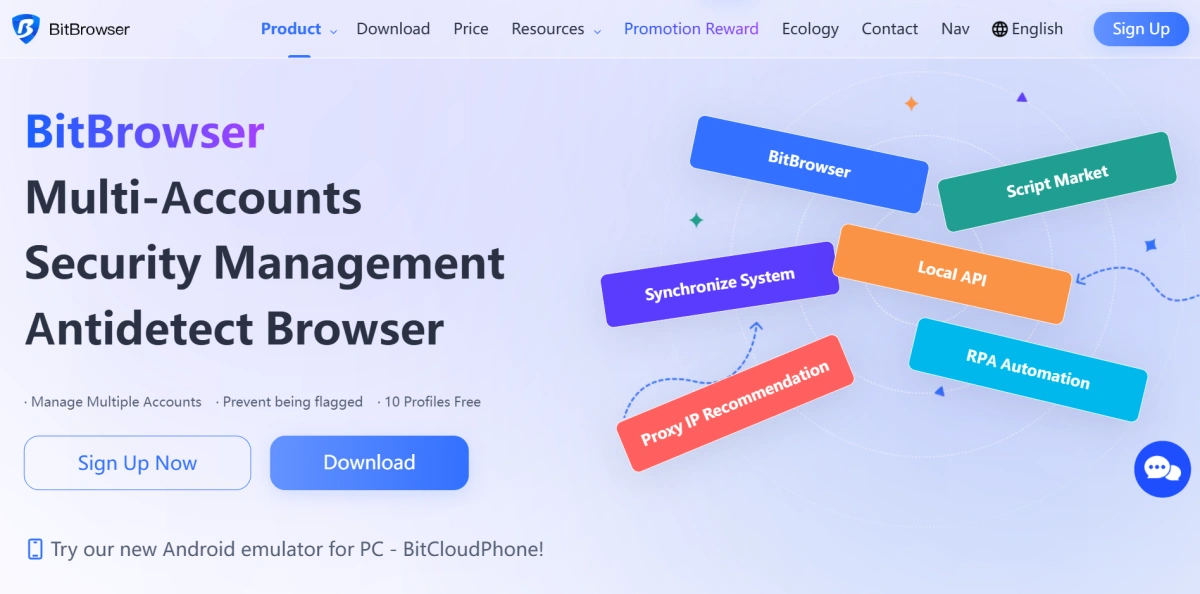
BitBrowser is a practical antidetect browser for users who need a low-cost way to start multi-account management. Its biggest advantage is accessibility. With 10 free browser profiles, BitBrowser gives beginners, solo users, and small teams a chance to test browser profiles, proxy setup, fingerprint settings, and account separation without paying from day one. For users who are still learning how antidetect browsers work, this lower entry cost can be attractive.
BitBrowser also covers the basic needs of browser-first multi-account workflows. Users can create separate browser profiles, manage cookies and sessions independently, configure proxies, and adjust common fingerprint parameters such as UserAgent, language, WebGL, Canvas, WebRTC, timezone, resolution, and geolocation. For small e-commerce sellers, social media operators, affiliate marketers, and ad account users, this is usually enough to keep accounts more organized than using normal browsers, proxy extensions, or spreadsheets.
The limitation appears when the workflow becomes more security-sensitive, more mobile-driven, or more dependent on unified proxy and account environment management. In 2026, many multi-account teams are no longer only creating browser profiles. They also need stronger security confidence, built-in proxy infrastructure, browser + mobile consistency, and smoother team-scale operations. At that point, users often start comparing BitBrowser with a broader platform like FlashID.
Why Users Look for a BitBrowser Alternative in 2026
Most users do not look for a BitBrowser alternative simply because BitBrowser cannot create browser profiles. They look for alternatives when their operation becomes more sensitive, more mobile-driven, more security-focused, or harder to manage across separate tools.
1. Built-in Proxy Expectations Are Higher
Proxy support is one of the most important parts of any antidetect browser. BitBrowser supports custom proxy setup and automatic proxy-fingerprint matching, but the setup still depends heavily on users entering proxy details from a provider. Its proxy service page also focuses on third-party providers such as ProxyWing, 711Proxy, Thordata, Geonix, Novada, IPOasis, and others.
For users who already have reliable proxy suppliers, this can work well. But teams that want a faster and more controlled setup may prefer a platform where proxy purchase, assignment, and environment matching happen inside the same system.
This difference matters because proxy management is not only about IP replacement. It affects account identity, location signals, timezone, language, and long-term environment consistency.
2. Security and Product Confidence Matter
BitBrowser’s low price is attractive, especially for beginners and small teams. However, price is not the only factor when users manage valuable accounts, crypto wallets, seller stores, ad accounts, or business-critical sessions. Once account value increases, users often care more about product reliability, data protection, and long-term operational safety.
BitBrowser’s 2023 security incident is one reason some users may question whether a cheaper tool is enough for high-value workflows. The incident involved server-side cached data and extension data synchronization risks, with many Web3 and airdrop users reporting that wallet-related data was exposed and assets were transferred. Even if the product has improved since then, this kind of security history can still affect user trust.
This is why some users start looking for a more reliable and security-focused BitBrowser alternative. For teams that manage sensitive accounts every day, a stronger platform is not only about more features. It is about stable product quality, safer account data handling, clearer access control, and a workflow that gives users more confidence over time.
3. Browser + Mobile Workflows Need Better Environment Consistency
BitBrowser does have cloud phone functionality, so the issue is not simply whether it supports mobile operations. The bigger concern is whether browser profiles, cloud phones, proxies, and account workflows can stay consistent when teams operate across both websites and mobile apps.
For platforms such as TikTok, Instagram, WhatsApp, Telegram, marketplaces, and app-based verification flows, consistency is critical. A team may need to log in through a browser, check the same account in a mobile app, warm up mobile behavior, and keep IP, device signals, timezone, and fingerprint settings stable over time.
This becomes harder when the workflow depends on separate tools for browser profiles, external proxies, and mobile environments. Since BitBrowser does not clearly provide its own built-in proxy infrastructure, users may still need to rely on third-party proxy providers and manual configuration. When browser settings, proxy sources, and device environments are managed separately, mismatched signals become more likely. Over time, this kind of tool fragmentation can increase operational mistakes and create higher detection risks.
FlashID Antidetect Browser: A Strong BitBrowser Alternative
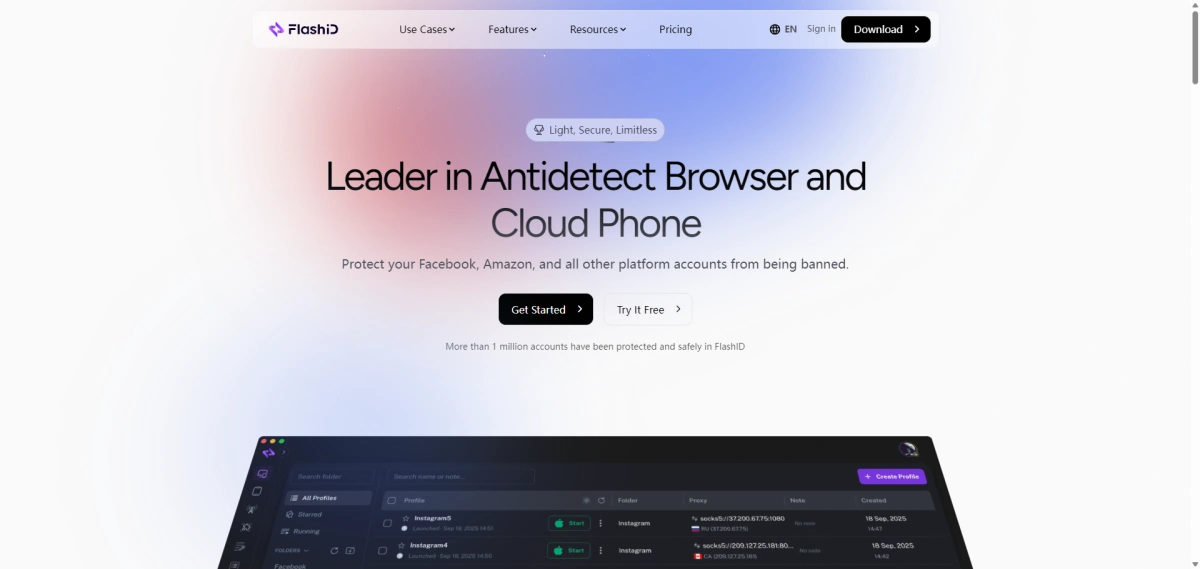
FlashID Antidetect Browser is a strong BitBrowser alternative because it focuses on secure, unified, and scalable multi-account operations. It is not only a browser profile manager. It combines fingerprint browser profiles, cloud phones, built-in proxy options, account management, automation, and team collaboration, making it suitable for e-commerce, social media marketing, affiliate marketing, traffic operations, privacy defense, web scraping, advertising strategy, and crypto-related workflows.
Explore FlashID for Multi-Account Management
1.Browser Profiles and Fingerprint Control
Any BitBrowser alternative must first cover the basic requirements of an antidetect browser. Users still need isolated browser profiles, fingerprint settings, proxy binding, separate cookies, independent sessions, and reliable profile launching.FlashID covers these fundamentals while adding more operational features around them.
For example, FlashID gives users clear control over WebRTC and WebGL instead of relying only on randomization. WebRTC can be turned off, kept real, matched with the proxy, or manually configured. WebGL can also be kept real, randomized, or manually adjusted through values such as Vendor and Renderer.
This matters because fingerprint control is still the foundation of multi-account management. If several accounts appear to share the same browser identity, screen resolution, timezone, language, WebRTC behavior, WebGL information, or IP pattern, platforms may connect them. A strong antidetect browser should help each account appear as a separate, realistic device environment.
2.Cloud Phone for Mobile Account Operations
Cloud phone is one of FlashID’s biggest differences from a traditional browser-first setup.
FlashID’s product logic was built around a unified account environment from the beginning. Instead of treating cloud phones, browser fingerprints, and proxies as separate tools that users need to connect manually, FlashID brings the browser layer, proxy layer, and device layer into one system.
This is important in 2026 because many account operations are no longer browser-only. Some platforms are mobile-first. Some login flows rely on app behavior. Some teams need to check how an account behaves in both a browser and a mobile environment.
Without cloud phones, a team may need separate physical devices, local emulators, or another cloud mobile tool. That adds cost and complexity. With FlashID, teams can manage browser and mobile environments inside a more unified workflow.
3.Built-In Proxy Infrastructure and IP Consistency
Proxy support is not only about adding an IP address to a profile. In FlashID, proxies are part of the account environment itself. Teams can use built-in shared proxies, purchase private residential or datacenter IPs inside the platform, or connect their own HTTP/SOCKS5 proxies when they already have an external proxy source.
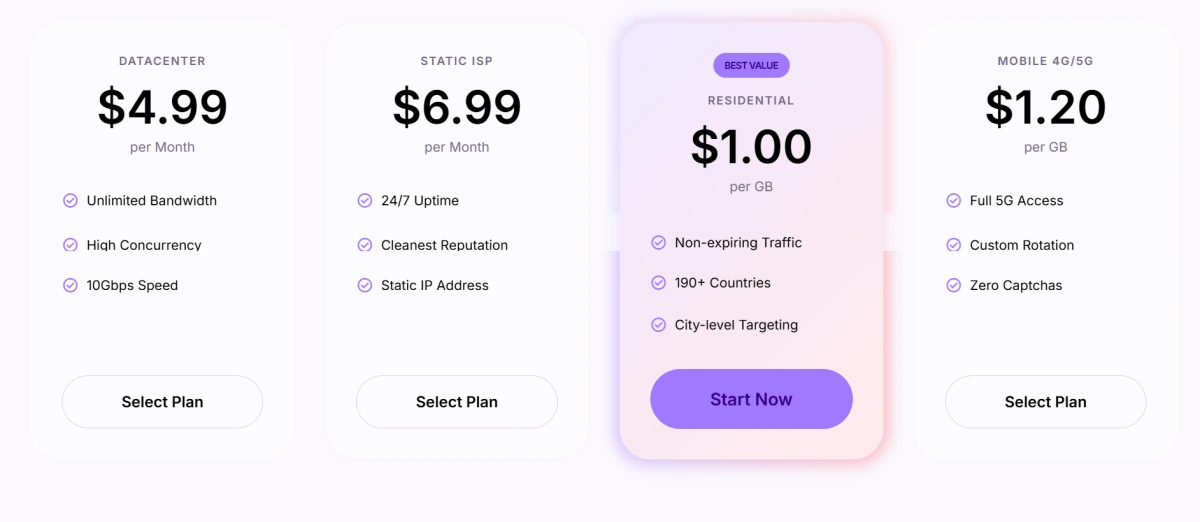
This matters because each account needs more than a different IP. The proxy should work with the browser fingerprint, device type, location, timezone, and platform behavior. FlashID makes this easier by letting users assign independent proxies to both browser profiles and cloud phone environments, so web accounts and mobile-app accounts can be managed under the same IP logic.
For teams that manage accounts at scale, this reduces the need to move between separate proxy tools, browser tools, and cloud phone tools. The result is a more unified setup where the IP, fingerprint, and device environment are planned together instead of configured as isolated settings.
4.Team Collaboration: Workspace, Window Sync, Bulk Operations, and Profile Templates
FlashID is especially strong for team workflows. It combines workspace, permission management, window sync, profile templates, account center, and team collaboration in one environment, helping teams organize profiles, assign access, and reduce repeated operational work.
Workspace is useful when accounts need to be separated by project, client, country, department, or campaign. Instead of putting every profile into one shared list, teams can organize work more clearly inside different workspaces. Users can also invite members and assign different roles, such as Owner, Admin, Editor, Operator, or Viewer, so each person only gets the access they need. This helps reduce internal confusion and makes team account management easier to control.

Window sync helps operators handle repeated actions across multiple profiles more efficiently. Users can choose a master window and target windows, then synchronize actions such as opening the same page, clicking buttons, scrolling, typing, or switching tabs across several browser windows or cloud phone instances. Advanced settings also allow keyboard sync, mouse sync, click sync, scroll sync, movement path sync, and delayed input or clicks. For routine tasks, this can reduce a lot of manual repetition while giving teams more flexibility to control the pace and details of synchronized operations.
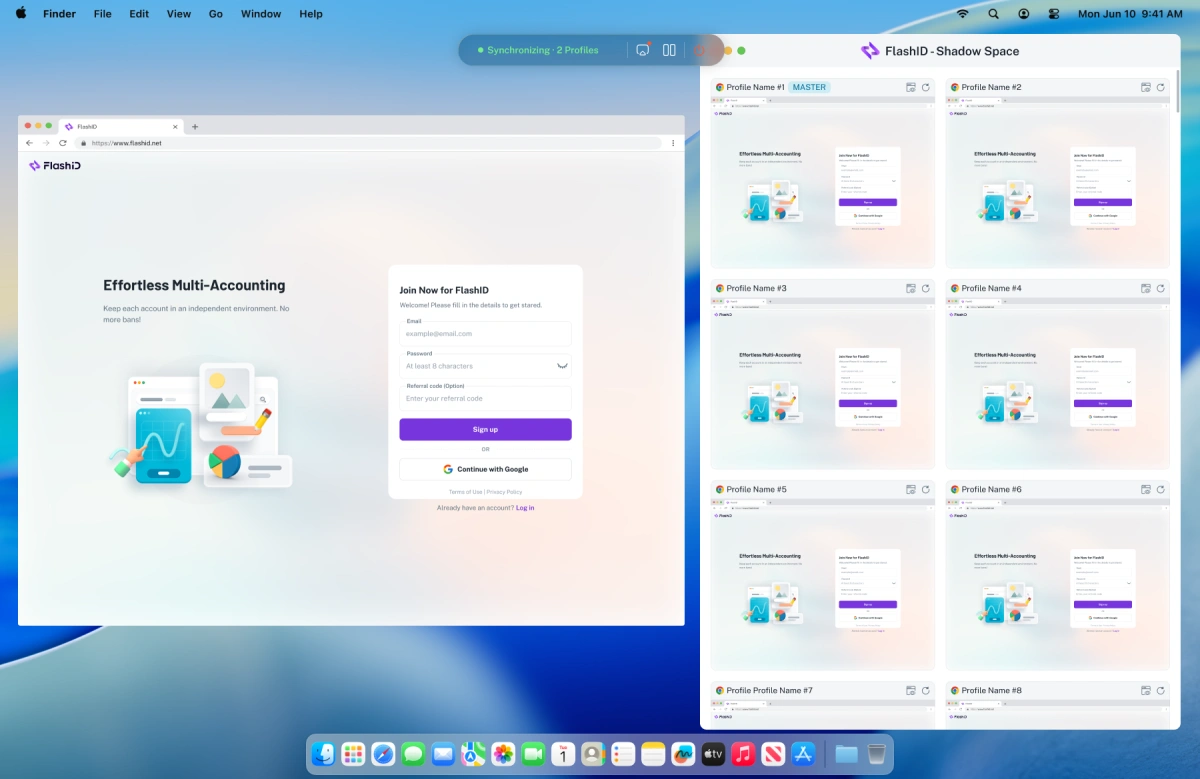
Bulk operations become much more important when teams manage dozens or hundreds of profiles. With Bulk Import Profiles, users can import multiple profiles through an Excel file, including profile names, proxies, cookies,user agents, and notes. This helps teams create large batches of profiles faster, reduce repetitive setup, and make migration from other tools easier.
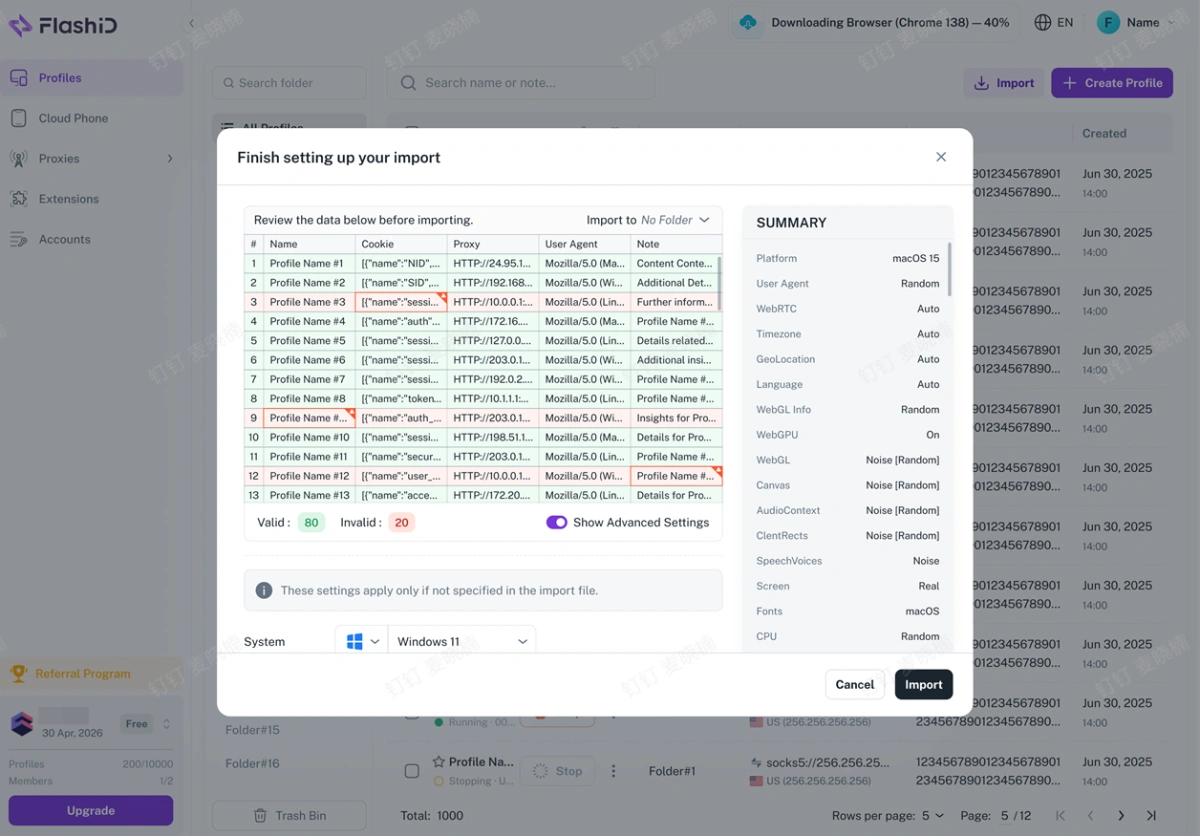
After profiles are imported or created in bulk, Profile Templates help keep the setup consistent. Users can save an existing profile as a reusable template and apply its fingerprint settings when creating new profiles. This makes profile creation faster, reduces manual configuration work, and helps team members follow the same setup standard.
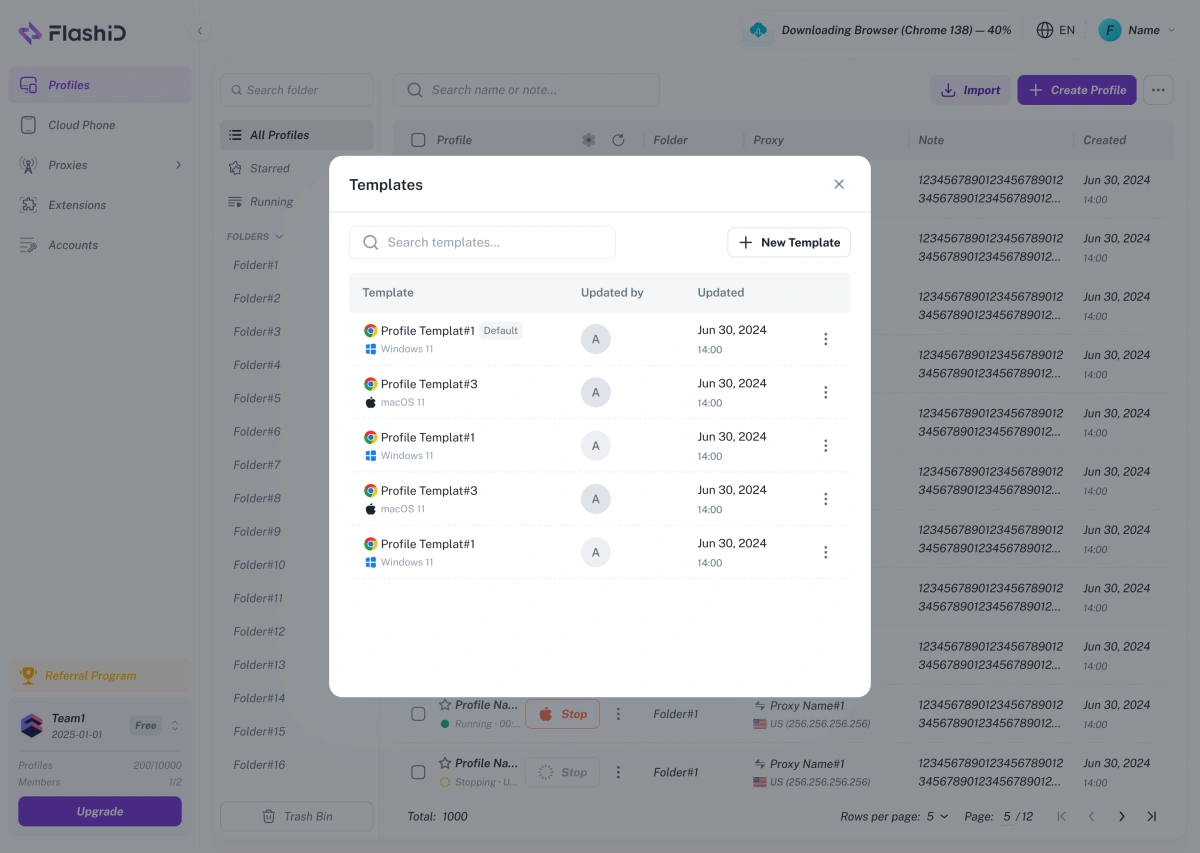
This is where FlashID feels less like a single-user browser tool and more like an operations platform.
5.Security and Account Management
Security is not only about avoiding platform detection. It also includes account credentials, team access, login control, data protection, and operational transparency.
FlashID’s Account Center provides a centralized place to manage website account credentials, passwords, and 2FA keys, while linking each account to an isolated browser environment. It is designed to keep account information organized and reduce the risk of cross-account confusion during daily operations.
FlashID has officially achieved SOC 2 Type 2 compliance, giving teams stronger security assurance when managing accounts, credentials, and operational data. Unlike a one-time security review, SOC 2 Type 2 evaluates whether security controls operate effectively over a period of time. Together with 2FA, centralized account management, and isolated browser and mobile environments, this makes FlashID more suitable for users who need a safer foundation for high-value multi-account operations.

BitBrowser vs FlashID Comparison Table
| Comparison Point | BitBrowser | FlashID |
|---|---|---|
| Best for | Budget users, browser profiles, BitCloudPhone | Teams needing browser + mobile + proxy consistency |
| Browser profiles | ✅ | ✅ |
| Fingerprint settings | Proxy-based fingerprint matching | Browser + mobile environment control |
| Proxy support | Custom proxies + third-party providers | ✅ Built-in proxies + custom proxy support |
| Cloud phone | ✅ BitCloudPhone | ✅ Integrated cloud phone environment |
| Mobile workflow | Supported through BitCloudPhone | ✅ Browser + cloud phone + proxy alignment |
| Security | 2023 security incident reported | ✅ SOC 2 Type 2, 2FA, account security |
| Team operations | Permissions and collaboration | ✅ Team control, account organization, API/RPA |
| Automation | RPA + API | ✅ API, RPA, workflow automation |
| Environment consistency | Partial: proxy + fingerprint matching | Stronger: IP + fingerprint + device alignment |
| Best fit | Users comfortable with external proxy setup | Teams wanting a safer unified platform |
Overall, BitBrowser remains a capable antidetect browser with browser profiles, proxy configuration, team features, automation, and cloud phone expansion. However, FlashID is a better fit for users who want clearer built-in proxy infrastructure, stronger security positioning, and a more integrated environment for browser and mobile account operations.
How to Choose the Best BitBrowser Alternative: Decision Checklist
Choose BitBrowser if your answer is “yes” to most of these questions:
● Do you mainly need browser profiles and basic multi-account separation?
● Do you already have a reliable external proxy provider?
● Are you comfortable manually configuring and testing proxy settings?
● Do you already use BitBrowser and find its workflow familiar?
● Do you want a tool that includes both browser profiles and BitCloudPhone?
Choose FlashID if your answer is “yes” to most of these questions:
● Do you want built-in proxy options instead of relying only on external providers?
● Do you manage both website accounts and mobile app accounts?
● Do you care about SOC 2 Type 2 certification, 2FA, and stronger account protection?
● Do you want browser profiles, proxies, and cloud phones to follow one environment logic?
● Do you need a scalable system for team operations, account organization, automation, and repeatable setup?
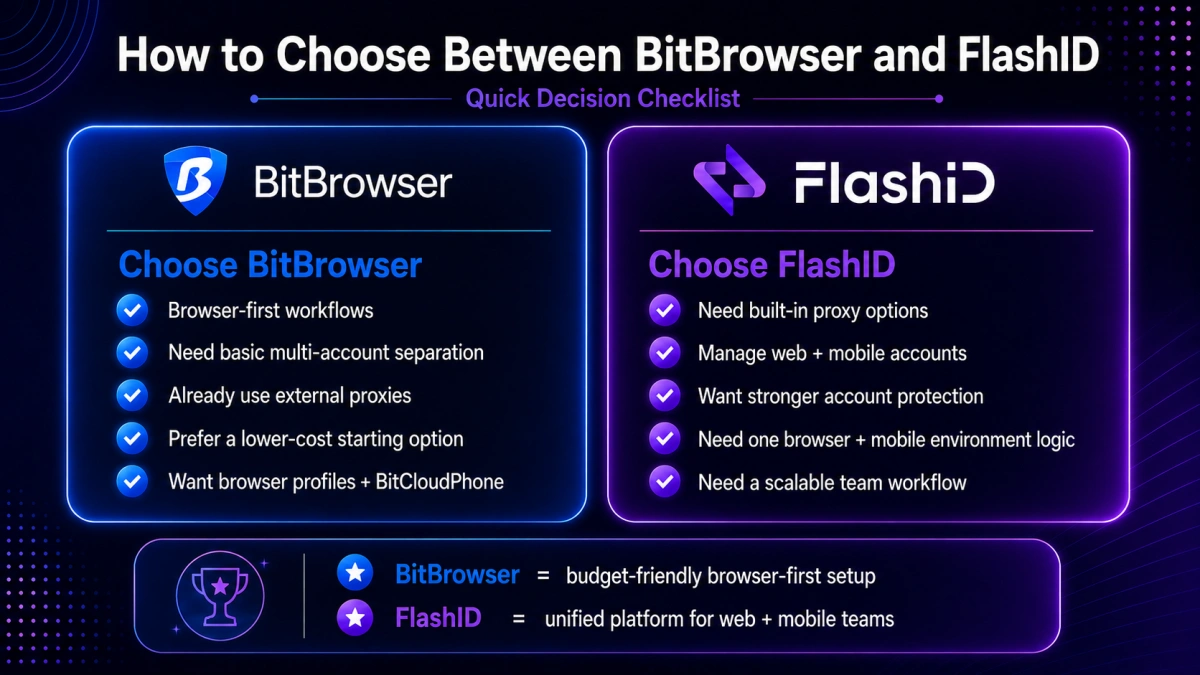
The simplest way to decide is this: BitBrowser is a capable antidetect browser with cloud phone expansion. FlashID is a broader multi-account environment platform built for secure browser + mobile operations.
Conclusion
BitBrowser is still a useful choice for users who need browser profile isolation, fingerprint settings, proxy configuration, team permissions, automation, and BitCloudPhone. It can work well for teams that already understand its setup and mainly need account separation across browser or cloud phone environments.
But in 2026, many users need more than basic multi-account management. They want built-in proxy infrastructure, better security confidence, browser + mobile consistency, and a smoother way to scale daily operations. This is why FlashID is a strong BitBrowser alternative.
If your current workflow is simple, BitBrowser may still be enough. If your team needs a more secure, integrated, and future-ready setup for browser and mobile multi-accounting, FlashID is the stronger choice.
If you’d like to stay updated with practical insights and industry trends, feel free to join our community.
FAQ
1.What is the best BitBrowser alternative in 2026?
FlashID Antidetect Browser is one of the strongest BitBrowser alternatives in 2026 for teams that need browser profiles, cloud phones, built-in proxy options, security features, automation, and team-scale account management in one platform.
2.Is FlashID better than BitBrowser?
FlashID is better for users who want built-in proxy infrastructure, stronger security positioning, and a more unified browser + mobile environment. BitBrowser can still be a practical option for users who mainly need browser profiles, custom proxy setup, and BitCloudPhone.
3.Does BitBrowser have built-in proxies?
BitBrowser supports proxy configuration, proxy-fingerprint matching, and third-party proxy provider recommendations. However, its materials focus more on custom proxy setup and recommended proxy services, while FlashID more clearly provides integrated free shared proxies and private IP purchase options inside the platform.
4.Does BitBrowser have cloud phone?
Yes. BitBrowser offers BitCloudPhone, which is positioned as a cloud-based Android environment for managing multiple phone profiles, mobile apps, RPA automation, batch operations, and API workflows.
5.Can I migrate from BitBrowser to FlashID?
Yes, but migration should be planned carefully. Teams should review current browser profiles, group accounts by project or platform, prepare proxies, rebuild important account environments, set up cloud phones where needed, and define team permissions before moving daily operations into FlashID.
6.Which tool is better for teams, BitBrowser or FlashID?
FlashID is usually better for teams that need secure scaling, built-in proxy options, browser + mobile environment consistency, account organization, automation, and long-term operational control. BitBrowser can still work for teams that are already comfortable with its browser and BitCloudPhone workflow.
You May Also Like


