If you want to understand what websites can see about your browser environment in 2026, the most useful tools to start with are BrowserScan, PixelScan, IPhey and AmIUnique. BrowserScan and PixelScan are especially practical for checking fingerprint consistency, proxy exposure, and leak risks, while AmIUnique are better for deeper technical inspection or uniqueness analysis. No single checker can fully predict how every website will evaluate a browser, so using two or three tools together gives a more balanced view.
Quick Answer
- Browser fingerprint detection tools help reveal what websites may see from your browser environment, including device signals, IP-related information, leak risks, and fingerprint uniqueness.
- The right tool depends on your goal. Some tools are better for broad environment reviews, some for checking profile consistency, some for quick risk summaries, and others for understanding how identifiable a browser fingerprint may be.
- Using more than one checker gives a more balanced view. A broad tool can help with the first review, while a more specialized checker can provide deeper insight into leaks, stability, or fingerprint distinctiveness.
What Is a Browser Fingerprint Detection Tool?
A browser fingerprint detection tool shows what technical signals your browser and device expose to websites. These signals may include your browser version, operating system, screen resolution, timezone, language, installed fonts, headers, Canvas output, WebGL data, and other device-level characteristics.
Browser fingerprinting is not always malicious. It can be used for fraud prevention and account security, but it can also support cross-site tracking without relying on cookies. That is why users often run fingerprint checks when they want to review privacy exposure, test a new browser profile, verify a proxy or VPN setup, or troubleshoot WebRTC, DNS, and location mismatches.
How to Compare Browser Fingerprint Detection Tools
The best tool depends on what you are trying to verify. A useful comparison usually looks at four dimensions:
- Fingerprint coverage — Does it inspect Canvas, WebGL, fonts, audio, headers, and system details?
- Network leak checks — Does it test IP visibility, WebRTC, DNS, proxy status, or blacklists?
- Consistency insight — Does it help reveal whether the same profile gives stable results over time?
- Ease of interpretation — Is it beginner-friendly, or mainly useful for technical users?
Best Browser Fingerprint Detection Tools in 2026
Different browser fingerprint detection tools focus on different signals. Some provide a broad overview of the browser environment, while others are designed for leak checks, technical diagnosis, privacy testing, or fingerprint uniqueness analysis. Below are four tools worth considering in 2026.
1.BrowserScan
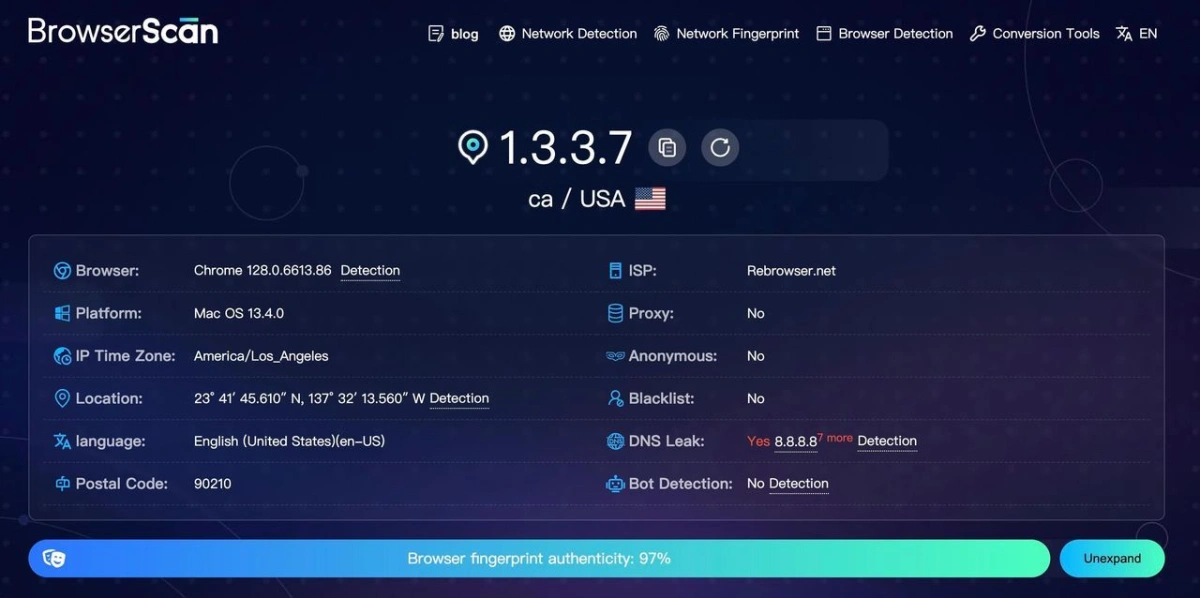
In our review, BrowserScan stood out as one of the most complete tools for getting a quick look at a browser environment.
What we liked most is that it does not stop at basic fingerprint details. It also brings together IP information, proxy checks, DNS and WebRTC leak tests, bot-related signals, and hardware or browser data in one place, which makes the first review process much easier.
We also found its layout fairly direct: most key results appear as soon as the page loads, so users do not need to go through a complicated setup before seeing useful information. That said, some of the more technical indicators may still require a bit of background knowledge to interpret.
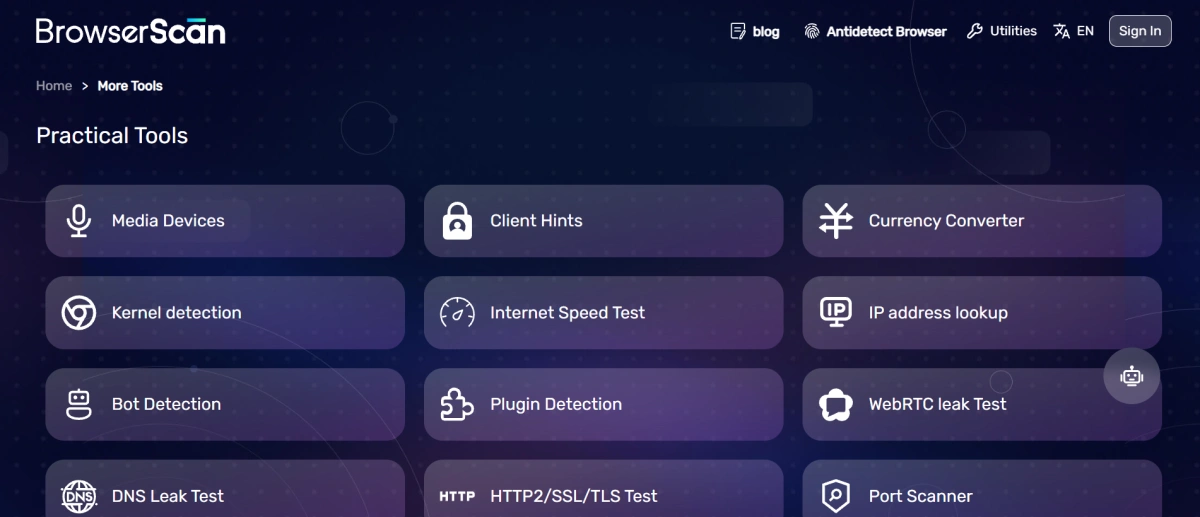
Beyond the main checker, BrowserScan also offers extra utilities such as Canvas detection, WebGPU reports, port scanning, IP lookup, and DNS leak testing, making it feel more like a broader browser and network diagnostic toolkit than a single-purpose fingerprint checker.
2.PixelScan
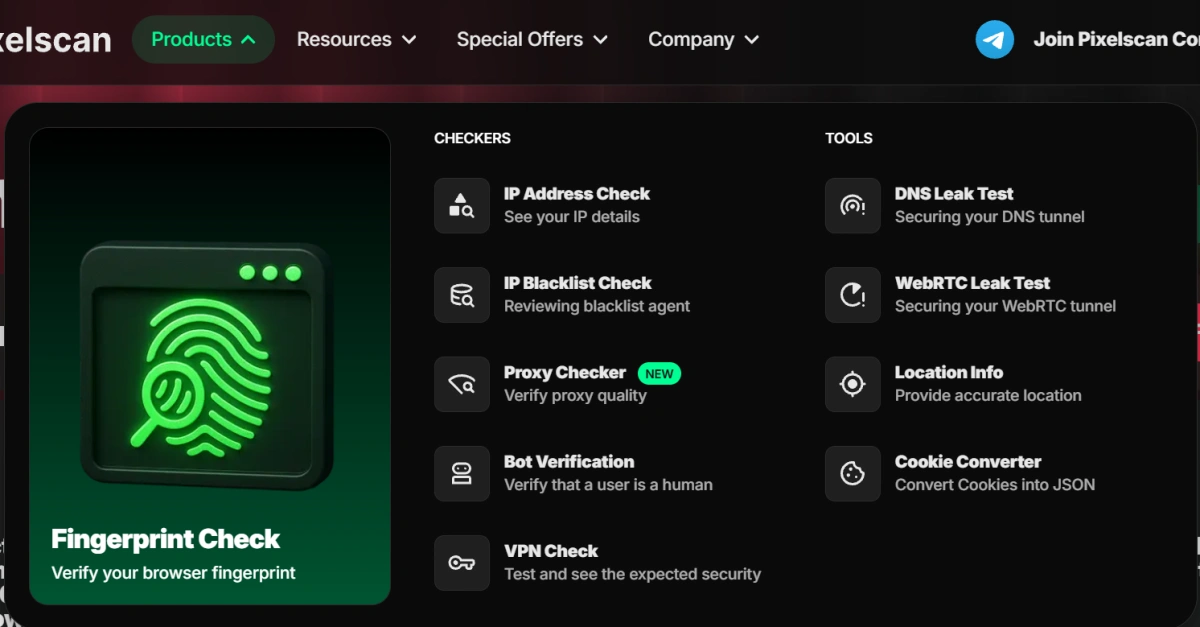
PixelScan gave us a more guided and beginner-friendly experience than BrowserScan. While BrowserScan feels broader and more information-dense, PixelScan is easier to follow from the first scan to the final result.
We especially appreciated its clearer workflow and its explanations around fingerprint consistency, proxy status, DNS leaks, and bot-related signals.
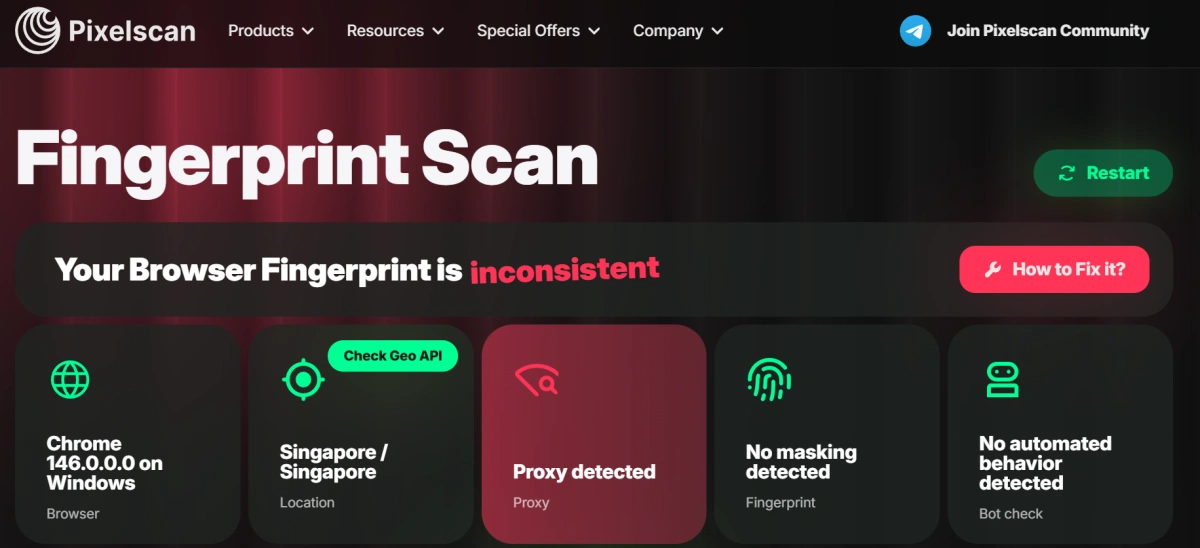
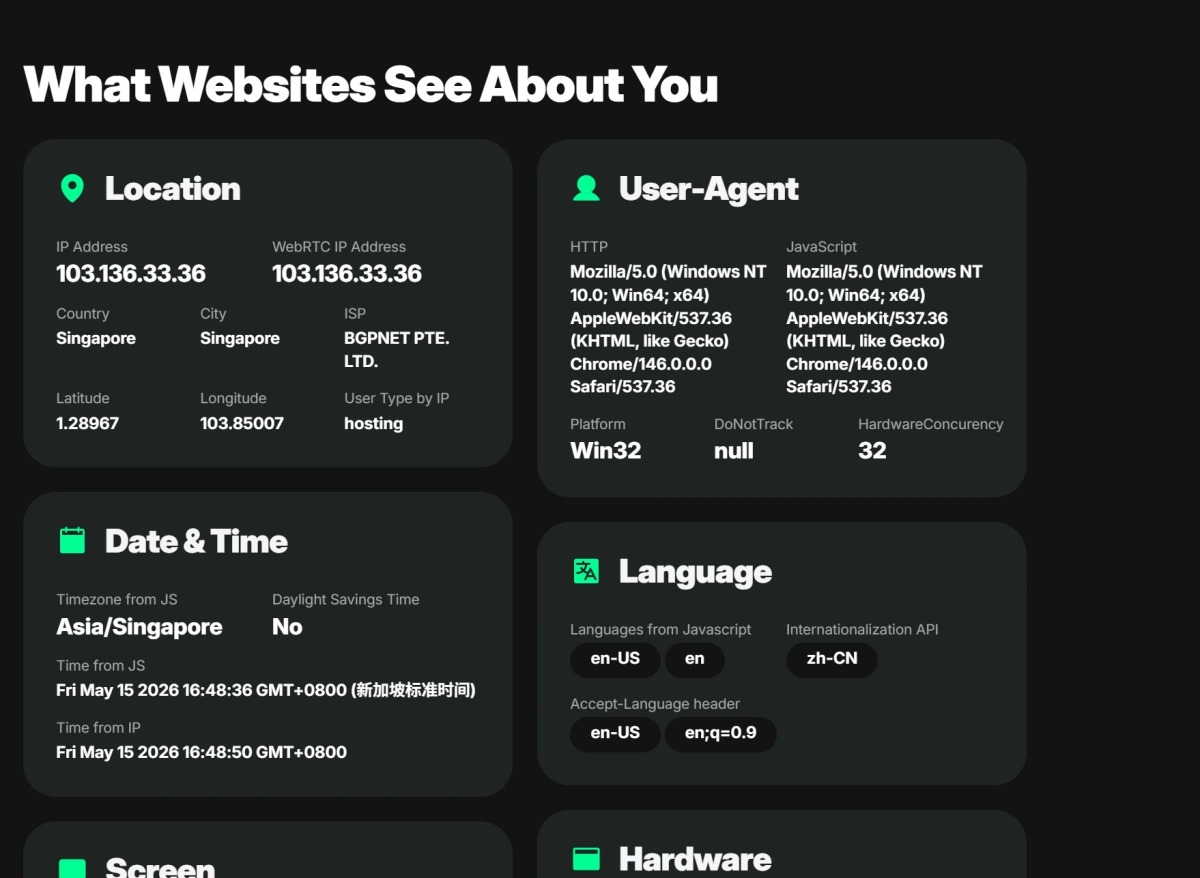
We also noticed that PixelScan goes beyond a single fingerprint check by offering additional tools such as IP blacklist checks, proxy checking, VPN detection, WebRTC leak tests, and bot verification.
3.IPhey
IPhey feels more streamlined and result-focused than the previous tools.
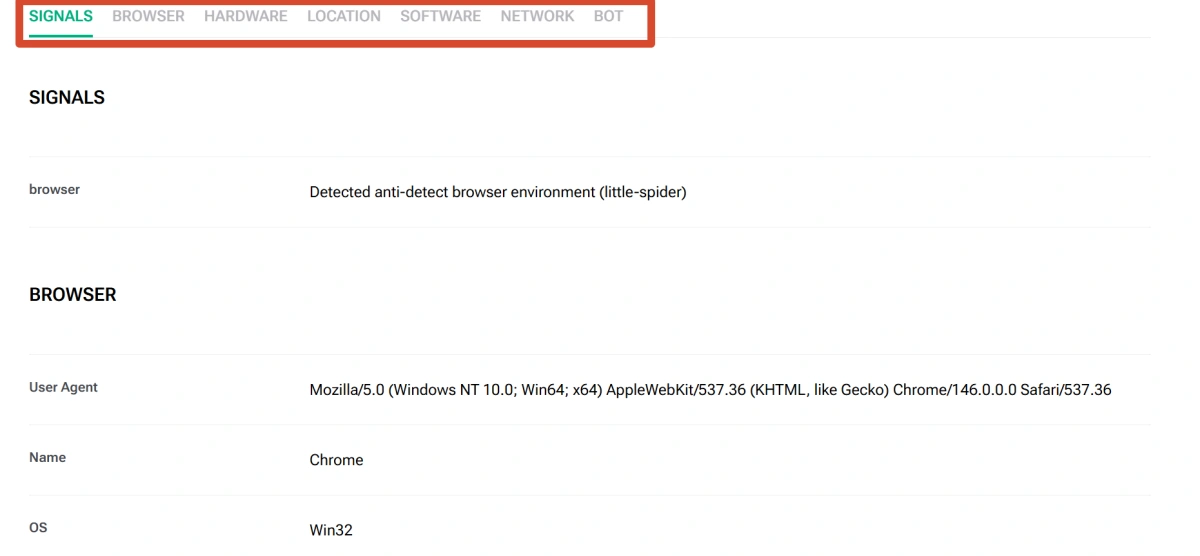
What caught our attention first was its Trust Score approach: instead of only listing technical signals, it gives users a quicker sense of whether the current browser environment appears normal or potentially unusual.
We also appreciated how clearly the page presents key information such as browser details, IP address, location, hardware, and software without making the interface feel too crowded.
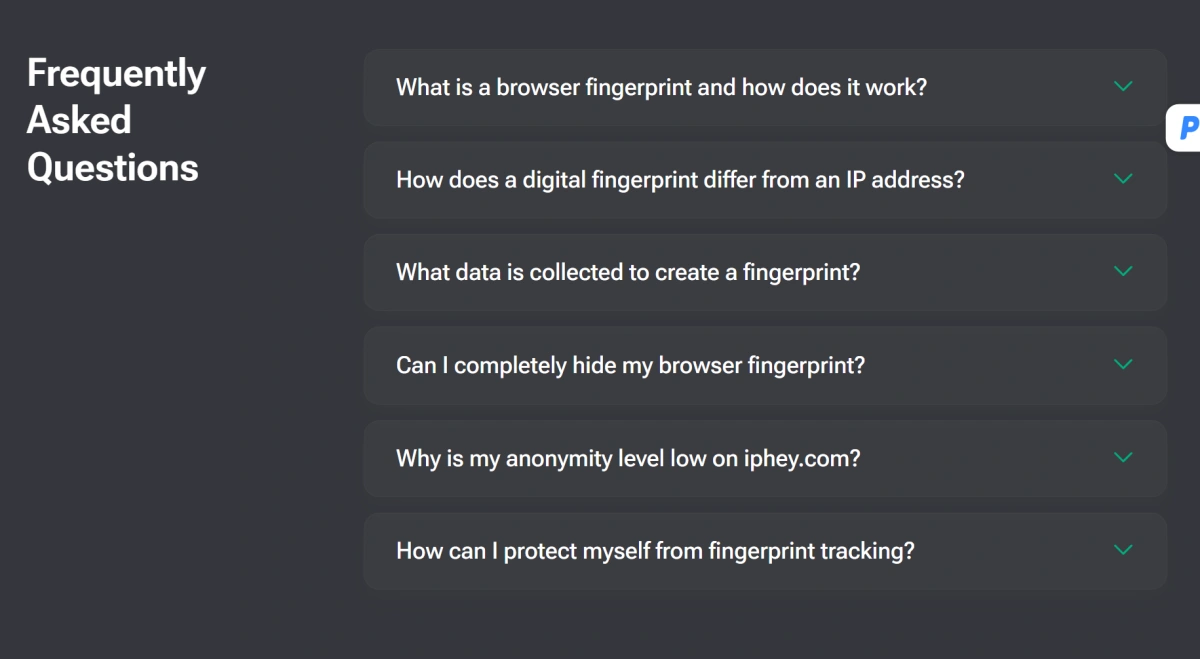
Another thoughtful detail is its FAQ section, which explains why factors such as low-quality proxies, timezone mismatches, or automation traces may affect the final result. IPhey also includes additional checks for VPNs, DNS leaks, IP blacklists, and bot-related signals, making it a practical option for users who want a fast but still meaningful overview of their browser environment.
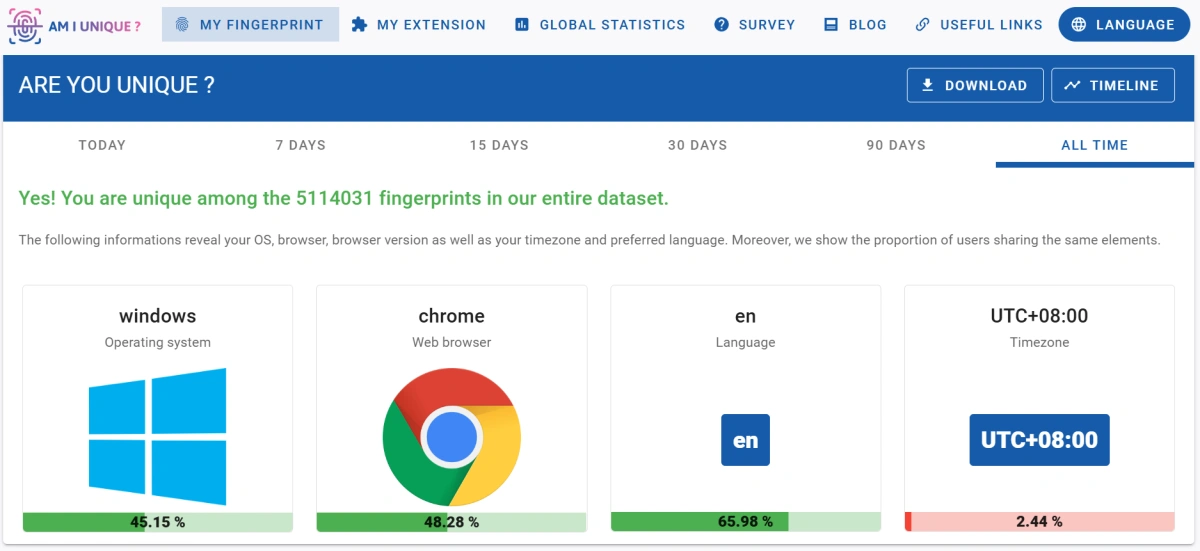
4.AmIUnique
AmIUnique feels quite different from BrowserScan, PixelScan, and IPhey. Instead of focusing mainly on leak checks, proxy signals, or quick trust-style summaries, it gives a more research-oriented look at how unique and identifiable a browser fingerprint may be.
We especially appreciated the way it compares individual browser attributes with a broader sample, helping readers understand not just what information is exposed, but how distinctive that information is.
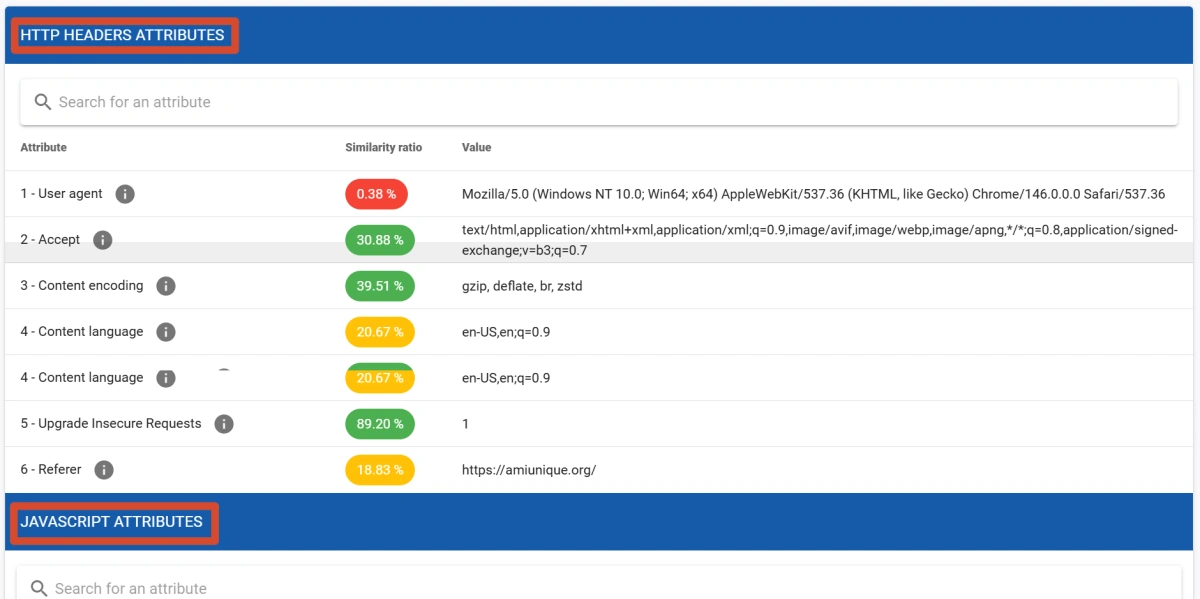
Another detail that stood out to us is its focus on fingerprint changes over time, supported by features such as history, timeline tracking, and global statistics. This makes AmIUnique less of a quick troubleshooting tool and more of a deeper educational resource for users who want to understand the logic behind browser fingerprinting itself.
Quick Comparison of Browser Fingerprint Detection Tools
| Tool | Suitable for | Core value | Best when you want to… |
|---|---|---|---|
| BrowserScan | Users who want a broad first review | Comprehensive environment overview | Check multiple browser, IP, and leak-related signals in one place |
| PixelScan | Beginners or users reviewing profile stability | Clearer scan flow and practical consistency checks | Quickly understand whether a browser profile looks stable and coherent |
| IPhey | Users who prefer a simple, result-oriented view | Easy-to-read trust-style summary | Get a fast sense of whether the browser environment appears unusual |
| AmIUnique | Privacy-focused readers and fingerprinting learners | Deeper analysis of fingerprint uniqueness | Understand how identifiable a browser may be compared with others |
Where These Tools Can Fall Short
Fingerprint checkers are useful diagnostic tools, but they cannot fully replicate how every website evaluates a browser. A good result on one test does not guarantee the same outcome elsewhere.
Results may also change when IP, resolution, timezone, or extensions change. These tools are best used for privacy checks, QA, and authorized environment testing—not as a substitute for following platform rules or applicable laws.
How to Use Fingerprint Detection Tools with an Anti-Detect Browser
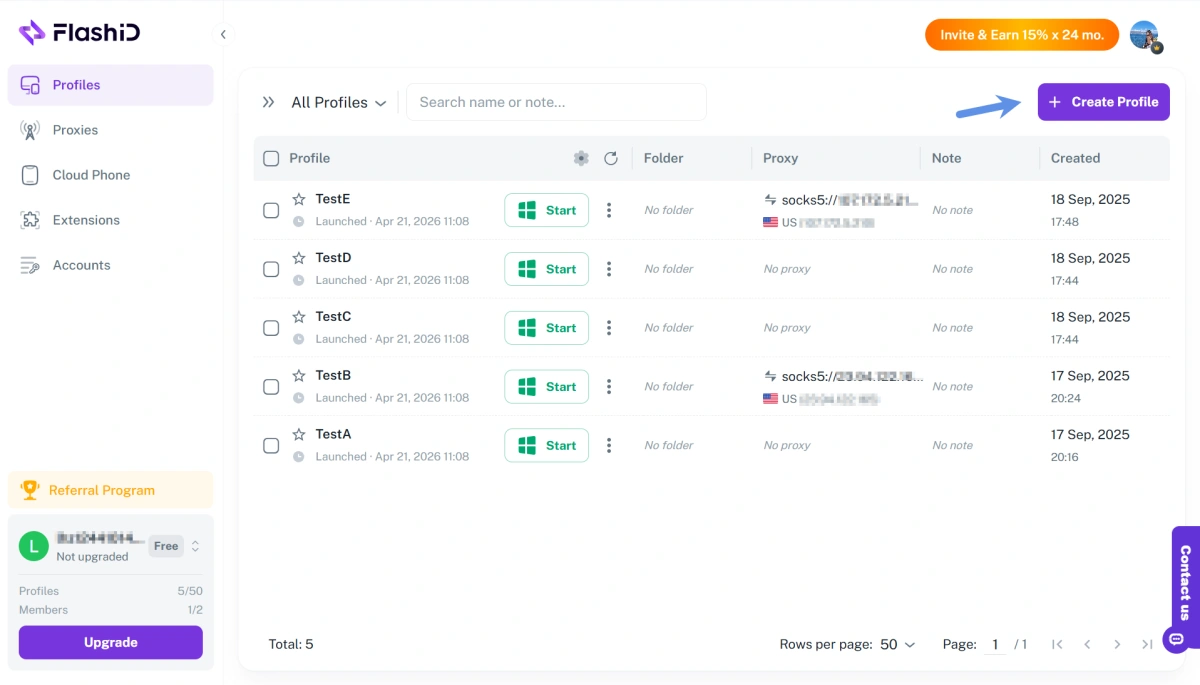
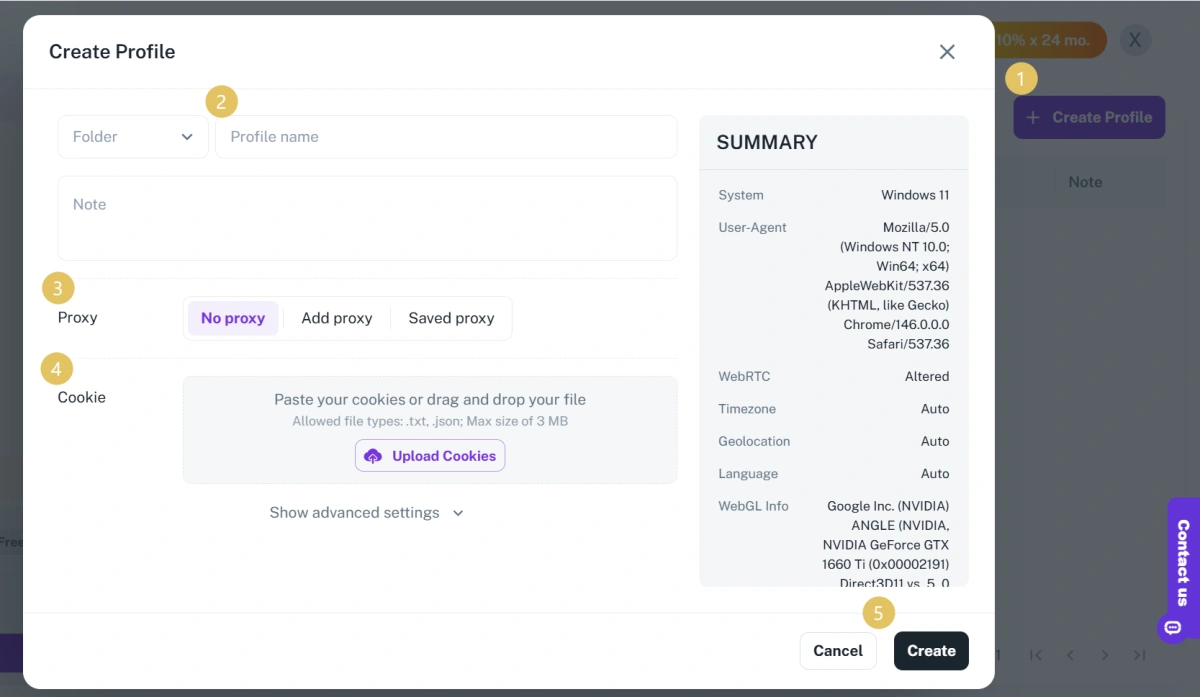
Fingerprint detection tools show what signals a browser profile may expose. To make that testing more practical, the steps below use FlashID as an example of how an anti-detect browser can be combined with tools like BrowserScan or PixelScan in a real profile-checking workflow.
1.Create or review a profile in FlashID.
2.Configure the intended proxy setup for that profile.
3.Run BrowserScan, PixelScan, or BrowserLeaks to check whether the environment looks consistent before regular use.
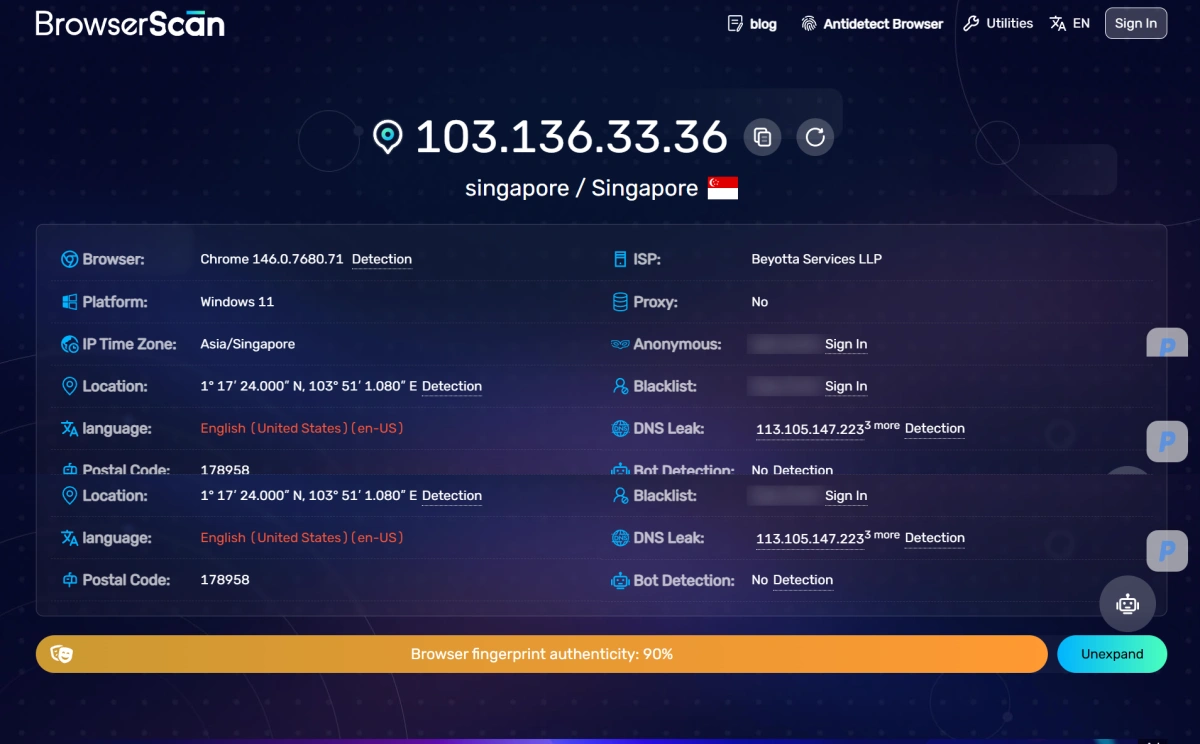
This keeps the testing step connected to the actual profile-management workflow rather than treating fingerprint checks as a one-time, disconnected task.
For a clearer step-by-step walkthrough, you can also watch the tutorial video on YouTube.
💥 https://www.youtube.com/watch?v=0sb9PFKfMRs
Conclusion
The best browser fingerprint detection tool depends on what you want to understand: overall browser exposure, profile consistency, quick risk signals, or fingerprint uniqueness. Rather than relying on a single result, using two complementary tools can give a clearer picture of your browser environment. For users managing separate profiles, detection tools can also become part of a more practical workflow—helping review whether a configured browser profile appears consistent before regular use
If you’d like to stay updated with practical insights and industry trends, feel free to join our community.
FAQ
1.What is the difference between a browser fingerprint checker and an IP leak test?
A fingerprint checker looks at a wider set of browser and device signals, while an IP leak test focuses on whether your real network information is exposed through channels such as WebRTC or DNS.
2.Which tool is best for testing anti-detect browser profiles?
BrowserScan and PixelScan are often the most practical starting points because they combine fingerprint, proxy, and leak-related checks in a single review flow. BrowserLeaks is helpful as a second step for detailed diagnosis.
3.Can a good score guarantee that a website will trust my browser?
No. A checker can show what it detects, but it cannot fully reproduce every website’s internal anti-fraud or risk system. This is an inference based on the different testing scopes these tools publicly describe.
4.Should I use more than one detection tool?
Yes. Since tools focus on different signal groups, combining a broad checker with a deeper technical tool gives a more complete picture.
5.Do these tools detect WebRTC and DNS leaks?
Several do. BrowserScan, PixelScan, IPhey, and BrowserLeaks all provide checks related to WebRTC, DNS, or broader network exposure.


