FlashID is the strong GoLogin alternative for teams that need browser profiles, cloud phones, proxies, automation, and collaboration in one platform. GoLogin is still a strong antidetect browser for solo users and browser-first workflows, but FlashID is better suited for team-scale multi-accounting in 2026.
Quick Answer
- GoLogin is a solid choice if you mainly need antidetect browser profiles, proxy setup, fingerprint settings, and simple account separation.
- Users look for GoLogin alternatives when their workflow expands beyond browser profiles into mobile apps, team permissions, bulk operations, and automation.
- FlashID stands out because it combines antidetect browser profiles, cloud phones, window sync, workspaces, profile templates, proxy integration, and account management.
- Choose GoLogin for simple browser-first operations. Choose FlashID if you need browser + mobile workflows, stronger team control, and better scaling tools.
What GoLogin Does Well
GoLogin is a well-known antidetect browser built for users who need to manage multiple online accounts from one device. Its core value is simple: each browser profile can have a separate digital identity, including browser fingerprint, location, cookies, session data, and proxy settings.
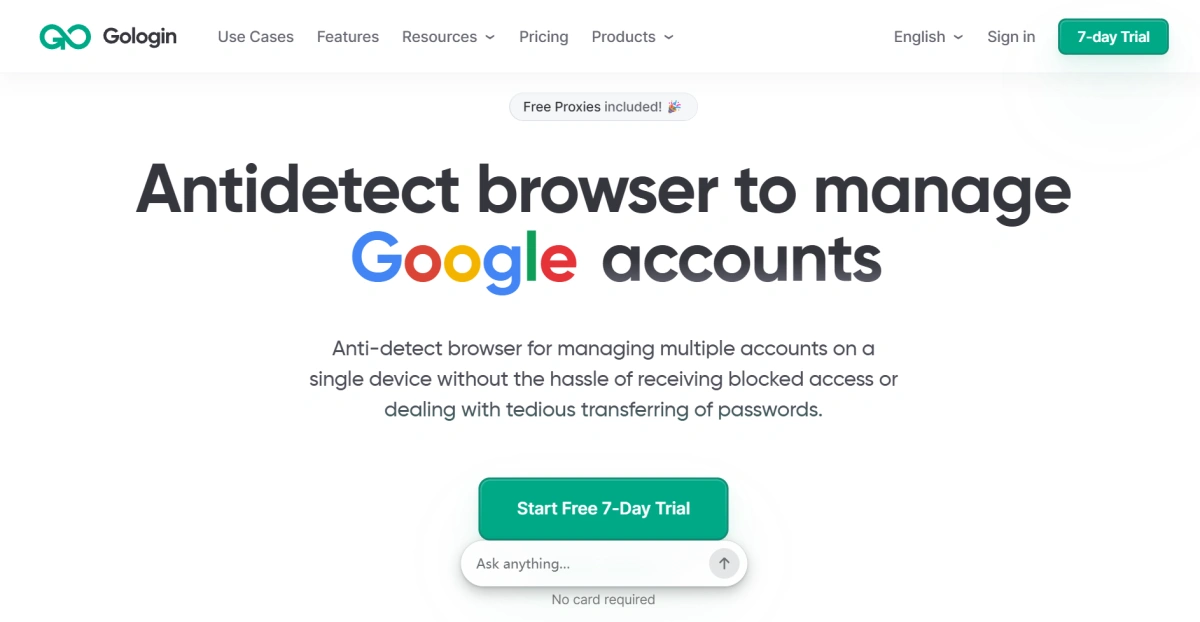
This makes GoLogin useful for browser-first workflows. A solo affiliate marketer may use it to separate campaign accounts. A small e-commerce operator may use it to manage different marketplace stores. A social media manager may use it to keep client accounts in separate browser environments. In these cases, GoLogin gives users a cleaner and safer structure than switching between regular browsers, proxy extensions, and manual spreadsheets.
GoLogin also does a good job of making antidetect browsing approachable. For browser-first users, it covers many of the core features needed for multi-account management, including unique browser profiles, proxy-based location settings, team access sharing, folders, statuses, and notes. It also supports built-in proxy options, mobile fingerprint features, bulk profile processing, Selenium and Puppeteer integration, API access, and 24/7 support.
This makes GoLogin a practical choice for many browser-first users. If your operation is mostly desktop-web based, your team is small, and you do not need cloud phone environments, GoLogin can still be practical and cost-effective.
The limitation appears when the workflow becomes broader than browser profiles. In 2026, many multi-account teams are no longer working only inside websites. They may need mobile app access, app-based verification, team workspaces, profile templates, permission rules, synchronized actions, operation records, and automation across many profiles. At that point, users often start comparing GoLogin with a broader platform like FlashID.
Why Users Look for a GoLogin Alternative in 2026
Most users do not search for a GoLogin alternative because GoLogin is unusable. They search because their operation has changed. A setup that works for 10 browser profiles can feel restrictive when the team needs to manage 100 accounts across websites, mobile apps, marketplaces, and social platforms.
- The first reason is mobile workflow.
Many platforms are now mobile-first or mobile-sensitive. TikTok, Instagram, Facebook, e-commerce apps, and app-based verification flows often require more than a desktop browser profile. If a team uses a browser tool for websites and a separate device or emulator setup for mobile apps, the workflow becomes fragmented.
- The second reason is team collaboration.
When one person manages a few accounts, simple profile sharing may be enough. But when multiple operators, managers, and clients are involved, teams need clearer access control. They need to know who can open a profile, who can change settings, how accounts are grouped, and how to avoid accidental misuse.
- The third reason is scale.
Managing 20 profiles is not the same as managing 200. At scale, teams spend more time on naming rules, folders, proxy assignment, profile creation, account grouping, repeated actions, and recovery from mistakes. The challenge is no longer just “Can I create a profile?” It becomes “Can my team operate this system every day without losing control?”
- The fourth reason is automation.
Multi-account teams often repeat the same actions: create profiles, assign proxies, open links, check account status, fill routine fields, or perform the same workflow across several windows. Manual work becomes slow and error-prone. That is why window sync, API, and RPA support matter more as teams grow.
- The fifth reason is environment consistency.
A reliable multi-account setup is not simply “one account, one proxy.” A better approach is “one account, one consistent environment.” Browser fingerprint, IP location, language, time zone, device signals, and account behavior should make sense together. This becomes even more important when teams operate across both browser and mobile environments.
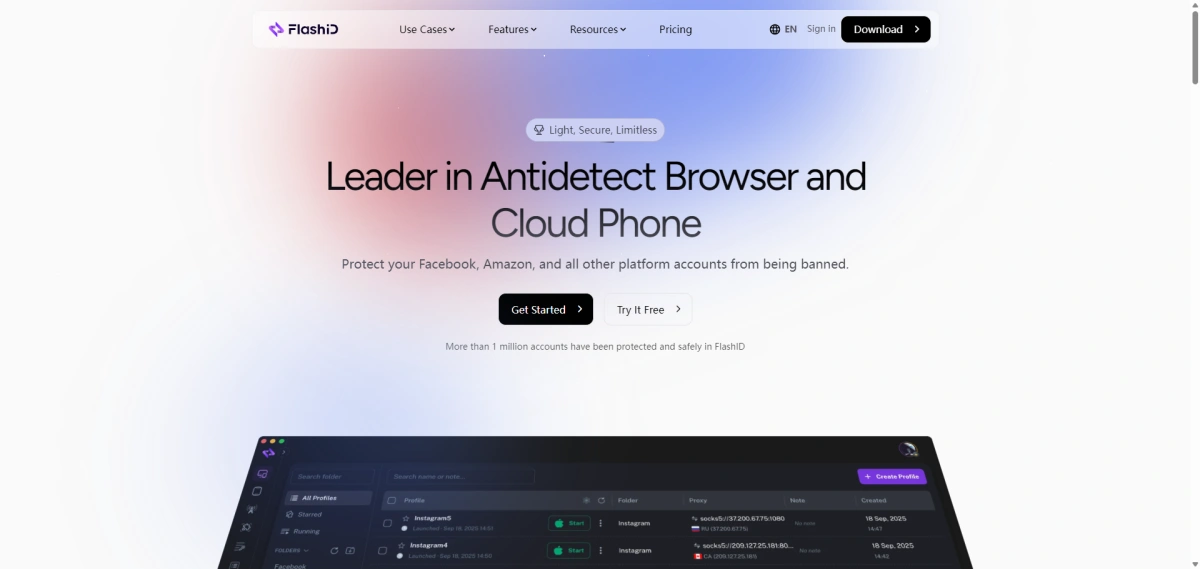
FlashID Antidetect Browser: A Strong GoLogin Alternative
FlashID Antidetect Browser is a strong GoLogin alternative because it is designed for a wider multi-account workflow. The platform combines antidetect fingerprint browser profiles, cloud phones, proxy integration, team collaboration, and automation tools, making it suitable for e-commerce, social marketing, affiliate marketing, privacy defense, traffic operations, web scraping, and advertising strategy.
Explore FlashID for Multi-Account Management
1.Browser Profile and Fingerprint Settings
Like GoLogin, FlashID supports browser profile management and custom browser fingerprints. Each profile can be treated as a separate account environment with its own session data and identity signals.
This matters because any GoLogin alternative must first cover the basics. Users switching from GoLogin still need browser profile isolation, fingerprint configuration, proxy setup, and stable session management. FlashID covers these fundamentals while adding more operational features around them.
For example, FlashID gives users clear control over WebRTC and WebGL instead of relying only on randomization. WebRTC can be turned off, kept real, matched with the proxy, or manually configured. WebGL can also be kept real, randomized, or manually adjusted through values such as Vendor and Renderer.
2.Cloud Phone for Mobile-Account Workflows
Cloud phone is one of FlashID’s biggest differences from a traditional browser-first setup. FlashID combines fingerprint browser profiles with cloud phones, which makes it more suitable for teams that need both website and mobile app workflows.
This is important in 2026 because many account operations are no longer browser-only. Some platforms are mobile-first. Some login flows rely on app behavior. Some teams need to check how an account behaves in both a browser and a mobile environment.
Without cloud phones, a team may need separate physical devices, local emulators, or another cloud mobile tool. That adds cost and complexity. With FlashID, teams can manage browser and mobile environments inside a more unified workflow.
GoLogin does offer mobile-related features such as an Android app and mobile fingerprint support, but FlashID’s cloud phone positioning makes it stronger for teams that treat mobile environments as a central part of multi-account operations.
3.Team Collaboration: Workspace, Window Sync, Bulk Operations, and Profile Templates
FlashID is especially strong for team workflows. It combines workspace, permission management, window sync, profile templates, account center, and team collaboration in one environment, helping teams organize profiles, assign access, and reduce repeated operational work.
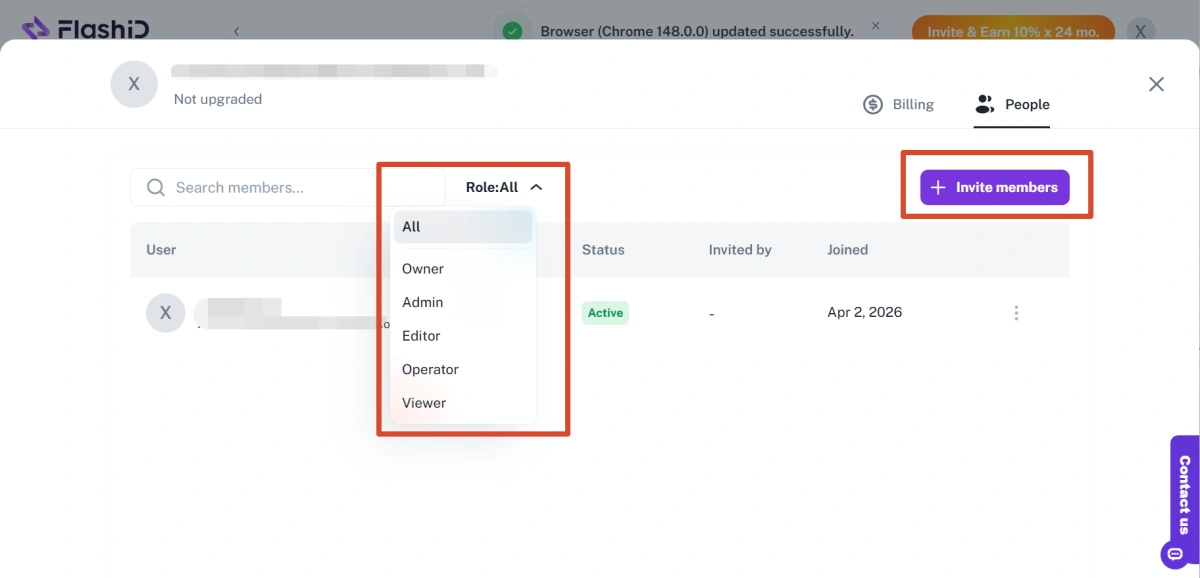
Workspace is useful when accounts need to be separated by project, client, country, department, or campaign. Instead of putting every profile into one shared list, teams can organize work more clearly inside different workspaces. Users can also invite members and assign different roles, such as Owner, Admin, Editor, Operator, or Viewer, so each person only gets the access they need. This helps reduce internal confusion and makes team account management easier to control.
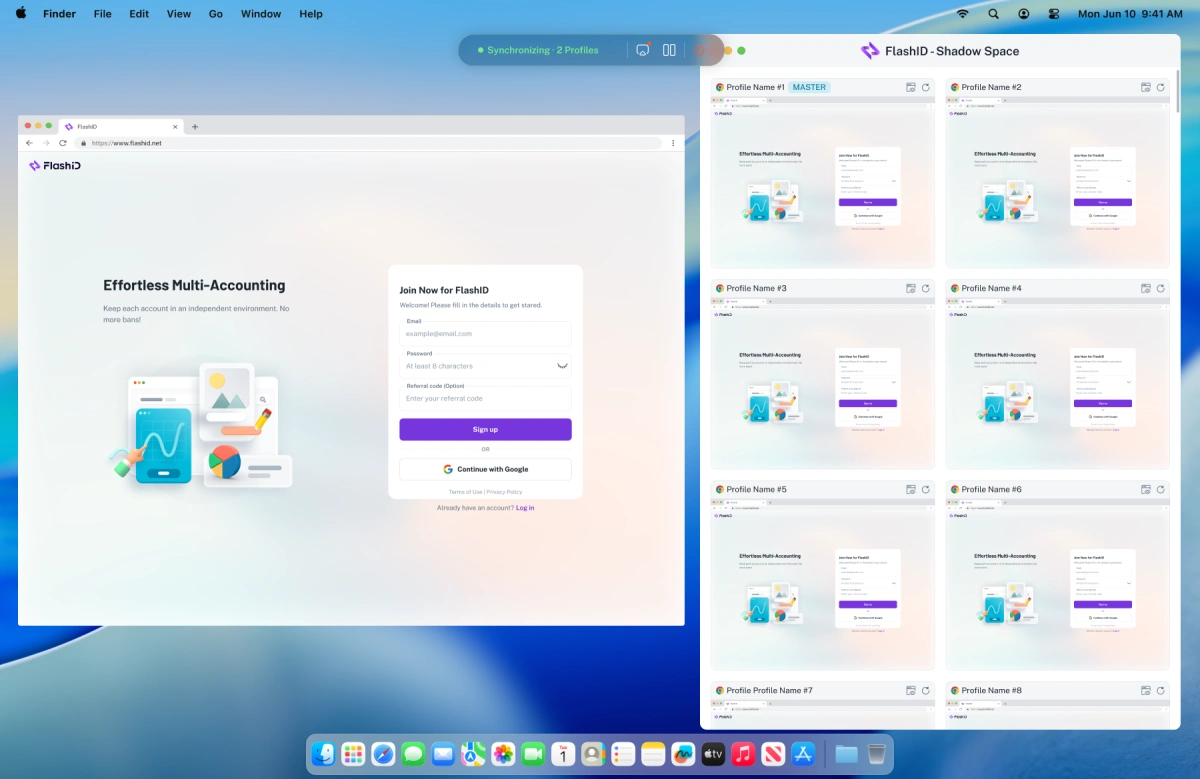
**Window sync **helps operators handle repeated actions across multiple profiles more efficiently. Users can choose a master window and target windows, then synchronize actions such as opening the same page, clicking buttons, scrolling, typing, or switching tabs across several browser windows or cloud phone instances. Advanced settings also allow keyboard sync, mouse sync, click sync, scroll sync, movement path sync, and delayed input or clicks. For routine tasks, this can reduce a lot of manual repetition while giving teams more flexibility to control the pace and details of synchronized operations.
Bulk operations become much more important when teams manage dozens or hundreds of profiles. With Bulk Import Profiles, users can import multiple profiles through an Excel file, including profile names, proxies, cookies, user agents, and notes. This helps teams create large batches of profiles faster, reduce repetitive setup, and make migration from other tools easier.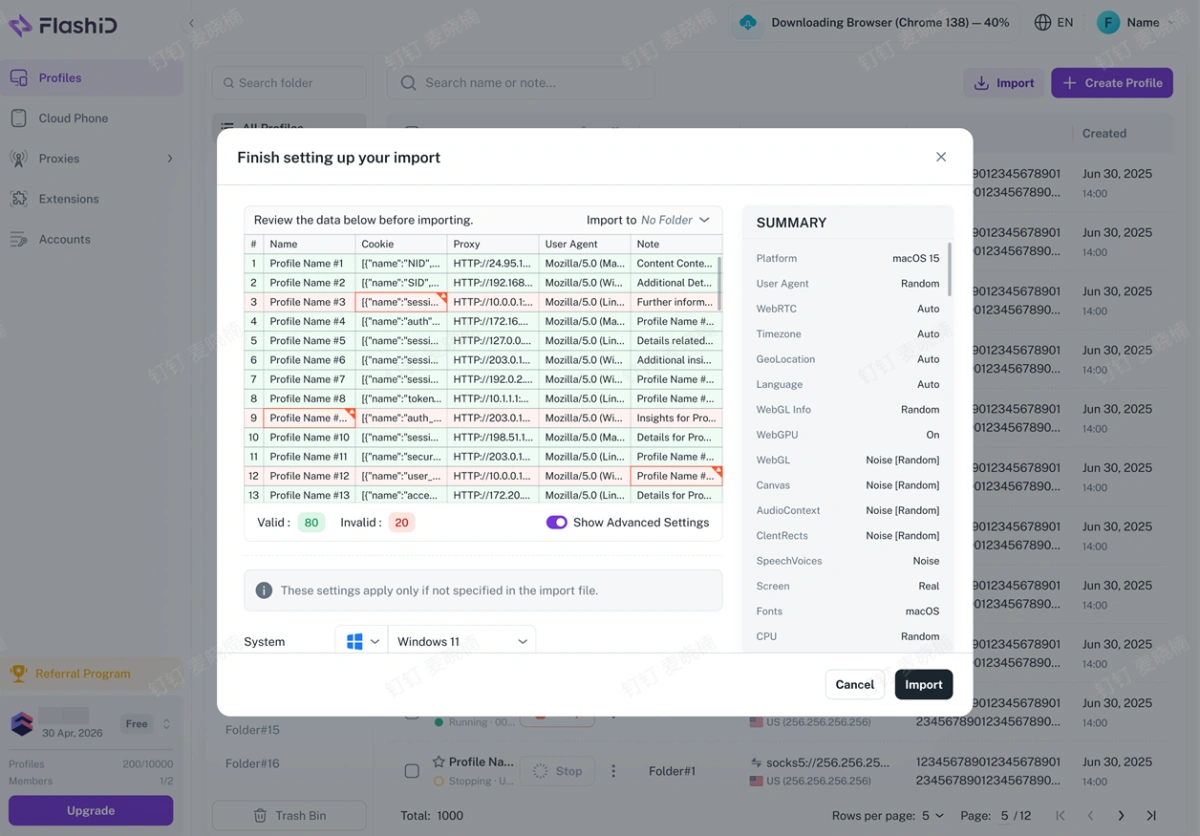
After profiles are imported or created in bulk, Profile Templates help keep the setup consistent. Users can save an existing profile as a reusable template and apply its fingerprint settings when creating new profiles. This makes profile creation faster, reduces manual configuration work, and helps team members follow the same setup standard.
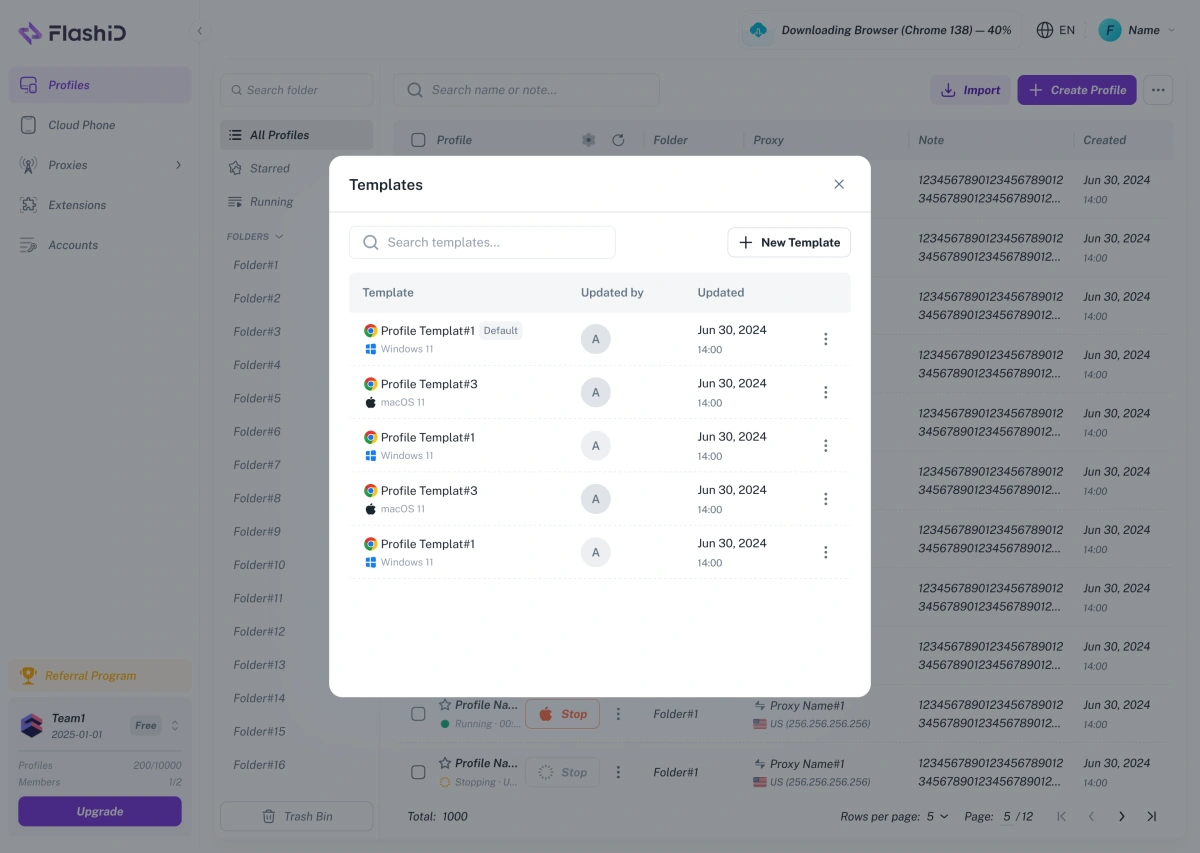
This is where FlashID feels less like a single-user browser tool and more like an operations platform.
4.Proxy Integration and Environment Consistency
Both GoLogin and FlashID support proxy workflows. GoLogin highlights built-in proxy options and the ability to add your own proxy. FlashID also lists proxy integration and proxy service as core features.
Proxy support is not only about adding an IP address to a profile. In FlashID, proxies are part of the account environment itself. Teams can use built-in shared proxies, purchase private residential or datacenter IPs inside the platform, or connect their own HTTP/SOCKS5 proxies when they already have an external proxy source.
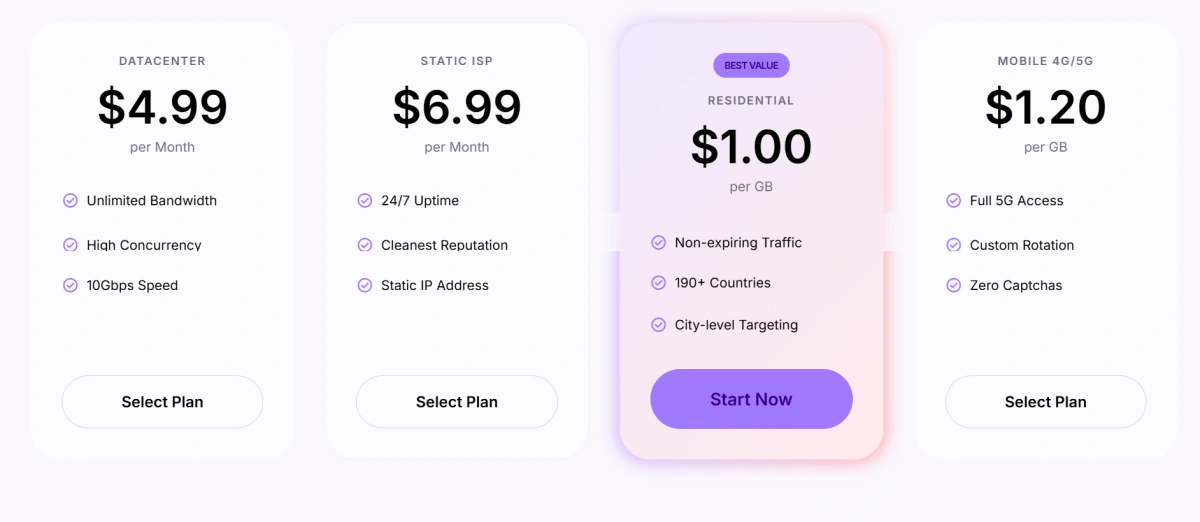
This matters because each account needs more than a different IP. The proxy should work with the browser fingerprint, device type, location, timezone, and platform behavior. FlashID makes this easier by letting users assign independent proxies to both browser profiles and cloud phone environments, so web accounts and mobile-app accounts can be managed under the same IP logic.
For teams that manage accounts at scale, this reduces the need to move between separate proxy tools, browser tools, and cloud phone tools. The result is a more unified setup where the IP, fingerprint, and device environment are planned together instead of configured as isolated settings.
5.Daily User Experience
Daily experience matters because multi-account tools are used every day. A feature list looks good on a comparison page, but the real test is whether the team can create profiles, assign proxies, open environments, share access, repeat actions, and manage accounts without constant friction.
GoLogin is easier to understand for browser-first users. The workflow is direct: create a browser profile, configure fingerprint and proxy settings, launch the profile, and manage the account.
FlashID has a broader feature set, so it may require users to think more carefully about workspace structure, templates, cloud phones, and team roles. But once the system is set up, it can feel more complete for teams. Instead of jumping between a browser tool, mobile devices, proxy tools, spreadsheets, and team notes, more of the workflow can live inside FlashID.
GoLogin vs FlashID Comparison Table
| Comparison Point | GoLogin | FlashID |
|---|---|---|
| Best for | Solo users, small teams, browser-first multi-accounting | Teams that need browser profiles, cloud phones, proxies, automation, and collaboration |
| Browser profiles | Supported | Supported |
| Fingerprint settings | Supported, with many configurable fingerprint parameters | Supported, with custom browser fingerprints |
| Cloud phone | Not the main product focus | Supported and central to browser + mobile workflows |
| Mobile workflow | Android app and mobile fingerprint support | Cloud phone environments for mobile-account operations |
| Proxy support | Built-in proxy options and custom proxy setup | Proxy integration and proxy service as part of a broader environment workflow |
| Team collaboration | Profile sharing and team-related features available | Workspace, permission management, account center, templates, and team workflows |
| Window sync | Not the main focus | Supported for repetitive multi-window actions |
| Bulk operations | Bulk profile processing available | Bulk operations for team-scale profile and workflow management |
| Profile templates | Not the main focus | Supported for faster, more consistent setup |
| Automation | Selenium, Puppeteer, and API support | API, RPA, and workflow automation support |
| Pricing fit | Good for simpler browser-based needs | Better value when browser, mobile, team, and automation needs are combined |
| Learning curve | Easier for basic browser profile workflows | Broader setup, but more complete for teams |
Overall, GoLogin remains a reliable option for users who mainly need browser profiles, fingerprint settings, and proxy-based account separation. However, FlashID is a better fit for teams whose workflows have expanded beyond browser-only operations. With cloud phones, workspaces, profile templates, window sync, proxy integration, and automation support, FlashID offers a more complete environment for managing accounts across both web and mobile scenarios.
How to Choose the Best Antidetect Browser: Decision Checklist
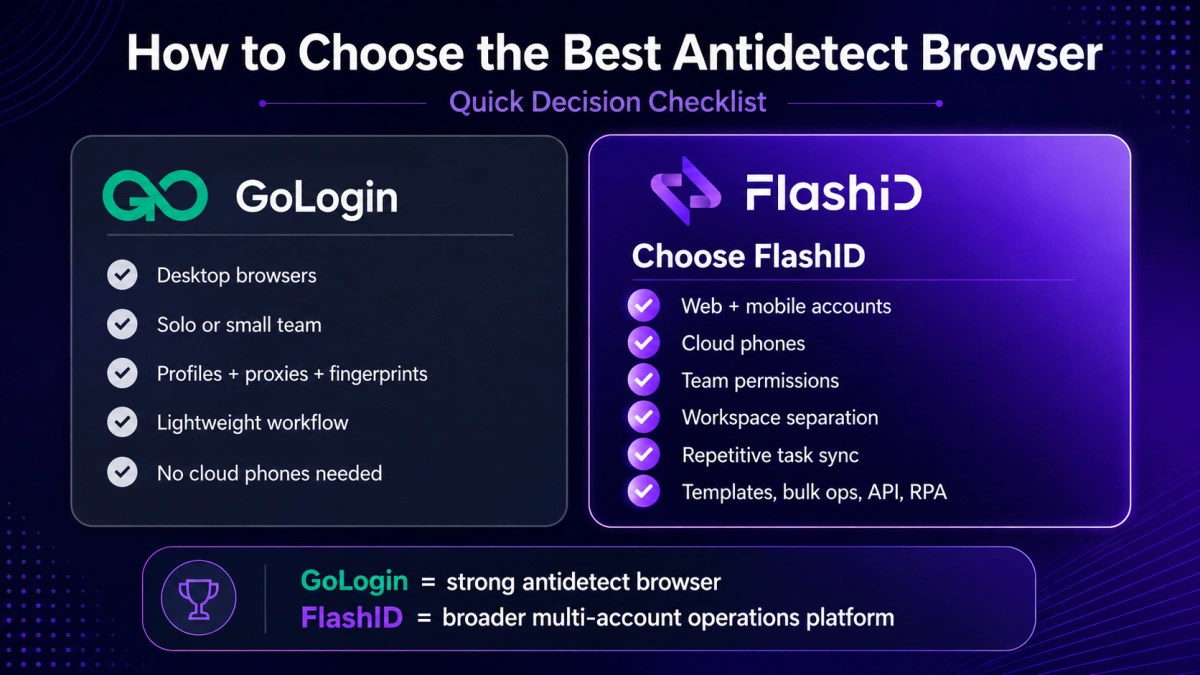
Choose GoLogin if your answer is “yes” to most of these questions:
- Do you mainly manage accounts in desktop browsers?
- Are you a solo user or a small team?
- Do you only need browser profiles, proxies, and fingerprint settings?
- Do you prefer a lighter tool with a direct profile-launch workflow?
- Do you not need cloud phones or complex workspace control?
Choose FlashID if your answer is “yes” to most of these questions:
- Do you manage both website and mobile app accounts?
- Do you need cloud phone environments?
- Do multiple team members need different access levels?
- Do you need workspace separation by client, project, region, or campaign?
- Do you repeat the same actions across many profiles?
- Do templates, bulk operations, account center, API, or RPA matter to your workflow?
The simplest way to decide is this: GoLogin is a strong antidetect browser. FlashID is a broader multi-account operations platform.
Conclusion
GoLogin remains a practical choice for users who need browser profile isolation, proxy setup, fingerprint settings, and simple multi-account management. It is especially suitable for solo users, small teams, and browser-first workflows.
FlashID is the better GoLogin alternative for teams that need a more complete setup in 2026. It combines antidetect browser profiles, cloud phones, proxies, workspace collaboration, profile templates, window sync, account management, API, and RPA in one platform.
If your operation is simple and browser-based, GoLogin may be enough. If your team needs browser + mobile workflows, stronger collaboration, better organization, and scaling tools, FlashID is the stronger choice.
If you’d like to stay updated with practical insights and industry trends, feel free to join our community.
FAQ
1.What is the best GoLogin alternative in 2026?
FlashID Antidetect Browser is one of the best GoLogin alternatives in 2026 for teams that need more than browser profiles. It combines antidetect browser profiles, cloud phones, proxies, workspace collaboration, profile templates, account management, and automation tools.
2.Is FlashID better than GoLogin for multi-accounting?
FlashID is better for teams that need browser + mobile workflows, cloud phones, workspace control, templates, window sync, and automation. GoLogin is still a good option for users who mainly need browser profiles, proxy settings, and fingerprint management.
3.Is GoLogin still worth using?
Yes. GoLogin is still worth using for solo users, small teams, and browser-first multi-account operations. It is especially practical when the main need is to create separate browser profiles with different fingerprints and proxies.
4.Can I migrate from GoLogin to FlashID?
Yes, but migration is usually a structured setup process rather than a one-click switch. Teams should review their current profiles, group accounts by project, prepare proxies, rebuild profile templates, set up cloud phone workflows if needed, and assign workspace permissions inside FlashID.
5.Which tool is better for teams, GoLogin or FlashID?
FlashID is usually better for teams because it provides workspaces, permission management, profile templates, account center, cloud phones, window sync, bulk operations, API, and RPA. GoLogin can still work for smaller teams with simpler browser-based needs.
You May Also Like


