FlashID is a strong Hidemium alternative for teams that need browser profiles, native cloud phones, proxies, automation, and collaboration in one unified platform. Hidemium remains a capable antidetect browser for users who focus on browser-based multi-accounting, fingerprint customization, no-code automation, and large-scale profile management. The real difference is not whether both tools can support multi-account operations, but how completely they connect browser, proxy, and mobile environments.
Key Takeaway
● Hidemium is a practical antidetect browser for users who need browser profiles, fingerprint control, no-code automation, profile organization, and browser-based account workflows.
● Users look for Hidemium alternatives when they need a more integrated setup, especially when cloud phones, proxies, team collaboration, and automation need to work together inside one environment.
● FlashID stands out because it was built around browser + proxy + cloud phone environment consistency from the beginning, with native cloud phones, browser profiles, proxy integration, window sync, workspaces, profile templates, account center, API, and RPA support.
● Choose Hidemium if your workflow is mainly browser-based and you value no-code automation. Choose FlashID if your team needs web and mobile account operations, unified proxy logic, stronger collaboration, and scalable daily management.
What Hidemium Does Well
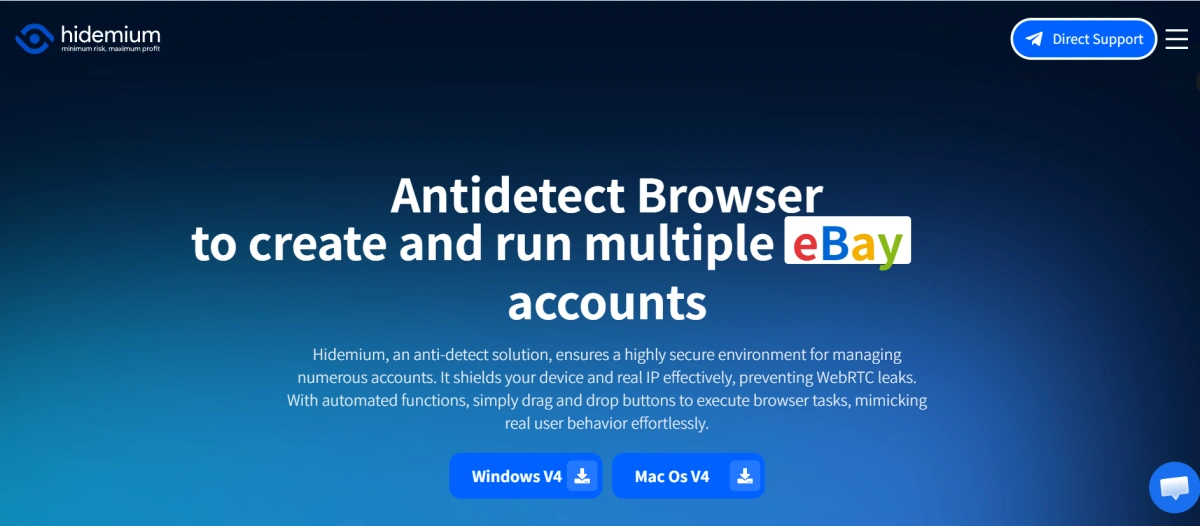
Hidemium is not a weak antidetect browser. It is built for users who need to create and run multiple accounts from one device while separating browser environments. Its website positions the product as an antidetect browser for creating and running multiple accounts, with protection around real IP exposure, WebRTC leaks, and automated browser tasks through drag-and-drop actions.
One of Hidemium’s strengths is its user-friendly interface. For many users, especially beginners, the first challenge is not advanced fingerprint theory. The first challenge is simply creating profiles, assigning proxies, launching environments, and keeping accounts organized without feeling overwhelmed. Hidemium’s interface and profile-based workflow make it accessible for users who want a practical tool without building a complex technical stack from day one.
Hidemium also does well in automation. Its no-code Prompt Script feature allows users to describe tasks in plain language and let AI generate automation scripts, which lowers the barrier for users who do not know Python, JavaScript, or browser automation frameworks. For non-technical operators, this can be useful for repetitive browser tasks such as account login, scrolling, clicking, form filling, or creating workflows across multiple profiles.
Hidemium also appears to maintain regular product updates. Its release notes show updates such as Hidemium AI for automation scripts, new Chrome versions, proxy-related changes, local fingerprint data updates, and bug fixes. For antidetect browsers, update cadence matters because websites, platforms, and detection systems keep changing.
The limitation appears when the workflow becomes broader than browser profiles. In 2026, many multi-account teams are no longer working only inside websites. They may also need mobile app access, app-based verification, team-based account control, and automation across many profiles. At that point, users often start comparing Hidemium with a broader platform like FlashID.
Why Users Look for a Hidemium Alternative in 2026
1. Cloud phone workflow depends on an external service
Mobile workflows are becoming more important in multi-account operations. Many teams now manage accounts across social apps, marketplace apps, crypto apps, messaging apps, and app-based verification flows, where a desktop browser profile alone may not be enough.
Hidemium does mention cloud phone workflows and explains that users can combine cloud phones with antidetect browser profiles. However, this setup is not fully native to Hidemium’s own product system. In practice, users may need to connect an external cloud phone service such as DuoPlus to handle mobile environments.
This external setup can still be useful, but it also adds more moving parts. Teams may need to manage browser profiles in Hidemium, mobile devices in a separate cloud phone platform, proxies from another provider, and account records somewhere else. As the number of accounts grows, this can make daily operations more fragmented.
The bigger issue is environment consistency. Mobile account stability often depends on whether the browser profile, mobile device, proxy IP, location, and account behavior make sense together. When these parts are managed across separate tools, teams need more manual coordination, and the risk of mismatched settings or operational mistakes becomes higher.
2. Proxy workflow may require more separate planning
Proxy quality is a major part of multi-account stability. A different browser fingerprint is not enough if accounts use risky IP ranges, mismatched locations, unstable sessions, or inconsistent timezone and language settings.
Hidemium supports proxy management, so users can import, export, manage proxies in bulk, and assign proxies to browser profiles. However, it does not provide built-in proxies as a deeply integrated part of the platform. In most cases, users still need to purchase proxies separately, prepare proxy information manually, or connect an external proxy source.
This can create extra setup work for teams that need a more complete proxy strategy. The issue is not simply whether a proxy can be added, but whether IP quality, region matching, browser settings, mobile workflows, and long-term account stability can be managed as one consistent environment.
When proxies are handled separately from browser profiles, mobile environments, and account records, the workflow can become more manual and harder to control at scale.
3. API and developer resources may feel limited for advanced automation
Hidemium offers API Development and browser automation with Puppeteer. This is useful for users who want to connect Hidemium with automation workflows, profile creation, browser launching, or internal operation systems.
However, some teams may need more than basic API access or a Postman collection. Developers often need detailed endpoint explanations, authentication rules, examples, error handling, rate limits, SDK-like guidance, workflow diagrams, and stable references for complex automation. When documentation is not deep enough, developers spend more time testing, guessing, and fixing edge cases.
This becomes more important for larger teams. A solo user may only need to open a profile and run a few scripts. A technical team may need to automate profile creation, proxy assignment, account grouping, cloud phone operations, login flows, daily checks, RPA tasks, and internal dashboards.
FlashID Antidetect Browser: A Strong Hidemium Alternative
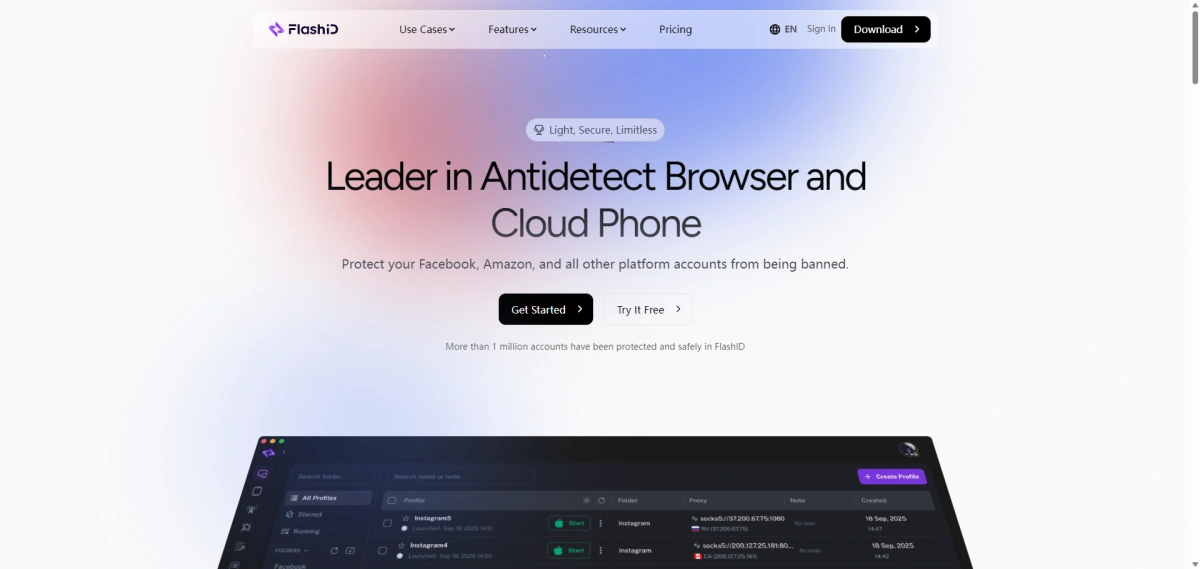
FlashID Antidetect Browser is a strong Hidemium alternative because it is designed for a wider multi-account workflow. The platform combines antidetect fingerprint browser profiles, cloud phones, proxy integration, team collaboration, and automation tools, making it suitable for e-commerce, social marketing, affiliate marketing, privacy defense, traffic operations, web scraping, and advertising strategy.
Explore FlashID for Multi-account Management
1.Browser Profile and Fingerprint Settings
Like Hidemium, FlashID supports browser profile management and custom browser fingerprints. Each profile can be treated as a separate account environment with its own session data and identity signals.
A Hidemium alternative must first cover the basics. Users switching from Hidemium still need isolated browser profiles, fingerprint settings, proxy assignment, cookies, session management, and stable browser environments.
For example, FlashID gives users clear control over WebRTC and WebGL instead of relying only on randomization. WebRTC can be turned off, kept real, matched with the proxy, or manually configured. WebGL can also be kept real, randomized, or manually adjusted through values such as Vendor and Renderer.
2.Native Cloud Phone for Mobile-Account Workflows
Cloud phone is one of the most important differences between FlashID and Hidemium.
FlashID’s cloud phone is native. That means browser profiles and cloud phones are part of the same platform logic. This is especially valuable for mobile-first or mobile-sensitive platforms such as TikTok, Instagram, WhatsApp, Telegram, Facebook, marketplace apps, and app-based verification scenarios.
With FlashID, teams can manage browser profiles and cloud phone environments together. They can plan the same account around a browser environment, mobile device environment, and proxy environment. This supports the idea of “one account, one consistent environment.”
For long-term account management, this matters more than a simple feature checklist. A stable account operation should not only ask whether a tool can open a browser or connect a phone. It should ask whether the account environment feels coherent from the platform’s perspective.
3.Proxy Integration and Environment Consistency
FlashID’s proxy workflow is another major part of its value. It supports built-in free shared proxies, private IP purchase inside the platform, residential and IDC options, and custom HTTP/SOCKS5 proxy configuration. It also extends proxy assignment to cloud phone environments.
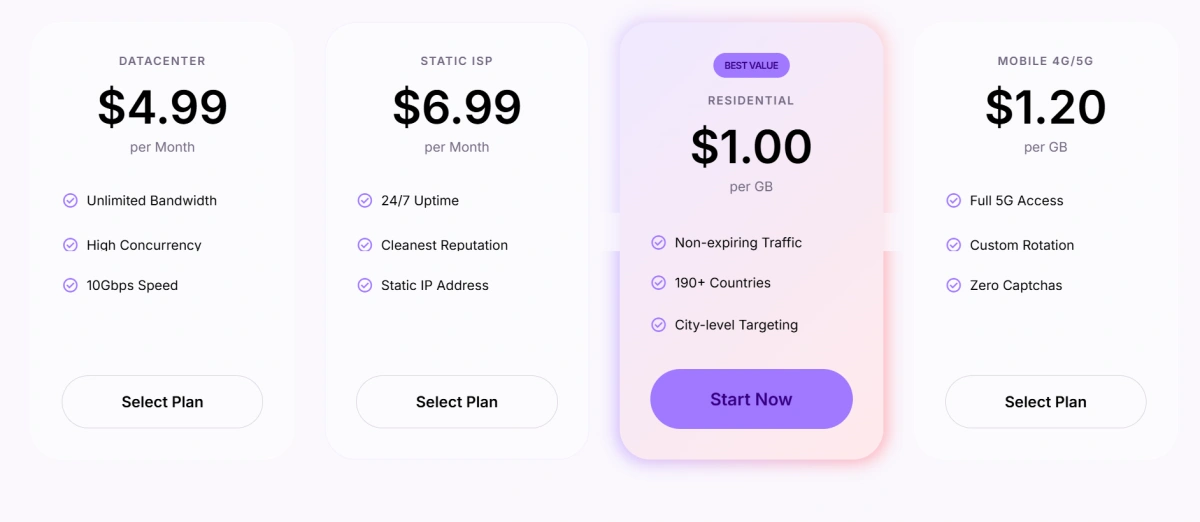
This matters because each account needs more than a different IP. The proxy should work with the browser fingerprint, device type, location, timezone, and platform behavior. FlashID makes this easier by letting users assign independent proxies to both browser profiles and cloud phone environments, so web accounts and mobile-app accounts can be managed under the same IP logic.
For teams that manage accounts at scale, this reduces the need to move between separate proxy tools, browser tools, and cloud phone tools. The result is a more unified setup where the IP, fingerprint, and device environment are planned together instead of configured as isolated settings.
4.Team Collaboration: Workspace, Window Sync, Templates, and Account Center
FlashID is especially strong for team workflows. It combines workspace, permission management, window sync, profile templates, account center, and team collaboration in one environment, helping teams organize profiles, assign access, and reduce repeated operational work.
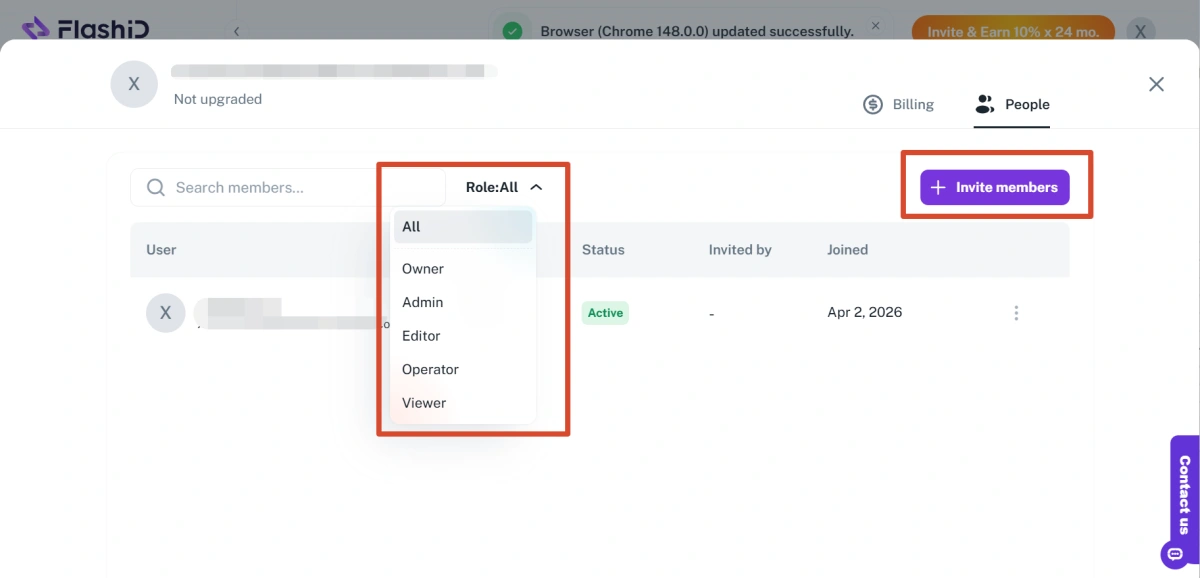
Workspace is useful when accounts need to be separated by project, client, country, department, or campaign. Instead of putting every profile into one shared list, teams can organize work more clearly inside different workspaces. Users can also invite members and assign different roles, such as Owner, Admin, Editor, Operator, or Viewer, so each person only gets the access they need. This helps reduce internal confusion and makes team account management easier to control.
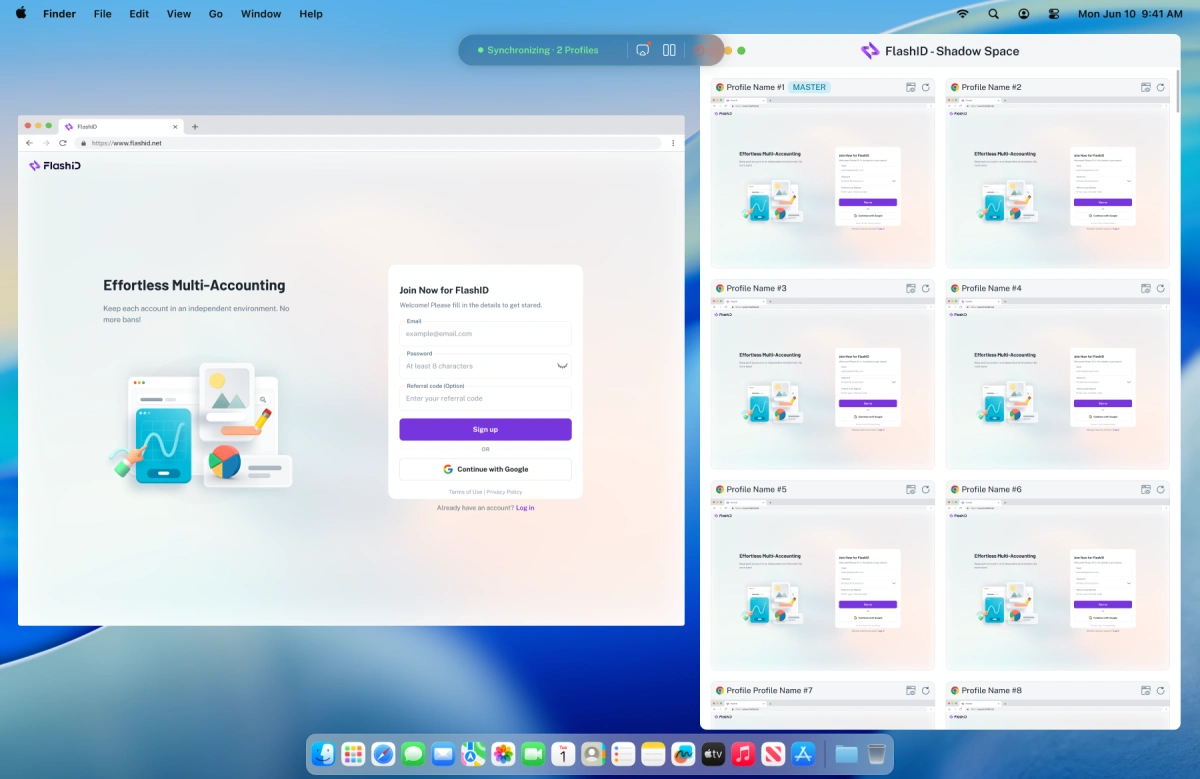
Window sync helps operators handle repeated actions across multiple profiles more efficiently. Users can choose a master window and target windows, then synchronize actions such as opening the same page, clicking buttons, scrolling, typing, or switching tabs across several browser windows or cloud phone instances. Advanced settings also allow keyboard sync, mouse sync, click sync, scroll sync, movement path sync, and delayed input or clicks. For routine tasks, this can reduce a lot of manual repetition while giving teams more flexibility to control the pace and details of synchronized operations.
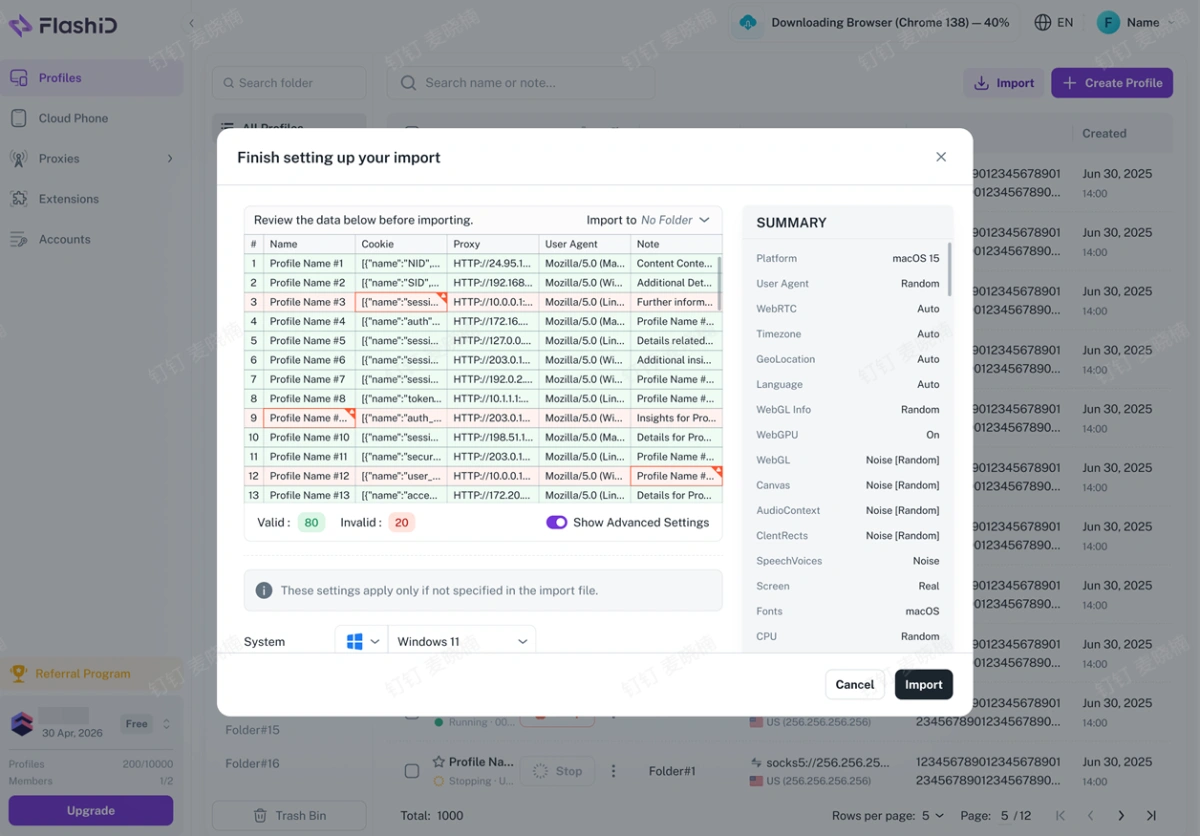
Bulk operations become much more important when teams manage dozens or hundreds of profiles. With Bulk Import Profiles, users can import multiple profiles through an Excel file, including profile names, proxies, cookies,user agents, and notes. This helps teams create large batches of profiles faster, reduce repetitive setup, and make migration from other tools easier.
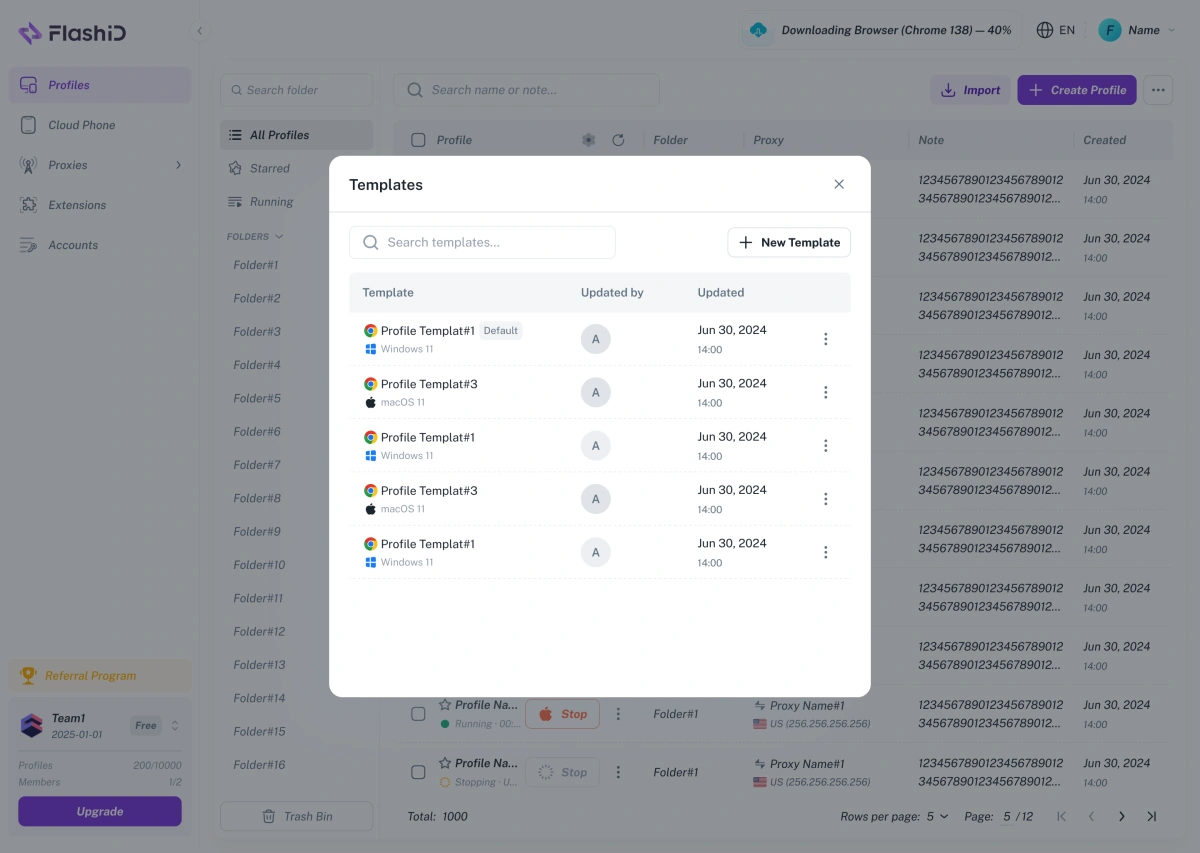
After profiles are imported or created in bulk, Profile Templates help keep the setup consistent. Users can save an existing profile as a reusable template and apply its fingerprint settings when creating new profiles. This makes profile creation faster, reduces manual configuration work, and helps team members follow the same setup standard.
This is where FlashID feels less like a single-user browser tool and more like an operations platform.
Hidemium vs FlashID Comparison Table
| Comparison Point | Hidemium | FlashID |
|---|---|---|
| Best for | Browser-first multi-accounting, no-code automation, and profile management | Browser + mobile multi-account operations with native cloud phones, proxies, and collaboration |
| Browser profiles | Supported | Supported |
| Fingerprint settings | Supported, with fingerprint database and custom configurations | Supported, with browser fingerprint control and environment isolation |
| User experience | Friendly and accessible for browser-based users | Broader setup, better for structured team operations |
| No-code automation | Strong Prompt Script and AI automation positioning | Supports automation, API, RPA, and workflow tools |
| Developer automation | Puppeteer and API Development listed | API, RPA, browser profiles, cloud phones, and proxy workflows can be combined |
| Cloud phone workflow | Can connect cloud phone service; commonly depends on an external provider such as DuoPlus | Native cloud phone environment inside FlashID |
| Proxy workflow | Proxy import/export and proxy assignment supported; some plans mention free proxy benefits | Built-in shared proxies, private IP purchase, custom HTTP/SOCKS5, and proxy assignment for browser/cloud phone |
| Environment consistency | Strong for browser profile separation | Designed around browser + proxy + cloud phone consistency |
| Team collaboration | Team/profile features available depending on plan | Workspace, permission management, account center, and team workflows |
| Window sync | Synchronize is listed | Sync across browser windows and cloud phone instances |
| Profile templates | Not the main positioning | Supported for reusable setup standards |
| Scaling fit | Good for profile-heavy browser workflows | Strong for teams scaling across web, mobile, proxy, and collaboration workflows |
| Learning curve | Easier for browser-first users | Broader setup, but more complete once structured |
| Best choice when | You mainly need browser profiles and no-code browser automation | You need a unified multi-account environment across browsers, cloud phones, proxies, and teams |
How to Choose the Best Hidemium Alternative
Choose Hidemium if your answer is “yes” to most of these questions:
● Do you mainly manage accounts inside desktop browser profiles?
● Do you want a friendly antidetect browser interface?
● Do you value no-code automation and AI Prompt Script?
● Do you already have a separate proxy and cloud phone workflow that works for your team?
● Do you not need native cloud phones inside the same platform?
Choose FlashID if your answer is “yes to most of these questions:
● Do you manage both website accounts and mobile app accounts?
● Do you need native cloud phone environments?
● Do you want browser profiles, proxies, and cloud phones to follow the same account environment logic?
● Do multiple team members need different access levels?
● Do you want to reduce disconnected tools and manage more of the workflow in one platform?
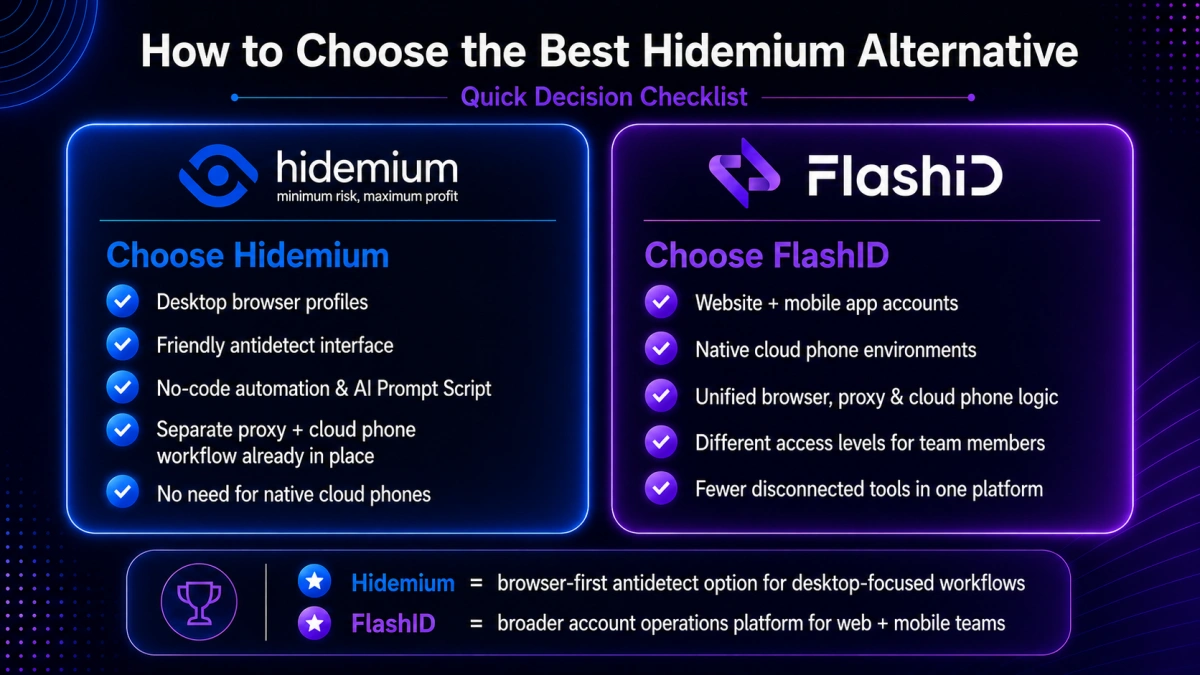
The simplest way to decide is this: Hidemium is a practical antidetect browser for browser-first automation and profile management. FlashID is a broader multi-account operations platform for teams that need browser + mobile + proxy consistency.
Conclusion
Hidemium remains a capable antidetect browser in 2026. It offers a user-friendly interface, browser profile management, fingerprint customization, no-code Prompt Script automation, Puppeteer support, API Development, proxy management, and profile organization. For users who mainly operate inside desktop browser profiles, Hidemium can still be a practical choice.
FlashID becomes the stronger Hidemium alternative when the workflow moves beyond browser profiles. If your team needs a more unified setup for browser profiles, mobile environments, proxies, collaboration, and automation, FlashID is better aligned with that kind of operation.
The decision should come from your real workflow. If your accounts mostly live in desktop browsers, Hidemium may be enough. If your accounts move across websites, mobile apps, proxies, teams, and repeated daily tasks, FlashID provides a more unified and scalable environment.
If you’d like to stay updated with practical insights and industry trends, feel free to join our community.
FAQ
1.What is the best Hidemium alternative in 2026?
FlashID Antidetect Browser is one of the strongest Hidemium alternatives in 2026 for teams that need more than browser-based profile management. It combines antidetect browser profiles, native cloud phones, proxy integration, workspace collaboration, account center, window sync, API, and RPA support in one platform.
2.Is FlashID better than Hidemium for multi-accounting?
FlashID is better for teams that need browser + mobile workflows, native cloud phones, proxy and environment consistency, workspace control, templates, window sync, and team collaboration. Hidemium is still a good option for users who mainly need browser profiles, fingerprint settings, and no-code browser automation.
3.Is Hidemium still worth using?
Yes. Hidemium is still worth using for browser-first users who need an antidetect browser with profile management, fingerprint customization, no-code Prompt Script automation, Puppeteer support, and profile organization.
4.Does Hidemium have cloud phones?
Hidemium has content about using Cloud Phone with Hidemium and connecting a cloud phone service to each profile. However, its cloud phone workflow is different from FlashID’s native cloud phone setup. FlashID’s cloud phones are built into the platform, while Hidemium’s mobile workflow may depend on an external provider such as DuoPlus.
5.Why do users look for a Hidemium alternative?
Users usually look for a Hidemium alternative when they need native cloud phones, a more unified proxy workflow, stronger browser + mobile environment consistency, deeper API resources for advanced automation, or smoother daily management at team scale.
You May Also Like


