Looking for the best RoxyBrowser alternative in 2026? FlashID is the stronger choice if your work has moved beyond desktop browser profiles and into mobile-first account operations. RoxyBrowser remains a capable antidetect browser with profiles, proxy management, team collaboration, API access, and AI automation. But FlashID adds a broader operating layer: antidetect browser, Android cloud phones, multi-type proxies, and team-friendly scaling in one platform.
Key Takeaways
- RoxyBrowser is still a solid antidetect browser. It offers account profiles, proxy configuration, window synchronization, API automation, team spaces, profile templates, and AI Agent/MCP-related automation capabilities.
- Users usually search for a RoxyBrowser alternative when their workflows become more mobile-first, proxy-sensitive, or team-heavy. The biggest gaps are not basic browser features, but cloud phone support, broader proxy packaging, and team-seat convenience.
- FlashID is a strong alternative because it covers most everyday antidetect browser needs while adding Android cloud phones, mobile app workflows, and browser-plus-mobile synchronization.
- For agencies, e-commerce teams, affiliate teams, and social media operators, FlashID may be easier to scale because its plans include member seats and its proxy ecosystem covers ISP, datacenter, residential, and mobile IP options.
What RoxyBrowser Does Well
RoxyBrowser has grown from a desktop-focused antidetect browser into a more complete multi-account management tool. Its development shows a clear shift from basic browser isolation toward easier collaboration, smarter automation, and more scalable account operations. For users who mainly manage website accounts through desktop browser environments, RoxyBrowser already covers many everyday needs and remains a practical choice for browser-first workflows.
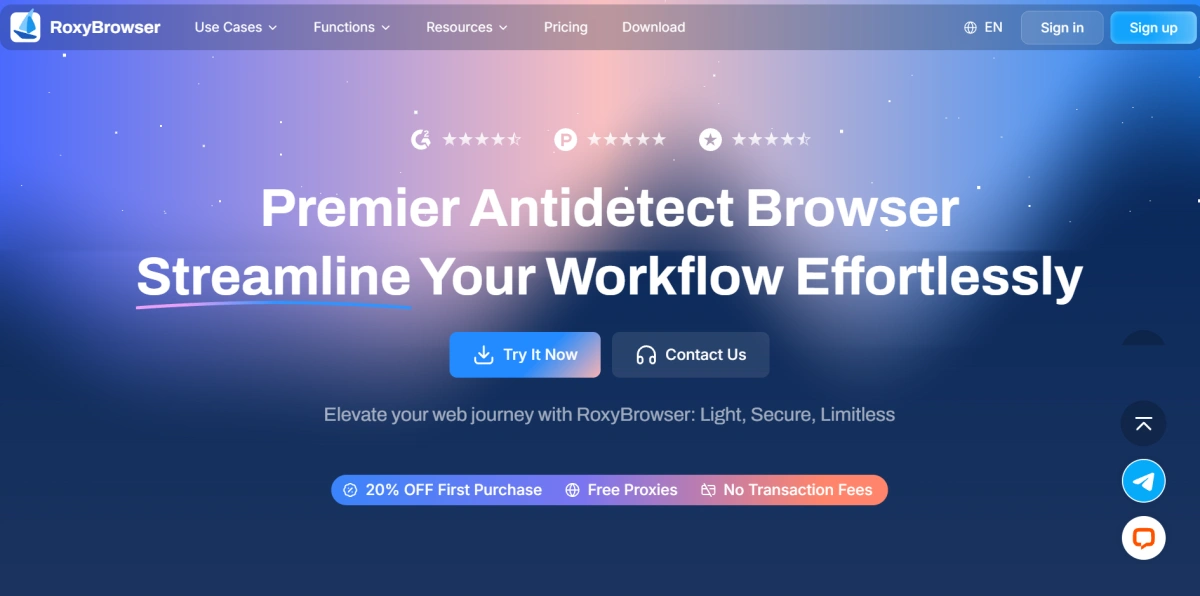
One of RoxyBrowser’s most interesting strengths is its AI Agent. The AI Agent allows users to describe tasks in natural language and let the system control multiple browser profiles for automated operations. It is positioned around “Natural Language as Code,” which reduces the need to write Python scripts or debug Selenium workflows manually.
RoxyBrowser has also been updating actively. Recent releases added AI Agent credits, account module upgrades, profile names on the taskbar, Firefox engine support, proxy detail upgrades, AI Skills Hub support, manual line switching, and MCP plugins for the AI Agent. These updates show that RoxyBrowser is not a static browser product; it is still evolving with user needs.
Still, the market has changed. Many teams no longer operate only through desktop websites. TikTok, WhatsApp, Telegram, Instagram, mobile e-commerce apps, and app-based verification flows have made mobile environments part of daily multi-account work. That shift is one major reason users now compare RoxyBrowser with alternatives like FlashID.
Explore FlashID for Multi-account Management
Why Users Look for a RoxyBrowser Alternative in 2026
1. They Need More Flexible Proxy Options for Advanced IP Strategie
RoxyBrowser’s built-in RoxyIP is strongly centered on residential IPs. RoxyIP can be configured directly inside RoxyBrowser, which is convenient for users who want browser profiles and proxy IPs in one place.
At the same time, advanced teams often need a more segmented IP strategy. For example, long-term account identities may need stable ISP routes, high-volume automation may need datacenter speed, and mobile app operations may need 4G/5G carrier-grade mobile IPs. RoxyBrowser supports proxy configuration and its Proxy Store includes residential IP and data center IP options, but the built-in RoxyIP positioning remains residential-first.
For basic account isolation, this may be enough. For users who want a native proxy system organized around residential, datacenter, ISP, and mobile IP types, the available structure may feel narrow.
2.They Need Cloud Phones for Mobile-First Account Workflows
RoxyBrowser currently supports Windows, macOS, and Linux. It does not offer a native mobile application, and profile management must be handled through the desktop client. Android or iOS browser environments can be simulated from desktop, but that is not the same as running accounts inside Android cloud phones.
This difference becomes important in real account operations. Many platforms are not just “mobile-friendly”, they are mobile-first. TikTok, WhatsApp, Telegram, Instagram, Google Play, and many app-based workflows often require a real mobile app environment rather than only a mobile-looking browser fingerprint.
For teams that only manage web accounts, RoxyBrowser may be enough. For teams that need Android app access, app installation, mobile fingerprints, mobile verification, or app-based account maintenance, the lack of cloud phones becomes a major reason to look for a RoxyBrowser alternative.
3. They Want Lower Team Collaboration Costs as They Scale
RoxyBrowser pricing separates team collaboration from browser profile volume. Workspace is priced at $10 per team, and Team Members are priced at $5 per member.
This can work for small teams. But once a company adds more operators, virtual assistants, media buyers, customer support agents, or account managers, the extra seat cost becomes part of the real monthly budget. The more people involved in account operations, the more important pricing predictability becomes.
For agencies and growing e-commerce teams, separate member-seat billing can create extra planning work. A team may start by calculating the cost of browser profiles, then later realize that actual collaboration requires additional spending on workspaces and team members.
FlashID Antidetect Browser: A Strong RoxyBrowser Alternative
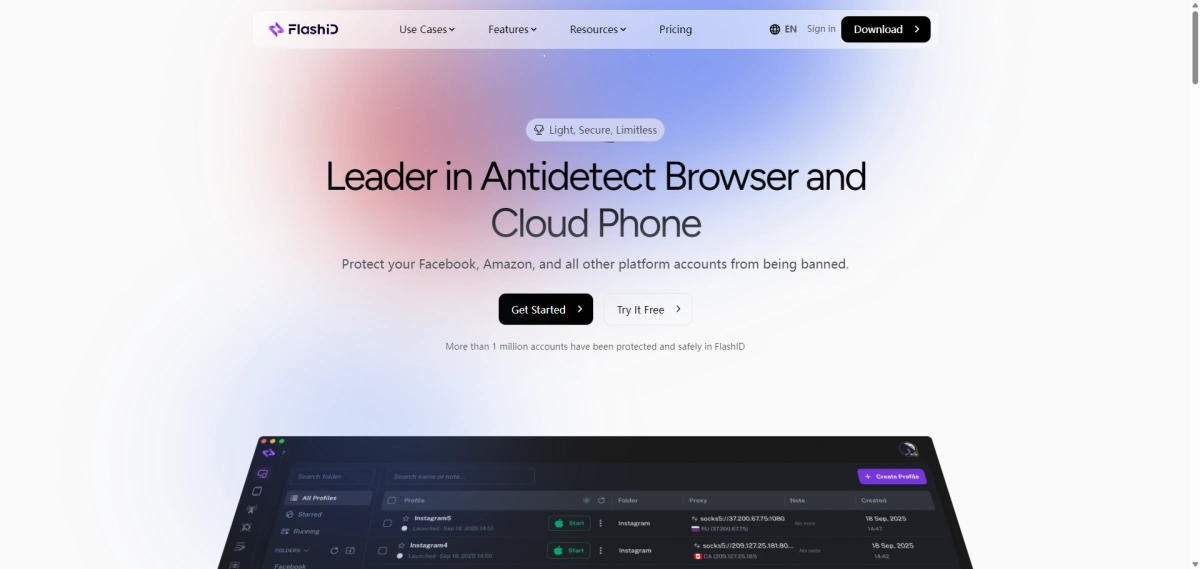
FlashID is becoming a strong RoxyBrowser alternative for teams whose multi-account workflows have expanded beyond desktop browser profiles.
While RoxyBrowser remains capable for browser-based account management, some users may need more support for mobile app accounts, segmented IP strategies, and team scaling with fewer add-on costs.
FlashID addresses these needs by combining antidetect browser profiles, Android cloud phones, multi-type proxy options, and plan-based team seats in one platform.
The comparison below first shows how FlashID covers the core browser workflow, while the following sections explain where it creates clearer practical value: cloud phones, proxy flexibility, and team convenience.
1. Feature comparison: RoxyBrowser vs FlashID
| Feature | RoxyBrowser | FlashID |
|---|---|---|
| Antidetect browser profiles | ✅ | ✅ |
| Fingerprint customization | ✅ | ✅ |
| Proxy configuration | ✅ | ✅ |
| Cloud phone / mobile environment | — | ✅ Android cloud phones |
| Browser + mobile workflow | ⚠️ Browser-first | ✅ Browser + mobile app accounts |
| Team workspace | ✅ | ✅ |
| Permission management | ✅ | ✅ |
| Profile templates | ✅ | ✅ |
| API access | ✅ | ✅ |
| Automation support | ✅ AI Agent + API | ✅ API + workflow automation |
| Account Center / credential management | ✅ Account Hub | ✅ Account Center |
| Window Sync for repeated actions | ✅ Browser windows | ✅ Browser + cloud phone windows |
When choosing a RoxyBrowser alternative, the first requirement is not to compare every small feature one by one. The alternative should first cover the core capabilities needed for repeatable multi-account work. FlashID meets that baseline while keeping the workflow practical.
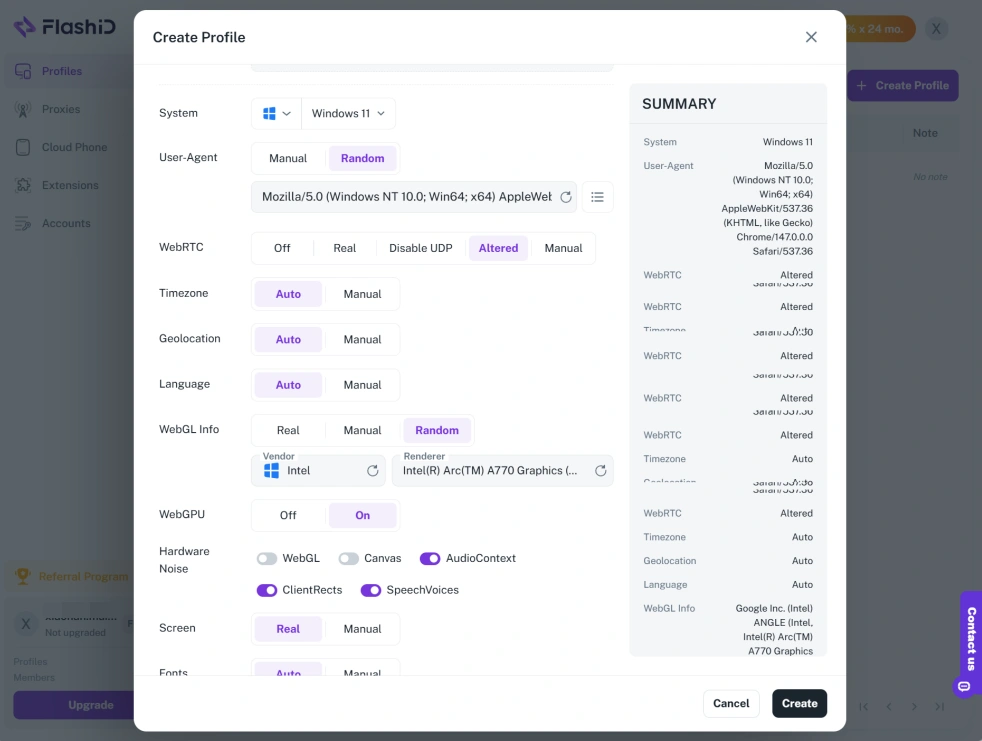
For fingerprint settings, FlashID lets users customize browser and mobile fingerprint parameters based on different account needs, including operating system, browser version, screen resolution, WebGL, Canvas, Audio Context, timezone, geolocation, User Agent, device model, CPU, RAM, and Android version. Common setups can also be saved as profile templates for reuse.
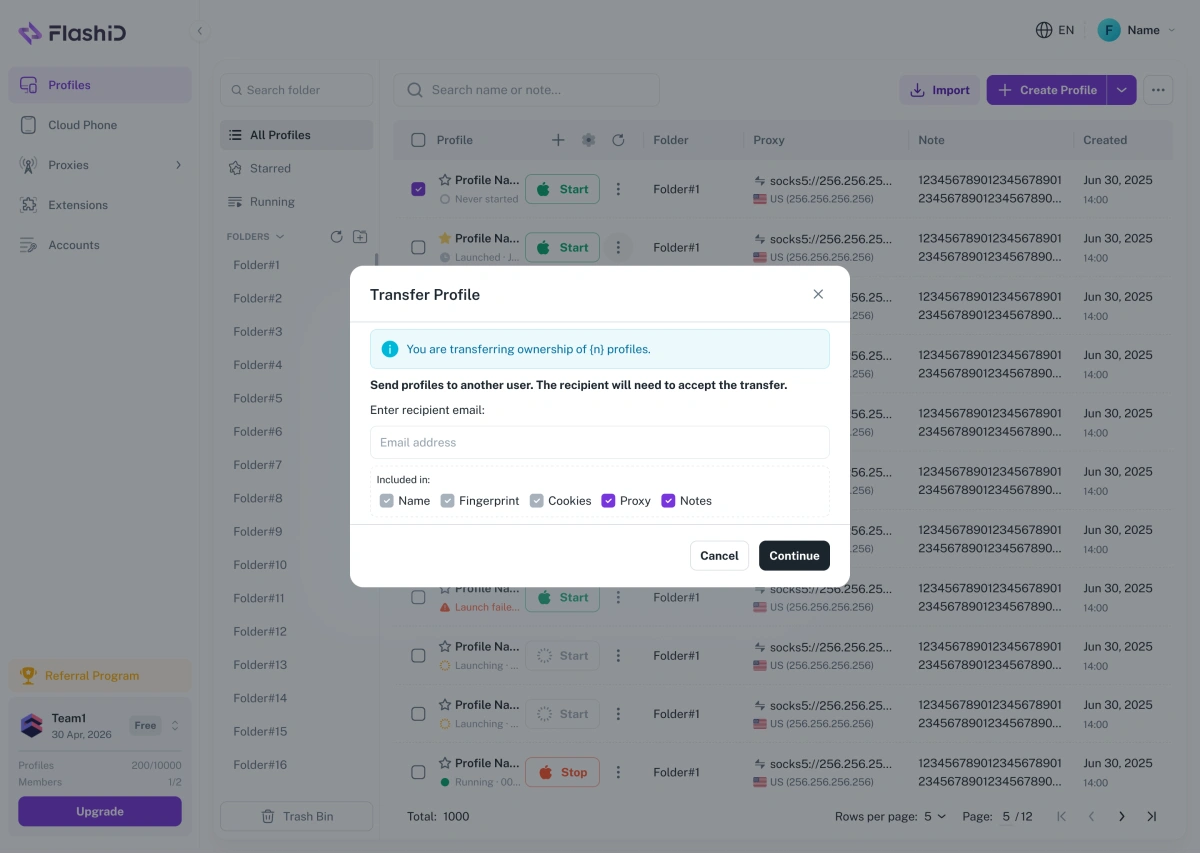
For automation and team workflows, FlashID provides API access for browser profile creation, fingerprint configuration, cloud phone launching, and web/mobile automation. Features such as Workspace, Account Center, Profile Transfer, and Window Sync help teams organize accounts, control access, and reduce repetitive operations. With Profile Transfer, teams can securely transfer profile ownership to another FlashID user while preserving browser data and profile configurations, making account handover smoother and reducing the risk of losing important environment settings.
2. Cloud phone is the biggest difference
Cloud phone support is the clearest reason FlashID stands out as a RoxyBrowser alternative. FlashID provides browser fingerprints for major operating systems and genuine Android mobile fingerprints through cloud phones. It supports web accounts and mobile app accounts in one environment, instead of forcing teams to separate browser profiles from mobile devices.
For mobile-centric platforms like TikTok, FlashID supports Android cloud phone management through dedicated Android environments, including Android 15, 12, 11, and 10. This allows users to work inside the app environment rather than relying only on desktop browser simulation.
FlashID also uses genuine ARM hardware in the cloud to create virtual Android devices. This is useful for platforms sensitive to emulator-like behavior and for workflows that involve Google Play, WhatsApp, TikTok, APK installation, and other mobile app tasks.
This gives FlashID a practical advantage in daily operations. A social media team can manage Facebook or Google accounts through browser profiles, while running TikTok, WhatsApp, Telegram, or app-based tasks through Android cloud phones. Fewer separate tools means fewer account handoff problems, fewer device management issues, and a cleaner operating structure.
Window Sync also becomes more useful when cloud phones are included. FlashID can synchronize browser actions across selected browser profiles and can also mirror actions across cloud phone instances. For large-scale mobile app management, this means one virtual Android device can become the control point for other cloud phone windows.
3. FlashID offers broader built-in proxy coverage
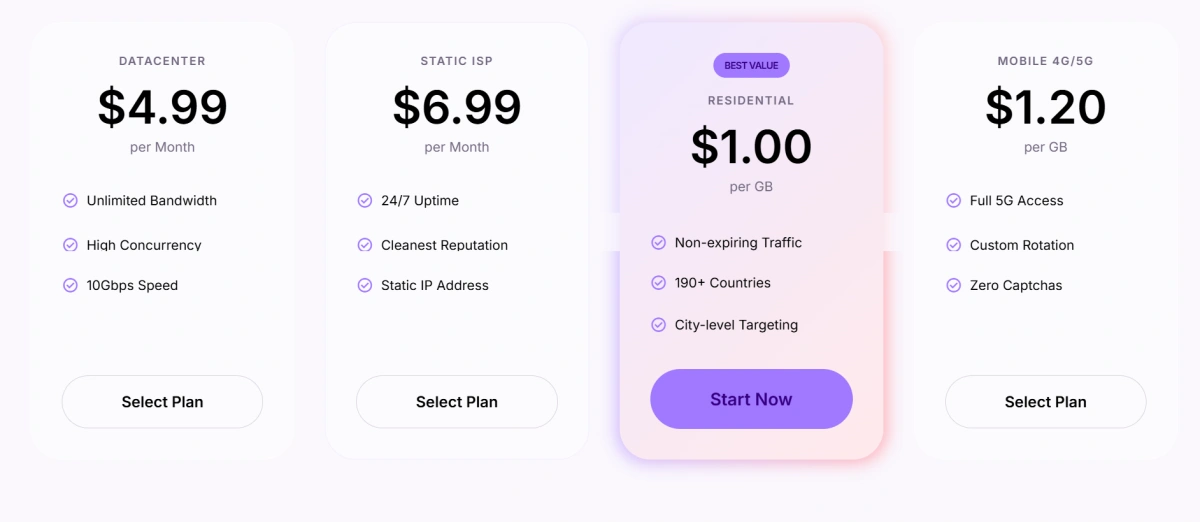
FlashID’s proxy structure is another reason it works well as a RoxyBrowser alternative. Its proxy network includes ISP proxies, datacenter proxies, residential proxies, and mobile proxies across 180+ countries and regions.
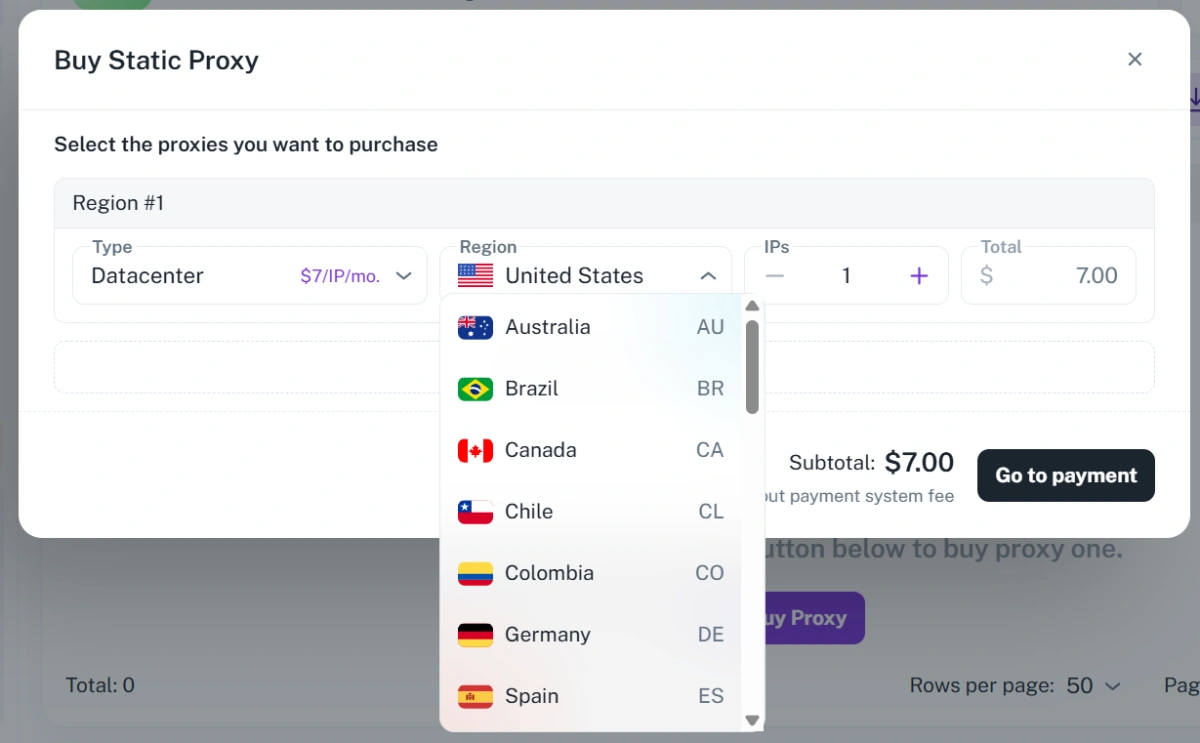
Each proxy type fits a different use case. ISP proxies are useful for stable account environments and long-session identity. Datacenter proxies are better for high-volume automation and low-latency routing. Residential proxies fit global rotating traffic and country or city targeting. Mobile proxies provide 4G/5G routes and real carrier networks for mobile-first operations.
This matters because multi-account operations rarely have only one IP requirement. A cross-border e-commerce team may need stable seller accounts, localized storefront checks, price tracking, and ad verification. A social media team may need multi-region publishing, moderation review, outreach, and profile access across Facebook, Instagram, WhatsApp, LinkedIn, and TikTok. A one-type proxy setup often becomes limiting as soon as the workflow expands.
4. User experience: security and convenience
Security matters when a browser stores account environments, fingerprints, cookies, and team data. FlashID has achieved SOC 2 Type 2 compliance, with controls related to security, availability, processing integrity, confidentiality, and privacy. Type 2 validation matters because it evaluates controls over a period of time, not only at a single moment.
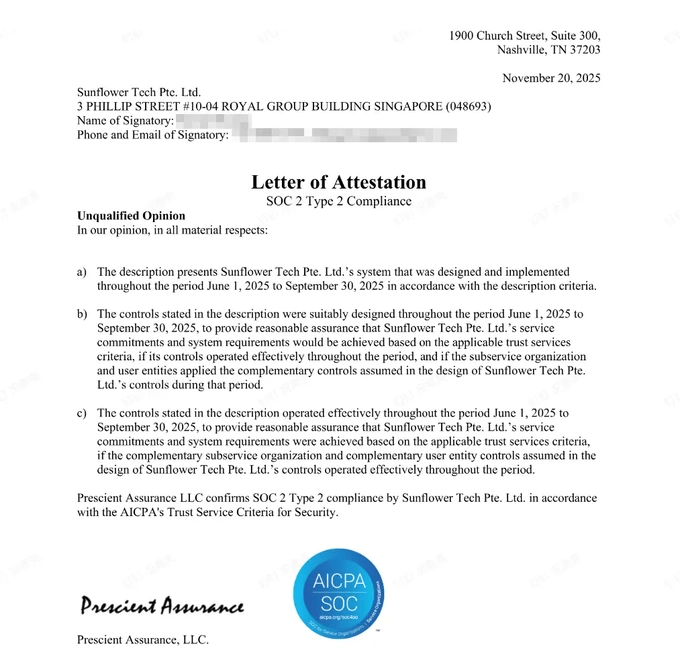
For agencies and e-commerce teams, this creates extra confidence when multiple operators work in the same system. Account environments and team permissions are sensitive business assets. A RoxyBrowser alternative needs more than features; it also needs credible security infrastructure.
Convenience is equally important, especially when a team grows from one operator to multiple members. RoxyBrowser requires team members to be purchased separately, which can make collaboration costs harder to predict as more people join the workflow. FlashID takes a more bundled approach by including member seats inside its plans: Starter includes up to 50 profiles and 50 member seats, Team includes up to 500 profiles and 500 member seats, and Enterprise includes 1000+ profiles with one seat per profile.
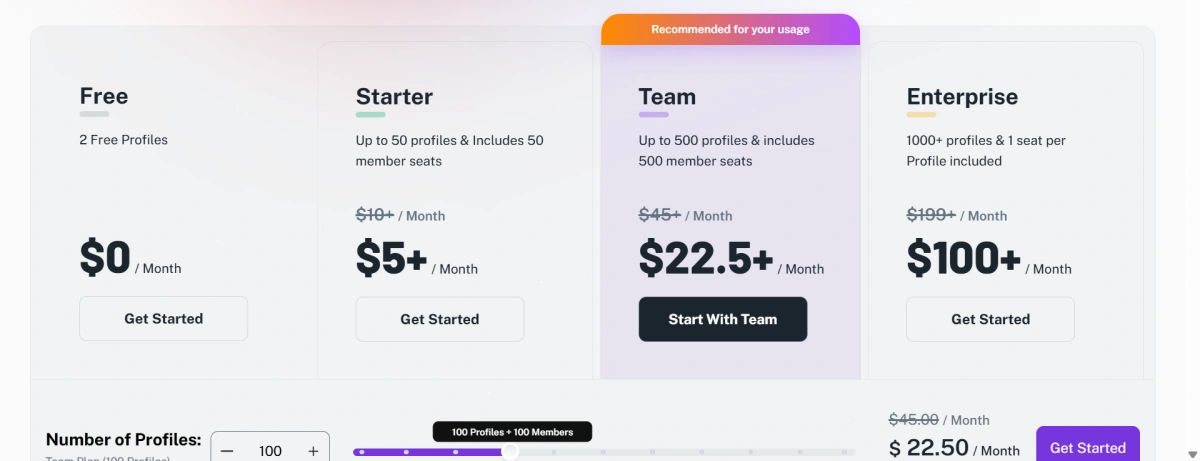
This makes cost planning easier for teams. Instead of calculating browser profiles first and adding every member separately later, teams can choose a plan where collaboration capacity is already part of the package. For agencies, social media teams, affiliate teams, and e-commerce businesses with multiple operators, this is a practical user-experience advantage.
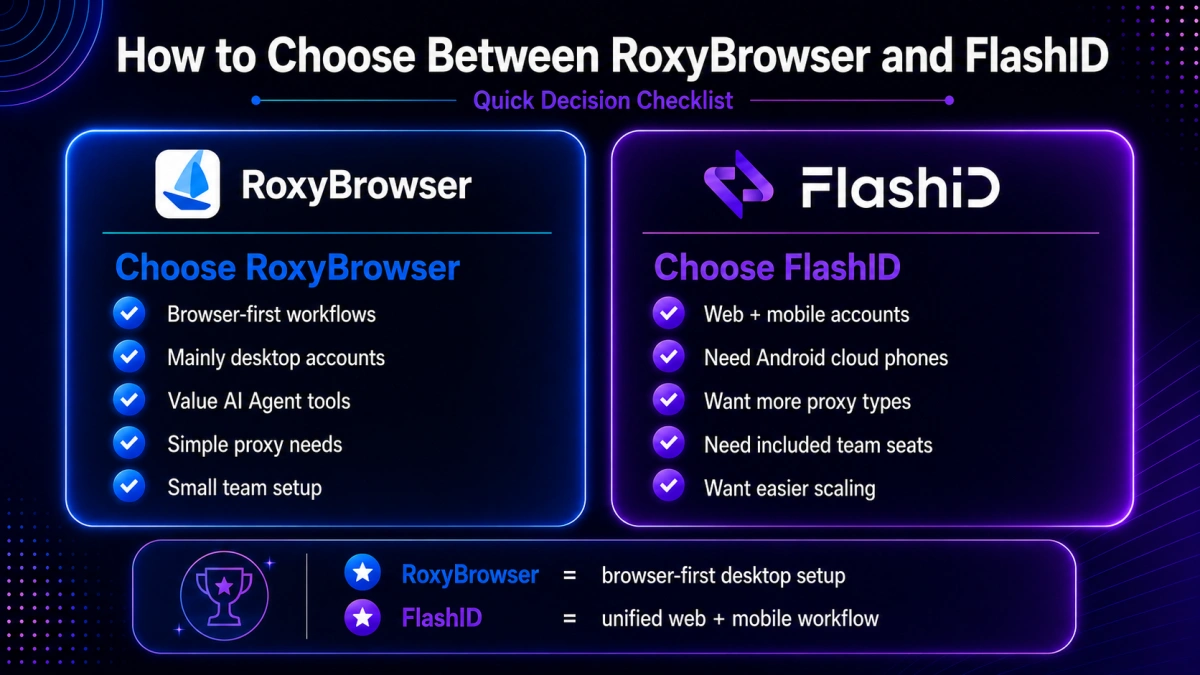
Decision Checklist: How to Choose the Best Antidetect Browser
Choose RoxyBrowser if your answer is “yes” to most of these questions
- Do you mainly manage desktop browser accounts?
- Do you value AI Agent and MCP-based automation?
- Are browser profiles, proxy configuration, and account isolation your main needs?
- Is your current proxy strategy already simple and stable?
- Is your team small enough that extra member-seat costs are manageable?
- Do you mostly need browser-window synchronization rather than mobile app operations?
Choose RoxyBrowser if your workflow is browser-first, desktop-based, and strongly focused on AI-assisted browser automation.
Choose FlashID if your answer is “yes” to most of these questions
- Do you manage TikTok, WhatsApp, Telegram, Instagram, or other mobile-first accounts?
- Do you need Android cloud phones in addition to browser profiles?
- Do you want browser accounts and mobile app accounts in one platform?
- Do you need residential, datacenter, ISP, and mobile proxy options?
- Do you want team seats included in the plan?
- Do you care about SOC 2 Type 2 security validation?
Choose FlashID if your workflow combines web accounts, mobile apps, cloud phones, multiple proxy types, team collaboration, and scalable automation.
Conclusion
RoxyBrowser is still a strong antidetect browser. It works well for desktop browser profiles, account isolation, AI-assisted automation, API workflows, proxy configuration, and team-based browser operations. For users whose work stays mostly inside web platforms, RoxyBrowser can still be a reasonable choice.
But the best RoxyBrowser alternative in 2026 depends on where multi-account work is going. Many teams now need more than a browser fingerprint. They need Android cloud phones, app-based account management, mobile fingerprints, broader proxy categories, predictable team pricing, and secure collaboration.
That is where FlashID becomes the stronger choice. It covers the core antidetect browser features while adding the mobile and team infrastructure that modern operators increasingly need. For browser-only workflows, RoxyBrowser remains relevant. For web-plus-mobile multi-account operations, FlashID is the better RoxyBrowser alternative.
If you’d like to stay updated with practical insights and industry trends, feel free to join our community.
FAQ
1. What is the best RoxyBrowser alternative in 2026?
FlashID Antidetect Browser is one of the best RoxyBrowser alternatives in 2026 for users who need both antidetect browser profiles and Android cloud phones. It is especially useful for teams managing web accounts and mobile app accounts together.
2. Does RoxyBrowser have cloud phones?
RoxyBrowser supports Windows, macOS, and Linux, but it does not include a native mobile app or Android cloud phone environment. Android/iOS browser simulation is available through desktop, but that is different from cloud phone account management.
3. Is FlashID better than RoxyBrowser for TikTok and WhatsApp?
FlashID is better suited for TikTok, WhatsApp, Telegram, and other mobile-first workflows because it supports Android cloud phones, Android versions such as 15, 12, 11, and 10, app-based workflows, and cloud phone window sync.
4. Can FlashID replace RoxyBrowser’s basic antidetect browser features?
Yes. FlashID covers core antidetect browser needs such as browser profiles, fingerprint control, proxy integration, profile templates, account management, workspace collaboration, API automation, and window sync.
5. Is FlashID a good RoxyBrowser alternative for teams?
Yes. FlashID is a strong option for teams because member seats are included in its paid plans, such as 50 seats in Starter and 500 seats in Team. This can make team scaling simpler than paying for each member separately
You May Also Like


