In the fields of multi-account operations, automated marketing, and cross-border e-commerce, the core challenge for all practitioners is how to securely and efficiently manage a large volume of accounts. To address this, a variety of solutions have emerged in the market. Among them, BrowserJet, with its minimalist design and focus on browser fingerprint isolation, has been a choice for users seeking lightweight solutions. It specializes in solving the problem of account isolation on PCs.
However, as businesses evolve, solving only for PC-based account isolation is no longer sufficient to handle the complexities of the modern business environment. When operations need to be linked between PC and mobile, when team collaboration requires granular process management, and when business logic requires cross-platform automated decision-making, a more comprehensive consideration of tools is necessary.
This article provides an objective comparison of BrowserJet and FlashID. We will analyze their respective product positioning, features, use cases, strengths, and weaknesses from multiple dimensions. A detailed comparison table is also included to help you choose the most suitable tool based on your specific business needs.

BrowserJet: A PC-Focused Browser Solution for Account Isolation
Product Introduction & Core Positioning
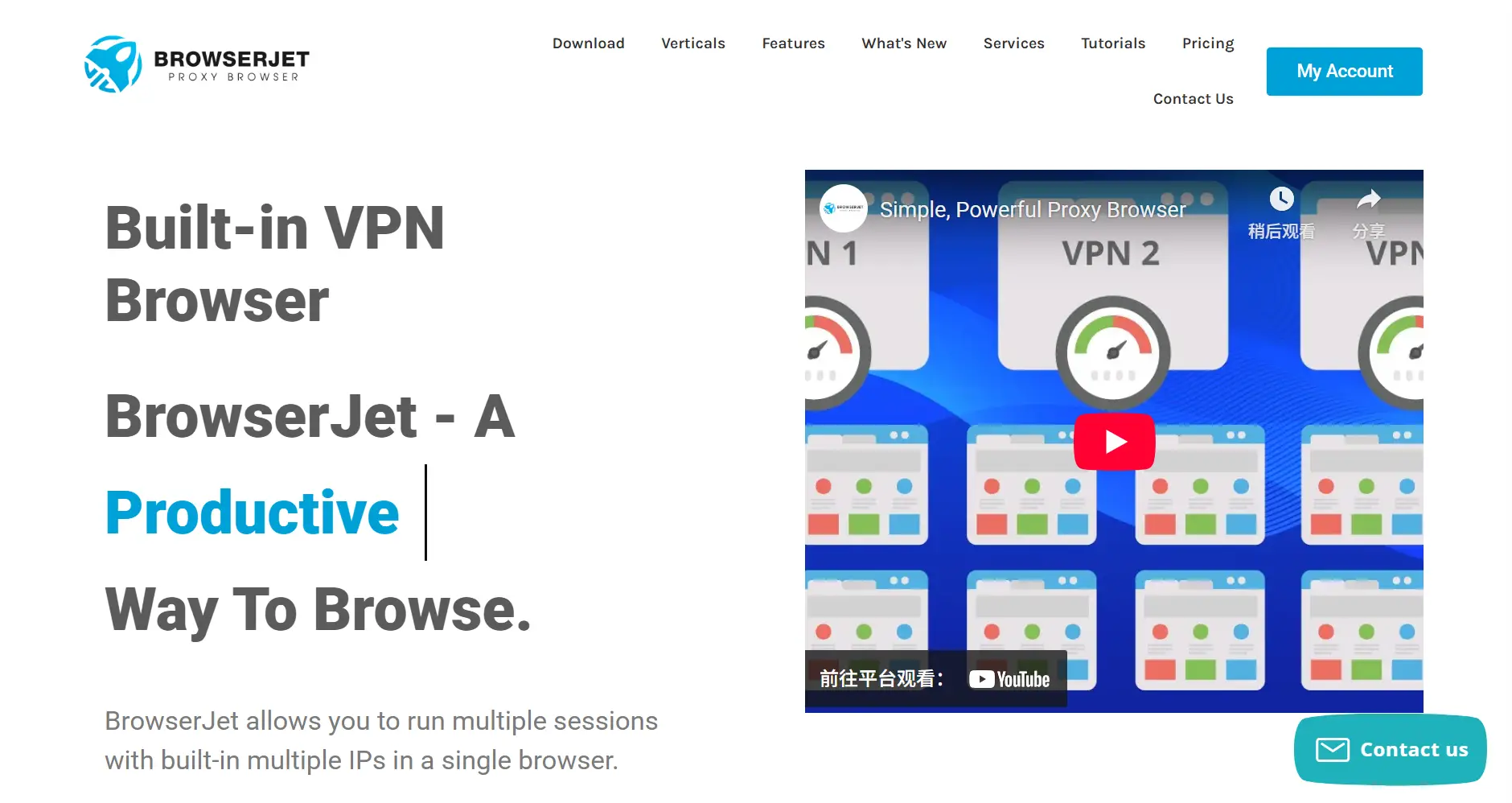
According to its official website, BrowserJet is a browser with a built-in VPN, where each tab can serve as an independent session—having its own cookie container and IP address. It is positioned as a “multi-account management and automation” browser. Its core function is to create a separate, isolated browser environment for each account, preventing platforms from associating these accounts by modifying browser fingerprints.
Core Features & Use Cases
All of BrowserJet’s features are centered around its core goal: “multi-account fingerprint isolation.”
- Environment Isolation: By creating different profiles, it ensures that data like cookies and caches for different accounts are completely separated, achieving environmental independence.
- Switch regions / Reload tabs to get new proxy IPs.
- Automatic form filling, supporting quick copying of account credentials.
- Sticky Notes: Allows writing notes and task lists on each tab.
- Timer: Enables setting reminders for tabs.
- Colored Tabs (supports up to 30 colors): Helps distinguish between different sessions.
- Screenshot functionality: Allows saving a screenshot of the current page.
These features make BrowserJet suitable for:
- Multi-account login: Users can open multiple tabs on the same website and log in to different accounts on each.
- Region Switching / Cross-Regional Access: Allows access to region-specific content by switching proxy IPs.
- Data Collection & Testing: Suitable for scenarios requiring concurrent sessions without demanding high levels of fingerprint evasion.
- Everyday Anonymous Browsing: Built-in VPN provides enhanced privacy protection.
Integration Convenience
BrowserJet is available as both a desktop client and a cloud-based application. The cloud version allows users to access and manage their account configurations from different devices and supports basic team collaboration features.
Strengths of BrowserJet:
- Simple Interface, Easy to Use: Focused features and an intuitive UI allow new users to get started quickly.
- Low Resource Consumption: As a lightweight tool, it has low hardware requirements.
- Meets Basic Needs: For its core function of PC-based account isolation, BrowserJet provides stable and reliable service.
- High Practicality: Each tab is a truly independent session, reducing interference risks. The added features (notes, screenshots, timers) are highly practical.
Weaknesses of BrowserJet:
- While it has a proxy/VPN, it is not a true advanced anti-detection browser. Its support for techniques like browser and hardware fingerprint evasion is limited. According to third-party security analyses, BrowserJet is built on Electron/Chromium but lacks deep support for fingerprint evasion.
- It is not a cloud phone or a mobile environment; it is primarily a desktop browser.
- Capabilities for team collaboration, account isolation, and permission management are weak.
- Cost Model: Requires a paid license, and one license can only be used on a single machine.
- Automation capabilities (e.g., script control, RPA integration) are limited.
User Feedback Summary
User feedback on BrowserJet primarily focuses on its “lightweight” nature and “focus.” Many users consider it a “simple and easy-to-use multi-account browser” that is “sufficient for users who don’t need complex features but just want to securely manage a few accounts on a PC.” However, users have also pointed out its significant shortcomings: “It’s completely useless if the business involves mobile apps,” and “It cannot execute cross-platform automated tasks.” This feedback indicates that BrowserJet is a competent entry-level tool, but its capabilities are clearly limited when facing complex, multi-platform, multi-role business scenarios.
FlashID: A Comprehensive Digital Identity Platform Supporting Multi-Endpoint Operations, Automation, and Team Collaboration
Product Introduction & Core Features
FlashID is a product that integrates an anti-detect browser and an Android cloud phone, designed to prevent the linking or banning of multiple accounts. Through fully isolated management systems and flexible access controls, it serves individuals, teams, and enterprises. Its main application scenarios include affiliate marketing, cross-border e-commerce, social media marketing, and web scraping. FlashID offers solutions for both PC-based browsers and Android cloud phones to address multi-account management in web-based and mobile environments, respectively, and includes features like window synchronization and RPA automation.
Core Functional Features:
- PC Browser + Android Cloud Phone: This is not a single-function tool but provides dual support for both PC and mobile (Android) endpoints, offering more comprehensive coverage of use cases.
- Visual RPA Automation: Offers a no-code visual designer that allows users to create cross-platform automation scripts through visual operations, enabling complex business logic.
- Multi-Window Synchronized Operations: Users can operate multiple browser windows and cloud phone instances in parallel and independently from a single interface.
- Enterprise-Grade Team Workspace: Provides granular member permissions, project space isolation, and detailed operation audit logs to meet the standardized management needs of teams.
Use Cases
- Affiliate Marketing / Traffic Arbitrage: Managing multiple promotional accounts without being linked across platforms.
- Cross-Border E-commerce: Operating multiple accounts for platforms like Amazon, eBay, Shopee, etc.
- Social Media Marketing: Managing multiple social media accounts (FB, Instagram, TikTok, etc.) and operating multiple cloud phones.
- Cryptocurrency Operations: Managing multiple trading/wallet accounts that require isolated login environments.
- Web Scraping / Automation: Using RPA scripts to automatically complete web workflows.
- Team Shared Account Environments: Team member permission management, log auditing, and account isolation.
Integration Convenience
FlashID uses a unified cloud-based web console. All features, including browser management, cloud phone control, RPA script creation, and team management, are integrated into a single platform. This design simplifies workflows across devices and teams.
Core Advantage: Evolving from a Single Tool to an Integrated Platform
BrowserJet solves the specific technical problem of “how to isolate accounts on a PC.” FlashID addresses the more macro-level business question of “how to systematically manage multi-account business operations and achieve efficiency improvements.”
- Business Coverage: BrowserJet only covers PC-based web scenarios. FlashID, through its “PC Browser + Android Cloud Phone” model, extends its support to mobile app scenarios, achieving full-scene coverage from PC to mobile.
- Capability Dimension: BrowserJet’s capabilities are limited to account isolation. Building on this, FlashID has a powerful built-in RPA automation engine that elevates business workflows from manual operations to the level of automated, intelligent decision-making.
- Target Users: BrowserJet is more suitable for individuals or small teams performing basic operations. FlashID’s enterprise-level team collaboration features enable it to support team-based scale management, process reusability, and security audits, serving more complex and standardized enterprise operations.
FlashID vs BrowserJet: Core Feature Comparison Table
| Comparison Dimension | BrowserJet | FlashID | FlashID’s Core Advantage |
|---|---|---|---|
| Core Product Positioning | A lightweight tool focused on providing PC-based browser environment isolation and basic fingerprint modification. | An integrated, comprehensive platform that provides PC anti-detection, Android cloud phones, RPA automation, and team management. | Evolves from a single-feature tool into a comprehensive solution that meets all-around business needs. |
| Core Value Proposition | Provides simple, low-cost, and efficient PC-based multi-account management for individuals and small teams. | Drives end-to-end, intelligent automation and collaboration for businesses across PC and mobile, supporting efficient team synergy. | The value proposition shifts from solving a single pain point to improving overall business efficiency and intelligence. |
| Core Target User | Basic PC users, individuals or small teams with no complex demands for automation or team collaboration. | Businesses and scale-up teams pursuing cross-platform, automated, and fine-grained team management. | Better serves commercial users with long-term growth and scale-up operational requirements. |
| PC Capabilities | Provides basic browser isolation and anti-association features, meeting the needs of small to medium-scale PC businesses. | Offers enterprise-grade PC fingerprint isolation with stable performance and a full suite of features like account management and synchronization. | More comprehensive functions, professional performance, and better supporting operational tools. |
| Cloud Phone Function | ❌ Does not have a cloud phone function and cannot handle any mobile business. | ✅ A core feature that provides a complete Android cloud phone, supporting parallel and independent operations of multiple instances. | Completely solves the fundamental problem of mobile account management, creating a business loop. |
| PC-Mobile Synergy Efficiency | ❌ Impossible to achieve, as the product itself has no mobile support. | ✅ Through window sync technology, it enables the parallel and independent management of PC browsers and multiple Android cloud phones from a single platform. | Achieves cross-platform synergy from scratch, significantly improving management efficiency. |
| Automation Capabilities | ✅ Only supports simple automation like auto-filling and clicking within the browser. | ✅ Has a built-in visual RPA engine that can create complex, cross-platform automated business workflows for PC and mobile. | Automation is upgraded from a simple browser script to a cross-platform intelligent decision engine. |
| Team Collaboration Management | ✅ The cloud version provides basic member and permission management functions. | ✅ Provides enterprise-grade permission control, project space isolation, and operation audit logs, meeting the needs of complex teams. | Offers professional management tools to support team-based and scalable operations. |
| Activity Logs | ✅ Provides basic account operation records for users to trace their own activities. | ✅ Automatically records all critical actions in the cloud, providing a reliable basis for team management, error troubleshooting, and auditing. | Logs are more comprehensive, cloud-based, and support higher-level team collaboration and auditing needs. |
| Free Plan | ✅ Offers a free version, but with limitations on the number of accounts or features. | ✅ All core features are completely free, including the browser, cloud phone, RPA, and team management. | Allows users to experience all advanced features with zero barriers to verify their business value. |
| Cost Model | ✅ Uses a subscription model, with costs related to the number of supported accounts or feature tiers. | ✅ Currently free, with plans for exclusive discounts for early users. | Zero upfront investment, shifting the user’s focus from tool cost to business value. |
| Ease of Use (for Beginners) | ✅ Very easy to use with a simple interface and straightforward features, suitable for non-technical staff. | ✅ A unified cloud platform and visual RPA designer lower the technical threshold, making it easy to learn and share. | Provides powerful features while reducing the user’s learning curve through good design. |
| Browser Security & Privacy | ✅ Supports local deployment with data stored on the user’s local device. | ✅ Uses an enterprise-level cloud security architecture where data is encrypted, backed up, and secured by a professional team. | Provides a higher standard of security from a professional team, allowing users to focus on their business. |
| Feature Richness | ❌ Functions are focused solely on PC-based fingerprint isolation with no other add-ons. | ✅ Features are comprehensive and deeply integrated, covering multiple modules such as PC, mobile, automation, and team management. | Provides an all-in-one, seamlessly synergistic feature ecosystem, requiring no user integration of separate tools. |
Frequently Asked Questions (FAQ)
Q: I am just an individual seller and only manage a few shops on my computer. Is BrowserJet sufficient for me?
A: Functionally speaking, BrowserJet can meet your basic needs for PC-based account isolation. However, you should consider future scalability. When your number of accounts increases or your business expands to mobile, you will need to find new tools. FlashID can not only meet your current needs but also seamlessly support future business growth, making it a more valuable long-term investment.
Q: Our team has been using BrowserJet for a long time, and we are familiar with the workflow. Is it necessary to switch now?
A: Familiarity with the workflow is based on the limitations of the existing tool. Switching to FlashID is not a simple tool replacement but an upgrade in working methods. It will help you shift from “manual, repetitive operations” to “designing automated workflows,” thereby fundamentally improving team efficiency. The value brought by this transformation far outweighs the learning cost of adapting to a new tool.
Q: Our business is entirely on the PC and doesn’t use mobile phones. The cloud phone feature of FlashID is useless to me, right?
A: Even if your business is primarily on the PC, it’s hard to be completely isolated from the mobile ecosystem. For example, it’s common to monitor social media, check competitor apps, or use a phone for small transactions. FlashID’s cloud phone can serve as a “strategic supplement” for your business, preparing for potential future mobile needs, and can also assist in PC-based account management.
Q: The subscription fee for BrowserJet is very low. FlashID is free now, but will it charge in the future?
A: FlashID currently adopts a “freemium” strategy, which is part of its platform-building goal, allowing users to verify the value of all its core functions at no cost. Early users will also receive exclusive discounts, which is a long-term benefit. Compared to the current low subscription, FlashID provides a systematic platform that can support future business growth and offers a higher return on investment.
Q: The RPA in FlashID looks very complex. Our team has no programmers. Can we learn to use it?
A: Absolutely. FlashID’s RPA is visual and no-code. You just need to drag and drop operation steps (like opening a website, waiting for an element, making a judgment, clicking, etc.) to create a workflow, just like drawing a flow diagram. This significantly lowers the barrier to using automation, allowing non-technical staff to build complex business automation processes.
Q: Our company has over ten people, and account management is a mess. How specifically can FlashID’s team collaboration features help us?
A: FlashID provides an enterprise-level team workspace. You can create different projects (e.g., “Project A”) and add members to them. Each member has clear permissions (e.g., read-only, editor, administrator). All accounts, environments, and operation logs are isolated within the project, enabling unified and standardized management and eliminating information chaos and permission control issues.
Q: If we put all our data on FlashID’s cloud, is it secure? Is it more secure than local management?
A: FlashID uses a standard public cloud security architecture, where data is stored in professional data centers equipped with multiple data backups, advanced encryption, and 24/7 security monitoring. For individual users, this is often more secure than data on a single local computer, as local storage faces physical risks like hard drive failure or device loss and lacks professional security measures.
Q: Do we need to relearn everything if we migrate from BrowserJet to FlashID? Won’t it be troublesome?
A: FlashID’s cloud console is designed to be intuitive, and the basic concept of account isolation is the same as in BrowserJet. Your learning process is progressive; you can start by using its browser and cloud phone features and gradually get accustomed to the platform. When you need more advanced automation or team features, you will find that they are all integrated into the same platform, resulting in a relatively low learning curve.
Q: Our own technical team can write scripts to implement similar functionality. Why must we use FlashID?
A: Custom scripts offer flexibility at the cost of high maintenance. Your team needs to invest a significant amount of effort in script development, debugging, updates, migration, and version management, which diverts their attention from core business tasks. FlashID’s RPA engine is a mature, stable, and continuously optimized product. It’s like outsourcing this complex maintenance work to a professional team, allowing your technical team to focus on more core business innovation.
Q: Is there a simple standard to help us decide whether we should switch to FlashID?
A: Please evaluate your business focus: Is your success dependent on the individual operational proficiency of your team members, or on a standardized, replicable, and automated business process? If your business already has demands for scale, teamwork, and intelligence, and you want unified management across both PC and mobile platforms, then FlashID is the more suitable choice for you.
You May Also Like


