Quick Answer
A strong social media profile on Facebook starts with a clear purpose and a consistent identity. To create a professional Facebook profile, use a recognizable profile picture, a cover photo that explains your focus, and a concise bio that tells visitors what you do. Complete your About and Featured sections, publish useful public posts, and participate in relevant Facebook Groups and discussions. You should also review your privacy settings so professional content remains visible while personal information stays protected.
Key Takeaways
- Define the purpose of your Facebook profile before changing its visual elements.
- Use a clear profile picture and a cover photo that communicate who you are and what you offer.
- Complete your Bio, About section, and Featured content so visitors can understand your profile quickly.
- Publish useful public content and participate in relevant Facebook Groups and discussions.
- Review your privacy and visibility settings to separate professional content from personal information.
- Use a reliable network when setting up and managing your Facebook profile. Frequent connection changes or repeated form submissions can interrupt the process and lead to additional verification.
For flexible Facebook access, FlashIP offers residential and other proxy options for different locations and use cases.
Why Should We Build a Professional Facebook Profile?
A Facebook Profile often becomes the first point of reference after someone sees your post, comment, or activity in a Group. A well-structured Profile helps creators, freelancers, consultants, and other professionals explain who they are, what they focus on, and what visitors can expect from their content.

If you have not registered yet, follow this step-by-step guide on how to create a Facebook account. Once your account is ready, you can start completing the basic elements of your Profile.
Step 1: Define Your Facebook Profile’s Purpose
Before choosing a profile picture or writing your bio, decide what you want your Facebook profile to represent. A professional Facebook profile should give visitors a clear understanding of who you are, what you focus on, and what type of content they can expect from you.
Your Facebook Profile may serve different purposes depending on your professional role. A creator may use it to share expertise and build a public audience. A freelancer or consultant may use it to present experience, explain services, and connect with potential clients. An educator or independent professional may use it to publish useful information and participate in discussions related to their field.
| Profile purpose | Suitable for | Main focus |
|---|---|---|
| Personal branding | Creators, consultants, and freelancers | Expertise, opinions, and professional experience |
| Content publishing | Bloggers, educators, and media creators | Useful information and consistent content |
| Professional networking | Freelancers, consultants, and independent service providers | Experience, industry topics, and client relationships |
| Community building | Group administrators and niche operators | Discussions, questions, and audience relationships |
For example, a marketing consultant may focus on practical growth advice, while a freelance designer may use the Profile to share selected work and explain their creative process. The key is to make the Profile’s main purpose clear before choosing the visual elements and content direction.
Step 2: Complete the Basic Elements of a Professional Facebook Profile
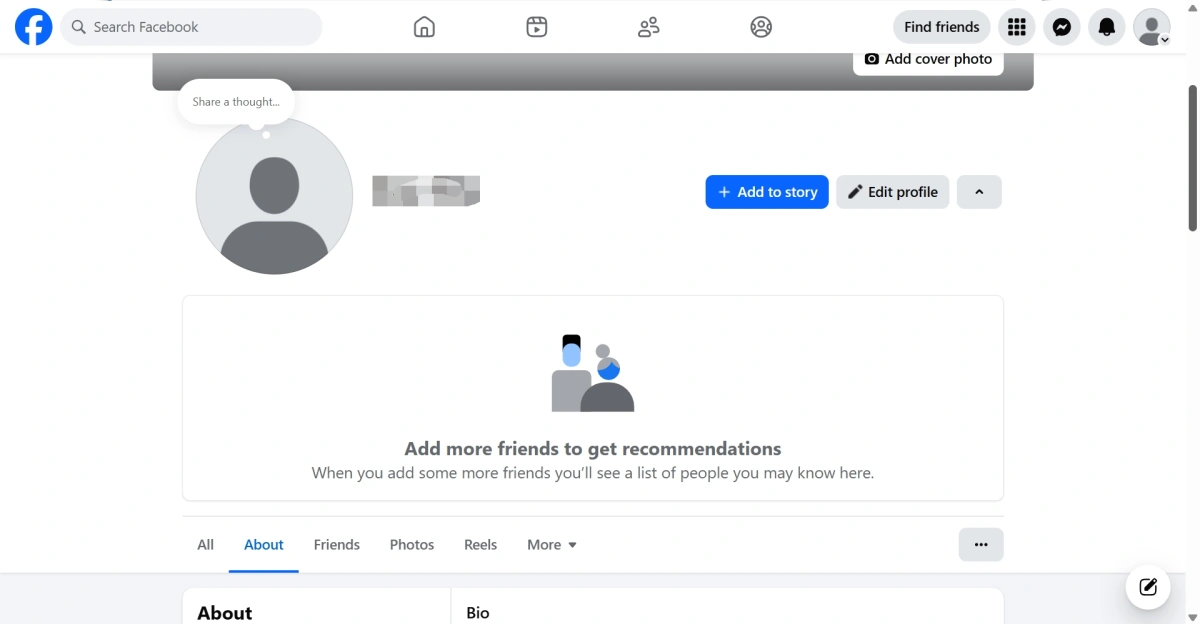
Choose a Recognizable Profile Picture
A professional Facebook profile is built around three connected elements. Your Facebook profile picture helps people recognize the account, the Facebook cover photo communicates your main focus, and the Bio and About section explains who you are and what visitors can expect from your content. When these elements support the same message, your social media profile becomes easier to understand and more consistent for new visitors.
Choose a clear and recognizable profile picture that represents you consistently across your Facebook activities. If you are building a personal professional identity, use a recent photo with good lighting and a simple background. Make sure your face remains easy to identify when the image appears as a small icon in comments, Group discussions, or search results.
Use the Cover Photo to Clarify Your Positioning
The cover photo gives you more space to explain what your profile represents. Instead of treating it as a decorative background, use it to communicate one clear idea about your work, content, or professional focus.
A creator might use the cover photo to highlight a content topic, publishing schedule, or professional role. A freelancer or consultant could use it to explain their service area, project focus, or professional experience. The message should support the same personal positioning as your profile picture and Bio, while remaining easy to understand at a glance.
When preparing a cover photo, consider the following:
- Keep the main message short.
- Use colors and visuals that match your profile picture.
- Leave enough space around important text and logos.
- Check how the image appears on both desktop and mobile screens.
- Avoid including several unrelated messages in one design.
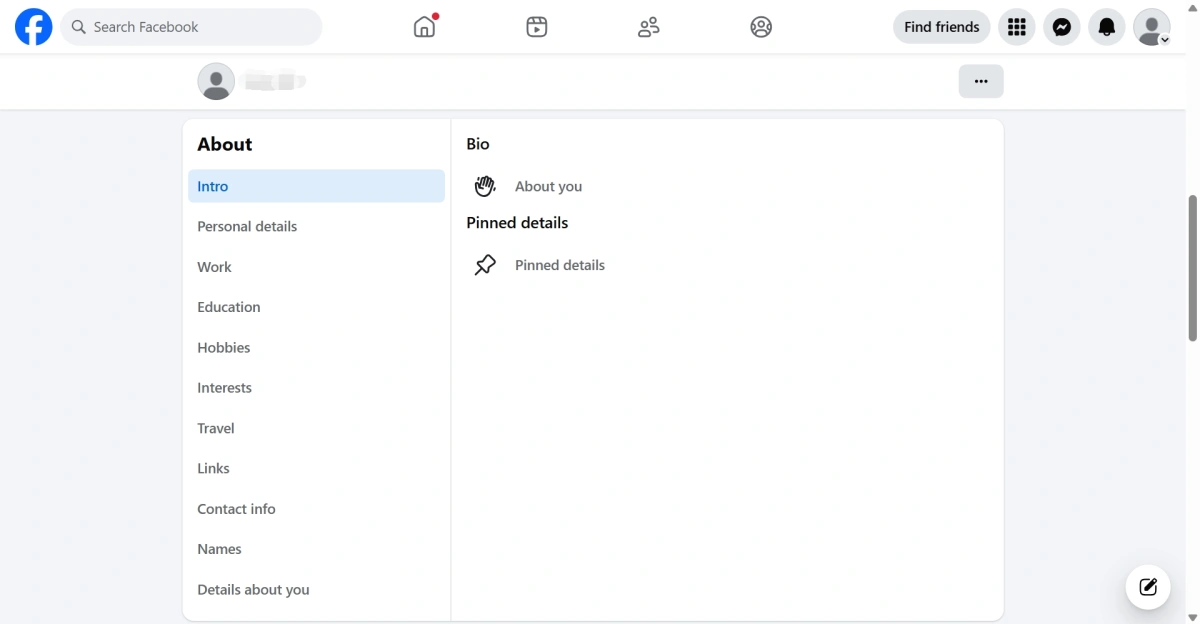
Write a Clear Bio and Complete Your About Section
Write a concise Bio that explains who you are and what your profile focuses on. Then complete the relevant details in your About section, including your work history, education, website, and contact information. A complete profile gives visitors useful context and helps them understand your background quickly.
Use natural keywords that describe your role, industry, or content topic in your Bio and About section. For example, a social media consultant might include terms such as “social media strategy,” “content planning,” or “digital marketing.” These terms should fit naturally into the description and reflect the content you publish. Avoid adding unrelated keywords simply to make the profile appear in more searches.
Step 3: Create a Trustworthy Content Foundation
Your profile information explains who you are, while your recent posts show whether the account is active and relevant. Start with an introduction post, a useful post related to your expertise, and an experience-based post that gives visitors more context.
Keep your content aligned with your profile purpose and publish consistently. You can use text, images, videos, Stories, or Live content when they fit your topic. If you use hashtags, keep them specific and limited. Avoid filling a new profile with promotional posts before you have established a clear content direction.
Step 4: Use Facebook’s Content and Community Features
Public posts and Facebook Groups can help visitors discover your profile and understand your areas of interest. When publishing a post, check its audience setting and make sure the content is relevant to the people you want to reach. You can also participate in relevant Groups by answering questions and contributing to existing discussions. Read the group rules first and avoid copying the same promotional message across different Groups.
Comments and messages also reflect your professional presence on Facebook. Give specific replies, share useful information, and respond to relevant questions instead of using general or repeated answers. Keeping your posts and interactions focused on the same topics makes your Facebook Profile easier to understand.
Step 5: Adjust Your Privacy and Visibility Settings
A Facebook profile may include both professional content and personal information. Instead of making everything public or private, choose the audience for each type of content based on its purpose.
Keep professional posts, profile information, and Featured content public when you want new visitors to understand your work. Personal updates can be limited to Friends, while sensitive information should only be visible to you or a small group of trusted people. You should also review tagged posts, friend list visibility, follower settings, and who can contact you.
Before publishing or updating your profile, use Facebook’s View As feature to see how your profile appears to people who are not connected with you. This helps you identify outdated information and check whether your public content presents the image you want visitors to see.
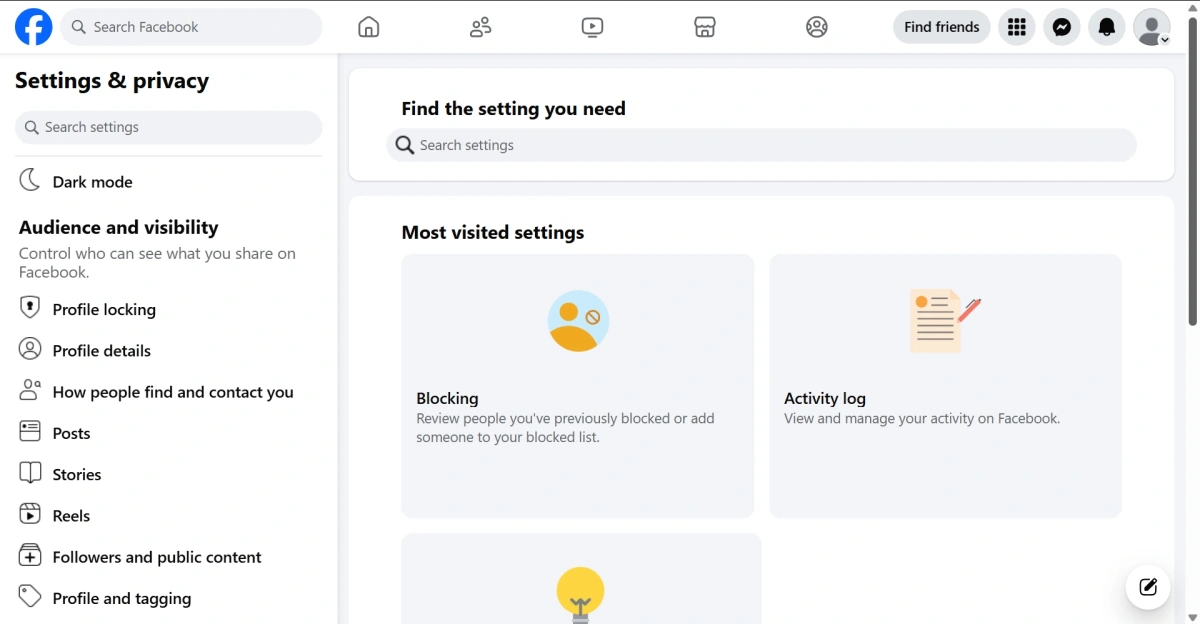
Account → Settings & privacy → Settings → Audience and visibility
Review these settings regularly, especially after changing your profile positioning, publishing more public content, or updating your personal information. This helps keep your Facebook profile accurate and consistent over time.
Keep Your Facebook Operations Consistent as You Scale
A Facebook Profile represents an individual identity on the platform. It can be used to publish posts, join Facebook Groups, interact with other users, and manage business Pages. Understanding this role is important before expanding your social media operations. You can learn more about the purpose and common uses of a Facebook Profile before setting up a broader workflow.
Learn More About Facebook Profile
Start with Stable Access During Account Setup
A reliable connection is useful from the beginning. If the connection becomes unstable while creating or setting up an account, avoid repeatedly refreshing the page or submitting the form. Check your connection and account information before trying again.
The same principle applies to daily profile management. If you need a more flexible connection for accessing Facebook from different locations or for different workflows, FlashIP provides residential and other proxy options.
Organize Your Account Workflow Before Scaling
As your Profile-related work grows, you may need to manage regular publishing, community participation, regional content checks, or different professional workflows. As your Profile-related work grows, you may need to manage regular publishing, community participation, regional content checks, or different professional workflows. Define the purpose and operating process for each activity before increasing the frequency of your Facebook work.
Before publishing content, replying to messages, or joining a Group, confirm that you are using the intended Profile. This simple check can help reduce publishing mistakes and keep your daily workflow organized.
Keep the Login Environment Consistent
Platforms may evaluate several signals together, including the network connection, device or browser information, login location, cookies, and account activity. Frequent changes in location or connection can create additional verification steps or make different account workflows harder to separate.
For recurring Facebook operations, try to keep the connection, location, and account workflow consistent. A stable setup does not guarantee that an account will avoid restrictions, but it can make long-term management more predictable.
Choose a Proxy for Long-Term Facebook Operations
The right proxy type depends on how you use Facebook. A static ISP proxy may be suitable for recurring account access that requires a consistent IP address. Residential proxies may be useful for regional content checks, market research, or location-based browsing.
For recurring Facebook Profile work, keep your proxy settings and access process consistent with the workflow you use. If your social media work later expands to several legitimate client or Page workflows, clear assignments can help reduce accidental switching between unrelated operations.FlashIP’s guide to static ISP proxies for multi-account management provides more information about IP consistency, dedicated connections, and account workflow planning.
A proxy should support a legitimate account management process. It does not replace proper account ownership, responsible activity, or compliance with Facebook’s policies.
Conclusion
Building a professional Facebook Profile requires more than adding a profile picture and writing a short Bio. A clear purpose, recognizable visual identity, complete About details, useful public content, relevant Group participation, and suitable privacy settings all influence how visitors understand your Profile.
As your Facebook work grows, keep your Profile workflow organized and avoid repeatedly changing your login environment without a clear reason. A consistent process makes it easier to manage regular publishing, community participation, and other Profile-related activities.
FAQ
1. What is the difference between a Facebook Profile, Page, and Group?
A Facebook Profile represents an individual user. A Page is generally used by a brand, organization, public figure, or business, while a Group is designed for discussions around a shared topic or community. Understanding these differences helps you choose the right place to publish content and interact with users.
2. Should a creator use a Facebook Profile or a Facebook Page?
Creators who want to build a personal identity may start with a Facebook Profile, while brands and businesses usually need a Page to represent their organization. Some creators may also use Professional Mode on their Profile if they want to share public content and build a follower base without separating their personal identity from their creator activity.
3. Can people follow my Facebook Profile without becoming friends?
Yes. Depending on your profile settings and available features, people may follow your public updates without adding you as a friend. This is useful for creators who want to share content with a wider audience while keeping their personal connections separate.
4. Why should I keep my Facebook Profile’s operating environment consistent?
A Profile may be used for several recurring activities, such as joining Groups, managing Pages, replying to messages, and publishing public updates. Frequent changes in connection, location, or login environment may make these activities less predictable and may trigger additional verification. A consistent workflow helps you review and manage the Profile more clearly.
5. Why might I use a proxy when managing a Facebook Profile?
A proxy is not required for ordinary personal Facebook use. It may be useful when your Profile-related work involves regional content checks, location-based research, or recurring access from a specific location. A consistent connection can make these workflows easier to organize. FlashIP provides residential and static ISP proxy options for different use cases.
6. How can I reduce the risk of a Facebook Profile being restricted?
No method can guarantee that a Facebook account will never be restricted. To reduce the risk, use accessible account information, avoid repeated signup attempts, follow Facebook’s Community Standards, and do not copy the same promotional message across multiple Groups. You should also review your account security settings and enable available protection features such as login alerts or two-factor authentication. If your account has already been disabled, read this guide on how to recover a disabled Facebook account.
7. Can FlashIP help prevent Facebook account bans?
FlashIP cannot guarantee that a Facebook Profile will avoid bans or restrictions. Account status may be affected by content, user behavior, account information, login activity, and compliance with Facebook’s policies. FlashIP can provide residential and static ISP proxy options to support a more consistent connection for legitimate workflows, but it does not replace responsible account management or compliance.


