Quick Answer
To build a strong Instagram profile, define who you want to reach and what you want to share. Choose a recognizable name and profile photo, write a bio that explains what you offer, and add relevant links or contact options. Use Story Highlights to organize useful information and pin posts that introduce your content, products, or services.
Key Takeaways
- Define your audience and main goal before choosing what to include in your Instagram profile.
- Use a recognizable name and photo, and write a bio that explains what visitors can expect from your account.
- Add links and contact options that support your goal, such as sharing tutorials, receiving enquiries, or accepting orders.
- Organize useful information in Story Highlights and pin posts that introduce your content, products, or services.
- Keep your details current and check that visitors can find information, use your links, and contact you through the channels you provide.
Before You Start: Define Goals for Your Instagram Profile
Define who your Instagram profile is for, including your target demographic and location, and what those visitors need. This helps you decide what to include in your bio, contact details, and featured content.
For example, a French creator sharing classic pastry tutorials targeting baking enthusiasts in North America can use a bio like “Authentic French bread recipes & baking tips for US home bakers” and adapt measurements accordingly. Conversely, a local bakery in Paris should make its neighborhood location, daily menu, and order details immediately visible.
What Should Visitors Do Next?
Choose one main action you want visitors to take, such as following your account, viewing your work, or sending an enquiry. Use that goal to decide which information and links deserve the most prominent placement on your profile.
Which Account Type Fits Your Needs?
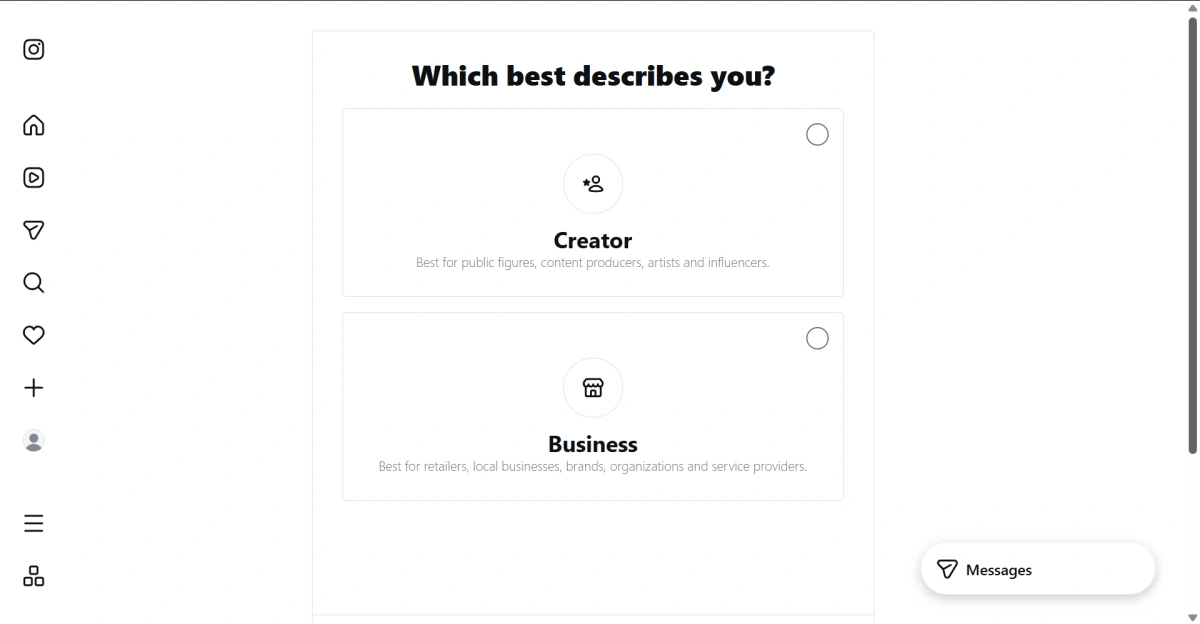
Instagram offers Personal, Creator, and Business accounts. Your account type affects your privacy settings, access to audience insights, and available business contact options. Choose the type that fits how you plan to use your account.
| Account Type | Best For | Key Features |
|---|---|---|
| Personal | Personal sharing and keeping in touch with friends | Can be private |
| Creator | Content creators, artists, and public figures | Professional tools and audience insights |
| Business | Brands, shops, and service providers | Professional tools, business contact options, and advertising features |
To switch to a professional account on desktop, follow this path:
More → Settings → For professionals → Account type and tools → Switch to professional account
Follow the prompts to select Creator or Business and complete the setup. Menu labels may vary depending on your current account type.
If you have not created an account yet, our Instagram account setup guide covers registration and initial settings to help you get started and choose an account type that fits your needs.
6 Tips for Instagram Profile Optimization
A clear Instagram profile helps visitors understand what you offer and find the information they need.
Tip 1: Choose a Clear Username and Display Name
Your username is the unique handle that appears after “@”, while your display name identifies you on your profile. Both fields are searchable, so clear, relevant names can help people find your account. Keep your username easy to recognize and spell. If your preferred name is unavailable, add a relevant detail, such as your location or business type, instead of a long string of numbers.
Use your display name to combine your name or brand with a short description of what you do. Choose words your audience might use when searching for your content or services, and avoid complicated formatting or repeated keywords.
Tip 2: Use a Recognizable Profile Photo
Choose a profile photo that matches how people know you. A clear headshot can suit a personal creator account, while a simple logo can help visitors recognize a business. Keep the main subject visible and avoid small text or unnecessary details.
Preview the image at a small size and check the circular crop. Your face or logo should remain recognizable without opening the full image. Leave enough space around the edges so important details are not cut off.
Tip 3: Write a Bio That Explains What You Offer
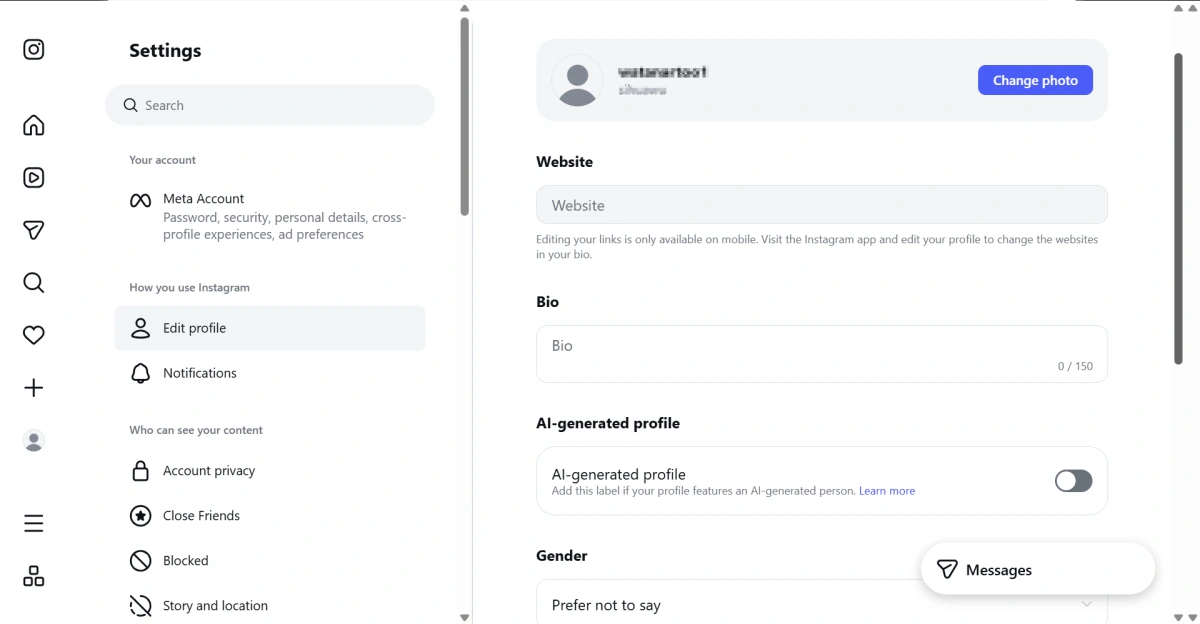
Keep your bio clear and simple. Start with a short sentence explaining what you share or provide and who it is for. Naturally include relevant words your audience might search for. Add your location if it helps visitors decide whether your account is relevant to them.
For example, replace “Sharing my love for beauty” with “Simple makeup tutorials for beginners.” A makeup artist could write “Bridal makeup in London. View my portfolio and booking details below.” Keep the description accurate, and only include an action prompt when the relevant link or contact option is available.
Tip 4: Add Relevant Links and Contact Options
Add links that take visitors to the information mentioned in your bio. Give each link a clear title so people know what to expect. When possible, link directly to the relevant page instead of asking visitors to search through your website.
Open each link on your phone and check that the page loads, the information is current, and the intended action can be completed. If your account offers contact buttons, add details for channels you regularly monitor. Available options may differ by account setup.
Tip 5: Organize Your Story Highlights
Group your Story Highlights by topic and use clear, short labels, such as “About Me,” “Daily Life,” or “Travel.” Keep covers simple and update or remove information that is no longer relevant.
Tip 6: Choose Pinned Posts That Introduce Your Account
Pin posts that help first-time visitors understand your account. Choose content that introduces what you do, answers a common question, or explains a main service. Each pinned post should add useful information and support what your bio says.
Consider how well a post represents your account before looking at its view count. A popular post may be less useful to a new visitor if it covers an unrelated topic.
Review and Maintain Your Instagram Profile for Long-Term Growth
After updating your Instagram profile, check that visitors can understand your account and complete the actions you suggest. Repeat these checks when your content, services, or contact details change.
Check Information and Visitor Access
Review your profile as a first-time visitor. Check that your bio is clear, your links lead to the right pages, and your Highlights and pinned posts contain current information. Remove expired offers and make important details easier to find.
If you invite visitors to send messages, check your inbox and message requests regularly. Add answers to recurring questions to your Highlights or linked page.
Review Account Status When Needed
If a feature becomes unavailable or you receive a restriction notice, review Account status for details and any available next steps. Recommendation eligibility, where shown, does not guarantee that your content will be recommended.
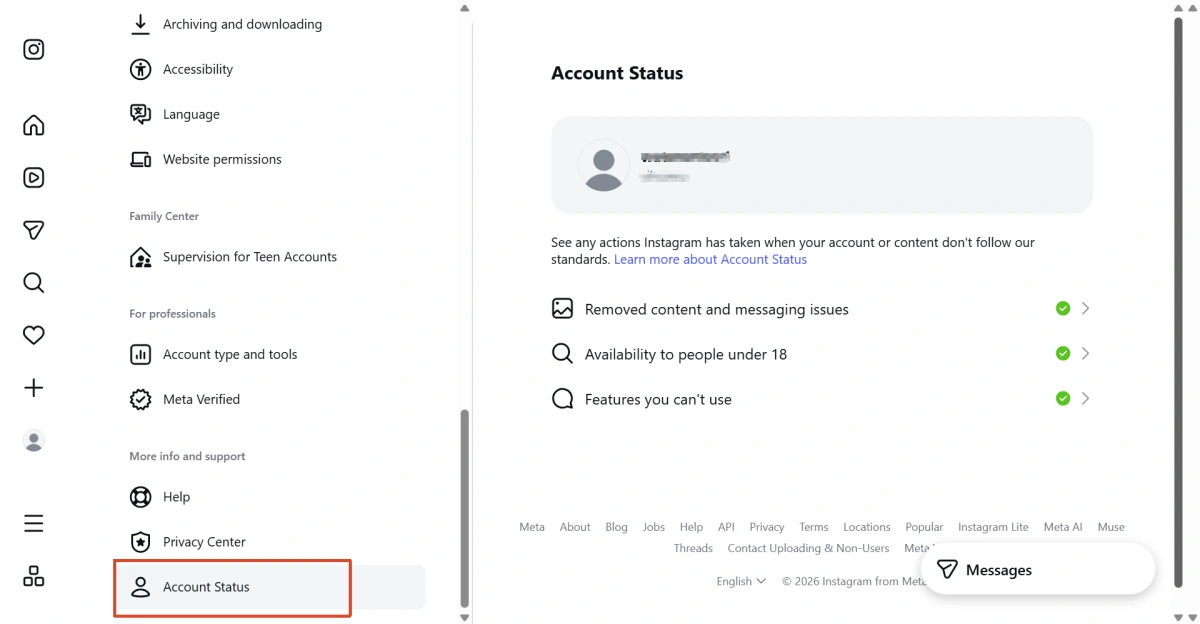
Click on the Settings wheel (next to your account name) → Settings and privacy → Account status
What to Do After Setting Up Your Instagram Profile
A complete Instagram profile gives visitors an introduction to your account. Your ongoing posts and responses give them a reason to return. Once the basic information is in place, focus on publishing useful content and responding to the interest it receives.
Build a Consistent Content Routine
Plan posts around the topics described in your bio and choose a schedule you can maintain. Keep a short list of upcoming ideas so you can prepare content in advance. For further reading on building your audience, explore our Instagram organic follower growth guide.
Use Audience Feedback to Plan Your Next Posts
Look for recurring questions in comments and messages. Use these responses to identify topics that need a follow-up or a clearer explanation, then include them in your content plan.
If you also manage Instagram accounts for several brands or clients, keep each account’s feedback, publishing schedule, and profile updates separate. As these tasks increase, a clear record of account access and responsibilities can help you organize the work.
How to Keep Multiple Accounts Organized
Managing several Instagram accounts means keeping each brand’s content, enquiries, and access arrangements separate. Record who is responsible for each account and how it is accessed, alongside its publishing schedule.
Keep Connection Settings Consistent for Each Account
A proxy routes your connection through another server, allowing you to use its outgoing IP when accessing an account. If you manage Instagram accounts from different workplaces, a static proxy can help maintain a consistent address across sessions. Frequent changes in IP address or apparent location may lead to additional security checks, particularly when combined with other unusual activity.
For work that requires the same outgoing IP across sessions—such as managing Instagram accounts for two shops by updating their menus, links, Highlights, or pinned posts from both home and an office—you can consider FlashIP’s static ISP proxies. By assigning a static ISP proxy to the corresponding browser profile, you retain the same IP throughout the allocation period rather than automatically rotating addresses, allowing you to seamlessly reuse the same connection whenever you return to perform recurring tasks. Note that while a consistent IP helps maintain stable connection settings, it does not guarantee that verification requests or account restrictions will be completely avoided.
Conclusion
A strong Instagram profile helps visitors understand what you offer, find useful information, and decide what to do next. Keep your name, bio, links, and featured content consistent with your account’s purpose, and update them when your content or services change.
Start with the part of your profile that is most likely to leave visitors confused, then work through the remaining checks. For multiple accounts, keep a separate update record for each brand or client.
What Should I Optimize First?
Start with anything that prevents visitors from understanding or using your profile, such as an unclear bio, a broken link, or outdated contact details. Once these are corrected, review your photo, Highlights, and pinned posts.
Do I Need a Website for My Profile?
No. You can use your bio, posts, and Highlights to explain what you offer, and direct enquiries to a contact channel you monitor. Add a website link when it provides something visitors need, such as booking details or a portfolio.
How Often Should I Update My Profile?
Update it whenever important details change, including your services, location, contact information, or linked pages. Review Highlights and pinned posts after an event or promotion ends. There is no need to rewrite accurate information simply to follow a fixed schedule.
Will Profile Optimization Guarantee More Followers?
No. Instagram profile optimization can make your account easier to understand, but follower growth also depends on who sees your content and whether it interests them. Review profile visits and follower changes where available, alongside your posting and promotion activity.


