Navigating the modern digital marketing landscape is practically impossible without a solid defense strategy. Today’s moderation algorithms on platforms like Facebook, Google, and TikTok rely heavily on deep behavioral analysis, machine learning, and strict hardware tracking. Because of this, cloaking has evolved from a niche trick into fundamental infrastructure required to protect your funnels and maintain a profitable ROI.
Media buyers and affiliate teams utilize cloaking to filter incoming traffic: blocking bots, concealing aggressive marketing funnels from automated crawlers, and drastically reducing ban rates. However, even the most sophisticated traffic filter will fail if your ad accounts are flagged for suspicious hardware fingerprints right at the login stage.
In this comprehensive guide, we will explore how cloaking works, walk you through the setup process using Cloaking.House, and explain why pairing this tool with the deep fingerprint masking of the FlashID Antidetect Browser is the only way to guarantee stable, long-term operations.
What is Cloaking?
At its core, cloaking is an intelligent traffic routing system that analyzes a visitor’s digital footprint and serves different web pages based on specific rules.
- Real Target Audience: Seamlessly redirected to your actual offer (the Money Page).
- Bots, Moderators, and Spy Tools: Redirected to a safe, policy-compliant, and neutral page (the White Page).
This routing mechanism gives advertisers absolute control over who gets to see the final stage of their funnel. Affiliates deploy cloaking to:
- Minimize campaign rejection rates on highly scrutinized networks (FB Ads, Google, TikTok).
- Shield profitable creatives and landing pages from competitors using spy services.
- Prevent automated bots from draining advertising budgets.
Why Media Buyers Trust Cloaking.House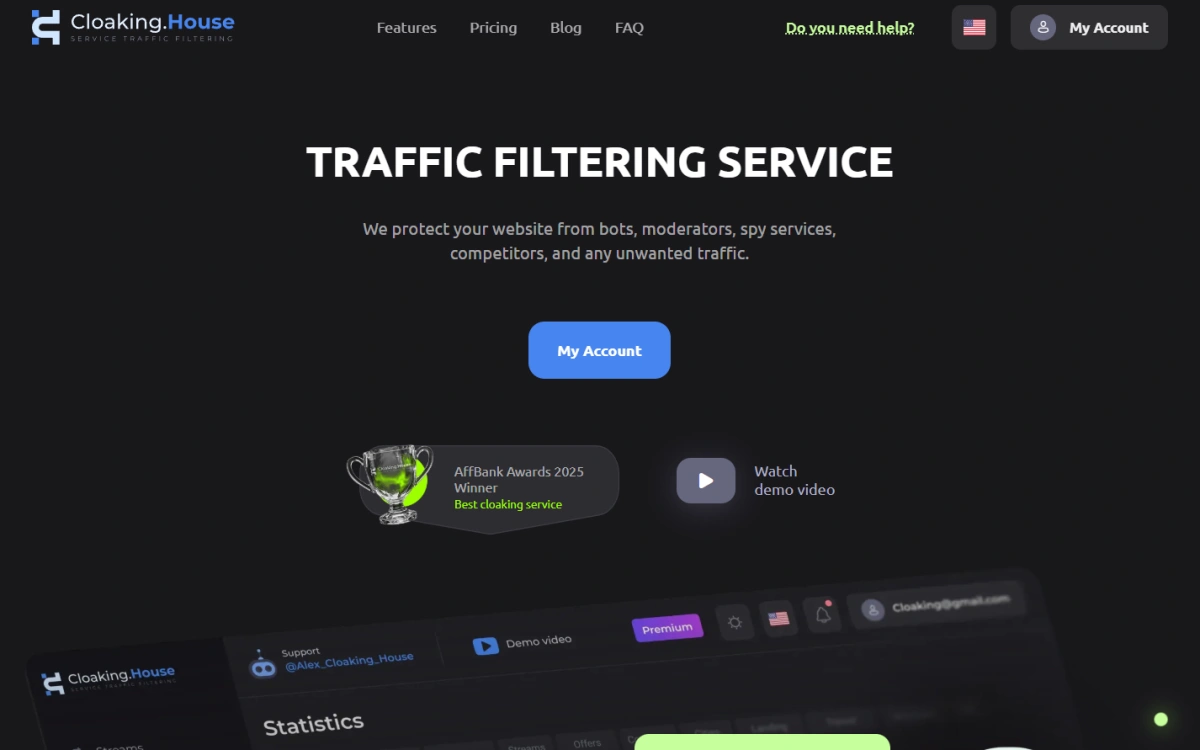
Cloaking.House is a premier cloud-based filtering platform tailored for affiliate marketers who want robust protection without the hassle of managing their own servers.
Core Advantages:
- Cloud-Based Architecture: The service handles all the heavy lifting on its servers, meaning zero backend administration for you.
- AI White Page Generator: Instantly create moderation-passing “safe” pages right from your dashboard.
- Deep Traffic Segmentation: Filter visitors based on GEO, operating system, device type, ISP, referrer data, and proxy usage.
- Machine Learning Engine: The platform continuously updates its threat database to instantly recognize newly developed bots and moderation crawlers.
Step-by-Step Cloaking Setup
1.Prepare Your White Page
Start by generating a neutral page designed specifically for human moderators using the built-in AI tool in Cloaking.House. Download these files and upload them to the hosting domain where your cloaking will live.
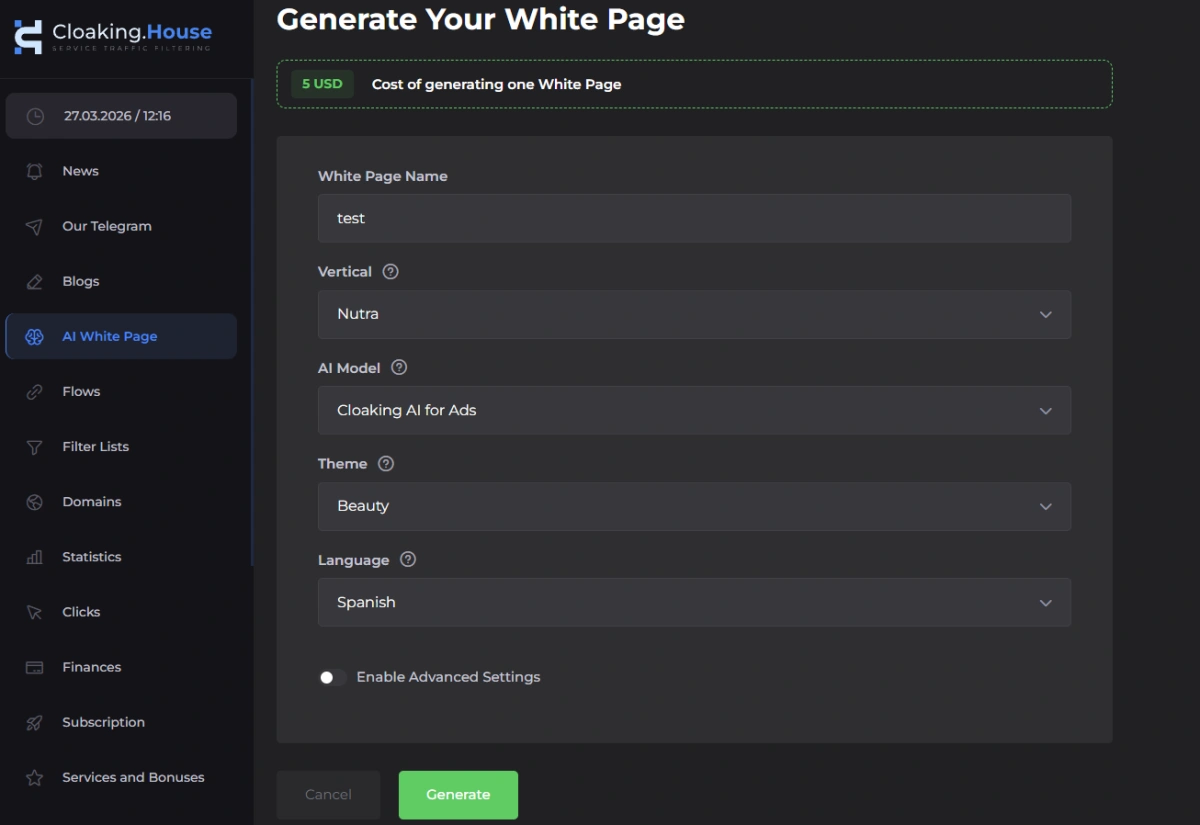
Important Step: Once uploaded, you must rename the main file from index.html to site.html. This ensures there are no conflicts, as the primary index.php file (the cloaking script) needs to be the default file in your root directory.
2. Configure Your Flows
Navigate to the “Flows” dashboard inside the platform:
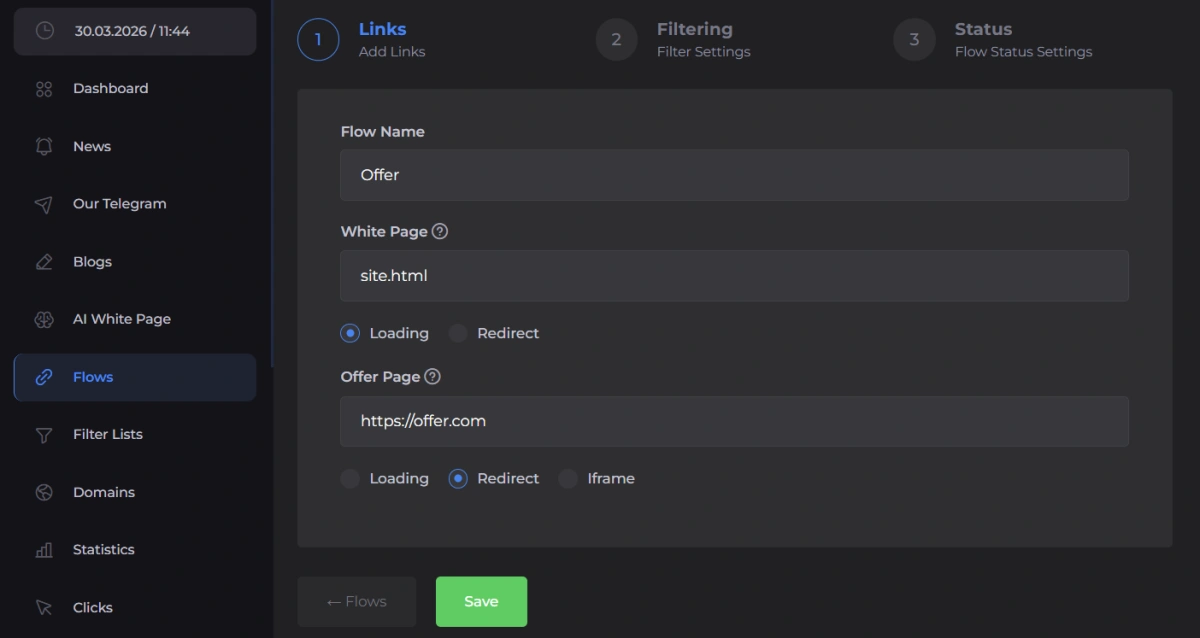
- Input your White Page filename (e.g., site.html) and choose your preferred Loading method.
- Insert the URL of your actual Money Page in the “Offer Page” section and select the Redirect method.
3. Set Up Filtering Rules
Define exactly who gets to see your offer by establishing strict parameters:
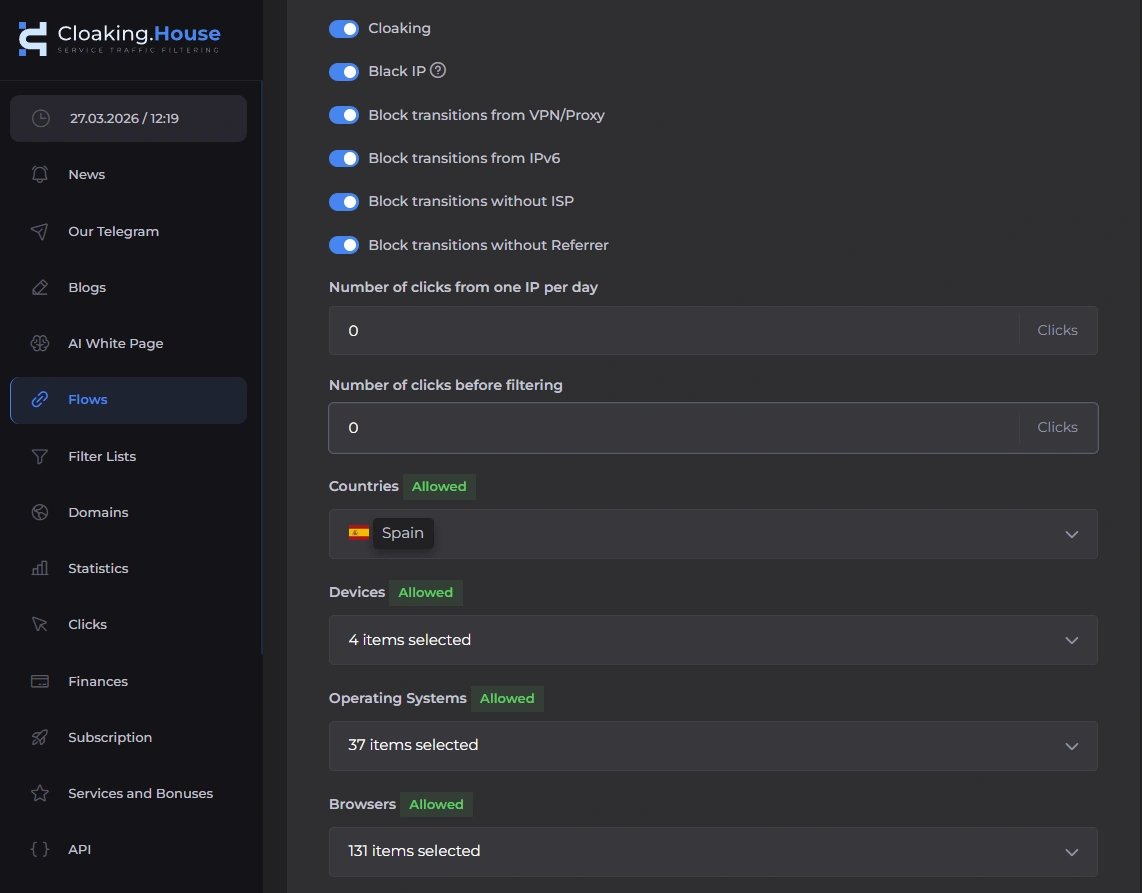
- GEO & IP Verification: Ensure the visitor is physically located in your target country.
- Device & OS Checks: Analyze User-Agent data to catch discrepancies (crucial for passing FB and TikTok metadata checks).
- Data Center Blocking: Automatically block traffic originating from massive server farms like AWS or Google Cloud, which are typical bot hubs.
- VPN & Proxy Detection: Prevent moderators from artificially “teleporting” into your target GEO to inspect your local landing pages.
4. Deploy the Script
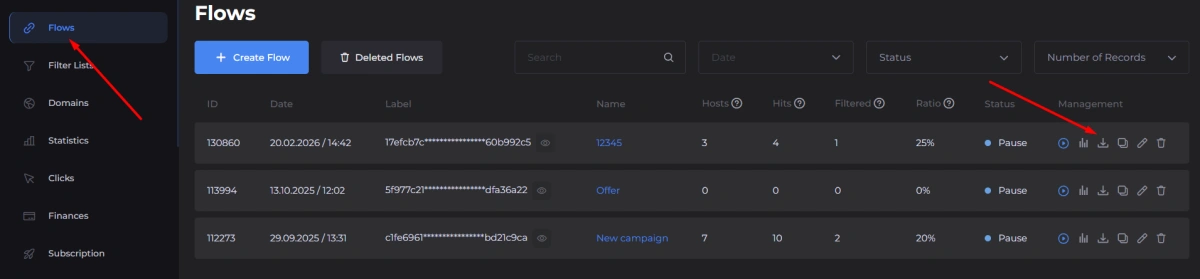
Download the generated index.php integration file from your Cloaking.House dashboard. Upload this directly to your domain’s root folder. This file bridges your hosting setup with the cloud-based filtering engine.
5.Track and Optimize
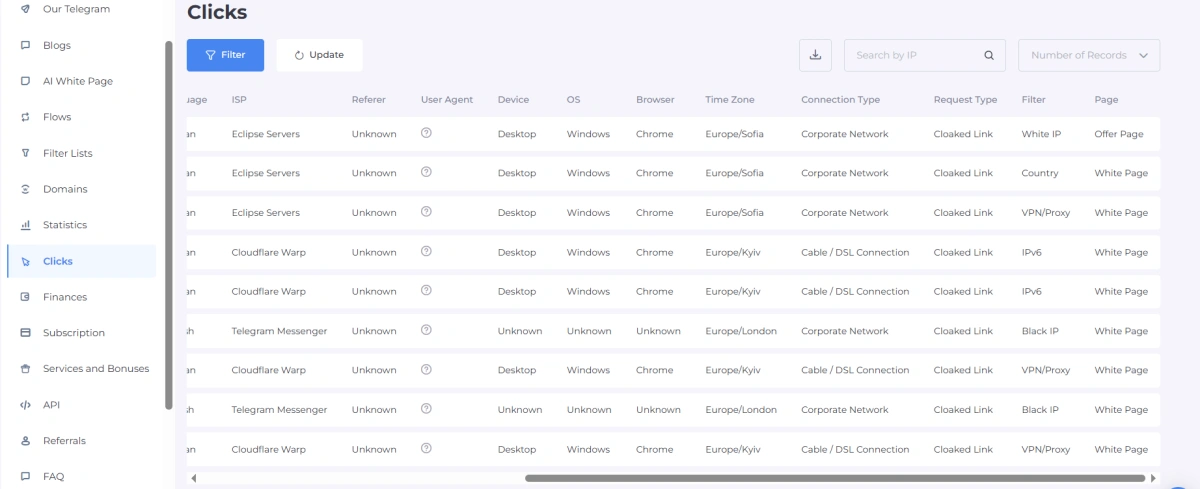
Once your campaign is live, keep a close eye on your analytics. Monitor the ratio of blocked versus clean traffic, analyze which rules are triggered most often, and refine your settings to continuously elevate traffic quality.
The Ultimate Security Synergy: FlashID + Cloaking.House
Even the most flawlessly configured cloak cannot save your campaign if anti-fraud systems detect anomalies during the account creation or farming stage.
Ad networks don’t just look at where the traffic goes; they heavily scrutinize who is launching the ads. If you manage multiple accounts from a standard browser, algorithms will instantly detect matching hardware fingerprints and link your accounts together. The result? Massive chain bans before a single ad is approved.
For bulletproof media buying, you need a two-layered defense system:
- Cloaking.House (The Outer Shield): Protects your landing pages and traffic funnel from bots and manual review.
- FlashID Antidetect Browser (The Core Armor): Completely masks your PC’s actual hardware. FlashID reliably spoofs your WebGL, Canvas, fonts, screen resolution, and User-Agent. It gives every single ad account its own isolated, unique digital identity that looks exactly like a real, unsuspicious physical device.
When you launch a campaign using FlashID (paired with high-quality proxies), moderators and algorithms see a standard user logging in from a real device. When you add Cloaking.House to handle the traffic destination, your campaigns achieve maximum resilience against manual audits and automated ban waves.
Final Thoughts
Cloaking is no longer optional; it is a mandatory requirement for scaling any media buying operation. With its cloud-based technology, Cloaking.House makes deploying this protection incredibly simple.
However, true longevity in affiliate marketing demands a holistic approach to anonymity. Your security starts at the hardware level. Build an impenetrable infrastructure: isolate your ad accounts and mask your fingerprints with the FlashID antidetect browser, and protect your campaign links with Cloaking.House.
Use FLASHID to get 30% off for any Cloaking.House plan


