Discord is a leading communication platform where millions of users connect through servers, channels, and voice chats for gaming, hobbies, education, and professional communities. Beyond messaging, it’s a place to engage, collaborate, and showcase your presence within vibrant online communities. In 2025, Discord introduced the Orbs system, offering users digital rewards like the Orbs Badge and Orbs Apprentice Badge. These badges reflect achievements and participation, but many users struggle with how to display them effectively, personalize their profiles, and protect their accounts.
This guide addresses these challenges by providing actionable strategies for managing and highlighting your badges, tips for creating a visually appealing profile, and best practices for safely handling multiple accounts using tools like FlashID. Whether you’re new to Discord or an experienced member, this article will help you make your badges stand out while keeping your accounts secure.
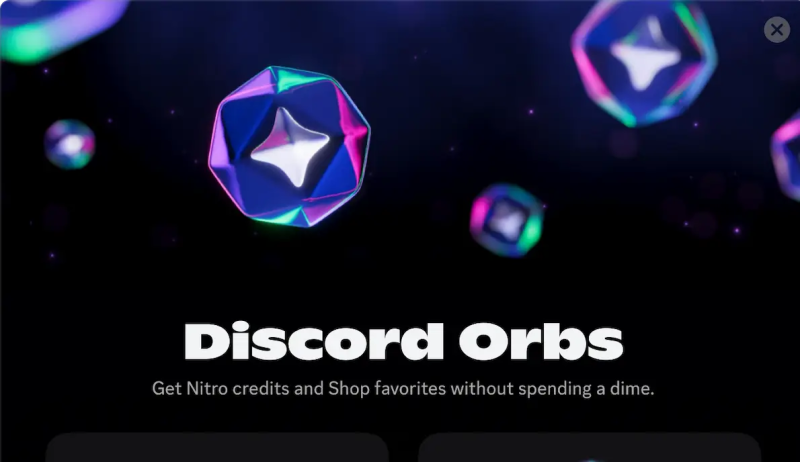
Understanding Orbs Badge and Orbs Apprentice Badge
The Orbs Badge is a standard reward in Discord’s Orbs system, designed to highlight your participation in official Quests and community activities. The Orbs Apprentice Badge is a special reward, typically granted automatically when users complete the introductory Orbs Quest for the first time, symbolizing an “apprentice” status within the Orbs ecosystem. Key Features & How to Earn:
- Earning Orbs: Participate in official Discord Quests, complete challenges, or join seasonal events to collect Orbs points.
- Redeeming Badges and Items: Open the Discord Orbs Shop and browse the “Orbs Exclusives” section. Each item, including badges, shows how many Orbs are required to redeem it. Once you have enough Orbs, you can claim the badge directly through the Shop.
- Display: Claimed badges appear on your profile. Hovering over a badge reveals its name and description.
- Permanence: Badges are permanently linked to your account—they cannot be removed, hidden, or transferred.
Properly arranging your Orbs Badge and Orbs Apprentice Badge can make your profile more organized and visually appealing, helping you showcase your achievements and activity within the Discord community.
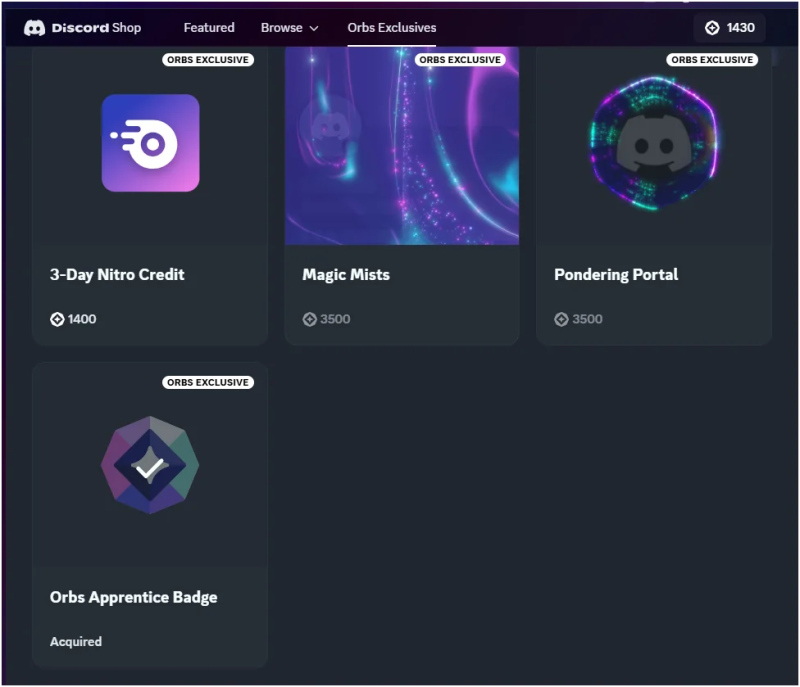
Effective Display and Management Strategies
While Discord doesn’t allow badges to be deleted, you can manage their display to create a clean, personalized profile:
- Customize Badge Order: Place your Orbs Apprentice Badge at the top to highlight your key achievements.
- Highlight Key Badges: Select which badges appear in the main display area to avoid a cluttered profile.
- Coordinate with Decorations: Use Discord avatar decorations, backgrounds, or Orbs-exclusive items to match your badges‘visual style.
- Update Regularly: As new badges or levels are released, adjust your display order to keep your profile fresh and engaging.
Account Security and FlashID Multi-Account Management
As Orbs rewards increase in value, managing multiple accounts or participating more frequently can carry risks, including triggering Discord’s security checks, being flagged due to identical IPs or browser fingerprints, or encountering issues from third-party plugins or scripts that may lead to account restrictions, suspensions, or data leaks. Therefore, users are advised not to attempt buying or trading badge accounts, and all Orbs and badges should be earned and redeemed through official tasks. In this context, FlashID anti-detect browser provides a secure and efficient solution, especially for users managing multiple Discord accounts or wishing to safely display the Orbs Badge and Orbs Apprentice Badge. Its main features and advantages include:
- Independent Environment Isolation: Each account runs in a separate browser environment with unique fingerprints, cookies, and IPs, reducing the risk of misidentification.
- Parallel Multi-Account Management: Operate multiple Discord accounts simultaneously, earning Orbs and managing badges efficiently.
- Reduced Suspension Risk: Isolated digital identities help prevent being flagged as suspicious or bot-like.
- Safe and Efficient Operations: Automated login and environment management make multi-account tasks convenient, while ensuring badges like Orbs Badge and Orbs Apprentice Badge are displayed safely.
⚠️ Note: Users must strictly follow Discord’s Terms of Service when using FlashID to avoid account suspension.
Best Practices for Orbs Badge Management
- Highlight Key Achievements: Place the Orbs Apprentice Badge prominently to showcase your engagement.
- Keep Profiles Organized: Arrange Orbs Badge thoughtfully to maintain a clean profile.
- Prioritize Security: Never share account credentials or use unsafe scripts.
- Use FlashID for Multi-Accounts: Safely manage multiple accounts with isolated environments.
- Stay Updated: Track new badges and adjust your display strategy accordingly.
Conclusion
The Orbs Badge and Orbs Apprentice Badge are more than just digital rewards—they are symbols of your identity in the Discord community. By managing and displaying them strategically, you can create a unique, visually appealing profile. Leveraging FlashID anti-detect browser further allows secure multi-account management, improving efficiency while reducing the risk of suspension.
Combining smart badge display with proper security practices ensures you enjoy the achievements of the Orbs system while keeping your accounts safe—a true win-win for badge management and account security.
Frequently Asked Questions (FAQ)
1.Q: What is the difference between the Orbs Badge and the Orbs Apprentice Badge?
A: The Orbs Badge is a standard reward for participating in Discord activities and quests, while the Orbs Apprentice Badge is a special badge awarded for completing the introductory Orbs quest for the first time, symbolizing an apprentice status.
2.Q: How can I earn Orbs and redeem these badges?
A: Complete official Discord quests and use your earned Orbs to redeem badges in the Discord Shop. Both the Orbs Badge and Orbs Apprentice Badge are obtained through these official methods.
3.Q: Can I remove or hide my Orbs Badge or Orbs Apprentice Badge?
A: No, once redeemed, these badges are permanently linked to your account and cannot be removed or hidden by Discord. Proper arrangement and display help maintain profile clarity.
4.Q: Is it safe to manage multiple Discord accounts to collect more Orbs?
A: Managing multiple accounts carries risks such as triggering security checks, being flagged for identical IPs or browser fingerprints, or encountering third-party script issues. Tools like FlashID anti-detect browser can help safely manage multiple accounts while reducing these risks, but always follow Discord’s Terms of Service.
5.Q: How can I make my Orbs badges stand out on my profile?
A: Place the Orbs Apprentice Badge at the top, coordinate badges with avatar decorations or backgrounds, and update your badge display order as new badges are released to keep your profile visually appealing.
6.Q: Can I buy or trade Orbs badges from other users?
A: No, purchasing or trading badges violates Discord’s Terms of Service and can result in account suspension. Always earn Orbs and badges through official Discord quests.


