In the fiercely competitive landscape of digital traffic operations, mastering multi-account management has become a core essential. We not only need to ensure each account survives the scrutiny of platform algorithms but also strive for exponential growth in operational efficiency. To tackle the dual challenges of “risk control” and “efficiency,” an integrated “all-in-one account management platform” that combines PC-based anti-detection with mobile cloud phones has emerged.
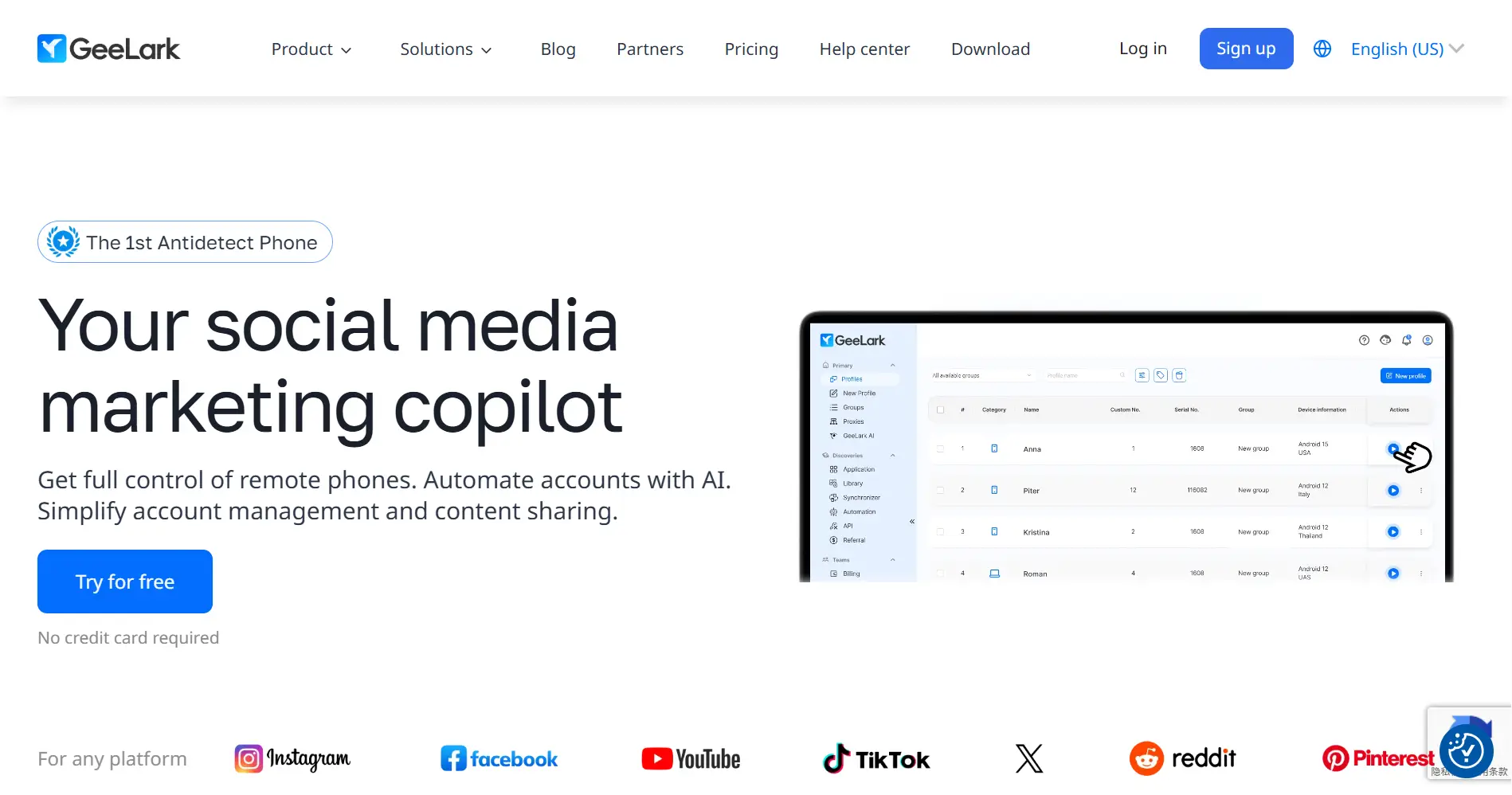
Geelark is a prime example of this concept. According to its latest official information, it has evolved from a simple browser anti-detection tool into a composite product integrating PC browser fingerprint spoofing, Android cloud phone operation, and template-based task automation, aiming to provide an end-to-end solution from “security” to “execution.”
However, as our business chains become increasingly complex, and “automation” is no longer just a simple sequence of clicks but requires capabilities like cross-platform linkage, intelligent judgment, and business process closure, a new question arises: do we need an “advanced toolkit” that optimizes operational workflows, or an “intelligent operating system” that can define and drive the entire business logic?
Today, based on the most accurate information available, we will conduct an in-depth analysis of Geelark, exploring its full scope and boundaries, and conduct an ultimate comparison with FlashID, a solution that elevates automation to the level of “full-chain decision-making.” This is not just a product review; it’s a strategic discussion about the future direction of digital operations.
Geelark: An All-in-One Platform for Multi-Account Operations Integrating Browser, Cloud Phone, and Task Templates
Introduction and Core Positioning
According to its official website, Geelark is positioned as an all-in-one platform for multi-account operations. It is built on three core modules:
- PC Anti-Detection Browser: Provides high-quality browser fingerprint spoofing and data isolation to secure PC-based accounts.
- Android Cloud Phone: Offers an independent mobile operating environment to isolate mobile accounts and allows users to perform real-time remote control from their PCs.
- Automated Task Templates: Provides a series of pre-written or easily configurable automated script tasks, allowing users to directly apply them for the automated execution of common mobile operations, such as in-app check-ins, short video browsing, and ad watching.
Core Functions and Use Cases
Geelark’s capabilities matrix is built around “simplifying multi-account operations,” covering PC, mobile, manual, and semi-automated aspects.
- PC Environment Isolation: Through its anti-detection browser, it achieves fingerprint and environment isolation for multiple PC accounts, forming the foundation of secure logins.
- Real-time Mobile Control: Via the cloud phone, users can remotely and in real-time control mobile Apps, handling tasks that require a high degree of human judgment or response.
- Task Template Automation: This is its signature feature. By providing pre-configured automation templates (e.g., “browse short videos,” “game check-ins”), it helps users automate a large number of repetitive mobile tasks, thereby saving operational time. Its template-based design means users typically do not need to program; they can simply enable the relevant templates.
Based on this, Geelark is particularly suitable for operators with mobile-heavy business scenarios and relatively fixed task models, such as:
- Short Video Platform Content Operations: Automating browsing, liking, following, and commenting on short videos to quickly increase account authority and content distribution volume.
- Traffic Arbitrage and Task Platforms: Automating tasks specified within apps, such as downloading apps, watching ads, and completing check-ins to earn rewards.
- Game Assistance: Automating in-game daily tasks like claiming rewards and auto-challenging.
Integration Convenience
Geelark uses a local client + cloud service hybrid model. Users download and run a local client application to manage and control all functions, including the browser, cloud phone, and automation tasks. This model integrates all operations into a single desktop interface, providing a unified user experience for those accustomed to local software.
Strengths of Geelark:
- Independent Cloud Phone Device Parameters: Suitable for multi-account anti-linkage on the mobile side.
- Authentic Android Experience: Suitable for scenarios like social media, short videos, and e-commerce.
- Provides Basic Automation Templates: Can handle common mobile tasks.
- Supports Team Permission Management and Logging: Facilitates multi-person collaboration.
- Relatively Well-Developed Device Fingerprint Management: Meets the needs of mobile-side business operations.
Limitations of Geelark:
- High Cost: Fees are charged per device, causing costs to skyrocket as operations scale.
- Primarily Mobile-Oriented: Weak capabilities in browser integration and cross-device synergy.
- Limited Automation Capabilities: Unsuitable for complex workflows and high-concurrency tasks.
- High Learning Curve: Beginners need time to adapt to operating the cloud phone.
- Strong Dependence on High-Quality Proxies: Further increases the overall cost of use.
User Reviews and Feedback
User feedback on Geelark is showing a “polarized” trend. On one hand, its independent cloud phone and authentic user experience make it popular for mobile anti-linkage and simulating certain scenarios, with users praising that it’s “very friendly to mobile accounts and not easily detected.” On the other hand, users are keenly aware of the limitations that cause frustration, especially regarding cost and complex workflows. Comments like “the device cost is a bottomless pit as your team grows,” “the templates become useless when platforms change; flexibility is too low,” and “you simply can’t do anything that involves linking PC and mobile operations” are common. These comments clearly show that while Geelark excels at solving “specific mobile-side scenarios,” it has obvious bottlenecks when facing long-term strategies of “scaling, complexity, and intelligence.”
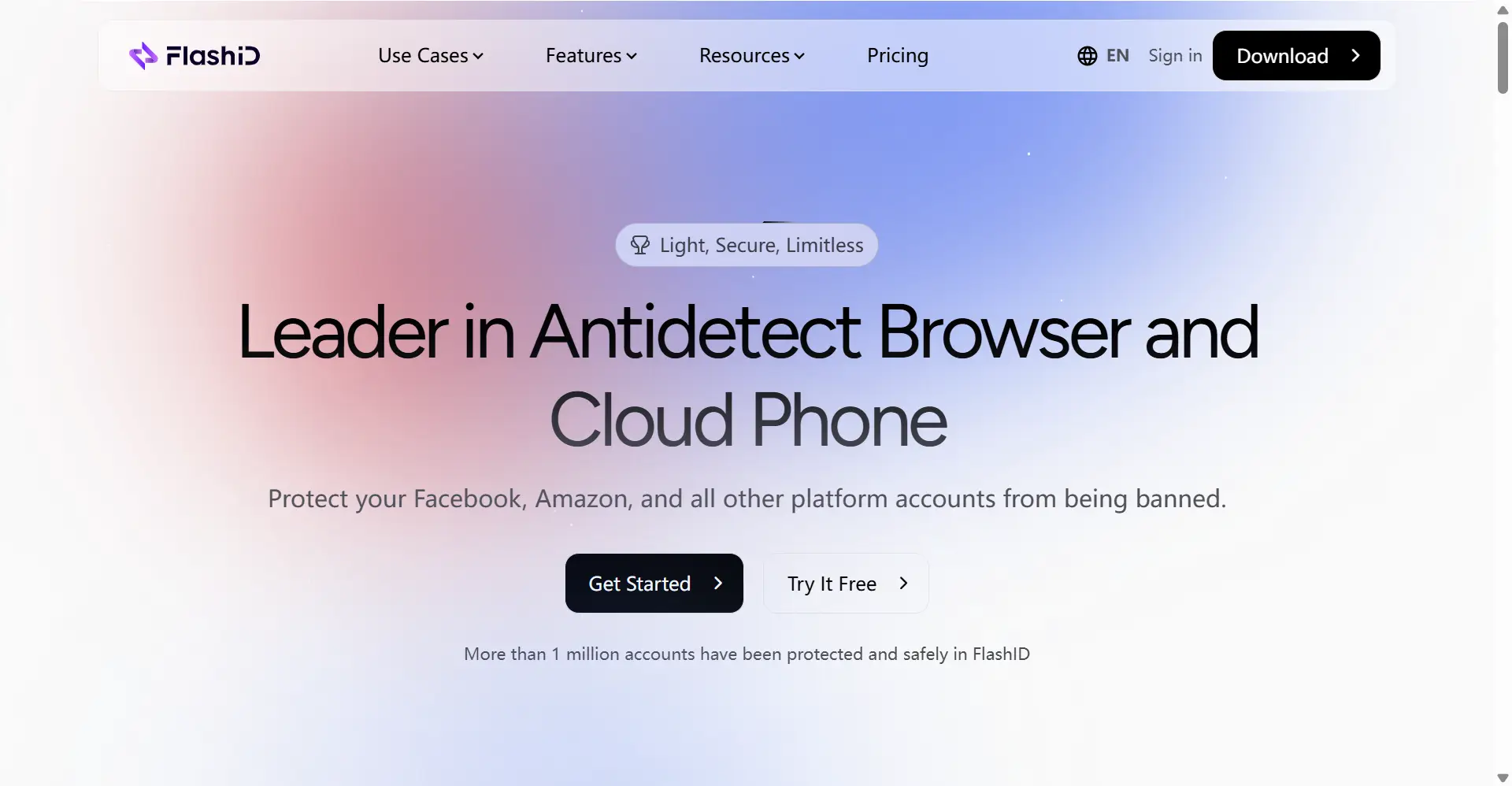
FlashID: A Digital Operating System for Full-Chain Intelligence across PC, Mobile, and Execution
Product Introduction and Core Features
FlashID offers a “digital business operating system” capable of achieving full-chain, intelligent automation. It also has basic components like anti-detection browsers and cloud phones, but its core design goal is to break down barriers between platforms and tools, giving automation depth, breadth, and synergy capabilities.
Core Features:
- PC Anti-Detection Browser + Android Cloud Phone: Provides high-quality, customizable PC fingerprint isolation and native Android cloud phones, covering both PC and mobile scenarios just like Geelark.
- Window Synchronization Technology: Allows users to independently control multiple instances of Android cloud phones with different configurations in a single interface, enabling refined management and efficient synergy.
- Visual RPA Automation Engine: This is FlashID’s core differentiator. Its RPA (Robotic Process Automation) engine provides a no-code flow designer where users can freely define complex automation logic—including conditional branching, loops, data scraping, and cross-platform operations—by dragging and dropping blocks. It’s not just “executing”; it’s “deciding.”
- Enterprise-Grade Team Collaboration Workspace: Offers project spaces, granular permission control, and detailed operational audit logs, providing a management foundation for large-scale, secure corporate operations.
Integration Convenience
FlashID uses a unified, cloud-based web console. All functions, from account creation and cloud phone operation to automation script writing and team management, are performed within the same platform. This web-based architecture natively supports multi-person collaboration, centralized data management, and flexible scaling.
Core Advantages
While Geelark has entered the “highway” of automation with its templates, FlashID is building an “automated highway network.” Both lead to the destination of efficiency, but the road conditions and user experience are vastly different.
Automation Logic: From “Fixed Sequence” to “Intelligent Decision Chain.” A Geelark template is “If a condition is met, perform fixed steps A, B, C.” FlashID’s RPA is “If conditions X and Y can be met, execute process A; otherwise, execute process B. And at every step in this process, it supports scraping, modifying, and passing data.” The depth and flexibility of the latter’s logic are incomparable.
Automation Scope: From “Single-Point Mobile” to “Full-Chain Cross-Platform.” Geelark’s automation is confined within a mobile App. FlashID’s RPA can freely shuttle between PC browsers and Android cloud phones, breaking through the barriers between “PC-data -> mobile-execution,” and truly realizing an end-to-end business process closure.
Customization and Scalability: From “Black-Box Templates” to “White-Canvas Process.” Geelark provides finished, off-the-shelf features; the user is a consumer. FlashID provides automation capabilities; the user is an “engineer.” Its visual editor allows you to “draw” exclusive automation workflows based on any unique business needs, with limitless scalability and no restrictions.
Architecture and Team Model: From “Client Sharing” to “Cloud Collaboration.” Geelark’s team collaboration model is limited within its client software. FlashID’s cloud architecture allows multiple people to co-write, manage, and execute RPA scripts within the same project space, combined with granular permissions and logs, making team collaboration professional, efficient, and secure.
FlashID vs. Geelark: Comprehensive Comparison Table
| Comparison Dimension | Geelark | FlashID | FlashID’s Core Advantage |
|---|---|---|---|
| Core Product Positioning | All-in-One Platform for Multi-Account Operations: Integrates PC anti-detection, Android cloud phones, and task template automation. Its core value is to provide users with a simple tool for secure logins to task execution. | Full-Chain Intelligent Digital Operating System: Deeply integrates PC, mobile, and RPA decision-making automation, aiming to build a high-level platform that supports complex business processes, team collaboration, and drives growth. | Evolved from a “feature-integrated tool” to an “operating system that defines business logic,” with a higher strategic positioning. |
| Core Value Proposition | Simplify Multi-Account Operations: Through integrated design, it solves PC-side anti-linkage and efficient mobile-side execution, especially by automating a large number of repetitive mobile tasks to save user time. | Drive Intelligent Automation and Business Closure: Not only frees up user time for operations but also achieves intelligent, end-to-end business process automation through decision-making, creating new business value. | Value proposition elevated from “saving time” to “creating value” and “empowering the business.” |
| Target User | Mobile Task-Driven User: Focuses on mobile App operations with relatively fixed and repetitive tasks, seeking rapid efficiency gains and high ease-of-use for automation. | Business Process-Driven User: Has complex business logic involving PC and mobile synergy and linkage, pursuing overall efficiency and intelligence with long-term plans and development needs. | Precisely targets “strategic” users who pursue complex process automation and business growth. |
| PC Capabilities | ✅Proficient: Provides high-quality PC-side fingerprint spoofing and data isolation with good anti-linkage results. | ✅Top-Tier: Offers top-tier, cloud-based PC-side fingerprint isolation capabilities with a high degree of customization, validated by numerous market cases. | Also provides top-tier PC-side protection, which is easier for team cloud-based sharing and management. |
| Cloud Phone Functionality | ✅Capable: Offers Android cloud phones with real-time remote control and integration with automation templates. | ✅Capable & Stronger: Provides fully functional Android cloud phones, with a core strength in “Window Synchronization” technology that supports controlling multiple instances in parallel and independently. | Enables finer-grained, multi-task parallel management for higher synergy efficiency. |
| PC-Mobile Synergy Efficiency | ✅Basic Realization: The “multi-device synergy” feature enables batch, synchronized operations across multiple environments (browser + cloud phone), suitable for simple, repetitive single-scenario tasks. | ✅Revolutionary: “Window Synchronization” technology allows users to perform independent, parallel, and real-time refined control of a PC browser and multiple Android cloud phones with different configurations in a single interface. | Upgraded from “batch synchronized execution” to “parallel refined management,” with completely different dimensions and scenario complexities for efficiency gains. |
| Automation Capabilities | ⚠️Lacks Depth: The “synergy” mentioned on the official site is essentially macro, batch clicking. It cannot achieve deep automation based on conditional logic, loops, or cross-platform data flow, a significant functional shortcoming. | ✅Core Feature - RPA Engine: Provides a visual flow designer to build complex, cross-platform automation workflows that realize end-to-end, unattended business process closure. | Automation capability has made a qualitative leap from “none” to “full-chain intelligence,” fundamentally transforming the operational model. |
| Team Collaboration Management | ⚠️Basic: As a client/private deployment tool, its team management features are likely limited to basic permission assignment and environment sharing, lacking cloud-based project isolation, complex permission models, and detailed operational audits. | ✅Enterprise-Grade Team Workspace: Provides granular member and role permission management, project space isolation, and detailed audit logs, ensuring data security and operational compliance during high-efficiency collaboration. | Provides an indispensable, cloud-based, strategic management foundation for team-based and scalable operations. |
| Activity Logs | ❓Limited Model: As a client/private deployment tool, its operational logging may not be centralized and comprehensive, and it’s difficult to achieve unified auditing and tracing across team members. | ✅Comprehensive Audit Logs: The system automatically logs all critical operations (logins, environment creation, script execution, permission changes, etc.) in the cloud, providing a reliable and centralized data basis for team management and troubleshooting. | Cloud-based activity logs provide irreplaceable data support for team security, compliance, and efficiency optimization. |
| Free Plan | ✅Offers Limited-Time Trial: The official website provides a free trial, but the trial duration is limited, designed for users to quickly experience core features, not for long-term, large-scale business needs. | ✅Feature-Rich and Completely Free: Currently, all core functions (fingerprints, cloud phones, RPA, team space) are available for free, allowing users to experience all high-end features with zero barriers to entry. | Long-term, zero-cost experience of all features, allowing users to fully validate the platform’s capabilities without time constraints. |
| Cost Model | ✅Free Trial + Subscription: Users can first experience through a limited-time trial, then pay monthly/annually if satisfied. Fees are typically tied to the number of environments or feature tiers, causing costs to rise rapidly as operations scale. | ✅Currently Free, with Exclusive Discounts for Early Users. | Zero upfront investment, shifts user focus from “tool cost” to “business value,” and offers future benefits to early adopters. |
| Ease of Use (for Beginners) | Client-friendly but closed system: The local client is friendly for individual users, but the collaboration and automation features have a steep learning curve. The overall system is a “feature silo.” | ✅Cloud-friendly and growth-oriented: A unified web console makes all functions easy to learn and share, and the visual RPA designer makes automation intuitive. A single platform can meet the full lifecycle needs from individuals to teams. | Not only beginner-friendly but also an open platform that can grow with your business and offers powerful extensibility. |
| Feature Richness | ⚠️Integrated but Lacking Depth: While it integrates PC and mobile in its form, it has significant shortcomings in the two key dimensions of automation and team collaboration, making its functional combination incomplete. | ✅Comprehensive and Deeply Integrated: Not only does it integrate PC and mobile, but it also achieves end-to-end automation through its RPA engine and strategic collaboration through its enterprise-grade team workspace, building a complete, closed-loop ecosystem. | An all-in-one, comprehensive solution whose functional depth and breadth far surpass competitors. |
| Browser Security & Privacy | ⚠️User’s Responsibility: As a client/private deployment solution, the user is fully responsible for data security and operations, posing potential risks for teams without professional IT resources. | ✅Enterprise-Grade Cloud Security: Employs high-standard public multi-tenant cloud architecture and data encryption technologies, with a professional team handling security operations and backups, providing a higher-level and more reliable security guarantee for data and team collaboration. | Shifts the security responsibility to a professional service provider, allowing users to focus on the core business. |
FAQ Frequently Asked Questions
Q: Geelark already has “automation task templates” that can browse videos and check in for me, which is very efficient. Do I still need FlashID’s RPA? What additional value does it offer me?
A: This is a leap from “replacing manual labor” to “empowering decision-making.” A Geelark template is like an “advanced remote control” that helps you complete fixed tasks like “browse 10 videos.” FlashID’s RPA is like an “intelligent robot.” For example, its RPA can implement this logic: “If the video duration is over 60 seconds, then like it. If a keyword is found in the comments, then automatically reply. At the same time, scrape the video title and link and save it to an Excel file on the PC.” With the added dimension of “judgment and action,” you gain the capability to handle any complex scenario.
Q: My main business is browsing short videos and completing app tasks. Geelark’s templates cover my needs perfectly, and I don’t have complex logic. Is it worth switching to FlashID?
A: The value lies in future scalability and adaptability. No platform’s rules and methods are static. If a short video platform updates and removes a function button that your template relies on, your “advanced remote control” becomes useless. With FlashID’s RPA, you can quickly update your response strategy as if modifying a flowchart. It invests in your capability to adapt to change, rather than in a tool that solves a specific problem. This ensures your business can operate continuously and stably.
Q: Can you explain how FlashID’s “Window Synchronization” technology, which it heavily promotes, brings revolutionary improvements in efficiency and user experience, compared to Geelark’s cloud phones that can also manage multiple instances?
A: This is the key difference between “manual switching” and “parallel operations.” When handling multiple cloud phones with Geelark, the typical workflow is: Operator #1 opens Phone A, completes A’s tasks -> manually closes A, opens Phone B, completes B’s tasks… Each time, you must manually switch and wait for loading, creating a clear efficiency bottleneck. FlashID’s “Window Synchronization” technology gives you a split-screen command center: You can see the screens of Phone A, B, and C at the same time and independently issue commands to them—for example, making A browse videos, B check in, and C send direct messages. All tasks are executed in parallel with no lag. Its team management efficiency and response speed to unexpected tasks are incomparable to the traditional switching model.
Q: I’m not a programmer; RPA sounds complicated. Can I learn it? Geelark’s templates are ready-to-use and so convenient.
A: One of the core design philosophies of FlashID is “let professionals use professional tools, and let non-professionals also achieve automation.” Its visual RPA editor uses a “drag-and-drop block” method, requiring no code writing at all. It’s not meant to make you a programmer, but to make you the “process designer” of your own business. Its learning curve is much gentler and more long-term than learning one “black-box template” after another, because it teaches you the ability to create, not just the skill to use.
Q: I’ve heard Geelark’s free trial is very short. FlashID is also free. What’s the difference in its free policy? Am I just “getting a taste” and then wanting more?
A: This gets to the heart of the different free models. Geelark’s free trial is a “sample experience,” designed to let you quickly get a “glimpse” of the product and inspire a purchase. FlashID’s free model, however, is an “open display of the entire landscape.” It lays out the whole “iceberg” for you, allowing you to use its core functions to solve practical business problems. You’re not just “getting a taste”; you’re operating your project at zero cost. Real value must be validated through practice, and FlashID’s policy gives you ample time to test and reap that value.
Q: Geelark is client-based software; I buy an account, and the data is local, which feels like “it’s mine.” FlashID is cloud-based, and I feel it’s not as secure.
A: This is a common misconception. Keeping data entirely locally means you take on 100% of the security responsibility yourself (firewalls, data backups, virus prevention, system updates), which is a huge burden for an individual or a company. FlashID uses a public cloud SaaS architecture, where a professional cloud service provider offers world-class data encryption, multi-copy backups, and security protection. You are shifting the security responsibility to a more professional team, allowing you to focus on the core business, which is the better choice for risk management and operational efficiency.
Q: My team has 6 people, all using Geelark to operate their own accounts. How would we use FlashID’s team features? Would this be better than our current model?
A: The difference would be earth-shaking. In your current model, one person might create an environment and share it with colleagues, but it’s difficult to keep a clear account of “who, when, and what task was done with which account.” FlashID’s enterprise-grade team workspace allows you to:
- Create Projects: e.g., “Facebook Ad Project.”
- Assign Members and Permissions: Person A is in charge of data viewing, Person B is in charge of operations.
- Isolate Environments: Each person’s operational environment and account data are isolated within the space.
- Audit Logs: All operations by all members are logged in detail. This allows your team to adopt professional, standardized, and secure operational habits from the very beginning, which is crucial for healthy, scalable business growth.
Q: Geelark’s automation templates are “one-click enable,” very convenient. FlashID’s RPA requires me to design it like a flowchart. Isn’t that more complicated?
A: For very simple, one-off tasks, it’s certainly not as fast as “one-click enable.” But for long-term, stable-running, and valuable automation processes, the “design once, benefit forever” model is truly efficient. Spending an hour to design a good RPA workflow could save you thousands of hours in the coming year. It’s an investment in long-term value, not short-term convenience. At the same time, FlashID’s interface design has already minimized the complexity of flow design to make it as intuitive as possible.
Q: Geelark’s free trial period is very short; I might not have enough time to truly test complex workflows before it ends. FlashID is currently free. How should I evaluate if it’s truly right for me without having to pay?
A: Your concern is very common and gets to the core advantage of FlashID’s free model. Geelark’s limited-time trial is like a “limited-time exhibit,” where you can only experience it through a glass window within a set period. FlashID, on the other hand, is like a “free, open tool library.” All the tools, including the most powerful RPA automation and team collaboration tools, are laid out before you. You can pick them up anytime to repeatedly test, validate, and refine them within your actual business scenarios. Its value doesn’t depend on a salesperson’s pitch; it’s proven directly by the business results you create. You can operate a complete, efficient, and team-based project entirely under the free model, allowing you to arrive at your own, most authentic answer without spending a dime.
Q: Finally, how should I make a rational choice for my future?
A: Ask yourself one question: “Will my business become simpler over time, or more complex?”
- If your business model never changes and you will always be doing the same few things, then a tool like Geelark, designed around fixed workflows, might satisfy your needs for a long time.
- But if you believe that as your business grows, new platforms, new methods, and new needs will continuously emerge, then you need a platform that can evolve and adapt alongside your business. What you need is FlashID—a “digital intelligent operating system.” It doesn’t just solve today’s problems; it prepares you to solve all future challenges you might encounter.
You May Also Like


