Quick Answer
Most X appeals take from a few hours to several weeks, depending on the account status. Temporary locks or limited accounts may be resolved within minutes to 72 hours, standard suspension cases can take 24 hours to several days, while permanent or more complicated cases may take several weeks or longer. If an appeal is rejected, focus on new evidence, use the appropriate support channel, and avoid recovery scams while keeping your account environments organized.
How Long Do X Appeals Take?
The time needed to resolve an X appeal depends largely on what happened to the account in the first place. A security lock that only requires ownership verification is different from a permanent suspension that requires a policy review, so these cases should not be expected to move at the same speed.
A practical timeline looks like this:
| X account status | Typical reference time | What usually happens |
|---|---|---|
| Locked for verification | Minutes to a few hours | Verify ownership by phone, email, or reCAPTCHA |
| Temporary limited / read-only state | Hours to 72 hours | Wait for the restriction or complete the required verification |
| Standard suspension | 24 hours to several days | X reviews the appeal and enforcement decision |
| Complex suspension | 1–3 weeks or longer | More information or additional review may be involved |
| Permanent suspension | Several weeks or longer | Appeal requires review of the enforcement decision |
The first thing to check is not simply how many days you have been waiting. Check the exact message shown when you log in. If X is asking you to verify your phone number, email address, or complete a CAPTCHA, you may be dealing with a lock rather than a full suspension. If the account is limited, X may give you a specific restriction period or ask you to complete certain actions before the countdown begins.
So, how long should you wait? Give the current review enough time to move through its normal process before assuming that silence means rejection. If you are still inside the practical window for your account status, submitting the same appeal repeatedly is unlikely to give you more useful information.
Why Are X Accounts Suspended? Different Enforcement Triggers
X may suspend accounts for different reasons, including spam, platform manipulation, abusive behavior, unauthorized automation, and ban evasion. The main triggers can be summarized as follows:
| Suspension Reason | Common Examples |
|---|---|
| Spam & Misleading Activity | Repetitive or similar posts, unsolicited replies or messages, malicious links, phishing, or unwanted promotional content |
| Multiple-Account & Inauthentic Activity | Using multiple accounts to artificially boost posts or trends, coordinate engagement, amplify each other’s content, or post substantially similar content |
| Platform Manipulation | Artificially increasing likes, reposts, replies, or followers; manipulating trends or conversations through coordinated activity |
| Abusive Behavior & Impersonation | Threats, targeted harassment, prohibited abusive content, or misleadingly impersonating another person, organization, or account |
| Unauthorized Automation | Using scripts or automated tools in ways that violate X’s automation rules, including prohibited automated engagement or spam |
| Ban Evasion & Security Risks | Creating or repurposing accounts to evade suspension, using another person’s account to bypass enforcement, or activity suggesting the account has been compromised |
Different reasons for enforcement can result in different account statuses, and each status comes with a different recovery process. The account status can affect how long the issue takes to resolve. Locked accounts may only require ownership verification, while limited accounts may require specific actions or waiting periods. Suspended accounts generally involve account-level enforcement and may require an appeal, while permanent suspensions require a formal appeal if you believe the decision was made in error.
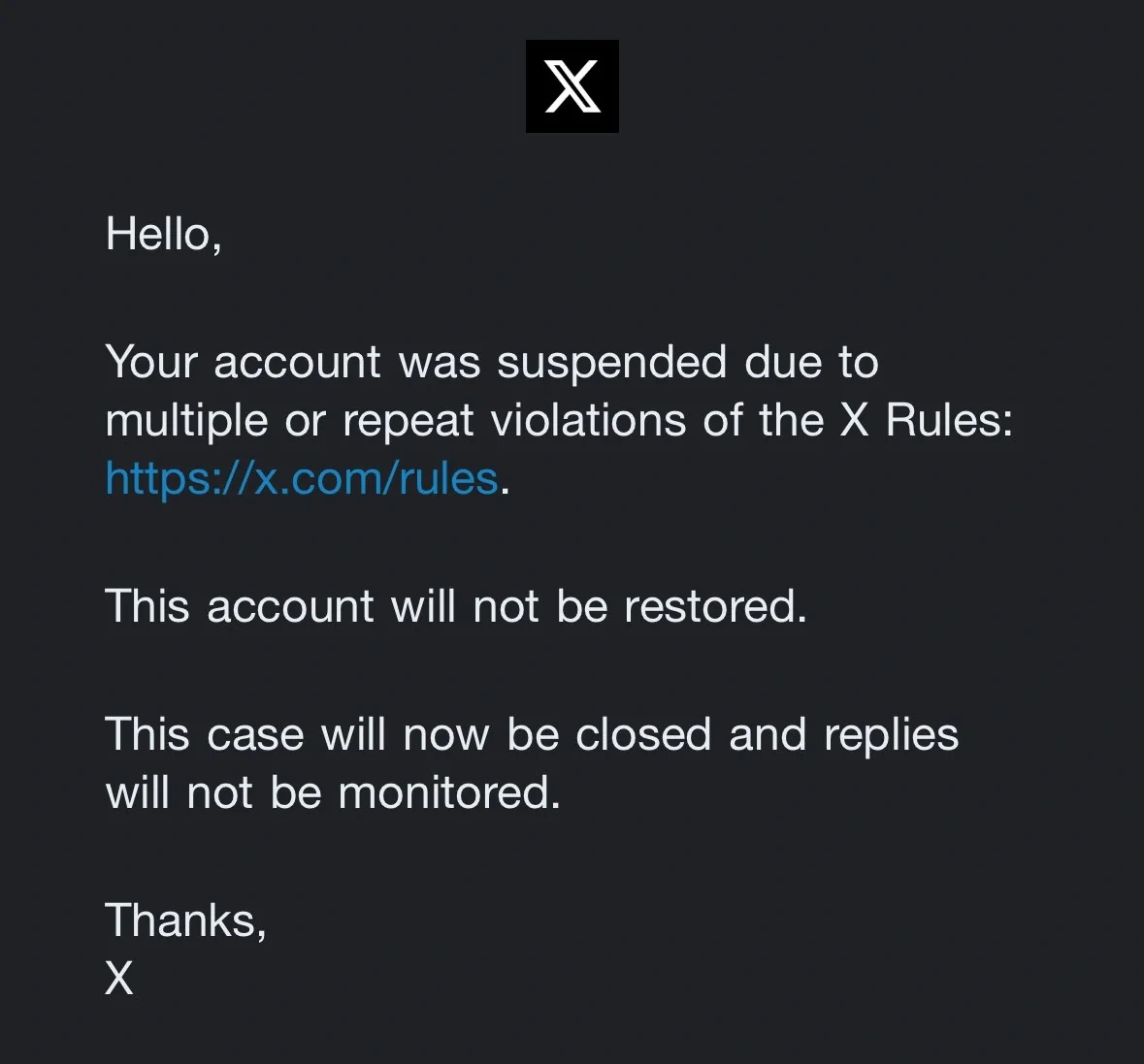
If you want the step-by-step process, see our complete X suspension appeal guide. If the problem is tied to a specific situation such as spam, suspicious activity, or multiple-account management, our X suspension appeal templates for different scenarios can help you structure the explanation around the actual issue.
My X Appeal Was Rejected. What Should I Do?
A rejected appeal does not always mean you have no next step. What matters is why it was rejected, how long the case has been open, and whether you have anything new to add.
1. Wait the full review window before re-appealing
Do not treat a few hours of silence as a failed appeal. First compare the waiting time with the type of restriction involved.
A temporary lock may only require verification, while a permanent suspension can involve a much longer review. If your existing case is still being processed, repeatedly submitting the same appeal can create confusion without adding useful information.
2. File one focused re-appeal with new evidence
If X gives you another opportunity to appeal, use it to add information, not simply repeat the first message.
For example, if your first appeal said that your account was used normally, a stronger follow-up could explain:
- what you were doing immediately before the suspension;
- whether the account was used for business, customer support, content, or another legitimate purpose;
- whether another person or application had access to the account;
- whether the account may have been compromised;
- what specific activity in the suspension notice you believe was misunderstood.
3. Reply to the decision email if X sent one
If X sent a decision or appeal email that provides a reply option, keep the communication in that thread when appropriate. Explain the specific point you want reconsidered and include any new evidence.
4. Try X Support from another account for high-visibility or wrongful-takedown cases
If you have another legitimate X account and the suspended account cannot be used to communicate, you can try contacting X’s public support channels from that account, especially when the case involves a high-visibility account or a clear account-access problem.
Keep the message factual: identify the suspended username, state when the suspension occurred, explain that an appeal has already been submitted, and give the relevant case details if available.
5. Document everything
Save the suspension notice, appeal confirmation, decision emails, dates, screenshots, case numbers, and any supporting evidence.
For EU users, X provides an internal appeal process and, in qualifying cases, access to certified out-of-court dispute resolution under the Digital Services Act.
Avoid X Account Recovery Scams and Protect Your Account
Once an account is suspended, the search for a quick recovery solution can lead people into communities, groups, and direct messages filled with fake “recovery experts.” The easiest way to avoid these scams is to recognize the situation before handing over money or account access.
| Scam type | What the scammer may say | What to do |
|---|---|---|
| Guaranteed recovery | “I can restore your account within 24 hours.” | Treat guaranteed results as a major red flag |
| Fake X employee | “I work for X Support. Send your password or verification code.” | Never share passwords or login codes |
| Paid insider access | “I have an internal contact who can bypass the normal queue.” | Use X’s official appeal/support channels |
| Free appeal resold as a service | “Pay me and I will submit the special recovery form.” | Check whether the same form is already available through X |
| Fake copyright/DMCA solution | “We can remove the suspension through mass copyright reports.” | Do not participate in false or coordinated reports |
| Recovery community impersonation | “DM this moderator privately for guaranteed reinstatement.” | Verify the person and never send credentials |
The most dangerous scam is usually the fake employee. X says account compromise can occur when login data such as passwords, tokens, keys, or cookies are shared with malicious third-party applications or websites.
Another warning sign is pressure. If someone says you must pay immediately, send a verification code “before it expires,“or give them your password so they can “contact support for you,” stop the conversation.
A legitimate recovery process should not require you to hand control of the account to a stranger. Start with X’s own Help Center and official forms before considering any paid service.
Managing More Than 10 X Accounts Without Mixing Environments
X allows users to operate up to 10 accounts for different, non-duplicative purposes. But businesses, agencies, and social media teams may need to manage more than 10 accounts across different brands, clients, or regions. Once you go beyond that limit, using the same browser or device for everything can make account management increasingly difficult.
VPNs & Proxies
The IP address it connects through is one of the criteria for determining an account’s authenticity. Even if you use different devices, they’ll share an IP address if they connect to the internet through the same Wi-Fi networks.
A proxy can give different accounts different IP addresses. Residential proxies can provide IP addresses associated with real internet users, while static proxies are useful when an account needs a more consistent IP. This makes proxies a practical first step when managing a larger number of accounts.
However, proxies only change the network environment. They do not create a separate browser environment for each account. Multiple accounts can still be managed from the same browser or device, leaving you with browser sessions, cookies, and device-level settings to organize separately.
Multiple Physical Devices
Using one device for each account is a more straightforward way to keep environments apart. A team managing 20 accounts, for example, could distribute those accounts across different computers or phones instead of running everything from one device.
The problem is scalability. Once you move beyond a handful of accounts, buying, maintaining, and switching between so many devices becomes expensive and inconvenient. It also makes centralized team management much harder.
Antidetect Browsers
Fortunately, there’s a specialized solution that’s both cheaper and more effective for avoiding suspensions. Antidetect browsers like FlashID combine the best of both worlds.
They offer everything needed to create a complete and unique fingerprint for each account while letting you launch as many as you like from the same device.
Each FlashID profile is a self-contained environment with unique fingerprints. Identifiers like session cookies, IP addresses, or hardware details remain separate. Associating every account with a different profile means X will interpret each as completely separate and won’t raise flags.
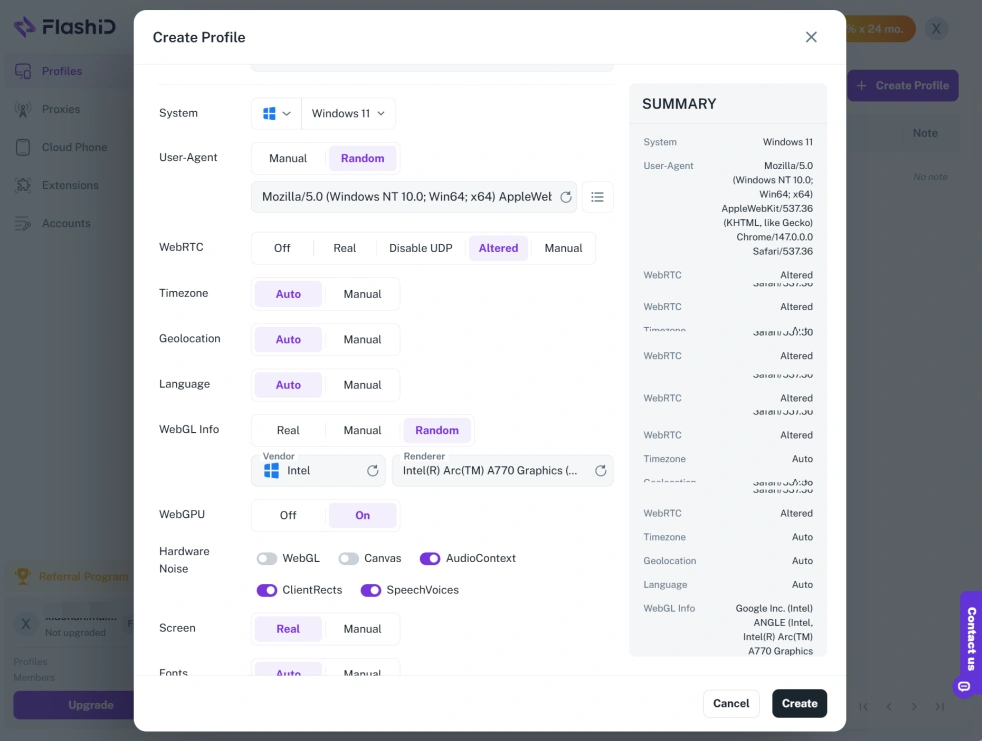
For teams managing many accounts, Window Sync can also be useful when similar actions need to be carried out across multiple profiles. This makes an anti-detect browser a more centralized alternative to continuously adding physical devices or manually matching separate browsers with proxy settings.
The best part? The number of X accounts you can run simultaneously depends only on the limitations of your hardware and anti-detect browser plan.
For example, you could use 1000 distinct, undetectable X accounts through FlashID for less than $100 per month. We trust you’ll agree that’s far better than spending as much on just six old smartphones, not to mention proxy costs.
FAQ
How do I recover a suspended X account?
Check the suspension notice first and follow any verification instructions shown by X. If you cannot restore the account through those instructions and believe the suspension was a mistake, submit an appeal through X’s official appeal process.
How do I appeal a suspended X account the right way?
Focus on the specific reason for the suspension. Explain what happened, provide relevant context, and add useful evidence if you have it. Avoid unrelated information and repeated submissions that do not add anything new.
How long do X appeals take?
There is no universal X processing deadline. As a practical reference, verification-related locks may be resolved within minutes to a few hours, temporary limitations can take hours to around 72 hours, standard suspensions may take 24 hours to several days, and complex or permanent cases can take several weeks or longer.
What should I do if my X appeal is rejected?
Wait long enough for the original review to finish, then check whether X provides another appeal or response route. If you have genuinely new information, submit one focused follow-up rather than repeating the same explanation. Keep all decision emails and appeal records.
Can I contact X Support from another account?
You can try using another legitimate account to contact X’s public support channels when the suspended account cannot be used, but this should supplement—not replace—the official appeal process. X’s Help Center directs suspended accounts to its appeal form and provides separate support routes for different account problems.
Can a permanently suspended X account be recovered?
You can appeal a permanent suspension if X provides an applicable appeal route and you believe the decision was incorrect. However, there is no guaranteed recovery method. X states that permanent suspensions can be appealed when the user believes the enforcement decision was made in error.
You May Also Like


