Quick Answer
You can browse some Facebook content more privately by staying logged out, using Incognito mode, a VPN or proxy, a public Facebook viewer, or an anti-detect browser. However, none of these methods makes you completely anonymous to Facebook, and they cannot give you access to private or restricted content.
How Facebook Tracks You (Even If You Try to Be “Anonymous”)
Facebook does not normally notify people when you view their profile, but that does not mean the visit is invisible. Even when you are logged out, Facebook may still receive signals that help identify your browsing session or connect activity across visits.
These signals can include:
- IP and device information: Your IP address, device type, operating system, screen size, and language.
- Cookies and browser data: Cookies, local storage, and browser characteristics can help recognize a returning session.
- Browsing behavior: The pages you visit, what you click, and how you interact with Facebook.
- Account activity: Likes, comments, follows, group activity, and login attempts provide stronger signals when you interact with the platform.
When you are logged in, this information can be associated with your Facebook account. When you are logged out, some technical and behavioral signals may still be available. So tools like Incognito mode, VPNs, proxies, and isolated browser profiles can improve privacy, but none of them makes you completely anonymous to Facebook.
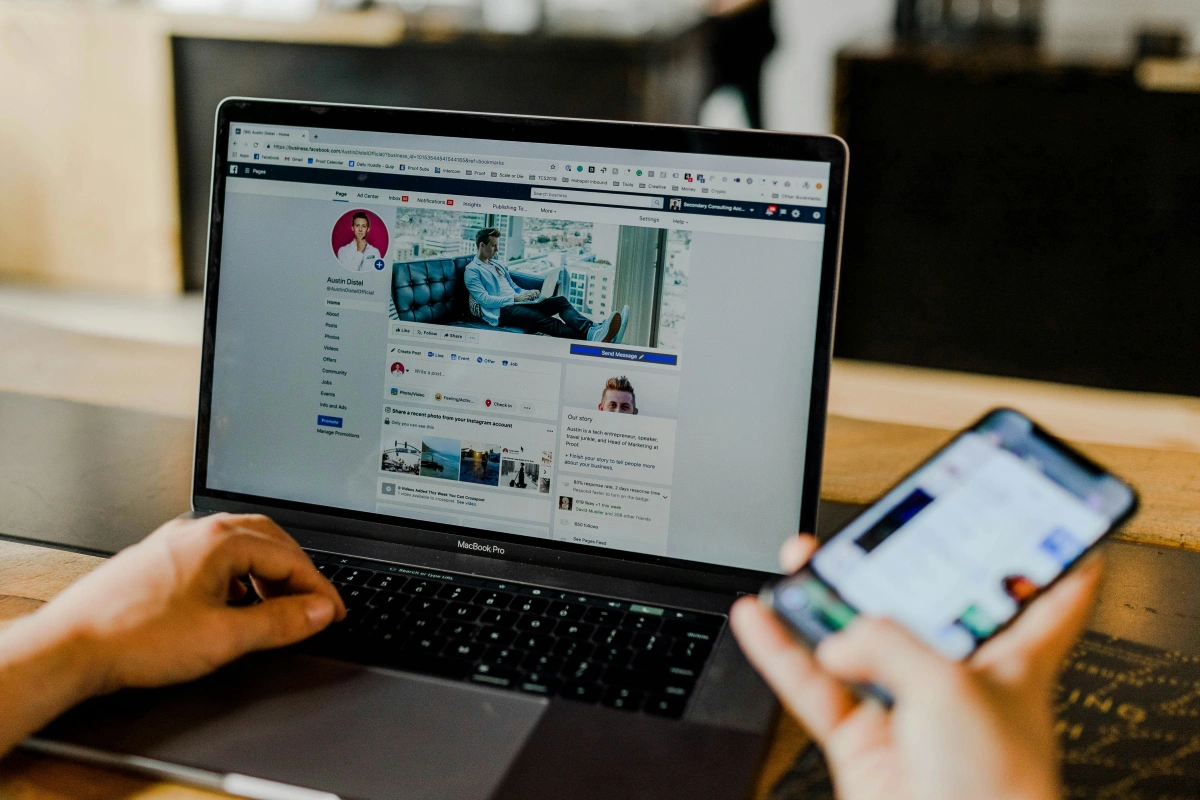
What Can and Can’t You View on Facebook Without Logging In?
The easiest way to think about Facebook’s anonymous browsing limits is public vs. private content. If something is public, you may be able to view it without logging in. If it is restricted, you generally need the appropriate account access.
What You Can View Without Logging In
You can often view:
- Public Facebook Pages, including business and creator pages
- Public posts and some comments
- Some public profiles, depending on their privacy settings
- Public photos and videos
- Public events and event details
- Public group previews, but usually not the posts inside
- Some Marketplace listings, depending on your location and Facebook’s access rules
What You Cannot View Without Logging In
You generally cannot access:
- Private profiles or friends-only posts
- Posts inside private groups
- Stories shared only with friends or followers
- Private Marketplace chats or other account-specific information
- Friends lists or other restricted profile information
- Anything that Facebook requires you to log in to view
Even when content is public, Facebook may still limit how much you can view, show a login prompt, or temporarily restrict access after repeated visits. Anonymous browsing can reduce account exposure, but it does not bypass Facebook’s privacy settings or login requirements.
5 Ways to Browse Facebook More Privately
1. Browse Facebook While Logged Out
Staying logged out is the simplest option if you only need to look at public Facebook content and do not need to interact with it.
Before browsing, it helps to start with a clean browser session. If you have recently used Facebook in the same browser, old cookies and site data may still be present, so you can clear Facebook’s stored data or open a fresh browser profile instead.
A practical workflow is:
- Log out of Facebook. If Facebook and Instagram are both logged in through the same browser and you want additional separation, log out of both.
- Clear Facebook site data or open a fresh browser profile. This removes existing session information from the browsing environment you are about to use.
- Find the public content you need. You can visit a Facebook URL directly or use Google to find public pages with a search such as site:facebook.com[keyword].
- Stay within public content. You can browse available Pages, posts, photos, videos, and other information without attempting to access restricted material.
- Avoid account-based interactions. Likes, comments, follows, messages, friend requests, and other actions generally require an account and can connect your activity to your identity.
This method is particularly useful for one-off research because it requires no additional software and is easy to understand. The limitation is that logging out only separates the session from your Facebook account; it does not hide your IP address, browser characteristics, or device information from Facebook.
2. Use Incognito or Private Browsing
Incognito or private browsing provides another simple layer of privacy by keeping the session separate from your normal browser activity. Depending on the browser, the private session generally does not retain normal browsing history, cookies, and other local session data after you close the entire private window.
This can be useful if you share a computer with other people, use a temporary device, or simply do not want Facebook-related browsing data to remain in your normal browser profile. It is also convenient when you want to start a fresh session without manually changing your everyday browser settings.
For a more private Facebook browsing session:
- Open an Incognito or Private window.
- Visit Facebook without signing in.
- Search for the public profile, Page, post, event, or other content you need.
- Do not log into your normal Facebook account during the session.
- Close the entire private browsing window when you finish.
The important thing to remember is that Incognito mode protects local privacy, not complete online anonymity. Facebook can still receive your IP address and may receive browser or device-related signals while you are visiting the site.
For this reason, Incognito mode works particularly well when combined with logged-out browsing. If your goal is simply to prevent your Facebook activity from being saved in the browser or connected to your normal account session, these two methods may be enough. If you also want to reduce IP exposure or separate several browsing environments, you will need additional tools.
3. Use a VPN or Proxy
A VPN or proxy can help if your privacy concern extends beyond your Facebook account and includes the IP address associated with your connection. Instead of connecting to Facebook directly through your normal network, your traffic is routed through another server, so Facebook sees the VPN or proxy server’s IP address.
This can be useful when you want to keep your normal IP address separate from a research session or need to view public content from another geographic location.
A basic setup looks like this:
- Connect to a VPN or configure your proxy.
- Open a private browser window or a clean browser profile.
- Keep Facebook logged out.
- Browse only the public content you need.
- Avoid signing into your personal Facebook account during the session.
Using a VPN or proxy does not automatically make you anonymous. Your browser and device can still provide other signals, and cookies or an account login can create additional connections between sessions. In other words, an IP address is only one part of the privacy picture.
There is also a practical consideration when choosing an IP service. Shared or frequently reused VPN and proxy IPs can sometimes be associated with unusual traffic or trigger additional security checks. If you use proxies for repeated research, keeping the proxy configuration consistent with a separate browser environment can make the workflow easier to manage.
4. Use a Facebook Profile Viewer
If you only want to check publicly available information, a third-party Facebook profile viewer or public information lookup tool can sometimes provide an alternative to visiting Facebook directly. These services typically ask for a public Facebook profile, Page, or post URL and then display information that is already publicly accessible.
The main advantage is convenience. Instead of navigating through Facebook yourself, you may be able to use a public-information service to quickly check a profile, Page, post, photo, or other publicly indexed information. This can be useful for simple research when you do not need to interact with the content.
However, these services have significant limitations. A legitimate public viewer cannot reliably unlock private profiles, friends-only posts, private group content, restricted Stories, or other information that Facebook has protected. If a website claims that it can reveal anyone’s private Facebook content, treat that claim with caution.
You should also consider the privacy of the viewer itself. Third-party sites may use advertising, redirects, tracking technologies, or data collection, so using an unknown service can introduce a different privacy risk.
For safer use:
- Use the service only for information that is already public.
- Do not enter your Facebook password.
- Never provide a Facebook verification code or recovery information.
- Avoid services that ask you to “verify” your account by entering sensitive credentials.
- Be cautious with downloads, pop-ups, and suspicious redirects.
A Facebook profile viewer is therefore best treated as a public information lookup tool, not a method for bypassing Facebook’s access controls.
5. Use an Antidetect Browser
The previous methods work well when you only need a single private browsing session. If you regularly research multiple Facebook Pages, markets, clients, or account-related workflows, however, repeatedly switching between sessions in the same browser can become inconvenient and increase the chance of mixing different browsing environments.
An antidetect browser is designed to provide separate browser profiles for different workflows. Instead of using one browser profile for everything, you can create dedicated environments for different projects and combine them with proxies when necessary.
For example, separate profiles can be useful for:
- Competitor research
- Audience research
- Checking public Facebook Pages in different markets
- Managing different client projects
- Separating work and personal browsing sessions
- Working with different legitimate account-management workflows
The main benefit of an anti-detect browser is session separation. You can keep different projects in separate browser environments instead of repeatedly switching accounts or browser settings in one profile.
For workflows that need this type of separation, tools such as **FlashID **can combine antidetect browser profiles with proxy options in one platform, making different browsing environments easier to manage. However, an anti-detect browser does not bypass Facebook’s privacy settings or guarantee anonymity; its main value is keeping different sessions isolated and organized.
Getting started is simple:
Step 1 Install FlashID and create a free account. You can start with two permanently free browser profiles.
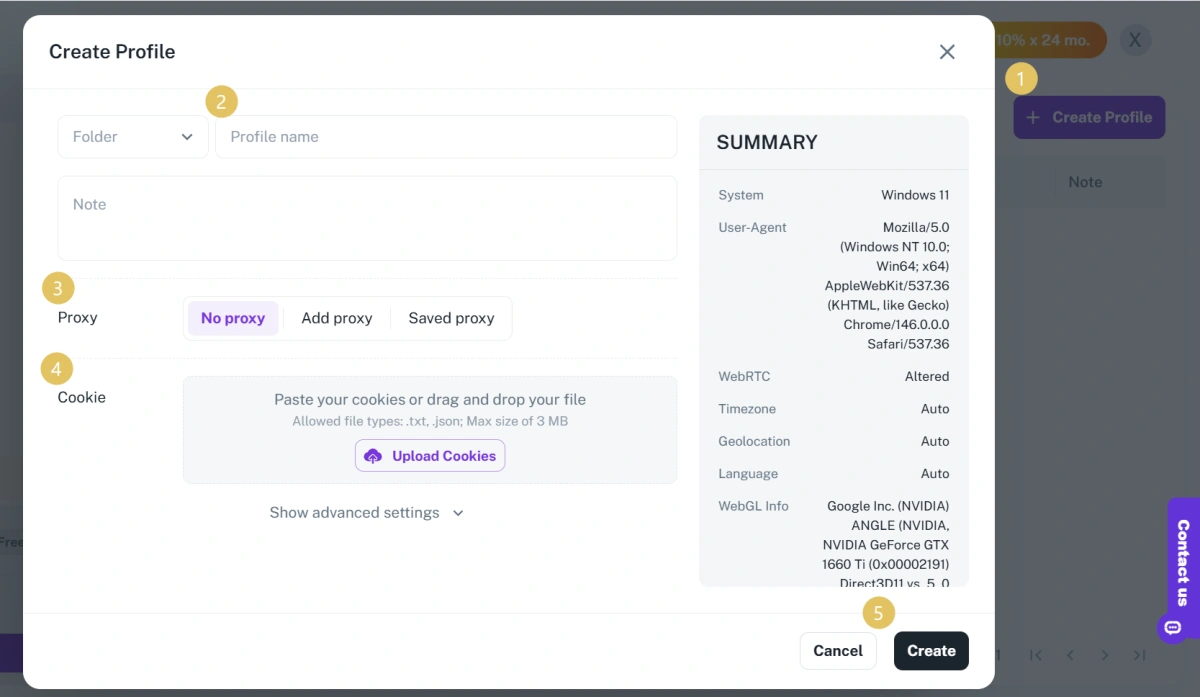
Step 2 Create a new profile.
Enter a name and configure fingerprint parameters. Each profile in FlashID generates a unique browser fingerprint and serves as the foundation of an independent environment.
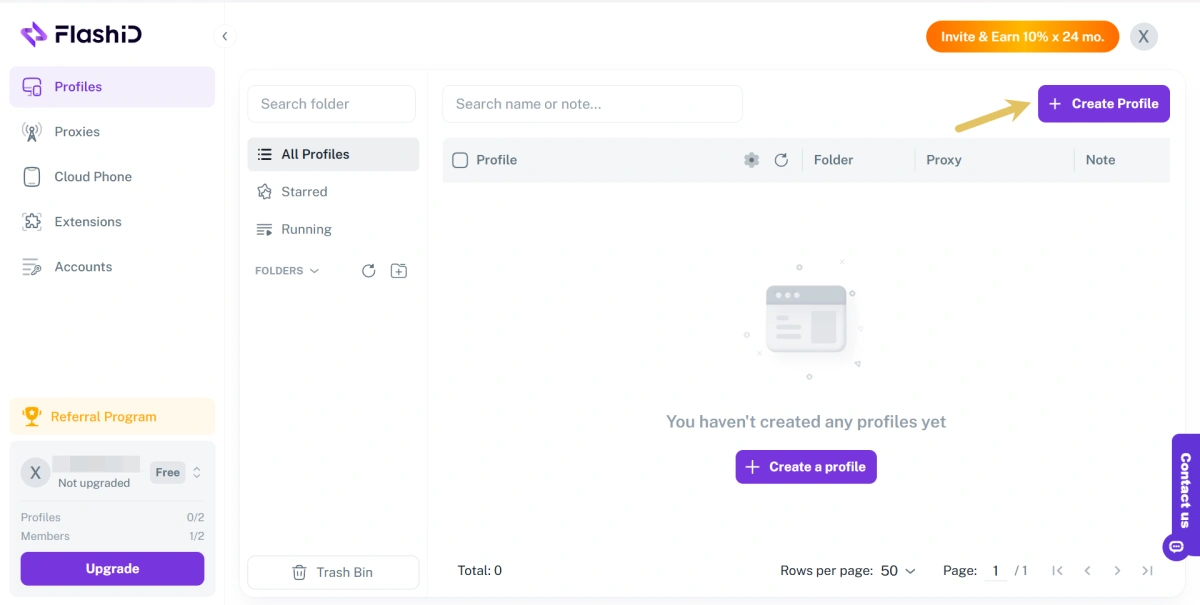
Step 3 Go to the Proxy Settings panel, click Add Proxy and input your proxy’s host, port, username, and password.
For Facebook browsing where you want to add another layer of IP privacy, a rotating proxy can help you use different IP addresses over time. FlashID’s September promotion offers up to 75% off, with rotating proxies starting at **$**1/GB.
Step 4 Save the profile, click Open, and visit Facebook in that dedicated browser profile. Browse while logged out or sign in only to the account assigned to it.
Which Method Should You Use?
There is no single best method for everyone because the right setup depends on what you are trying to protect and how often you browse Facebook.
| Your Goal | Recommended Method |
|---|---|
| View a public Page without using your account | Stay logged out |
| Keep browsing data off your local device | Incognito or private browsing |
| Hide your normal IP address | VPN or proxy |
| Quickly check public profile information | Facebook profile viewer |
| Separate multiple browsing environments | Anti-detect browser + proxy |
For occasional public research, logging out and using Incognito mode is usually the simplest combination. If you also want to reduce exposure of your normal IP address, adding a VPN or proxy provides another layer. When you regularly work across multiple projects or browsing environments, an antidetect browser can make session management much easier.
FAQ
1.Can I browse Facebook without an account?
Yes. Some public Facebook Pages, posts, photos, videos, events, and profiles can be viewed without logging in, although Facebook may limit access or ask you to sign in after some browsing activity. Private and restricted content still requires the appropriate access.
2.Does Facebook tell people when you view their profile?
Usually, no. Facebook does not normally provide users with a list of people who viewed their profile, although Story views can be visible to the person who posted the Story depending on its settings.
3.Does Facebook track you when you’re logged out?
Logging out does not make you completely invisible to Facebook. The platform may still receive signals such as your IP address, cookies, browser characteristics, device information, and browsing activity.
4.Does Facebook have a guest or anonymous browsing mode?
Facebook does not offer an official guest or anonymous browsing mode. The closest option for basic public browsing is to stay logged out and use an Incognito or private window.
5.Can I view a private Facebook profile anonymously?
No legitimate browsing method can give you access to a private Facebook profile or friends-only content without the required permission. A VPN, proxy, profile viewer, or anti-detect browser does not bypass Facebook’s privacy settings.
6.Is Incognito mode enough to browse Facebook anonymously?
No. Incognito mode mainly prevents browsing data from being stored locally after the session ends. It does not normally hide your IP address or browser and device signals from Facebook, so it should not be confused with complete anonymity.


