Quick Answer
Muse AI is currently available in the United States, Canada, Mexico, Japan, and Singapore. To create a Muse account, you must be at least 18 years old and complete the sign-up and age-verification steps shown on the official Muse website or app.
There are three common ways to access and test Muse AI: set up a U.S.-based browser environment, use a cloud phone for mobile testing, or use a cloud desktop for a separate browser environment.
What Is Muse AI?
Muse AI, also known as Meta Muse, is a personal AI agent from Meta. It is designed to help users handle practical tasks, rather than only answer questions in a chat.
Instead of responding to one prompt at a time, Muse can work through multi-step tasks across supported websites, apps, and connected services. It runs in a separate cloud-based environment called Muse Secure VM. Users can choose which services Muse can access, review its activity, and approve sensitive actions when needed.

How Is Muse Different From Other AI Agents?
| Dimension | Traditional AI Assistants, Such as ChatGPT or Claude | Meta Muse, an AI Agent |
|---|---|---|
| Main role | Answers questions, writes content, supports coding, research, and idea generation | Helps users move tasks forward across supported websites, apps, and services |
| How you interact | Conversation-based. You ask a question and receive an answer | Goal-based. You describe what you want to complete, and Muse can plan the steps |
| How tasks are completed | Mainly provides text, analysis, code, or generated content in the chat | Can browse the web, fill out forms, compare options, and work with connected services |
| Background work | Usually waits for the next prompt after responding | Can continue selected tasks after you close the app and notify you when action is needed |
| User control | Users decide how to use the generated response | Users set permissions and approve sensitive actions, such as sending emails or making purchases |
What Can Muse Do?
Muse can take care of small but time-consuming tasks for you. For example, you can ask it to compare prices before you buy something, plan a trip, find a restaurant, order takeout through supported services, or keep an eye on a product and let you know when the price drops.
It can also help organize your day by checking your calendar, setting reminders, summarizing emails, and turning a goal into a simple action plan. You can send Muse a request in WhatsApp, then check its progress later in the Muse app or on the web. Before it sends an email, shares information, or places an order, Muse will ask for your approval.
Where Is Meta Muse Available and Which Devices Support It?
Meta Muse is currently available in the United States, Canada, Mexico, Japan, and Singapore. Availability may continue to expand, so check the Muse website or app for the latest information in your location.
You can use Muse on the web at Muse Ai, as well as on iPhone, iPad, Android, and Mac.
What You Need Before Creating a Muse Account
Before you create a Muse account, prepare the following:
- Be at least 18 years old: Muse is designed for adult users, so use your real date of birth during sign-up.
- Your own Facebook or Instagram account: Muse uses Meta’s account system. A personal Facebook or Instagram account may be available as a login or verification option.
- A Separate Gmail Account, If You Plan to Connect Gmail: A new Gmail account is not required for Muse sign-up. However, using a separate Gmail account can keep your main inbox and personal Google services separate if you later connect Gmail to Muse.
- Age verification details, if requested: Muse may ask you to verify your age. Follow the options shown on screen, which may include a Visa or Mastercard, Facebook, or Instagram account.
- A network connection in an available region: Muse is currently available only in selected countries and regions. For local market testing, you can use a residential proxy to create a network environment that matches your target location.
Why Use an Anti-Detect Browser When Creating a Muse Account?
Muse is available only in selected countries and regions, and its available features or connected services may differ by market. If you are creating a Muse account for use in an available market, you may want a browser environment that is separate from your regular browsing and closer to that local market.
An anti-detect browser can create a dedicated profile for Muse. It keeps the browser fingerprint, cookies, login session, and proxy settings separate from your other online activity. When you pair the profile with a proxy from the target location, you can build a browser and network environment that is closer to markets where Muse is available, such as the United States or Japan.
This is also why anti-detect browsers are sometimes used for more private, anonymous-style browsing. They help separate different online workflows, rather than mixing every account and website into the same browser environment.
3 Recommended Ways to Create a Muse Account
Set Up a U.S. Browser Environment with FlashID
Using FlashID Anti-Detect Browser as an example, follow the steps below to create a dedicated Muse profile and configure a U.S. residential proxy.
Step 1: Prepare a U.S. Residential IP Address
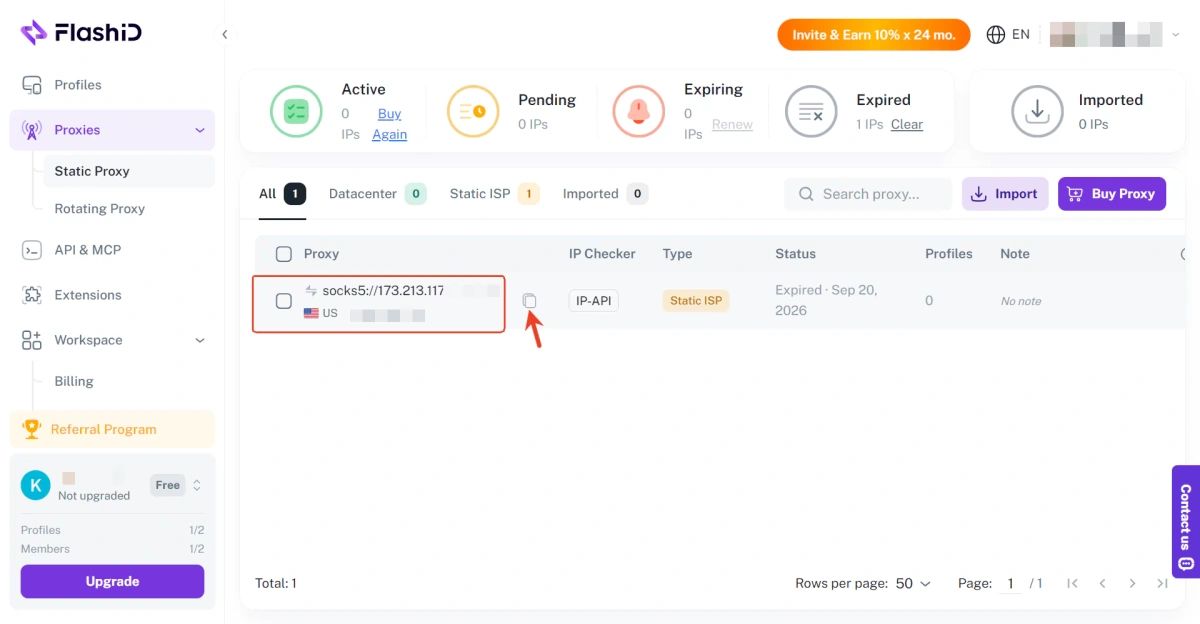
Prepare a stable U.S. residential IP address that matches your testing market. If you need a residential proxy, you can select a suitable U.S. location through FlashIP.
Step 2: Create a New FlashID Profile
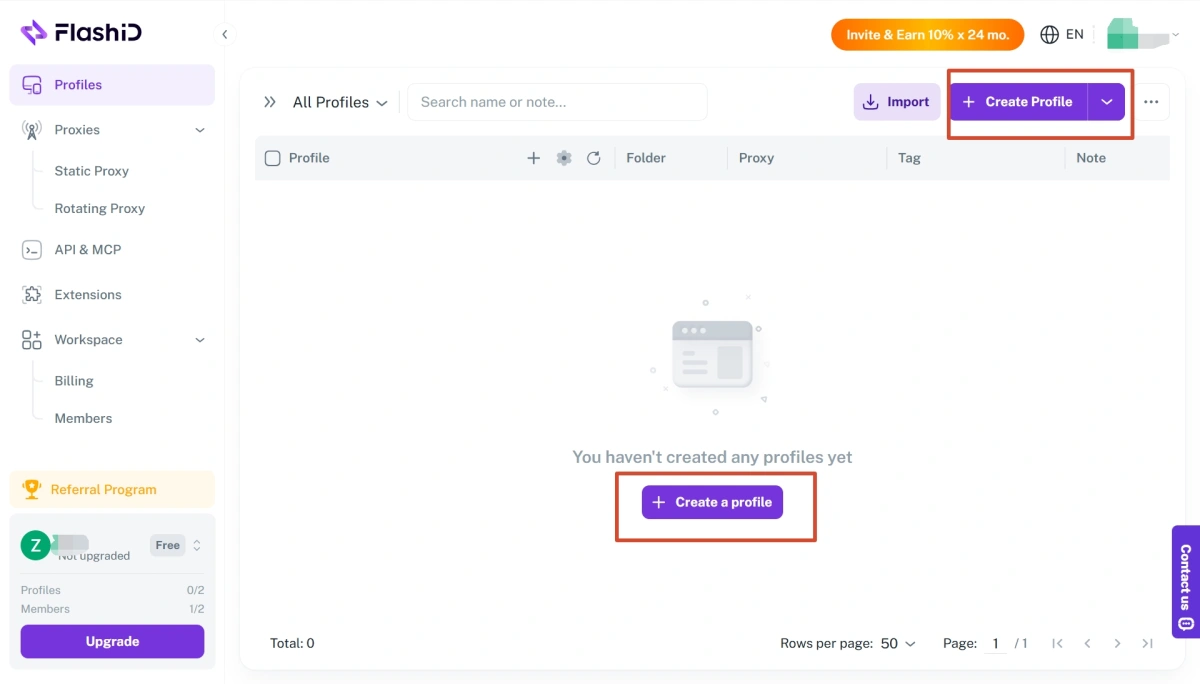
Open FlashID, click Create Profile, and give the profile a clear name, such as “Muse U.S. Testing.”
Step 3: Add a FlashIP U.S. Residential Proxy and Launch the Profile
Copy the proxy details from FlashIP. In FlashID, select a proxy plan or paste the proxy host, port, username, and password into the proxy settings. Click Create to save the profile.
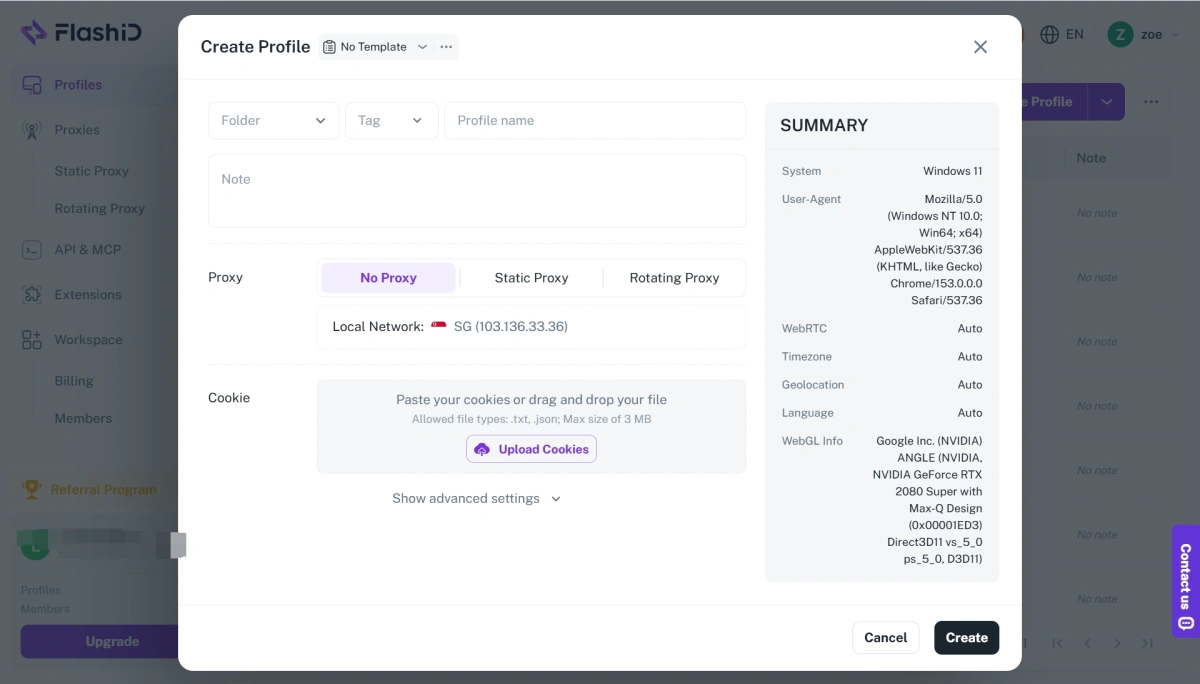
Step 4: Open Muse and Follow the Sign-Up Prompts
Visit Muse website in the new profile and follow the sign-up prompts shown on screen. If you want to learn more about separate browser profiles, see What Is an Anti-Detect Browser?.
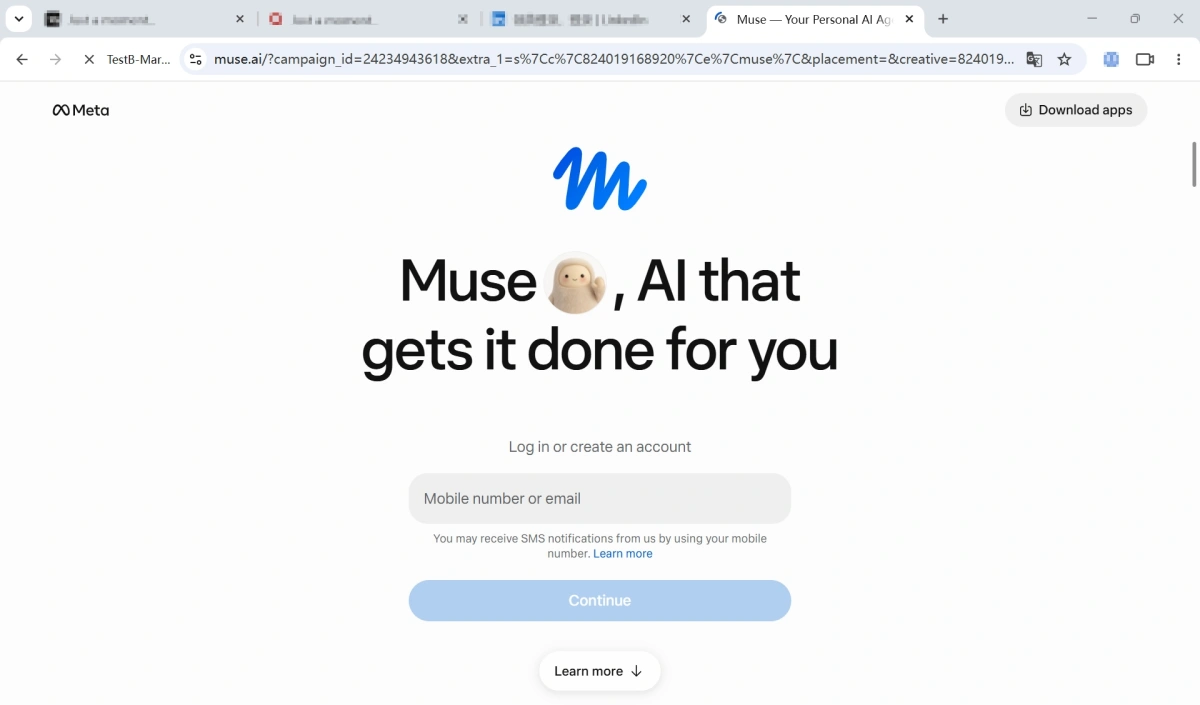
Start creating a Muse Account With FlashID
Use a Cloud Phone to Create a Muse Account
A cloud phone creates an independent Android environment for mobile testing. Set up the network, language, and time zone to match your authorized testing location, then open Chrome, visit the Muse website, and follow the registration prompts on screen.
After registration, you can install the official Muse app from Google Play and continue using the account in the same cloud phone environment.
Use a Cloud Desktop to Create a Muse Account
A cloud desktop provides a separate computer environment that you can access through a web browser. Create a cloud desktop, open Chrome, visit Muse Website, and follow the registration prompts shown on screen.
This keeps your Muse browser session and testing activity separate from your local computer.
How to Keep Your Muse Account Secure and Accessible
Muse uses Meta’s account system. Linking your own long-term Facebook or Instagram account may make it easier to complete sign-in or verification when Muse offers that option. If you have your own Facebook or Instagram account that you have used normally over time, consider linking it when Muse offers that option.
Avoid temporary inboxes, purchased accounts, or contact details you may lose access to. Use your own long-term email address, phone number, and Meta account so you can receive security notices and recover the account if needed.
FAQ
Is Muse AI free to use?
Muse has a free plan with a usage limit. Paid plans include Power for $20/month and Maximum for $100/month, with more usage available. Plans and pricing may vary by region.
Which countries can use Meta Muse?
Meta Muse is currently available in the United States, Canada, Mexico, Japan, and Singapore. Availability may change, so check the Muse website or app for the latest information.
Why does Muse show a waitlist or unavailable message?
Muse may not be available in your current country or region, or the account may need additional verification. Follow the message shown on the official Muse page instead of repeatedly changing account details or network settings.
What Should I Do If Muse Is Not Available in My Country?
You can use FlashID with a proxy from your target market to create a separate local browser environment and a network environment that matches a region where Muse is officially available.
Can Muse keep working after I close the app?
Yes. Muse can continue selected tasks in the background and notify you when it needs your input or approval.
Can I connect Gmail or Google Calendar to Muse?
Yes. Muse can connect to supported services such as Gmail and Google Calendar. Review the permission request carefully and only allow the access you need.
How Do I Use Muse AI After Creating an Account?
After creating your account, tell Muse what you want to get done in plain language. You can ask it to compare products, plan a trip, organize your schedule, track a price, or help with other everyday tasks. Connect only the services you need, and review actions before approving sensitive requests.