In enterprise operations, cross-border business, sales outreach, and even separating personal and work life, a single Outlook account is often insufficient. Many users encounter issues when managing multiple accounts: frequent verification, login anomalies, and even temporary account suspensions.
The problem is not Outlook itself, but whether multi-account management is secure, controllable, and sustainable long-term. This guide will cover the need for multiple accounts, Microsoft rules, native management limitations, and the application of FlashID anti-detect browser and iphey, along with best practices for long-term secure operation.
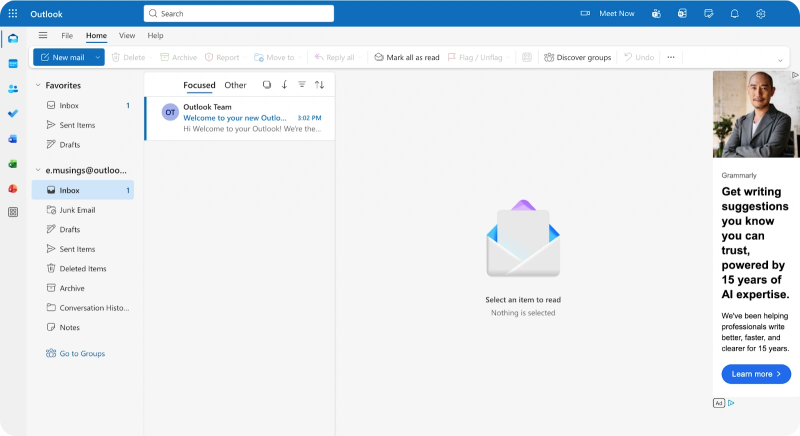
Multi-Account Needs and Rules: Why One Outlook Account Is Not Enough
1. Multi-Account Requirements Are the Norm
Multiple Outlook accounts are often essential:
Enterprise Team Collaboration
Different departments or roles (sales, customer support, finance) require separate mailboxes for permission control, information isolation, and tracking.
Managing Multiple Projects/Businesses
When a team operates multiple projects, brands, or markets, independent accounts prevent email confusion and mis-sending.
Cross-Border or Regional Operations
Separate accounts for different countries or regions help comply with local communication and regulatory requirements.
Separation of Work and Personal Life
Keeping work, side business, and personal emails separate reduces errors and improves communication efficiency.
Having multiple accounts is a legitimate business need, not a violation.
2. Microsoft Multi-Account Rules
Microsoft does not prohibit personal or enterprise users from having multiple Outlook accounts, but it imposes limits on creation and usage behaviors:
- IP restriction: Max 3 accounts per IP per day to prevent abuse
- Phone verification: Most new accounts require a mobile number; a single number usually serves as one primary login
- Device and network monitoring: Frequent switching or abnormal logins may trigger security verification
- Behavior compliance: Accounts cannot be used for spam, fraud, or illegal activity
It’s not the number of accounts, but how they are used and accessed that matters.
3. Common Multi-Account Challenges
- Device fingerprints highly similar across accounts
- Frequent login verification triggered by unstable network or environment
- Mis-sent emails or calendar confusion
- Permission management complexity in teams
Tool Solutions: Why FlashID anti-detect browser is Needed
Managing multiple accounts long-term requires stable, isolated, and controllable environments, not just the ability to log in.
1. Limitations of Native Methods
Multiple Browser Windows / Profiles
- Pros: Can log in to multiple accounts using different browser instances or profiles
- Cons: Device fingerprints still similar; shared network environment can trigger risk alerts
Outlook Desktop or Mobile Apps
- Pros: Centralized management and convenient email handling
- Cons: All accounts share the same device environment; higher risk of mis-sending and detection
Native methods often reach platform risk thresholds as account numbers grow.
2. Advantages of FlashID anti-detect browser
FlashID anti-detect browser creates fully independent environments for each Outlook account:
- Unique browser fingerprint (OS, browser version, fonts, WebGL, etc.)
- Independent cookies and local storage
- Separate login status per account
Microsoft perceives each account as an independent device, significantly reducing association and risk.
3. Network Stability with iphey
Even with isolated browser environments, frequent IP or location changes may be flagged. Using iphey:
- Provides stable, controllable IP addresses
- Keeps login locations consistent with user behavior
- Reduces security verification and account linking
This “isolated environment + stable network” combination is the foundation of long-term multi-account security.
4. Mobile Scenario & FlashID Cloud Phone Support
Many teams rely heavily on mobile devices for sales and communication:
- Customer interactions and sales follow-ups are often done on mobile
- Multiple Outlook accounts may need multiple App instances
FlashID Cloud Phone solves this challenge:
- Run multiple Outlook App instances on FlashID Cloud Phone, each account isolated
- Supports mobile multi-account operations and team collaboration
- Avoids performance issues and risks associated with local multi-opening
For teams managing multiple Outlook accounts and relying on mobile work, this approach is more stable and secure than local multi-opening.
Best Practices for Safe Multi-Account Management
Even with FlashID anti-detect browser, strategies determine long-term stability.
Define Account Purposes
- One account per role or business line
- Avoid mixing personal and business emails
- Establish clear usage rules for team accounts
Bind Accounts to Stable Environments
- Each account tied to a dedicated environment long-term
- Avoid frequent logins from multiple devices
- FlashID anti-detect browser maintains environment consistency
Keep Network & Behavior Natural
- Login behavior should follow normal usage patterns
- Avoid high-frequency operations in short timeframes
- Use iphey for consistent network and IP
Security & Risk Control
- Enable 2FA for every account
- Regularly review security settings, recovery emails, and phone numbers
- Mind default accounts to avoid mis-sending
- Audit permissions to prevent data leakage
Daily Operation Tips
- Use rules to automatically organize emails
- Periodically clear unnecessary login history and cache
- Maintain unified management and monitoring for team accounts
Conclusion
Creating multiple Outlook accounts is straightforward, but long-term secure and efficient management is the real challenge. With FlashID anti-detect browser for independent environments and iphey for stable network control, each account can operate safely and predictably. Coupled with clear operational guidelines, natural behavior patterns, and strong security measures, multiple Outlook accounts become a stable, efficient foundation for productivity and collaboration.
FAQ (Frequently Asked Questions)
1.Q: Can I have multiple Outlook accounts on the same device?
A: Yes, but using independent environments like FlashID anti-detect browser ensures account isolation and reduces risk of being linked.
2.Q: What is the best way to manage multiple Outlook accounts securely?
A: Use FlashID anti-detect browser to create separate environments for each account and pair it with iphey for stable network settings.
3.Q: Why do my Outlook accounts get blocked when using multiple accounts?
A: Microsoft monitors login patterns. Frequent switching, shared IPs, or similar device fingerprints can trigger security blocks.
4.Q: How many Outlook accounts can I safely create?
A: Microsoft limits creation to 3 accounts per IP per day. Using FlashID anti-detect browser with iphey can help manage more accounts safely.
5.Q: Can I use multiple Outlook accounts on mobile devices?
A: Yes. FlashID anti-detect browser’s cloud phone feature allows multiple Outlook App instances, each in a separate isolated environment.
6.Q: What is iphey and how does it help with Outlook multi-account management?
A: iphey provides stable and controllable network connections, ensuring login locations and IPs remain consistent, reducing security verifications and account linking risks.
You May Also Like


