In today’s environment of increasingly complex multi-account operations and cross-border e-commerce, anti-detect browsers have become a key tool for protecting account security and improving operational efficiency. Whether it is social media marketing, advertising campaigns, data collection, or cross-platform management, operators face challenges such as account bans, fingerprint linking, and multi-device management. FlashID anti-detect browser and Indigo browser, as two of the more prominent anti-detect browsers on the market, both provide multi-account isolation and fingerprint spoofing features.
Under the premise of both being anti-detect browsers, the difference between FlashID and Indigo browser does not lie in “whether a feature exists,” but rather in the level of problems the product is designed to solve. This article will compare FlashID and Indigo browser from the perspectives of market positioning, core features, and applicable use cases, helping operators choose the most suitable tool.
Market Positioning
Before looking at specific features, it is necessary to clarify the market positioning and design philosophy of the two products.
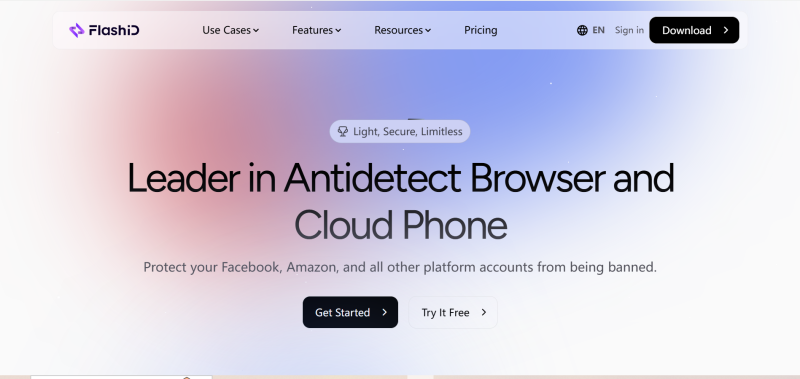
FlashID anti-detect browser is designed around large-scale account operations, integrating anti-detect browser capabilities, automation, and team management. It is suitable for running a large number of accounts over the long term and supports multi-person collaboration, workflow reuse, and unified environments.
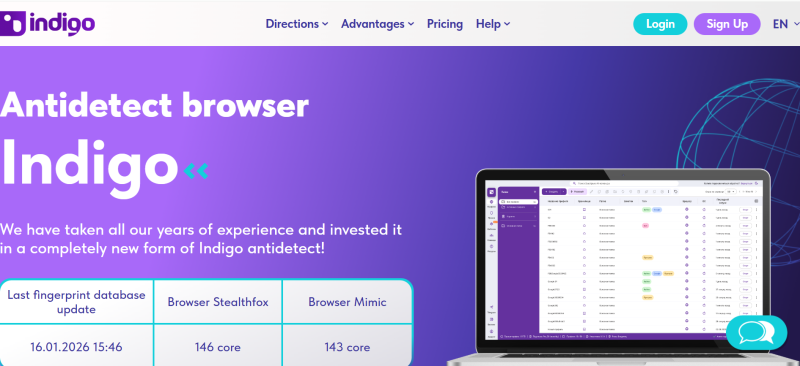
Indigo browser is more of a single-purpose, tool-oriented product. It provides anti-detect browser capabilities, built-in residential proxies, and an open API, mainly serving as a foundational tool for users or technical teams to build operational workflows on top.
This means: FlashID functions more like a ready-to-use operational ecosystem, while Indigo browser is more like a component that requires further development.
Core Feature Comparison
Now that we understand their market positioning, we can look at core features, which directly impact efficiency and long-term use.
| Comparison Dimension | FlashID | Indigo browser |
|---|---|---|
| Built-in Proxies | Integrated proxies supporting complex network environments, suitable for browser and cloud mobile sessions, reducing reliance on third-party services | Provides built-in residential proxies, but mainly used as independent resources |
| Web Automation | Built-in RPA (Robotic Process Automation) engine, API access, and unique window- sync functionality, enabling task automation across multiple profiles | Supports automation via API (Selenium, Playwright, and Puppeteer), mainly for developers; lacks built-in visual RPA or window-sync for non-coders |
| Browser Fingerprinting Customization | Provides advanced fingerprint customization, including browser fingerprints,Canvas/WebGL, fonts, plugins, screen resolution, etc., and supports cloud mobile environments for realistic device simulation | Supports desktop and mobile fingerprint simulation, but still lags in cloud mobile environments, realistic device behavior, and fine-grained fingerprint management |
| Data Privacy & Security | Uses an advanced account center with granular permission management, ensuring team members only access specific profiles or cloud devices and preventing data leakage | Supports local and encrypted cloud storage; profiles can be shared within the team |
| Browser Core & Anti-Detect Updates | Operates as a unified system, integrating browser profiles directly with cloud mobile devices for seamless cross- platform workflows | Provides Mimic and Stealthfox cores with ongoing updates to counter platform detection |
Applicable Use Cases
Features show what a tool can do, but its real value lies in how it performs in actual operations. Across different scenarios and team sizes, the strengths of each tool become clear.
| Use Case | FlashID | Indigo browser |
|---|---|---|
| Multi-store e- commerce management | Manage multiple store accounts simultaneously with reusable workflows and stable long-term operation | Can manage multiple stores, but scaling adds extra management effort |
| Social media account matrix | Supports large volumes of accounts, reducing repeated setup and human error | Better for individuals or small teams; relies on manual or scripted management |
| Bulk ad account management | Continuous login, adjustment, and monitoring with stable operations | Possible with technical setups but depends on processes and developer input |
| Non-technical team collaboration | Operations, content, and ad teams can work directly without technical background | Less friendly for non- technical users; higher learning curve |
| Quick project deployment | Can be set up and used quickly, shortening preparation time | Usually requires additional configuration and technical setup |
Conclusion
Considering market positioning, core features, and practical use cases, the difference between FlashID and Indigo browser is more about maturity and operational scale than feature count. Indigo browser provides stable anti-detect capabilities and proxies, suitable for small-scale or technically-driven scenarios. FlashID anti-detect browser integrates the browser into a complete large-scale operational ecosystem, performing more efficiently in multi-account management, team collaboration, and long-term maintenance.
For teams aiming to reduce technical dependency, boost overall efficiency, and scale accounts sustainably, FlashID is better aligned with long-term needs and enterprise-level operations. For multi-account, multi-user, long-term workflows, FlashID is the safer and more forward-looking choice.
FAQ (Frequently Asked Questions)
1.Q: What is the main difference between FlashID and IndigoBrowser?
A: FlashID is an operations-oriented platform for large-scale account management and team collaboration, while IndigoBrowser is a tool-oriented product for technical users.
2.Q: Which is better for long-term multi-account operations?
A: FlashID supports reusable workflows and unified environments, making it ideal for long-term operations. IndigoBrowser can manage multiple accounts but requires extra effort to scale.
3.Q: Can non-technical teams use FlashID?
A: Yes, FlashID allows non-technical team members to operate accounts and workflows without coding knowledge.
4.Q: Does IndigoBrowser support automation?
A: Yes, via APIs like Selenium, Playwright, and Puppeteer, but it lacks built-in visual RPA or window-sync features.
5.Q: How do FlashID and IndigoBrowser handle proxies?
A: FlashID integrates proxies for browser and cloud mobile sessions, reducing third-party dependency. IndigoBrowser offers built-in residential proxies mainly as independent resources.
6.Q: Which is better for team collaboration?
A: FlashID provides granular permissions and centralized management. IndigoBrowser allows team sharing but relies more on manual oversight.
You May Also Like


