What Is IPcook?
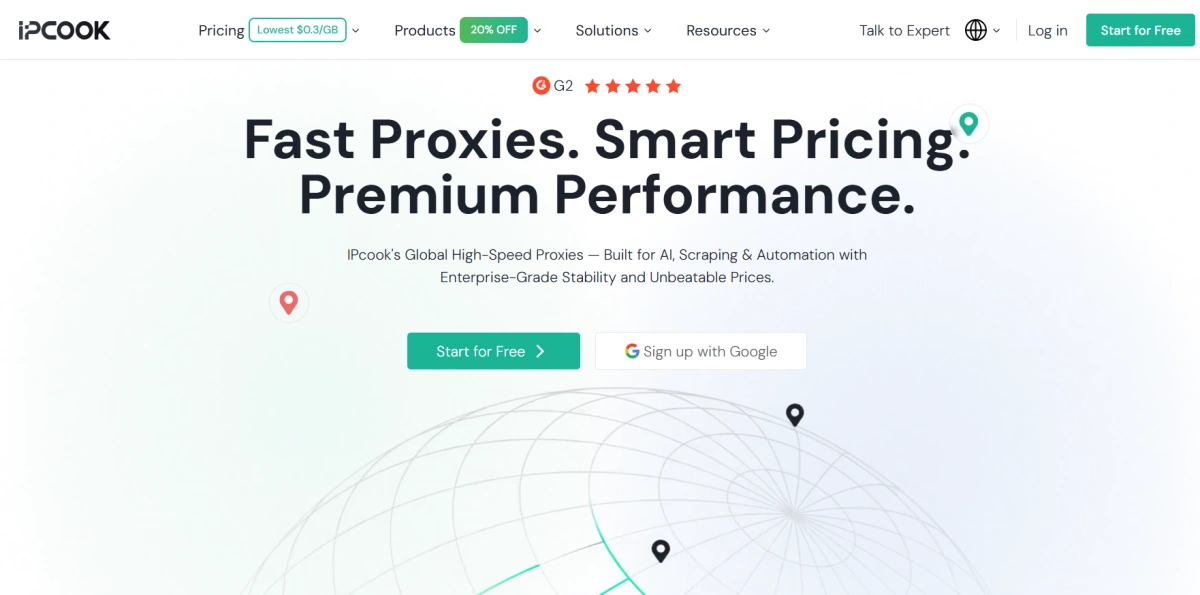
IPcook is a proxy provider that offers residential, ISP, and datacenter proxies for tasks such as web scraping, SEO monitoring, market research, and other workflows that require access to different IP addresses or locations.
Unlike platforms that combine proxies with a dedicated browser environment, IPcook mainly focuses on the proxy layer. Users can purchase proxy access and connect it to their existing browser, scraping software, scripts, automation tools, or other applications that support proxy connections.
This makes IPcook a relatively flexible option for users who already have their own tools and mainly need a separate source of proxy IPs.
How Does IPcook Work?
IPcook provides proxy credentials that users can configure in compatible browsers, applications, or automation tools. Instead of requiring users to move their workflow into a specific browser platform, it allows the proxy connection to be added to an existing setup.
Some of the main advantages of this approach include:
- Flexible integration: IPcook proxies can be used with different browsers, scripts, scraping tools, and other software that supports proxy connections. Users can keep their existing workflow instead of rebuilding it around a new platform.
- Multiple proxy options: IPcook offers residential, ISP, and datacenter proxies, allowing users to choose a proxy type based on factors such as IP rotation, connection stability, speed, and cost.
- Support for different connection needs: Depending on the proxy product, users can work with rotating or more stable IP connections. This makes it easier to match the proxy setup to the requirements of a specific task.
- Compatible with existing tool stacks: Users who already rely on scraping software, automation tools, or an anti-detect browser can add IPcook as the proxy layer rather than replacing the tools they already use.
- A simpler choice for proxy-only needs: If a workflow mainly requires access to different IP addresses, a standalone proxy provider can be more straightforward than using a larger platform that includes browser profile, fingerprint, or team-management features.
In this sense, IPcook’s proxy-only model can be an advantage for users who value flexibility and prefer to choose their proxy service and browser environment separately.
However, this also means that IPcook and tools such as FlashID solve different parts of the workflow. Understanding that difference is important before comparing the two directly.
IPcook vs FlashID: What’s the Difference?
The core difference is that IPcook gives you proxies, while FlashID combines proxies with an anti-detect browser in one stack. For teams that manage many accounts, that distinction matters because a proxy alone does not isolate cookies, canvas fingerprints, WebGL data, or other browser attributes. FlashID creates isolated profiles with unique digital fingerprints and supports built-in proxies, so you can buy, configure, and bind an IP to a profile in one place. This comparison is not about which proxy network is larger; it is about what you need for safer multi-account workflows.
1.Proxy coverage and pricing
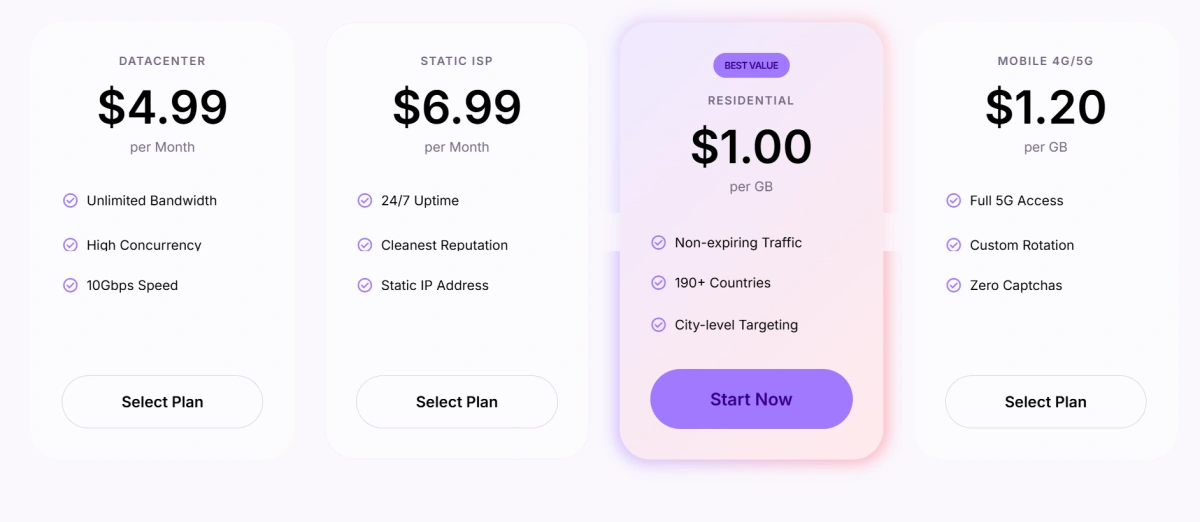
IPcook offers residential, ISP, and datacenter proxies, with residential coverage across 185+ locations. Residential proxies are mainly priced by bandwidth, while ISP and datacenter proxies are generally priced by IP quantity and service period.
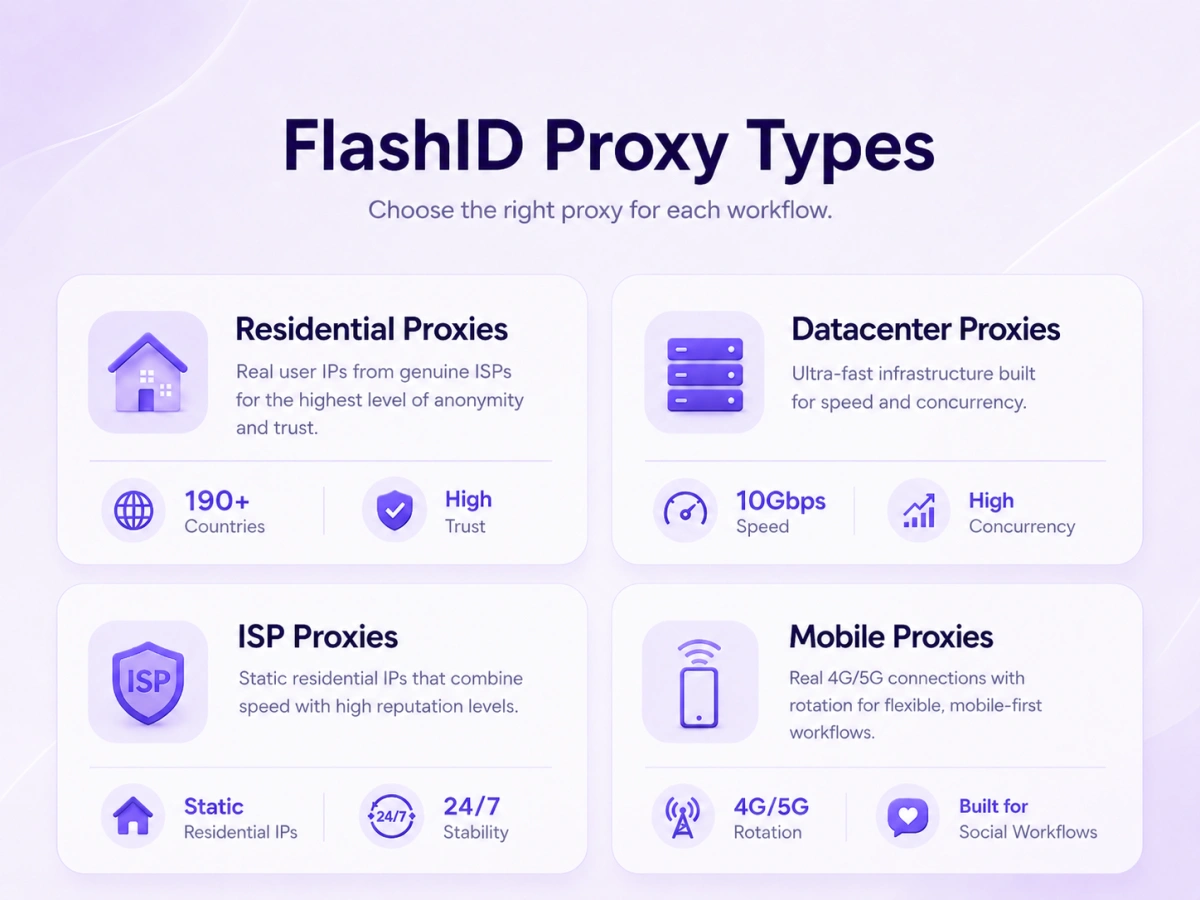
FlashID provides residential, static ISP, datacenter, and mobile proxies. Its residential proxies cover 190+ countries. FlashID also supports custom HTTP and SOCKS5 proxies, so users can connect existing IPcook proxies or purchase proxies directly within FlashID.
2.Integrated browser fingerprinting
FlashID’s main advantage is that it pairs each proxy with a unique browser fingerprint. Instead of manually configuring a proxy for each browser profile, you can create a profile, select a proxy, and FlashID keeps the IP aligned with the fingerprint and other browser context. IPcook alone does not do this. If you use IPcook with a standard browser, your browser fingerprint stays the same across sessions, which increases the chance that websites can link your accounts even if each one has a different IP. This is where an integrated anti-detect browser reduces risk.
3.Setup and team workflows
Setting up IPcook requires exporting proxy credentials and entering them into your proxy client or anti-detect browser. That works, but it adds steps and is error-prone when you manage dozens of profiles. FlashID simplifies this with built-in proxy purchase and one-click binding. For teams, FlashID offers workspace management and role controls, so you can assign IPs and profiles to specific members. IPcook does not provide a browser environment, so you would need to build that workflow yourself.
Learn More about FlashID Antidetect Browser
IPcook Use Cases and Limitations
IPcook can be a solid choice if you already have an anti-detect browser and want a separate proxy provider. But there are scenarios where a proxy-only approach falls short.
Web scraping and SEO monitoring
For basic web scraping where you just need to rotate IPs, IPcook’s proxies can work well. You can route requests through different residential IPs to avoid rate limits and IP bans. However, if you also need to maintain cookies or handle JavaScript-heavy sites, you will need a browser or scraping tool that integrates with the proxy. FlashID can be used for scraping too, because each profile has its own fingerprint and IP, making it easier to run parallel scraping sessions without appearing as one visitor.
Social media and account registration
Managing multiple social media accounts is riskier than simple scraping, because platforms compare more than IP addresses. They look at browser fingerprints, device context, and behavioral patterns. Using IPcook’s proxies with a regular browser still leaves your fingerprint exposed. An anti-detect browser like FlashID can help by generating a distinct fingerprint for each profile and binding it to a dedicated proxy. That combination lowers the chance of accidental association, though no tool can guarantee your accounts stay safe. Always review each platform’s terms of service.
What to Look for in Proxy and Account Isolation Tools
When deciding between a proxy-only service and an integrated stack, evaluate a few key dimensions.
1.Network size, reliability, and protocols
Check the proxy network’s coverage and uptime. Providers often claim large IP pools, but what matters is whether the IPs match your target geographies and whether they are stable. For residential proxies, ask about rotation policies and how often IPs are recycled. Also confirm which protocols are supported, such as HTTP or SOCKS5.
2.Browser fingerprint consistency
The most important part of an anti-detect browser is fingerprint consistency. If a tool randomizes fingerprints but does not keep them stable within a session, sites will flag your activity. FlashID Antidetect Browser creates a unique fingerprint for each profile and keeps it consistent across sessions, which helps maintain a stable identity. If you use a proxy-only service like IPcook, you must handle this yourself in a separate anti-detect browser, and the quality of that browser will determine your risk level.
3.Pricing and scalability
Proxy pricing can be based on bandwidth, IPs, or endpoints. Estimate your monthly traffic and see whether a provider offers tiered plans that grow with you. IPcook has monthly subscription plans for residential proxies, which can be convenient for predictable budgets. FlashID offers its own proxy plans, and also lets you use external proxies. For teams, also consider per-seat costs and whether the tool provides collaboration features like Workspaces and Window Sync.
Why FlashID Offers a More Complete Multi-Account Stack
For readers who are comparing IPcook vs FlashID, the decision comes down to whether you want to manage proxies and browser profiles separately or together.
Built-in proxy + fingerprint alignment
FlashID Browser lets you purchase proxies directly from the product and bind them to a profile with one click. This means the IP, fingerprint, browser locale, and other settings stay aligned automatically. It reduces manual errors and lowers the risk of exposing a mismatch between your IP and your browser characteristics. With IPcook, you would need to export credentials and manually ensure that each profile’s proxy matches the fingerprint, which is doable but adds friction.
Automation, Window Sync, and Workspace
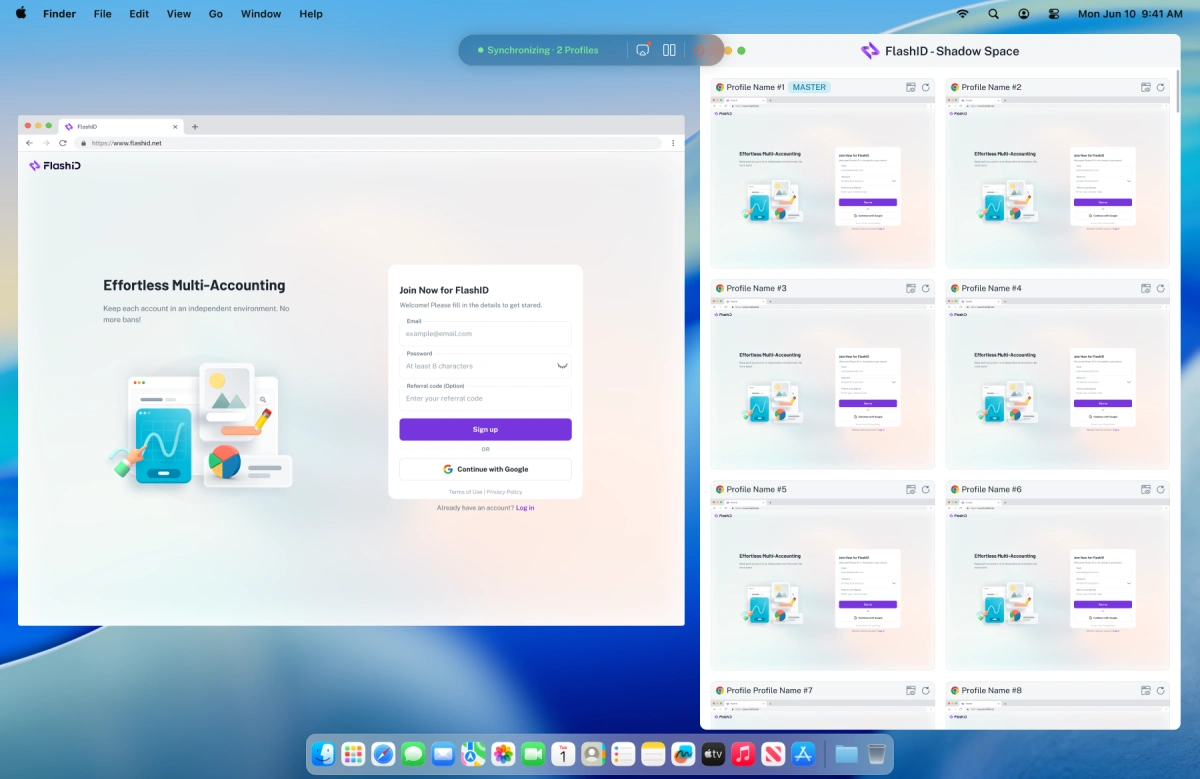
FlashID includes automation tools that streamline repetitive tasks, such as bulk profile creation and proxy assignment. Window Sync lets you mirror actions across multiple profiles, which is useful for managing several accounts that need similar setup. Workspaces help teams organize profiles and share them without exposing sensitive data. These features go beyond what any proxy-only provider offers. If your focus is multi-account management or web scraping at scale, an integrated stack can save hours of setup time.
Conclusion
IPcook works well for users who mainly need flexible proxy access, while FlashID is better suited to workflows that also require browser profile isolation, fingerprint management, and multi-account organization. The better choice depends on whether you only need an IP solution or a more complete browser environment.
If FlashID fits your workflow and you want to understand how to set it up in practice, the FlashID User Guide covers common questions about profiles, proxies, fingerprint settings, Window Synchronization, and team features.
If you’d like to stay updated with practical insights and industry trends, feel free to join our community.
FAQ
1.How do I set up IPcook proxies?
After purchasing a proxy, you can generate the connection details from the IPcook dashboard, including the host, port, username, and password. IPcook also supports IP whitelist authentication. These credentials can then be added to a browser, scraping tool, script, or compatible anti-detect browser.
2.Does IPcook support sticky sessions?
Yes. IPcook residential proxies support both rotating and sticky sessions, with sticky sessions lasting up to 24 hours. This is useful when a task needs to keep the same IP across multiple requests instead of changing it frequently.
3.Does IPcook residential proxy traffic expire?
No. IPcook currently states that purchased residential proxy traffic does not expire. This can be useful for users whose proxy usage varies from month to month because unused traffic does not need to be consumed within a fixed billing period.
4.Can I use IPcook proxies with FlashID?
Yes. FlashID supports custom HTTP and SOCKS5 proxies, so IPcook proxy credentials can be added to individual FlashID browser profiles. This lets users keep IPcook as their proxy provider while using FlashID for browser profile and fingerprint management.
5.Is FlashID a proxy provider or an anti-detect browser?
FlashID is primarily an anti-detect browser and multi-account management platform, but it also provides built-in proxy options. Users can either purchase proxies inside FlashID or connect third-party proxies such as IPcook.
You May Also Like


