In the past, WhatsApp was mostly seen as a personal instant messaging tool; today, it has become an indispensable part of cross-border communication, customer support, sales follow-up, and remote collaboration. As a result, more and more people are facing a practical question: is it possible to use multiple WhatsApp accounts on the same device at the same time?
The answer is not a simple “yes” or “no.” In 2026, the key issue is no longer whether you can log in, but whether it is stable, controllable, and sustainable in the long term. This article systematically addresses this question from the perspectives of official rules, phone number requirements, limitations of common solutions, and more reasonable usage approaches.
What does WhatsApp officially support?
First, it is important to understand that WhatsApp has always managed accounts and devices very strictly. This design is not accidental, but motivated by security and consistency considerations.From the official rules, three facts are unavoidable:
One account per phone number
Each WhatsApp account must be linked to a unique phone number. It is impossible to officially register or simultaneously activate multiple numbers on one phone.
Limitations of the Companion Device feature
WhatsApp has indeed introduced multi-device support in recent years, but the essence of this mechanism is “synchronization,” not “multiple accounts”:
- Companion devices can only sync messages with the main account
- Cannot independently register a new account
- Functions and permissions are still limited
Official solutions are suitable for light usage
For personal users, official solutions are sufficient; however, for users who need to manage multiple accounts simultaneously and require strict account isolation, they are far from enough.
In short: WhatsApp does not natively provide the ability to freely switch multiple accounts on a single device.
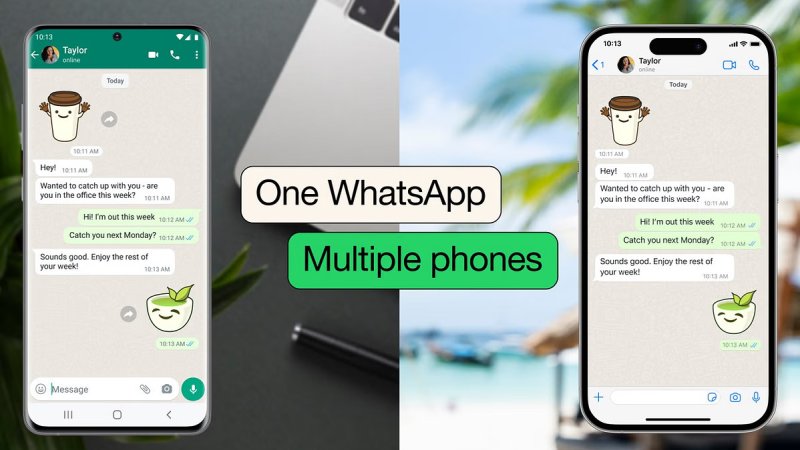
Why use multiple WhatsApp accounts?
The need for multiple accounts does not come from the accounts themselves, but from communication becoming more professional, structured, and long-term. Common scenarios include:
- Scenario separation: Distinguishing personal, work, and external communication to avoid information confusion
- Cross-border business: Customers in different countries and regions prefer local numbers; independent accounts increase trust and efficiency
- Team role division: Customer service, sales, and virtual assistants managing different business lines simultaneously; account isolation improves efficiency and handoverability
These needs show that multiple accounts have become a necessity for work and collaboration, not just an “advanced trick.”
Phone number requirements for multiple WhatsApp accounts
After understanding the official support scope, the next unavoidable premise is the phone number, which remains the core credential of the WhatsApp account system.
Whether using standard WhatsApp, WhatsApp Business, or WhatsApp Web on a computer, each account must be bound to a separate and unique phone number.
Many users habitually check the current network exit information using public tools, such as ifconfig.me, to confirm whether the current IP address has changed. However, it should be noted that the IP is only part of the environment and does not represent a complete and reliable usage environment.
For users with dual-SIM phones, this process is relatively straightforward. Many Android devices support dual SIM and provide app cloning or dual-app functions at the system level, allowing WhatsApp registration with different phone numbers on the same device. This offers some convenience in light scenarios separating personal and work accounts.
It is particularly important to note that WhatsApp does not allow the same phone number to exist in multiple active accounts simultaneously. Once you try to log in with a registered number on a new device or environment, the system triggers account migration and automatically logs out the previous session. This is the main reason many users are frequently “logged out.”
Why “one device” becomes the biggest obstacle for multiple accounts
Many people find that even with multiple phone numbers, managing multiple WhatsApp accounts on the same device stably and long-term is very difficult. The reason is that a device is not the same as an environment. In WhatsApp’s risk control and stability logic, a “usage environment” includes not only the account and phone number but also:
- Device fingerprint
- Network characteristics (IP, region, network stability)
- Login behavior and usage patterns
Even if you can confirm IP changes via ifconfig.me, if multiple accounts share the same device fingerprint and behavior patterns, they are still highly likely to trigger risk control in the long term.
Managing Multiple WhatsApp Accounts Safely with FlashID Anti‑detect Browser
Managing multiple WhatsApp accounts on a single device is no longer just a matter of logging in—it requires stable, isolated, and long-term environments. FlashID Anti‑detect Browser provides a comprehensive solution, combining browser-based isolation with cloud phone–enabled mobile support to meet both desktop and mobile operation needs.
Key features and advantages include:
- Isolated environments: Each WhatsApp account runs in a fullyindependent environmentcreated by FlashID Anti‑detect Browser, preventing cross-account interference and ensuring operational stability.
- Independent network and device fingerprints: Every environment has its own IP, device parameters, and fingerprint profile, so WhatsApp treats each account as running on a separate device.
- Cloud phone support for mobile operations: For mobile-dependent platforms, FlashID Anti‑detect Browser provides cloud phone environments, supporting app multi-opening and consistent long-term mobile sessions.
- Long-term stability and team collaboration: Environment sharing, permission management, and multi-user collaboration reduce repeated verification, QR-code scanning, and forced logouts.
By leveraging FlashID Anti‑detect Browser, users can securely and efficiently manage multiple WhatsApp accounts on the same physical device, achieving true account isolation and sustainable long-term operations without additional hardware or complex setup.
Best Practices for Managing Multiple WhatsApp Accounts
- Isolate each account: Give every WhatsApp account its own environment to avoid conflicts and risk triggers.
- Use unique phone numbers: Each account must have a separate phone number for proper login.
- Leverage cloud phone for mobile accounts: Maintain stable mobile sessions and app multi-opening when needed.
- Keep usage consistent: Avoid sudden changes in behavior or location that may trigger WhatsApp security checks.
Following these practices ensures multiple accounts stay stable, secure, and operational when using FlashID Anti‑detect Browser.
Conclusion
In 2026, “multiple WhatsApp accounts on one device” is no longer just a matter of whether you can log in—it is a challenge of stability and isolation. Official rules strictly limit “one number, one device,” and multi-device functionality is only for synchronization, insufficient for professional multi-account needs.
The need for multiple accounts comes from cross-border communication, customer support, and team collaboration. While phone numbers are the foundation, the key lies in the environment formed by device fingerprints, network, and usage behavior. Using FlashID Anti-detect Browser to provide an independent environment for each account enables safe, stable, and manageable multi-account use on the same device.
FAQ (Frequently Asked Questions)
1.Q: Can I use multiple WhatsApp accounts on one device?
A: Officially no. Each account requires a unique phone number, and multi-device support only syncs messages.
2.Q: Why use multiple accounts?
A: For personal/work separation, cross-border business, and team collaboration.
3.Q: What makes multi-account use difficult on one device?
A: Shared device fingerprints, network, and usage patterns can trigger WhatsApp’s risk control.
4.Q: How does FlashID anti-detect browser help?
A: It creates isolated environments for each account with separate IPs and device info, ensuring stable, long-term use.
5.Q: Do I still need separate phone numbers?
A: Yes. Each WhatsApp account must have its own unique phone number.


