In today’s increasingly complex multi-platform operations, efficiency has become the key to success. The ability to manage, switch, and coordinate multiple accounts effectively directly determines a team’s execution power and growth speed. Established tools like OmniLogin have earned early users’ trust with their robust browser fingerprinting technology. However, as business increasingly shifts to mobile applications, automation becomes a necessity, and team collaboration grows more complex, FlashID—leveraging its “integrated operating system” and unique cloud phone functionality—has emerged as the preferred choice for modern teams pursuing efficiency and scalable growth.
Market Positioning: From “Professional Tool” to “Efficiency Hub”
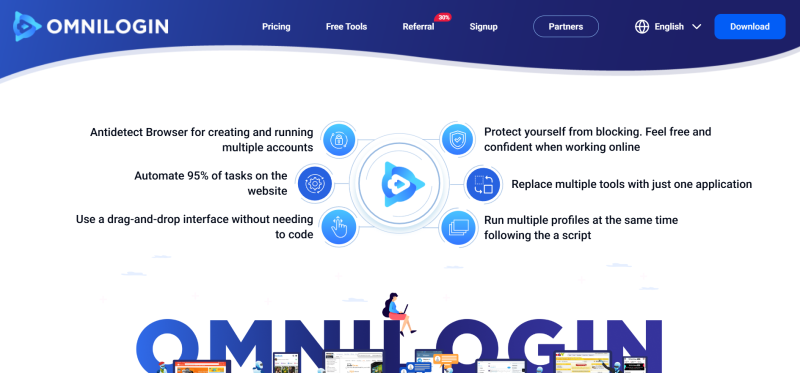
- OmniLogin positions itself as a “professional anti-detection browser,” focusing on highly customizable desktop browser fingerprint environments, suitable for technical experts or users with strict data control requirements.
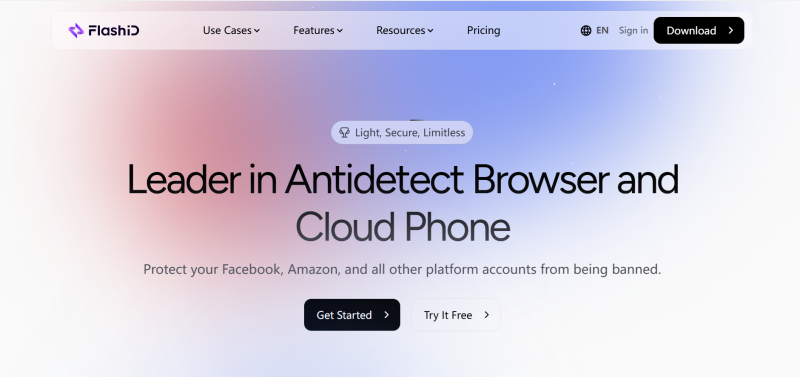
- FlashID defines itself as an “integrated efficiency platform,” supporting browser fingerprinting while integrating a real cloud-based Android system, enabling seamless operation across mobile apps and desktop environments to meet cross-platform, unified workflow needs.
Understanding these positioning differences provides context for how each tool approaches multi-account management.
Core Function Comparison
Next, we can compare the two tools in terms of core functionalities to highlight their respective strengths.
| Comparison Dimension | OmniLogin | FlashID |
|---|---|---|
| Built-in Proxy & Automation | Advanced network control (IPv6, SOCKS5, etc.); automation relies on external scripts | Built-in proxy, RPA engine, window synchronization;no- code automation reduces technical barriers |
| Fingerprint Customization & Coverage | Accurate desktop browser fingerprint simulation | Cross-platform coverage; cloud phone provides real Android native operation and fingerprint masking |
| Platform & Flexibility | Focused on desktop application | Unified management of desktop and cloud phone, enabling integrated workflows |
| Data Security & Team Collaboration | Local storage, basic team permission management | Account center,fine- grained permissions, operation logs, and real- time collaboration |
| Cost & Entry | Provides 2 profiles for free trial with limited features; subscription based on profiles/features, relatively high entry barrier | Free plan includes core features (cloud phone, RPA), allowing full cross- platform operation experience; more friendly for growing teams |
After understanding these core functional differences,the following scenarios illustrate how these functionalities translate into real-world operational use.
Applicable Scenarios
| Scenario | FlashID | OmniLogin |
|---|---|---|
| Multi-platform content synchronization | Window synchronization for unified operations | Stable operation on a single platform |
| High-frequency marketing & testing | Rapid bulk creation and recycling of accounts | Long-term fixed operations |
| Outsourcing & audit | Temporary permissions and full operation logs | Limited permissions and audit scope |
| New market validation | Rapid localized account setup | Better suited for fixed regions |
| Emergency response | Quick activation of backup accounts | Core account protection |
| Training & process standardization | Sandbox practice and process automation | Technical configuration- focused learning |
With these examples in mind, we can now evaluate how each tool aligns with different operational needs and team objectives.
Conclusion
OmniLogin performs reliably in fixed, desktop-focused scenarios, providing a solid foundation for traditional account management. In contrast, FlashID is designed for dynamic, agile, and scalable multi-account operations, offering flexibility, cross-platform integration, rapid deployment, and streamlined team collaboration. Choosing FlashID means equipping your team with a forward-looking platform that supports modern, growth-driven workflows.
Frequently Asked Questions (FAQ)
1.Q: What is the difference between OmniLogin and FlashID?
A: OmniLogin is a professional anti-detection browser focused on highly customizable desktop browser fingerprinting, suitable for technical users who require precise control over data. FlashID is an integrated efficiency platform that combines browser fingerprinting with a cloud-based Android system, enabling seamless cross-platform operation between desktop and mobile environments.
2.Q: Can both tools manage multiple accounts?
A: Yes. Both OmniLogin and FlashID support multi-account management. OmniLogin provides isolated browser profiles for each account, while FlashID offers unified management across desktop and cloud phone accounts, along with no-code automation for efficient workflows.
3.Q: How do the automation capabilities differ?
A: OmniLogin relies on external scripts or APIs (e.g., Selenium) for automation, which requires programming knowledge. FlashID features a built-in RPA engine and window synchronization, allowing users to create automated workflows without coding.
4.Q: Which tool supports mobile app operations?
A: OmniLogin primarily operates in desktop browser environments. FlashID integrates a real cloud-based Android system, allowing teams to run mobile apps natively and perform cross-platform operations from a single platform.
5.Q: How do the tools handle data security and team collaboration?
A: OmniLogin stores data locally and offers basic team permission management. FlashID provides an account center, fine-grained permissions, operation logs, and real-time collaboration, making it suitable for larger teams and audited workflows.
6.Q: Are there free trial options?
A: Both tools offer limited free trials. OmniLogin provides 2 browser profiles for testing, but advanced features require a subscription. FlashID’s free plan includes core functionalities like cloud phone and RPA, enabling full cross-platform operation for trial purposes.
You May Also Like


