Three Layers of a Safe Affiliate Setup: Browser Profile, Proxy, and Traffic Filter
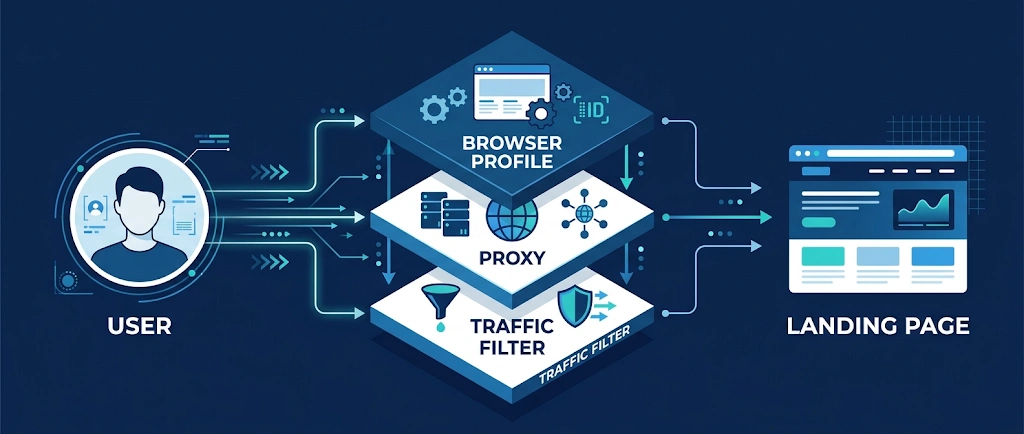
Most multi-account and affiliate setups fail in the same place: not at one dramatic mistake, but at the seams between tools. The browser profile says one thing, the proxy says another, and the landing page receives a mix of real visitors and automated checks that nobody separated.
Think of a stable setup as three layers that must agree with each other. This guide shows what each layer is responsible for, how to test it, and how to connect them.
Layer 1: The browser profile
An antidetect browser creates isolated profiles, each with its own fingerprint, cookies and storage. The point is not just to look different. The point is to look consistent.
What to get right:
- One profile, one identity. Never reuse a profile for unrelated accounts or projects.
- Realistic, internally consistent fingerprints. Operating system, screen size, fonts, language and time zone should make sense together. A randomized value that contradicts another one is worse than a plain default.
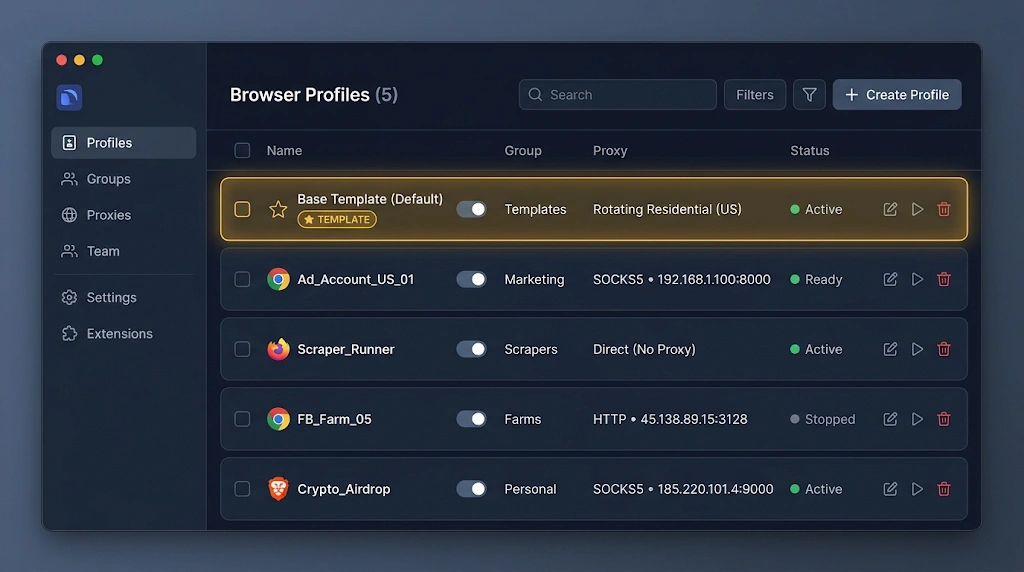
- Templates. Create a clean master template per use case, then clone it. This removes manual setup errors, which are the most common source of mismatches.
- Naming and grouping. Name profiles by project, geo and date. At 20+ profiles, structure is what keeps you from mixing accounts.
Before running anything real, open a fingerprint check page inside the profile and read the report. If something looks unusual, fix it first.
Layer 2: The proxy
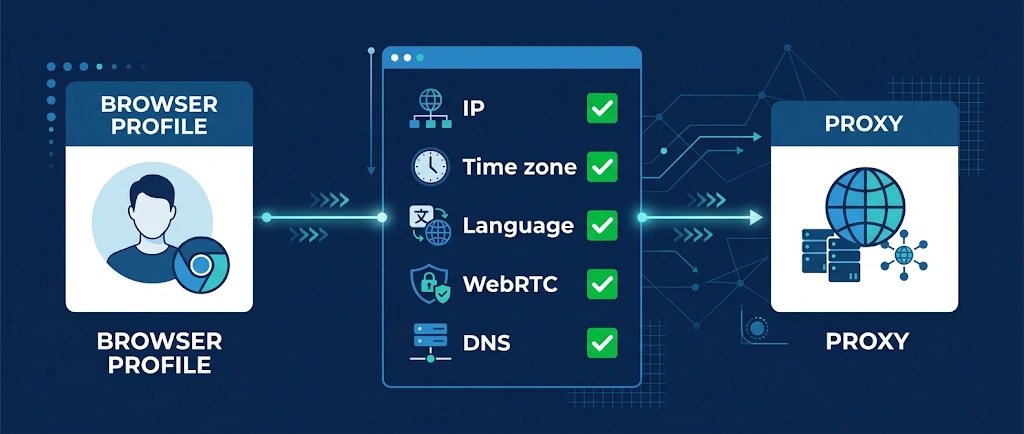
The proxy sets your visible IP, country and network type. Treat it as part of the profile, not as an extra.
Checklist:
Match the geo. IP country, time zone and browser language should tell the same story.
Pick the right type. Datacenter, residential and mobile addresses are treated differently by platforms. Choose by task, not only by price.
One proxy per profile. Sharing an address across unrelated profiles links them together.
Check for leaks. WebRTC and DNS leaks can reveal the real network even when the proxy works. Run a leak test inside each new profile.
Check speed. A slow connection harms both usability and conversion.
Layer 3: The traffic after the click
Layers 1 and 2 protect how you appear to platforms. The third layer is about the visitors who arrive at your page after an ad click.
Not everyone who clicks is a customer. Visits also come from:
- link-preview and security crawlers;
- scrapers and monitoring bots;
- spy and verification services;
- datacenter and VPN traffic outside your target audience.
If all of that lands on your page and is counted together with real users, your analytics lie. You scale the wrong sources and cut the right ones.
A traffic filter sits between the click and the landing page. Each request is checked against rules (network type, device, geo, behavior patterns) and routed: likely real visitors to the offer, automated or irrelevant traffic to a neutral destination.
Building this yourself is possible but needs constant maintenance of bot lists and rules. A ready-made option such as XCloak handles filtering of bots, spy services, VPN and datacenter traffic, gives live click analytics, lets you manage several traffic flows from one account, and offers PHP integration and an API if you want to plug it into your own tooling.
Good practice when adding a filter:
- Start in observation mode and review what would be excluded.
- Tighten rules gradually and compare against real conversions.
- Keep one flow per campaign so you can see which rule did what.
- Test the flow yourself from a phone and from another network.
How the three layers fit together
| Layer | Controls | Typical failure |
|---|---|---|
| Browser profile | Fingerprint, cookies, identity | Inconsistent or reused profiles |
| Proxy | IP, geo, network type | Leaks, mismatched geo, shared addresses |
| Traffic filter | Who reaches your page | Bots and junk clicks counted as real traffic |
A failure in any row can undo the work done in the other two.
Setup order that saves time
- Build a clean profile template.
- Assign a dedicated proxy and fix geo, time zone and language.
- Run fingerprint and leak checks.
- Prepare the landing page and enable filtering in observation mode.
- Launch a small test budget and review real versus filtered traffic.
- Scale only the sources that hold up.
Common mistakes
- Fixing symptoms instead of causes. A ban is often the end of a chain of small mismatches.
- Skipping tests because “it connected”. A working connection is not a clean one.
- Changing several things at once. You will not know what worked.
- Ignoring post-click data. Half of the funnel stays invisible.
Final thoughts
A safe setup is not one clever tool but three layers that agree with each other: a consistent browser profile, a clean and well-matched proxy, and filtered traffic on the landing side. Check each layer before launch and keep the process repeatable.
If you want to cover the third layer without building your own filter, try XCloak with a 30% discount using the promo code FLASHID30. Start in observation mode and see what your traffic really looks like.
You May Also Like