Many gamers see Steam as more than just a platform—it’s where they relax, connect with friends, and spend hours playing popular titles like Counter-Strike 2, Dota 2, PUBG: BATTLEGROUNDS, and Apex Legends. For millions of players worldwide, Steam is part of their daily routine.
In fact, in our previous review of the Top 10 Gaming Platforms, Steam ranked as the most valuable and widely used platform due to its massive game library, strong community features, and global popularity.
Now imagine logging in one day and seeing a message like “Steam account banned.” That moment can feel shocking. Years of progress, purchases, and achievements suddenly become inaccessible.
If your Steam account was suspended or banned in 2026, don’t panic. In this guide, you’ll learn the most common ban reasons, how to submit a proper appeal, and how to prevent future bans.

Why Was Your Steam Account Banned?
Here are some of the common reasons for Steam account suspension or bans.
Using Cheats or Unauthorized Software
This rule should be obvious to most players. Like any major gaming platform, Steam strictly prohibits cheating in order to maintain fair gameplay for everyone. However, some users still attempt to bypass the rules, assuming they won’t get detected.
Steam relies on several anti-cheat technologies, including its well-known Valve Anti-Cheat (VAC) system. If VAC detects that your device connects to protected servers while cheat software is installed, your account can receive a VAC ban, which is typically permanent. Even certain custom mods or skins that provide unfair advantages may lead to the same result.
Suspicious Payments or Chargebacks
Payment-related violations are another frequent cause of account suspension. Steam takes financial activity very seriously, and even small payment issues can lead to restrictions.
For example, if you request a chargeback through PayPal or a credit card after purchasing a game, Steam may immediately lock your account. From the platform’s perspective, this is considered payment fraud because you are attempting to recover money while still keeping access to the purchased content.
Using stolen payment methods or making repeated suspicious purchases can also trigger account restrictions. Steam continuously monitors payment behavior, and accounts associated with financial risks may be limited without warning.
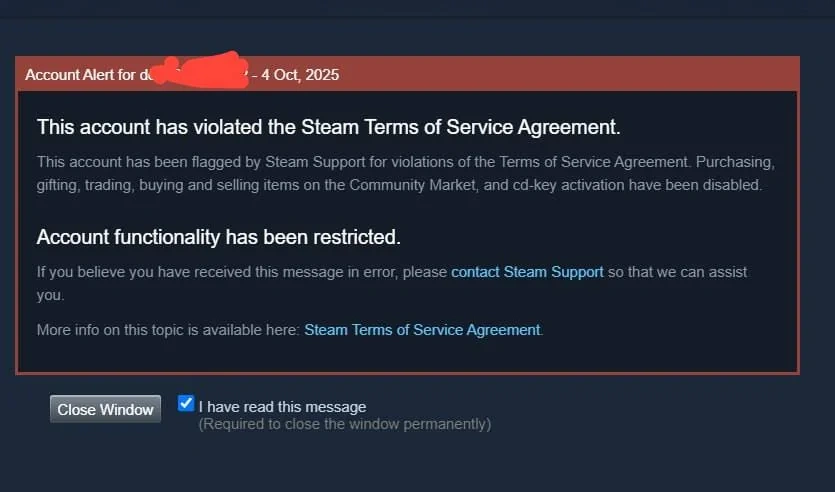
Violating Community Rules
Steam has a set of behavioral guidelines that it expects all users to follow. Its moderators are always looking for users violating those guidelines and making the community a worse place for everyone else.
Common violations include behaviors such as harassment or abusive language toward other users, sending spam messages repeatedly, or sharing harmful and inappropriate content within the community. Repeated violations of these rules may eventually result in community bans or further account restrictions.
For a bigger list of banned behavior and its examples, view Steam’s online conduct rules.
Account Sharing or Buying Accounts
Buying, selling, or sharing Steam accounts is against Steam’s terms of service.
Many users who purchase accounts from unofficial sources later discover that the account becomes locked or permanently banned.
Always use accounts created and owned by yourself.
Suspicious Login Activity
Unusual login behavior is another major risk factor.
This includes:
- Logging in from multiple locations frequently
- Changing IP addresses too often
- Using unstable or shared environments
Steam may interpret these activities as potential account theft or automation.
Types of Steam Bans You Should Know
Different bans require different actions, so understanding which type you received is important.
VAC Ban
A VAC ban is issued when cheat software is detected. It is one of the most serious restrictions and is usually permanent. Once applied, you can no longer access secured servers for the affected game. These bans are automatic and rarely removed.
Game Ban
Game bans are issued by individual developers rather than Steam itself. They usually happen when players break in-game rules, such as using unauthorized mods or exploiting bugs. In most cases, only the specific game is affected.
Community Ban
Community bans occur after repeated violations of Steam’s community rules, such as harassment, spamming, or posting inappropriate content. Many are temporary, but severe or repeated behavior can lead to permanent restrictions.
Trade Ban or Account Lock
Accounts may be locked due to suspicious activity or serious violations. Trade bans are often linked to scams or fraudulent trading and prevent users from exchanging items with others.
How to Appeal a Steam Ban in 2026 (Step-by-Step Guide)
If your Steam account has been suspended or restricted, the only reliable way to recover it is through the official Steam Support system. There are no shortcuts, and you should avoid anyone claiming they can remove bans for a fee or asking for your items. Valve staff will never contact you through Discord or private chats to fix account issues, so treat those messages as scams.
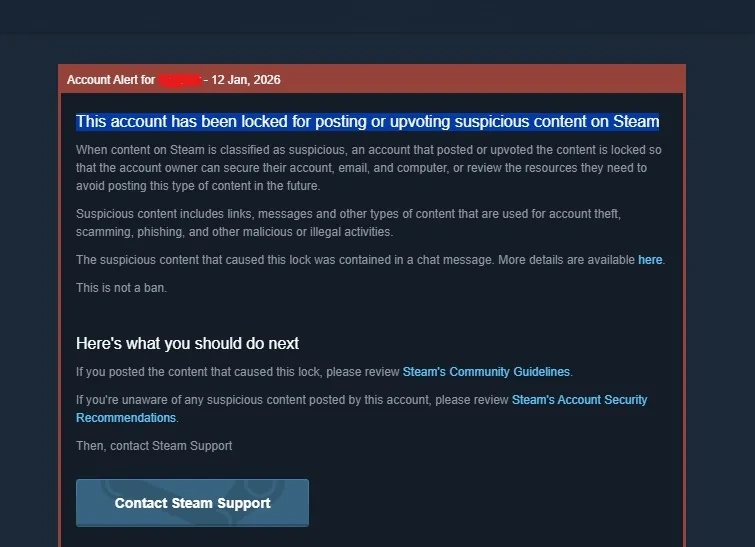
Step 1: Visit the Official Steam Support Page
Start by going to the official Steam Support Help site and using the help wizard to locate your issue.
If your account is locked, you will usually see a red notification banner at the top of your Steam client. Clicking that banner will show details about the restriction and guide you to the correct support option. Always use official links and avoid clicking unknown URLs shared by others.
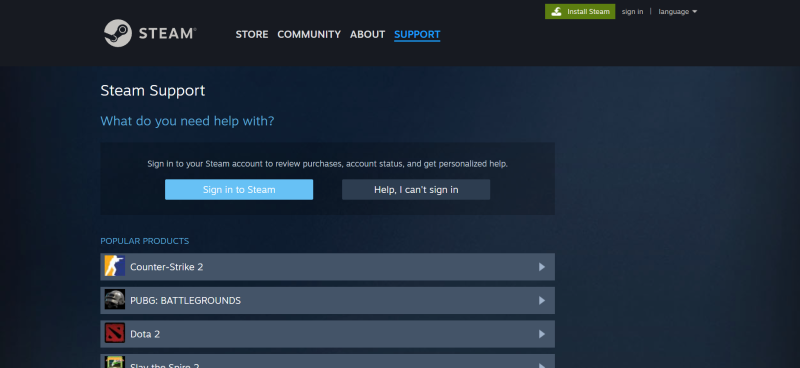
Step 2: Review Your Restriction Details
Before submitting an appeal, carefully read the information provided by Steam.
Pay attention to details such as the type of restriction applied, the specific game or feature affected, and any explanation included in the message from Steam.
Understanding your specific situation helps you explain your case more clearly. For example, if your content was removed from the Steam Community, you may receive a moderation message that includes a direct appeal link. In that case, follow the instructions and explain why you believe your content followed the rules.
Step 3: Write a Clear and Respectful Appeal
When submitting your appeal, explain your situation honestly and clearly. Describe what you were doing when the restriction happened and mention any details that might help explain the situation.
It is also important to remain polite. Support agents are more likely to assist users who communicate respectfully rather than those who send angry or aggressive messages.
Simple Appeal Template
You can use the following template as a starting point:
Hello Steam Support Team,
My Steam account was recently restricted, and I would like to request a review of this action.
At the time of the restriction, I was [briefly explain what happened]. To my knowledge, I did not intentionally violate any rules.
Please let me know if additional information is required to verify my account.
Thank you for your assistance.
Best regards,
[Your Steam Username]
Step 4: Provide Proof of Account Ownership
In some cases, Steam Support may ask you to confirm that you are the original owner of the account.
This may include providing:
- Purchase receipts
- Payment details
- Gift card codes
- Original CD keys (if available)
These details help Steam confirm your identity and prevent unauthorized users from gaining access. Without proof of ownership, the support team may not be able to restore your account.
Step 5: Wait Patiently for the Response
After submitting your appeal, wait for the support team to review your request.
Avoid submitting multiple tickets or sending repeated messages, as this may slow down the process. Response times vary depending on the case, so patience is important.
Although not every appeal will succeed, following the correct steps and providing clear information greatly improves your chances of resolving the issue.
How to Prevent Steam Bans in 2026 (Best Practices)
Preventing bans is always easier than fixing them. Following safe habits significantly reduces account risks.
Avoid Cheats and Unauthorized Tools
Never install or use cheat software or suspicious tools. Even tools that appear safe may violate Steam policies.
Follow Steam Payment Policies
Always use legitimate payment methods. Avoid suspicious financial activity and unnecessary chargebacks.
Maintain Consistent Login Profile
Frequent device changes or unstable profile can increase risk signals.
For users managing multiple Steam accounts or accessing accounts from different locations, isolated browser profile help maintain consistency.
Professional tools such as anti-detect browsers (for example, FlashID) allow users to create independent browser profiles with unique fingerprints, helping keep accounts separate and reducing linking risks.
Use Separate Profiles for Multiple Accounts
If you manage more than one Steam account, avoid logging into multiple accounts within the same environment. Using separate browser profiles helps isolate account data, reduces cross-account risks, and improves long-term stability.
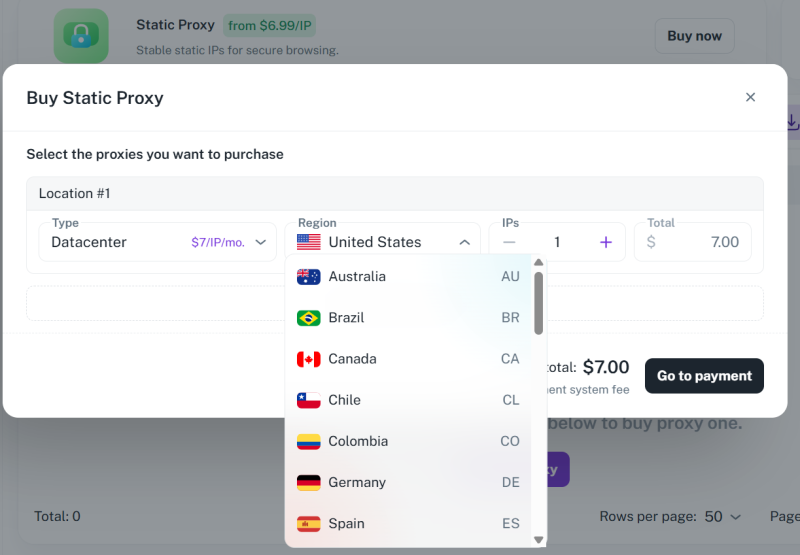
In addition to profile separation, maintaining consistent IP addresses is equally important. Frequent IP changes or shared networks can sometimes trigger security checks. FlashID anti-detect browser supports proxy IP purchasing services, allowing users to assign dedicated IPs to each browser profile and maintain consistent login environments.
Compared with traditional setups where proxies must be configured separately, FlashID ensures that the IP is automatically aligned with the browser fingerprint and device profile. This reduces manual configuration errors, lowers detection risks, and helps maintain more stable account performance over time.
Conclusion
Steam bans can feel overwhelming, but most situations can be managed with the right knowledge and preparation.
By understanding common ban causes, submitting proper appeals, and maintaining secure login profile, you can significantly reduce risks and protect your gaming experience in 2026.
👀️ If you’d like to learn more about steam and stay updated with practical insights, feel free to join our community.


