When using Telegram, many users encounter the same issues: suddenly being unable to log in, their phone number being banned, or even being unable to find a way to appeal. Users who frequently switch devices, use proxies, or manage multiple accounts are particularly likely to be flagged by Telegram’s security system as performing abnormal activities.
Before diving into the unbanning process, let’s look at the root causes of Telegram account bans.
Common Reasons for Telegram Account Bans
- Abnormal behavior: Rapidly joining groups, messaging strangers frequently, or sending repetitive messages can trigger Telegram’s security system, even if the content is compliant.
- User reports: Being reported by multiple users for actions like private promotions, posting ads or links, or inviting strangers can lead to restrictions or bans.
- Unofficial tools or automation: Using third-party clients, auto-join scripts, or mass messaging tools is considered abnormal activity and may result in bans.
- Abnormal login environment: Frequently changing IPs, using shared proxies, or logging multiple accounts on the same device may be flagged as risky, leading to account or phone number bans.
- Phone number risk: Virtual numbers, SMS-receiving services, or previously banned numbers are high-risk and can trigger automatic bans even with normal activity.
How to Unban a Telegram Account
First, determine the type of ban:
- ✅ Temporary restriction / system error: usually restores automatically within a few hours or days
- ❌ “Your phone number is banned” message: the number is blacklisted and requires a manual appeal
If the latter occurs, follow Telegram’s official appeal process.
Method 1: Email Telegram (Recommended)
Send an email from your usual account to recover@telegram.org. You can structure it as follows:
1.Subject
Clearly state your account and phone number:
Appeal for Banned Telegram Account (+[Country Code][Number])
2.Opening
Explain your account was banned and you don’t know why:
My Telegram account associated with +[country code][your number] has been banned recently, and I’m not sure why.
3.Compliance
Confirm you follow Telegram’s rules and haven’t engaged in spam, scams, or other violations:
I have always followed Telegram’s Terms of Service and have not engaged in spam, scams, or any illegal activities.
4.Request restoration
Highlight the account’s importance and request review:
Telegram is essential for my daily communication and work. Please review my account and let me know if any additional information is needed to restore access.
5.Signature
Best regards, [Your Name] Email: [your email address]
📌 Tips:
- Use English, keep it polite and concise
- Mention account purpose if it’s for work or group management, e.g., “used for community management”
- Responses usually arrive within 3–7 business days
Method 2: Submit via Telegram Support Page
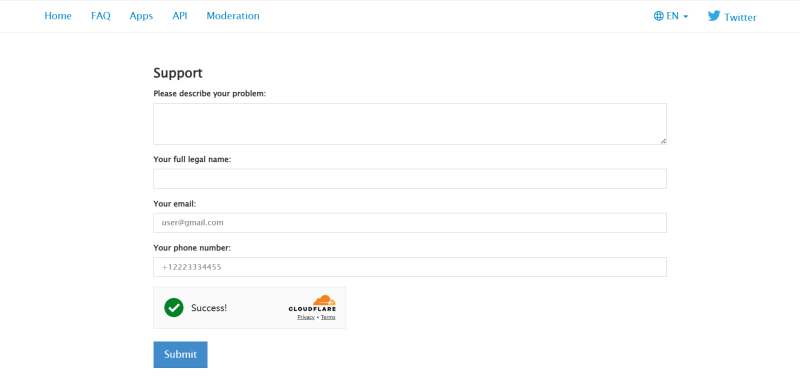
You can also use Telegram’s official support form, providing a description of the problem, your email, and phone number. Submitting both the form and an email increases the chance of success.
Method 3: Contact Official X (Twitter) Account
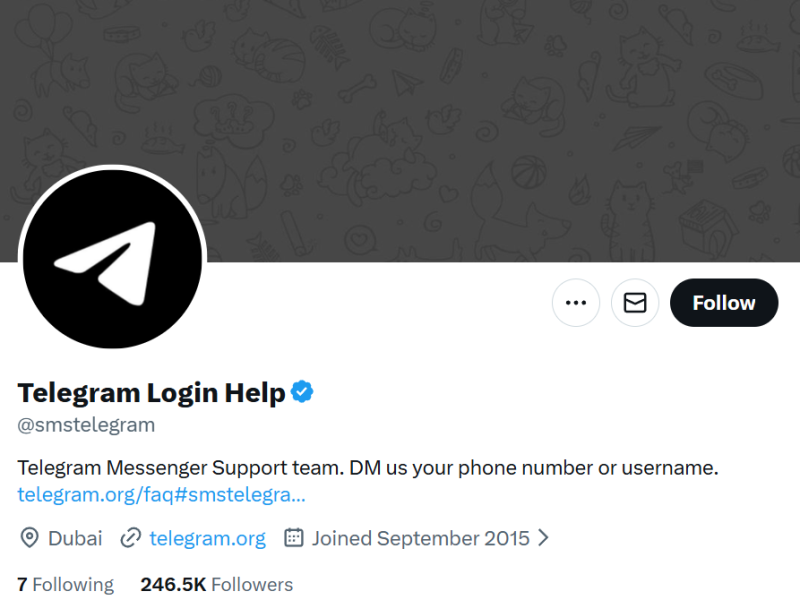
Telegram’s official account: @smstelegram You can send a private message with content similar to your email appeal.
How to Prevent Telegram Account Bans
- Use a stable, independent login environment: Run each account in a separate, long-term stable environment, avoid free or shared proxies, and keep the IP consistent with the account’s registered location.
- Control activity and simulate real users: Gradually increase activity for new accounts, avoid sending large volumes of messages in a short time, and vary content to make actions appear natural.
- Avoid multi-account correlation: Ensure each account operates independently. Telegram detects connections via device fingerprints, browser environment, IP, and activity patterns, so similar environments across accounts can trigger bans.
How FlashID Helps You Safely Manage Multiple Telegram Accounts
When managing multiple Telegram accounts, security is essential due to the risk of “correlation bans.“ FlashID Anti-Browser effectively mitigates this risk by providing independent browser environments for each account.
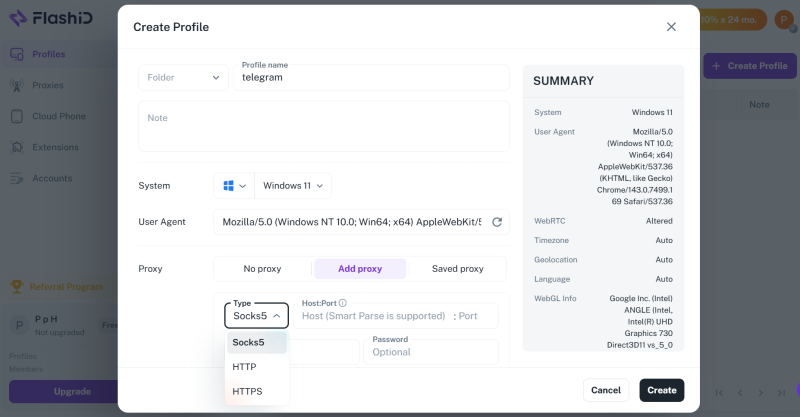
- Independent environments: FlashID isolates each account by simulating device fingerprints, browser settings, system information, and other parameters, ensuring that Telegram cannot detect connections even when multiple accounts are used on the same device.
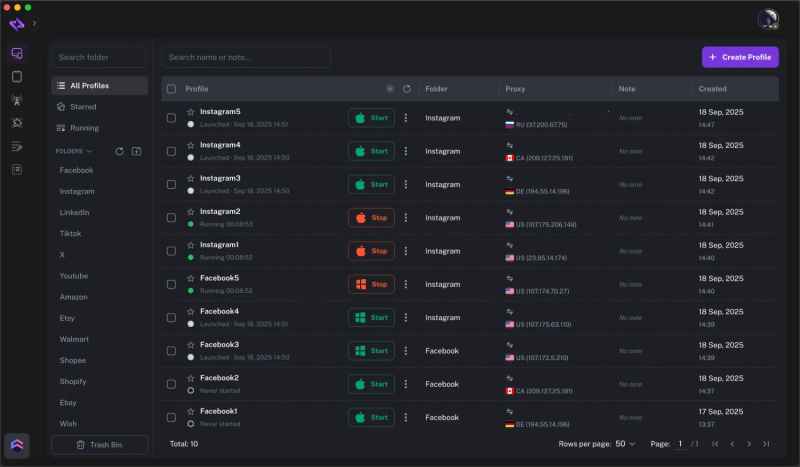
- Dedicated proxy IPs: Each account is assigned a unique, stable IP, and FlashID Anti-Browser ensures multiple accounts don’t share the same network, reducing the risk of bans.
- Automation: FlashID can simulate real user actions such as clicking, typing, and scrolling, allowing safe batch logins or scheduled messages.
- Stable multi-account operation: With isolated environments, dedicated proxies, and automation, each account runs securely and reliably, making multi-account management safer and more efficient.
Conclusion
Telegram bans do not occur without reason. Most issues stem from an unclean environment, unnatural activity, or connections between accounts. Rather than repeatedly appealing, it’s better to establish correct usage practices from the start. For users managing multiple accounts, independent environment management solutions like FlashID ensure each account remains secure, stable, and sustainable. When accounts are no longer frequently banned, Telegram becomes a long-term, reliable asset rather than a disposable tool.
Frequently Asked Questions (FAQ)
1.Q: Why was my Telegram account banned?
A: Most bans are caused by abnormal behavior, user reports, using unofficial tools or automation software, unusual login environments, or risky phone numbers. Activities like rapidly joining groups, messaging strangers, sending repetitive content, or managing multiple accounts on the same environment can trigger Telegram’s security system.
2.Q: How can I appeal a banned Telegram account?
A: There are three main ways to appeal:
- Email: Send an email to recover@telegram.org with your phone number and a description of the issue.
- Official support form: Fill out Telegram’s support form with your email, phone number, and problem description.
- Official X (Twitter) account: Send a private message to @smstelegram with the same content as your email.
3.Q: What should I do if my phone number is banned?
A: If you see the message “Your phone number is banned,” your number has been blacklisted. You will need to follow the official appeal process for manual review to regain access.
4.Q: How can I prevent my Telegram account from being banned again?
A:
- Use a stable, independent login environment for each account.
- Simulate real user behavior, control activity frequency, and avoid sending large volumes of messages in a short time.
- For multiple accounts, ensure each account operates independently to prevent correlation bans.
5.Q: How does FlashID Anti-Browser help?
A: FlashID Anti-Browser provides each Telegram account with an independent browser environment, a dedicated proxy IP, and automation features like batch logins or scheduled group messages. This reduces the risk of bans and allows secure, efficient multi-account management.
You May Also Like


