Key Takeaways
- What happened: Some Telegram
t.melinks are experiencing access or redirect issues due to the domain status oft.me, which may affect how users enter Telegram groups, channels, bots, or support chats. - Quick fix: In many cases, you can try replacing
t.melinks withtelegram.melinks, such as changinghttps://t.me/usernametohttps://telegram.me/username. Always test the new link before publishing it. - Security risk: When official Telegram links stop working, users may search for alternative links and accidentally enter fake groups, phishing bots, or impersonation support channels. Teams should verify official links and warn users against scams.
What Happened to Telegram t.me Links?
A Reminder for Account Security
Recently, some Telegram t.me links have experienced access issues, and certain links may not redirect properly. For teams that rely on Telegram for communities, support, bots, or customer communication, this is more than a simple link problem. When official links become unstable, users may turn to unofficial sources, increasing the risk of phishing, fake support, and account security incidents.
t.me is one of the most common short-link formats for Telegram groups, channels, bots, and support chats. These links are often used on websites, social media profiles, landing pages, help centers, email templates, and community announcements.
When a t.me link stops working, users may fail to reach the official Telegram destination. More importantly, they may start searching for alternative links, which increases the risk of entering fake groups, phishing bots, or impersonation support channels.
This is not only a link access issue. It can also become an account security and user safety issue.
Why Did This Happen?
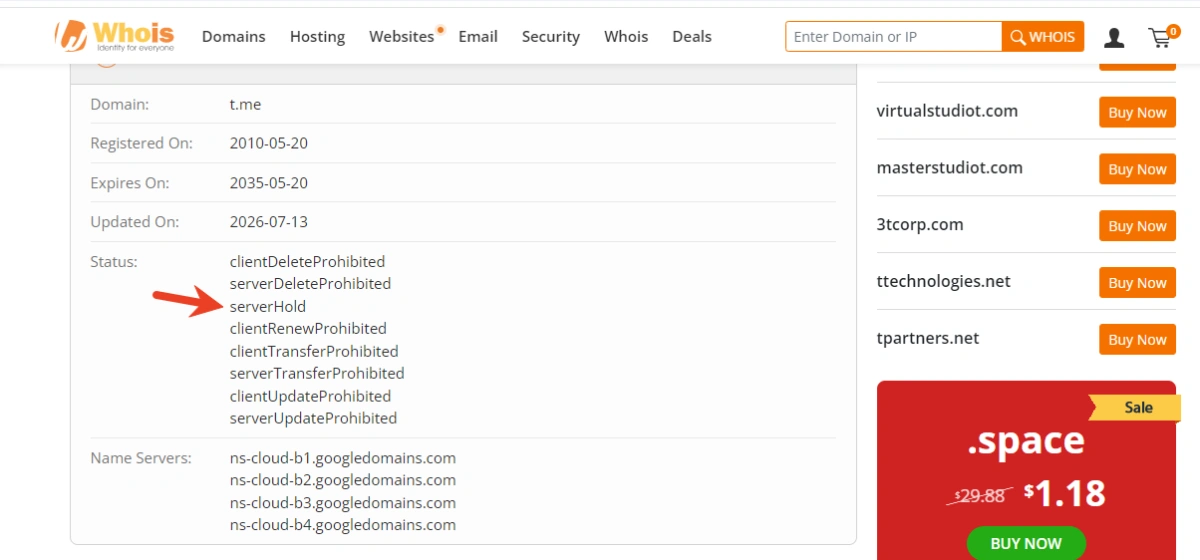
The issue is related to the domain status of t.me. The domain has been placed under serverHold, a domain-level status set by the registry operator.
According to ICANN, serverHold means the domain is not activated in the DNS. In simple terms, if the domain cannot be resolved properly, links using that domain may fail to open or redirect correctly.
This does not necessarily mean Telegram itself is unavailable. Telegram groups, channels, and bots may still exist, but the short links used to access them can become unstable.
Who May Be Affected?
Telegram Group, Channel, and Bot Owners
If you manage Telegram communities, announcement channels, bots, or support chats, users may not be able to reach your official entry point through existing t.me links.
This can cause confusion and make it easier for fake groups or scam bots to mislead users.
Customer Support Teams
Many businesses use Telegram as a support channel. If the official support link fails, users may search for help elsewhere and contact fake support accounts by mistake.
This can lead to phishing, fake verification requests, wallet scams, or credential theft.
Web3, Crypto, and Finance Communities
Telegram is widely used in Web3, crypto, and finance-related communities. These users are often targeted by impersonation groups, fake airdrop bots, and malicious support accounts.
For these teams, broken links can directly increase asset security risks.
Multi-Account Operation Teams
Teams managing multiple Telegram accounts, bots, social accounts, or community accounts may face extra pressure when links need to be checked and updated quickly.
If accounts, devices, browsers, proxies, and permissions are not organized, it becomes harder to confirm which links, accounts, and admins are official.
What Should You Do Now?
1. Check All Public Telegram Links
Review every public Telegram link across:
- Websites
- Landing pages
- Social media bios
- Help centers
- Email templates
- Community posts
- Support pages
- Link-in-bio pages
- Bot entry points
Make sure each link opens correctly and leads to the right Telegram group, channel, bot, or support chat.
2. Update Broken or Unstable Links
If a t.me link does not work, replace it with the latest available official link. You can also test alternative formats such as telegram.me where applicable.
Before publishing any replacement link, always test it from different devices and networks.
3. Publish Verified Official Links
To reduce phishing risk, create a verified link page on your official website or help center.
Users should be able to confirm which Telegram groups, bots, and support channels are official. This helps prevent them from relying on random links found in comments, search results, or unofficial communities.
4. Warn Users About Scams
If your Telegram links are affected, publish a short security notice.
For example:
“Please only use Telegram links published on our official website. We will never ask for your password, verification code, private key, seed phrase, or payment through Telegram.”
This is especially important for Web3, finance, SaaS, and customer support teams.
5. Review Account Access and Permissions
A link issue is also a good time to check Telegram account security.
Review:
- Who owns each Telegram group or channel
- Which accounts have admin access
- Which bots are connected
- Whether old employees or vendors still have permissions
- Whether login devices and IPs are consistent
- Whether backup admins are properly configured
This helps reduce unauthorized access and internal confusion.
Why Account Environment Stability Matters
Broken links are only one part of the risk. For teams running Telegram and social accounts long-term, stable account environments are also important.
If multiple accounts are logged in through random browsers, shared devices, unstable proxies, or personal phones, the risk of session leakage, account association, abnormal login detection, and operational mistakes increases.
A safer setup should include:
- Isolated account environments
- Stable browser fingerprints
- Consistent IP and proxy settings
- Separate mobile environments
- Clear team permissions
- Organized account ownership records
This is where FlashID can help.
How FlashID Helps Telegram and Social Account Teams
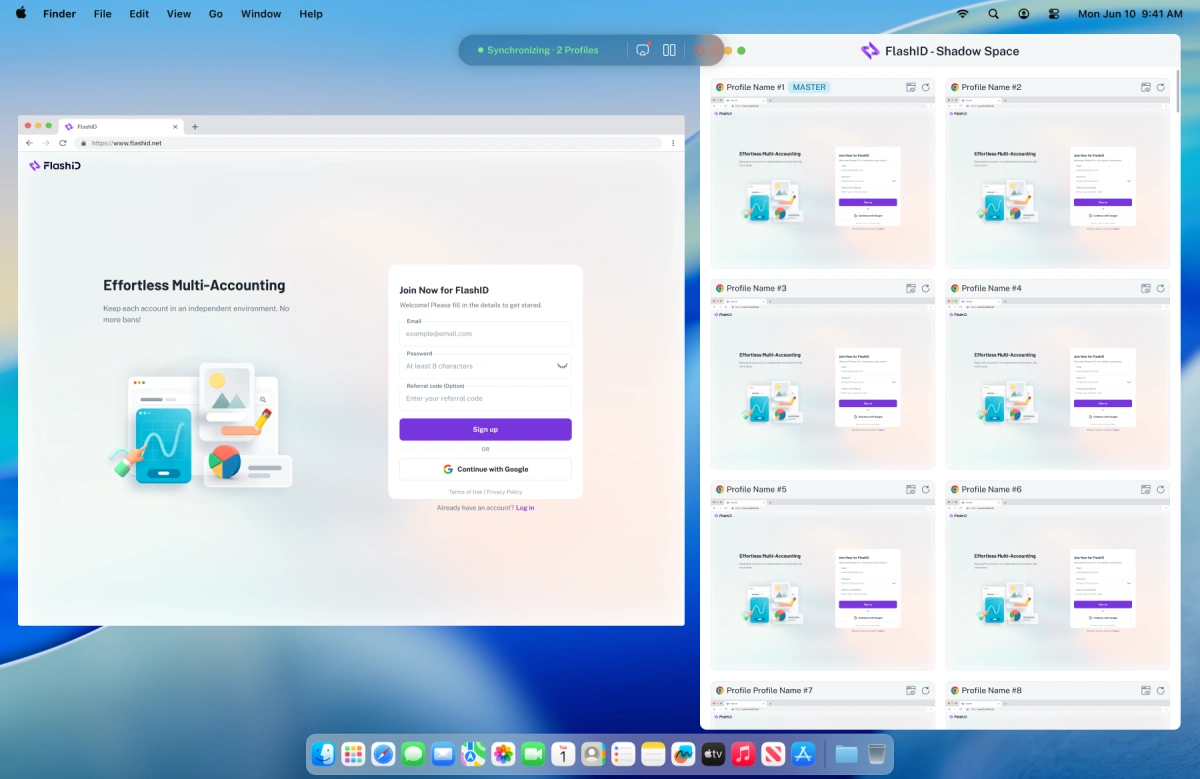
FlashID is designed for teams that manage multiple accounts across browser and mobile environments. It combines anti-detect browser profiles, cloud phones, proxy management, automation, and team collaboration in one platform.
Isolated Browser Profiles
Each account can run in a separate browser profile with its own cookies, cache, fingerprint, login session, and proxy settings.
This helps prevent different accounts from being mixed in the same environment.
Cloud Phones for Mobile Apps
Telegram and many social platforms rely heavily on mobile environments. FlashID provides cloud phones so teams can operate mobile apps without preparing multiple physical devices.
This helps separate mobile account environments and reduce device-sharing risks.
Built-in Proxy Management
FlashID allows teams to manage proxy settings directly inside the platform and bind them to specific browser profiles or cloud phones.
This helps keep IP environments consistent and reduces mismatched configurations.
Team Permission Control
Instead of sharing passwords or devices, teams can manage access through workspaces and permissions.
This makes it easier to control who can access which account environment and reduces the risk of unauthorized operations.
Automation Support
FlashID also supports automation and API workflows for repetitive tasks such as login operations, form submissions, posting, and data workflows.
This helps teams reduce manual errors and improve operational consistency.
Conclusion
The recent t.me link issue is a reminder that Telegram access stability is closely connected to account security.
Teams should check all public Telegram links, update broken links, publish verified official entry points, warn users about scams, and review account permissions.
For long-term Telegram and social account operations, teams also need stable, isolated, and manageable account environments.
With FlashID, teams can manage browser profiles, cloud phones, proxies, permissions, and automation in one platform, making multi-account operations more organized, secure, and resilient.
You May Also Like


