Key Takeaways
- Define your audience and purpose before optimizing your TikTok profile.
- Use clear profile details and practical TikTok bio ideas to explain your content.
- Add a relevant link, pin key videos, and keep recent content consistent.
- Reply to comments and review your profile regularly to support how to grow on TikTok.
- FlashIP provides proxy solutions for regional content checks and multi-account social media workflows.
Why Should You Optimize Your TikTok Profile?
Your TikTok profile is often the first place visitors go after discovering your content. Optimizing it is part of account auditing, a systematic review of your social media presence to identify what works and what needs improvement.
A TikTok profile audit can help you:
- Maintain brand and message consistency: Make sure your profile reflects your brand image, voice, colors, fonts, and content direction.
- Keep information up to date: Review your bio, links, pinned videos, and recent content so they match your current goals and business activities.
- Improve search visibility: Use relevant keywords and hashtags that reflect your brand, content, and target audience’s search intent. This can make your profile and content easier for interested users to discover.
How Can You Grow on TikTok Through Profile Optimization?
A well-crafted TikTok presence can help your brand stand out, build credibility, and reach more potential followers. Use these seven practical steps to regularly review and improve your profile for greater impact.
Define Your Audience and Account Purpose
Before working on your TikTok profile, decide who you want to reach and what they need from you. As an example of clear positioning, Claude describes itself as “The AI for problem solvers.” This statement identifies users by what they want to accomplish, while “safe, accurate, and secure” highlights qualities they may value in an AI tool. You can apply the same positioning principle to your TikTok profile.
For your own account, go one level deeper. “People interested in AI” could include audiences with very different needs:
| Potential audience | Problem they want to solve | TikTok content that could help |
|---|---|---|
| Freelance creators | Produce content with less repetitive work | Short demonstrations of AI-assisted scripting and editing |
| Small-business owners | Handle routine tasks more efficiently | Practical examples involving customer replies or documents |
| Marketing teams | Decide which tools fit their workflow | Tool comparisons and examples of where human review is still needed |
Choose the group you most want to reach, then write a one-sentence purpose for the account. That decision will help you select videos that make sense together when someone visits your profile.
If you’re not yet familiar with content marketing, start with our guide: What Is Content Marketing?
Choose a Recognizable Picture and Name
Your picture and name may be seen beside a video or comment before someone visits your TikTok profile. Choose a clear photo of your face if you are building a personal account, or a simple, legible logo if you represent a brand. Check how it looks at a small size; details that work on a website may disappear in TikTok’s circular profile image.
For example, orthodontist Ben Winters uses @thebentist, a name that reads like a blend of “Ben” and “dentist.” It is distinctive while still giving new visitors a clue about what he does.
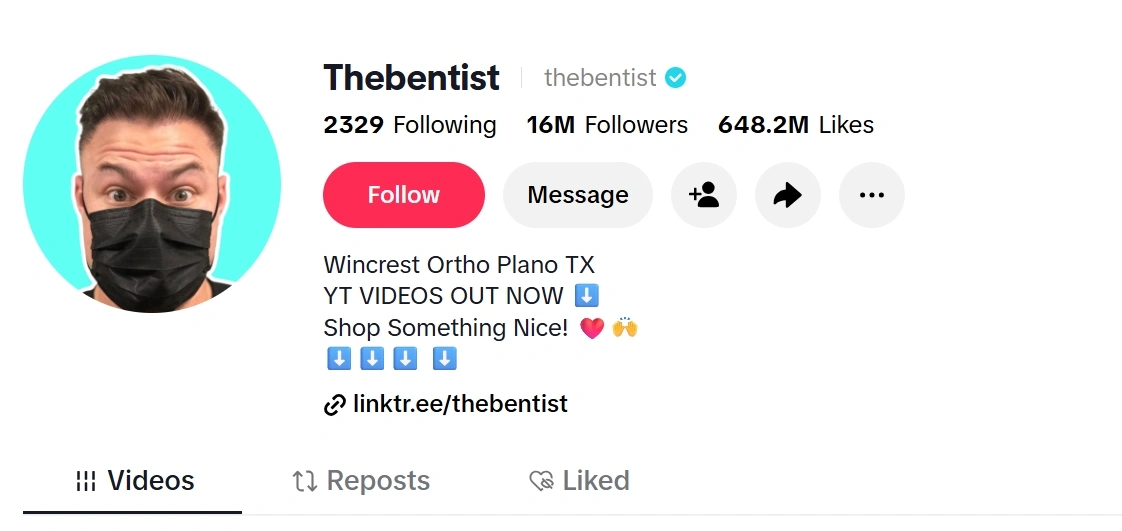
Source: TikTok
TikTok Bio Ideas That Give Visitors a Reason to Follow
Your bio helps visitors understand what they’ll find on your profile and why they might want to follow. Keep the wording concise and specific to your niche. Relevant keywords can make your topic clear, while one or two emojis can add personality and help people scan the text. End with a simple call to action, such as inviting visitors to follow for more content.
To edit your bio, open TikTok and go to Profile > Edit profile > Bio.
Add a Relevant Link and Call to Action
When viewers tap a profile link, they usually want to continue from something they just watched. If a video features a particular item, they may want to find that product, check its details, or see what else goes with it. Choose a destination that answers that next question, and make the call to action clear about what visitors will find there.
For example, Aéropostale’s TikTok profile direct viewers to shoppable storefronts through the link in their bios.
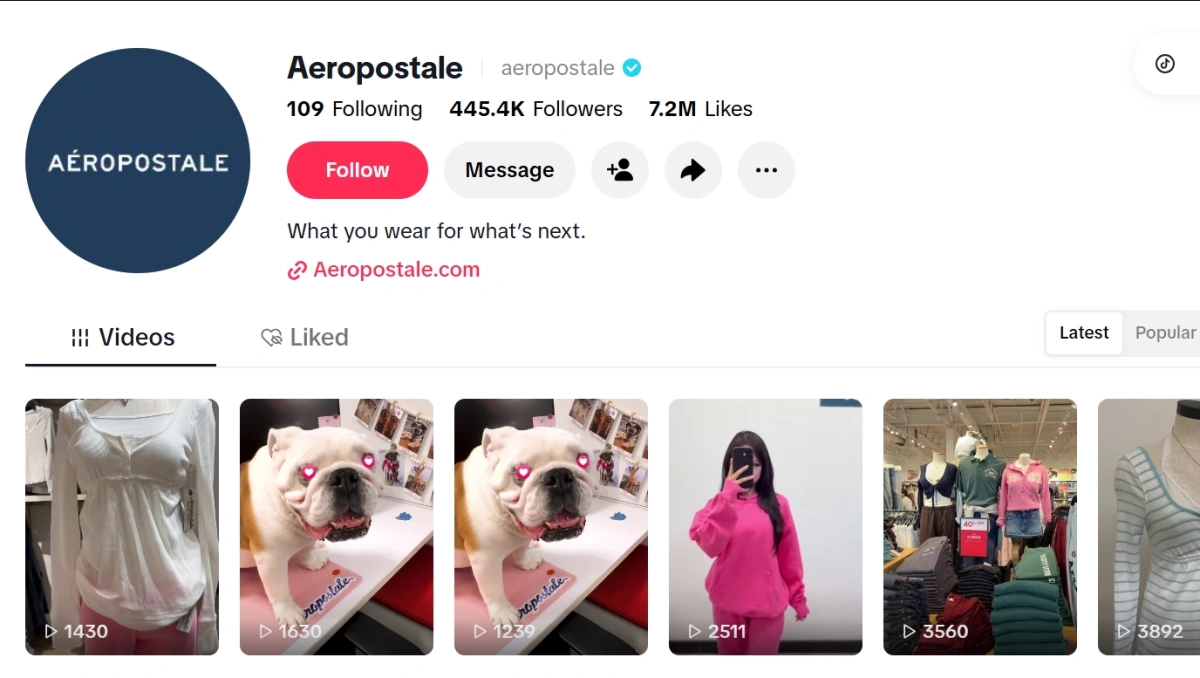
Source: TikTok
Pin Videos and Keep Recent Content Consistent
Pinned videos shape the first impression visitors get from your TikTok profile. Choose content that quickly explains who you are, what you offer, and what viewers can expect. A balanced selection may include an introduction, a representative video, and a recent post related to your current content direction.
Review your pinned videos regularly. If one is outdated or no longer represents your account, replace it with content that better reflects your current direction.
Build Authentic Community Connections
A strong TikTok profile should give visitors a reason to join the conversation, not only watch your videos. Once someone leaves a comment, replies to a question, or shares a personal experience, treat it as an opportunity to understand your audience and continue the discussion.Reply to comments with useful information, turn common questions into response videos.
Update profile information regularly
Your TikTok profile should reflect your current content and audience. Review your username, bio, profile picture, pinned videos, and external links regularly. If your content focus changes, update these elements so visitors can quickly understand what your account offers.
Your recent posts should also support the same overall theme while reflecting topics and formats your audience is actively searching for. For more ideas on planning TikTok content around search, trends, and completion rates, see The 2025 TikTok Virality Formula.
Keep Multiple TikTok Accounts Organized
Managing multiple TikTok accounts often starts with a simple problem: an unstable connection interrupts account setup, a profile is updated from the wrong location, or team members use the wrong account during daily work. As the number of accounts grows, a clear access and content workflow becomes increasingly important.
Organize Each Account’s Workflow
Define each account’s purpose, audience, and content strategy. Keep login details, content calendars, and publishing schedules separate. Before posting or replying to comments, confirm that you are using the correct account.
Keep Access Consistent as You Scale
When several accounts serve different markets, teams may need to view local search results, check regional content, or manage recurring social media tasks. In these situations, frequent changes in connection or location can make workflows harder to maintain.
FlashIP provides residential, mobile, ISP, and datacenter proxies for different business needs. Static ISP proxies may suit recurring account work that benefits from a consistent IP, while residential or mobile proxies can support regional browsing, content checks, and market research. The proxies can also be connected to browsers, anti-detect browsers, and other tools already used by your team.
Conclusion
A strong TikTok profile helps visitors understand who you are, what you share, and why they should follow. Start by defining your target audience and account purpose, then make your profile picture, display name, bio, links, and pinned videos support the same message.
Profile optimization is an ongoing process. Review your recent content and analytics, respond to your community, and update outdated information as your audience and content direction evolve. For teams managing multiple regional accounts, separate workflows and clearly defined access practices can make daily operations easier to manage.
FAQ
Does optimizing a TikTok profile guarantee more followers?
No. Profile optimization cannot guarantee follower growth. It can make your account easier to understand and may improve the chance that visitors follow after discovering your content.
Can I change my TikTok username without losing my followers?
Changing your username does not normally remove your followers, but it can make your account harder to recognize temporarily. Update your other social profiles, links, and promotional materials so people can still find you.
Should creators use a Personal or Business Account?
The better option depends on your goals. Personal Accounts may suit creators who focus on community building and access to a wider range of sounds. Business Accounts may be more suitable for brands that need business tools, analytics, and promotional features. Review the available features before choosing an account type.
Can teams manage TikTok accounts from different regions?
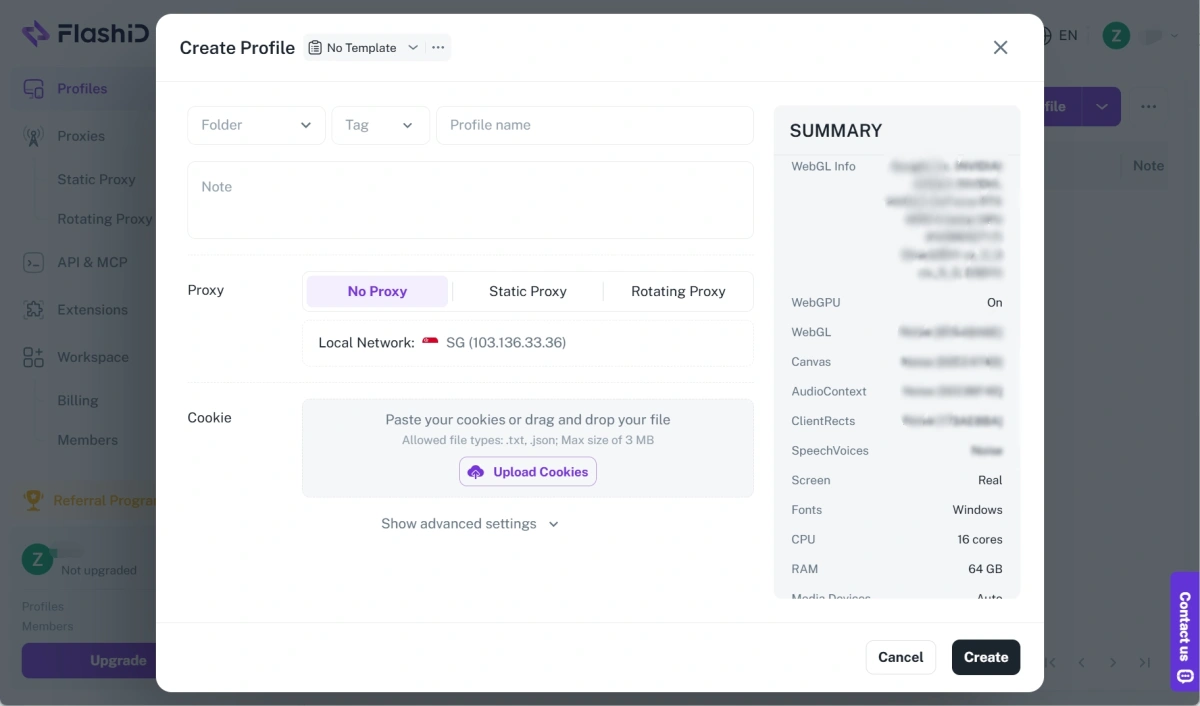
Yes. Teams can use FlashID anti-detect browser to create separate browser environments for different TikTok accounts, then connect each environment to an appropriate proxy. FlashIP provides residential, mobile, static ISP, and datacenter proxies, with more than 90 million residential IPs across 195+ countries and regions. This setup can support regional content checks and recurring social media workflows while keeping account operations more clearly separated.
How Can FlashIP Be Used with an Anti-Detect Browser?
- Download FlashIDand sign in.
- Create a browser or mobile profile and choose a suitable template.
- Open the proxy settings. You can choose a built-in proxy, purchase a private IP, or add your own HTTP/SOCKS5 proxy from FlashIP.
- Assign the proxy to the relevant profile and save the settings.
- Launch the profile and test the connection before using it.
This setup allows you to use FlashIP proxies within FlashID’s browser profiles for regional browsing and organized account workflows.