Tyver in 2026: A Working Method for Finding Ads That Actually Convert
Most media buyers don’t run out of ideas. They run out of confidence in the ideas they have. A creative can look sharp in the editor and still flop in the feed, and there’s no way to know which outcome you’re getting until real budget has already been spent finding out.
That’s the gap ad spy tools are built to close: instead of testing a hunch cold, you check whether anyone else is already running it, for how long, and to what kind of reach. Tyver is one of the more complete tools built for that job on Meta specifically. This guide walks through how its search actually behaves across gambling, nutra, e-commerce and finance, GEO by GEO, filter by filter, rather than just listing what the interface contains.
How the Database Actually Works
Before getting into vertical-specific searches, it’s worth understanding what’s under the hood, because it changes how you should search.
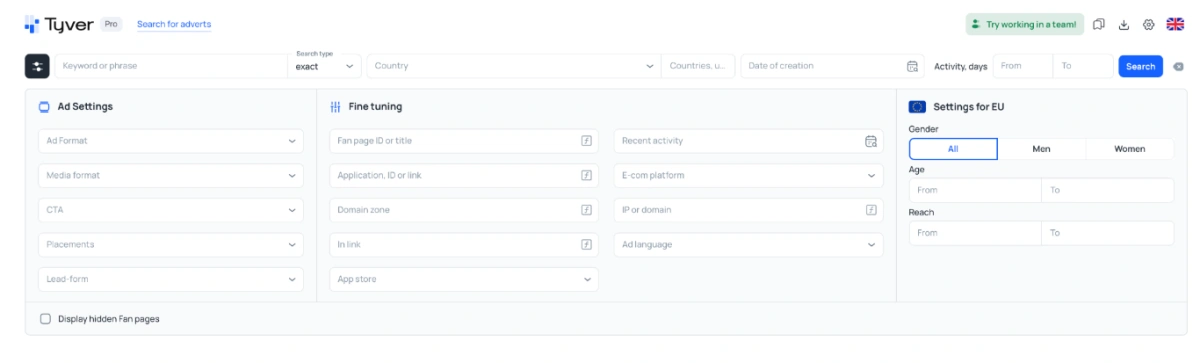
Tyver pulls ads from the full Meta ecosystem, not just Facebook: Instagram, Threads, Messenger and Audience Network are all in scope, across 120+ countries. New creatives typically land in the database within roughly 30 minutes of a campaign going live, and the daily intake runs into the millions. Practically, that means a competitor’s test launched this morning could already be searchable by lunch, and a creative that got banned an hour after launch is still sitting in the archive for you to study.
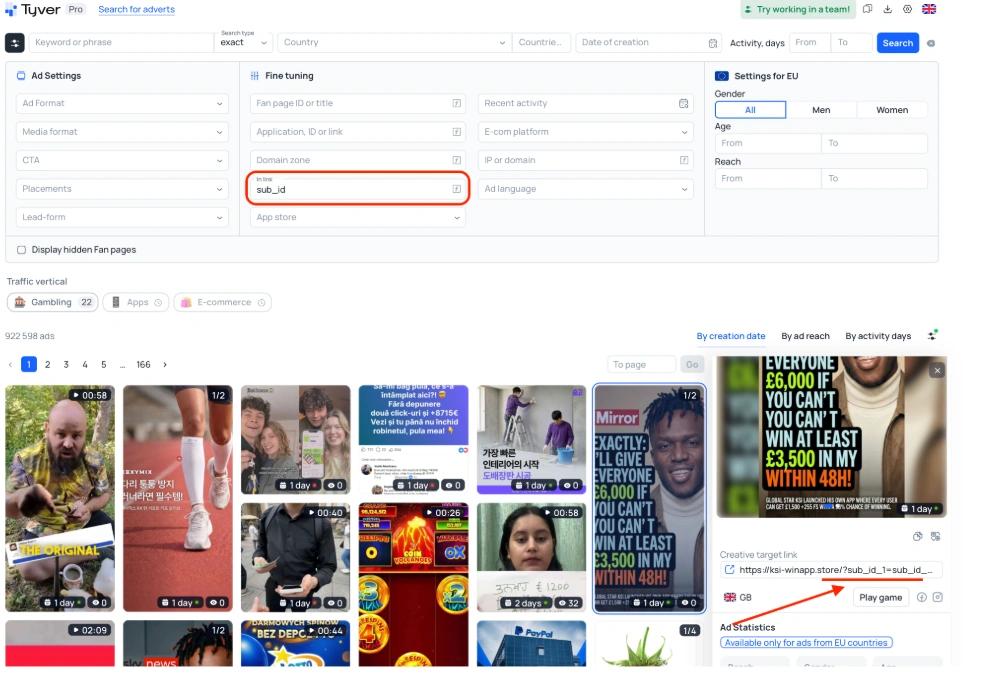
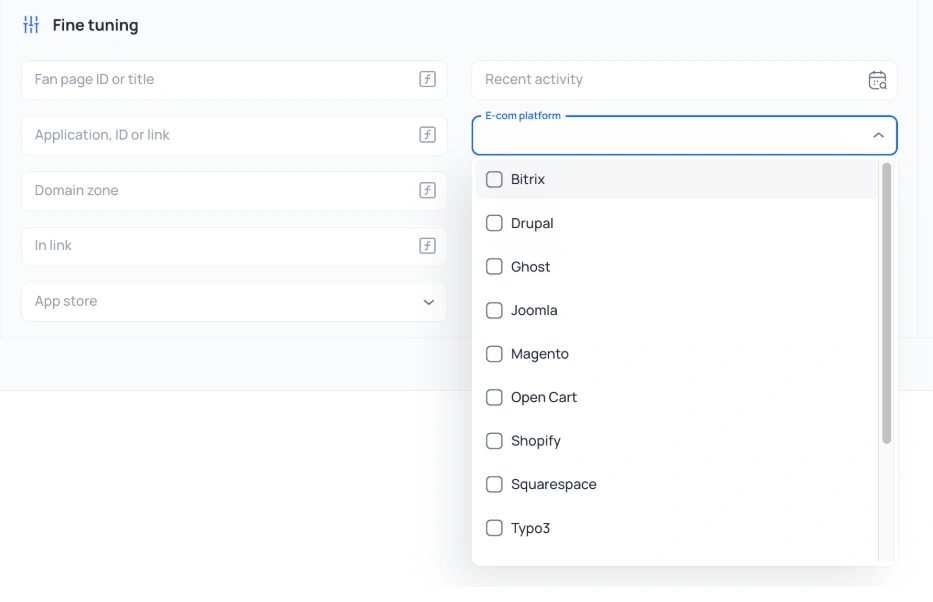
The filter system is built around that speed. Beyond the standard keyword, country, format and CTA options, there’s a set of “fine tuning” filters worth knowing before you search anything: fan page ID, app/app store links, e-commerce platform, and a URL filter that matches on fragments of the destination link itself, things like pixel_id=, sub_id=, fbclid or utm_source=. That last one does a lot of quiet work: search a broad keyword without it and the results are dominated by ordinary retail and brand ads; add a tracker fragment and what’s left is almost entirely performance and affiliate campaigns.
Once you’re inside a specific ad, there’s a related-ads view keyed off fan page, domain or IP address, useful for pulling a competitor’s whole cluster of pages and landers instead of just the one ad you happened to click on, plus one-click translation and a built-in uniqueizer for turning a found creative into a testable variant rather than a straight copy. Saved ads sort into three folders (Favourites, Archived, Saved) that can be shared out via a link, account or no account on the other end.
Gambling: Let the Category Filter Do the Sorting
Gambling is the easiest vertical to search precisely because you rarely need to type anything. Tyver has a dedicated Gambling button that opens straight into the vertical without a manual keyword.
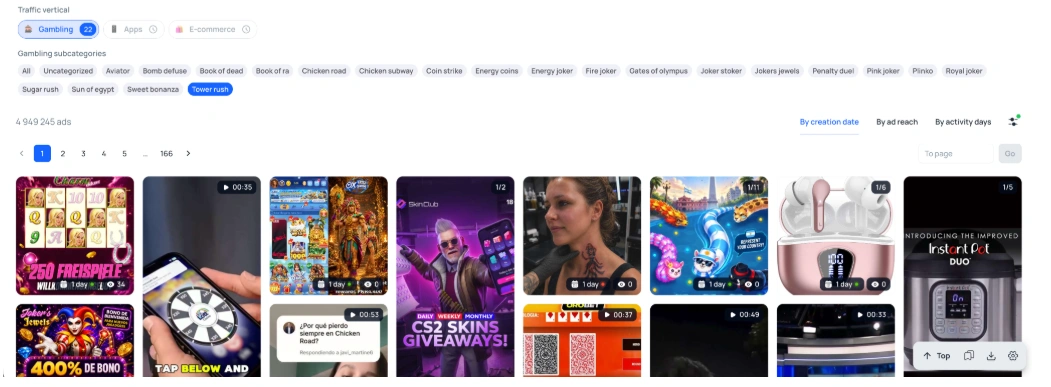
From there, narrowing to one title, Sugar Rush, Gates of Olympus, Bomb Defuse, or whatever’s relevant, returns a focused set for that specific game rather than the whole vertical. Running two or three titles side by side is where the real pattern-spotting happens: one game’s top creatives might lean entirely on welcome-bonus numbers, another on gameplay footage, a third on jackpot/win moments. Sorting that set by reach or by how long each ad has stayed active separates the concepts advertisers are still committed to from the ones that got tested once and dropped.

Stacking a format filter (video only, for instance) on top of a country filter on top of the game search takes you from “everything running for Gates of Olympus” to a short list built for one GEO and one placement, which is usually close to launch-ready.
Nutra: Search the Problem, Not Just the Product
Nutra rewards a slightly different habit: searching around the offer from three angles instead of one, the product name, the symptom, and the active ingredient.
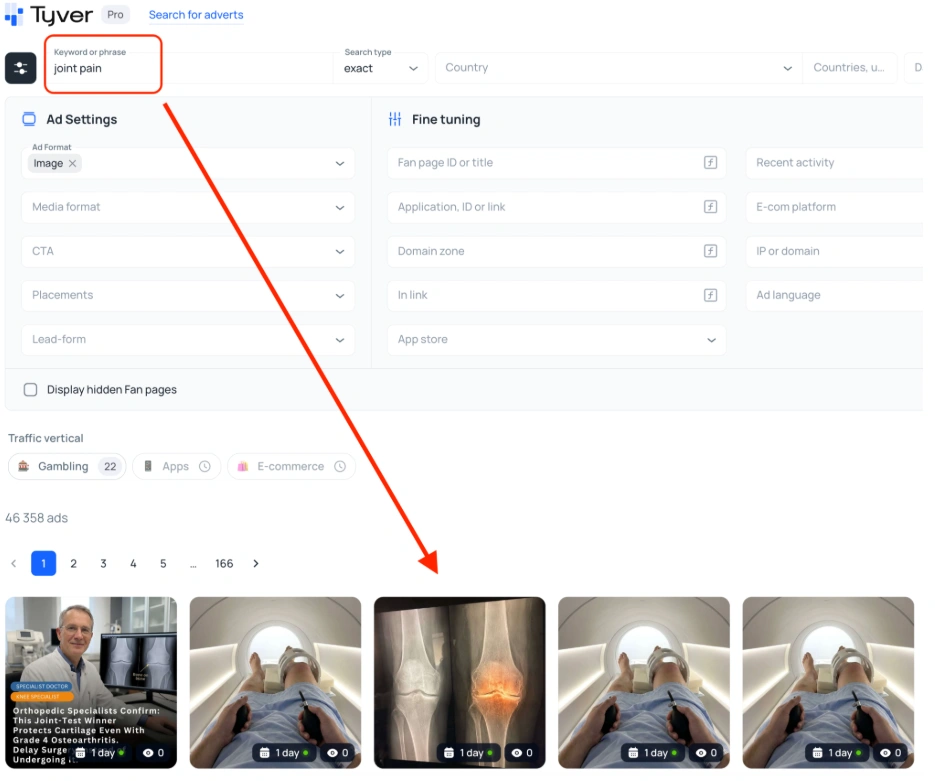
Take a joint-health product like Osteo Bi-Flex as an example. A direct product search turns up the expected packshots, but it’s a thin slice of what’s actually running. Widening out to symptom terms, joint pain, arthritis, back pain, brings in a completely different set: personal-story formats, before/after testimonials, doctor and expert-presenter creatives. That’s usually the bigger, more active pool.
The same logic carries across other nutra niches: weight-loss searches (burn fat, belly fat, slimming) and detox searches (parasites, cleanse) tend to surface their own distinct visual conventions rather than a single universal nutra format. Searching by active ingredient, curcumin is a common one for joint and inflammation offers, is a useful third lever when you want to see how multiple different products built on the same compound get positioned against each other.
Activity period and reach matter more here than in most verticals, since nutra creative fatigue is fast: an ad still running after several days with real reach behind it has already survived what most tests don’t.
E-commerce: Keyword First, Then Layer the Filters
E-commerce search starts predictably, a product or category keyword like home gadgets, kitchen tools or pet accessories, but the value shows up once you start layering country, format and activity filters on top. That’s what separates “everyone selling this category” from “what’s actually being scaled for this GEO right now.”
Finance: Search the Brand, Not the Category
Finance is the one vertical where a generic keyword search actively works against you. Searching “money” or “investing” returns a wall of noise; searching a specific product or platform doesn’t. A search for a named crypto exchange like OKX, for example, surfaces a tight cluster of ads built around deposit bonuses and yield numbers, exactly the angle that vertical actually runs on.
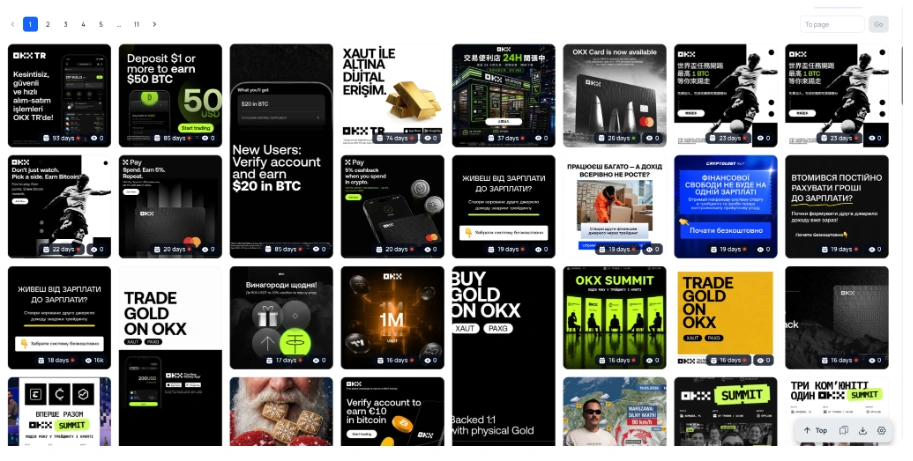
Because finance messaging shifts hard by market (what closes in one country reads as a scam pitch in another), pairing the brand or product search with a country filter is close to mandatory rather than optional here.
Turning Research Into a Routine
None of this is a one-time lookup. The buyers getting the most out of Tyver treat it as a standing habit: a quick pass through their vertical’s saved folder before every new campaign, a related-ads check whenever a new competitor angle shows up, and enough restraint to use what they find as a starting point for their own variant rather than a straight copy that moderation is going to catch anyway.
Bottom Line
Tyver isn’t trying to be a bigger version of the Facebook Ads Library. It’s built around a different question: not “what ads exist,” but “what’s actually working right now, and why.” The database size and update speed get you the raw material; the filter stack, the related-ads tracing and the fine-tuning options are what turn that raw material into a short, usable list for whichever vertical you’re running. Used that way, across gambling, nutra, e-commerce or finance, it cuts down the blind testing considerably.


