What Is a User-Agent Switcher and How Does It Work?
A user-agent switcher is a browser extension that lets you change the User-Agent string your browser sends to websites. This string identifies your browser type, version, and operating system. Extensions like “User-Agent Switcher for Chrome” or “User-Agent Switcher and Manager” modify HTTP request headers and can also spoof related JavaScript properties like navigator.userAgent and navigator.platform.
Common use cases for UA switching
- Testing website responsiveness across different browsers and devices during development.
- Accessing mobile-specific content by spoofing a mobile User-Agent on a desktop.
- Bypassing basic geo-restrictions that only check User-Agent.
- Avoiding browser-specific blocks on some websites.
How extensions modify request headers and navigator properties
Most extensions work by intercepting HTTP requests and replacing the User-Agent header. Advanced ones, like the open-source “UserAgent-Switcher” on GitHub, also override navigator.userAgentData to handle modern Client Hints. However, they typically do not change other fingerprinting vectors such as canvas fingerprints, WebGL renderer, installed fonts, or screen resolution.
Why a Simple UA Switcher Is Not Enough for Privacy or Multi-Account Management
While user-agent switchers are useful for quick testing, they fall short for serious privacy or multi-account needs. Here’s why.
1.Only changes User-Agent, not other fingerprinting vectors
Websites use dozens of signals to create a unique browser fingerprint. A user-agent switcher only alters the User-Agent string. Other fingerprints like canvas, WebGL, audio, fonts, and timezone remain the same, making it easy for sites to identify you even with a spoofed UA. For example, even if you switch to a mobile User-Agent, your screen resolution and installed fonts will still match your desktop, giving away your real device.
2.No proxy integration or IP rotation
Your IP address is a major identifier. Changing the User-Agent without changing your IP is often pointless for multi-account management. A user-agent switcher does not include a proxy or VPN, so your real IP remains visible. Platforms like Amazon and Facebook can easily link multiple accounts to the same IP.
3.Lack of automation and profile isolation
If you manage multiple accounts, you need separate environments with isolated cookies, storage, and cache. User-agent switchers operate in a single browser profile, so all tabs share the same storage. They also lack automation features for bulk actions, making them impractical for power users.
How Anti-Detect Browsers Go Beyond UA Spoofing
Anti-detect browsers are specialized tools that spoof an entire browser fingerprint, not just the User-Agent. They create isolated profiles, each with a unique digital identity.
Complete browser fingerprint isolation
Anti-detect browsers spoof canvas, WebGL, WebRTC, fonts, audio, timezone, screen resolution, and even hardware fingerprints. Some can handle modern APIs like navigator.userAgentData and WebGL. This makes each profile appear as a completely different device.
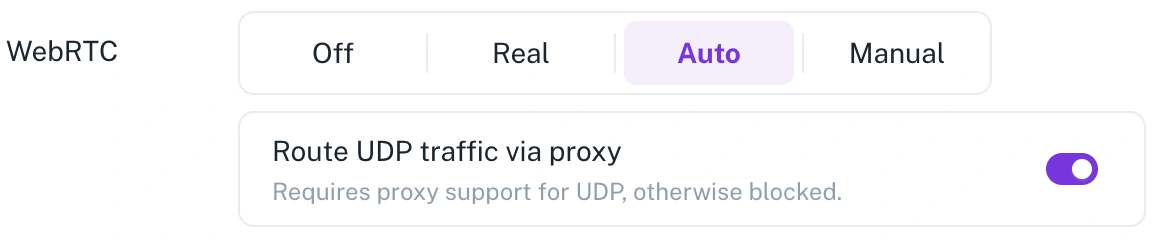
Built-in proxy management
These browsers integrate proxy settings directly into profiles. You can assign a different proxy (datacenter, ISP, residential, or rotating) to each profile, ensuring IP and location match the fingerprint.
Browsers like FlashID now with built-in proxy infrastructure, it ensures that IP, browser fingerprint, and device environment are fully aligned by default — eliminating the risks caused by mismatched configurations across different tools.
Automation and RPA
Many anti-detect browsers include robotic process automation (RPA) tools, window sync, and open APIs. You can automate repetitive tasks like account creation, login, and data collection across multiple profiles.
FlashID Anti-detect Browser: The All-in-One Anti-Detect Browser Solution
FlashID anti-detect browser overview combines full fingerprint spoofing with built-in proxy management and automation, filling the gaps left by simple user-agent switchers.
Key features: fingerprint spoofing, built-in proxy, automation, window sync
FlashID creates isolated browser profiles with unique digital fingerprints. It offers built-in proxy purchasing and management across 20+ countries, including static and rotating proxies. You can also automate tasks using its RPA engine or open API, and synchronize windows for multi-account workflows.
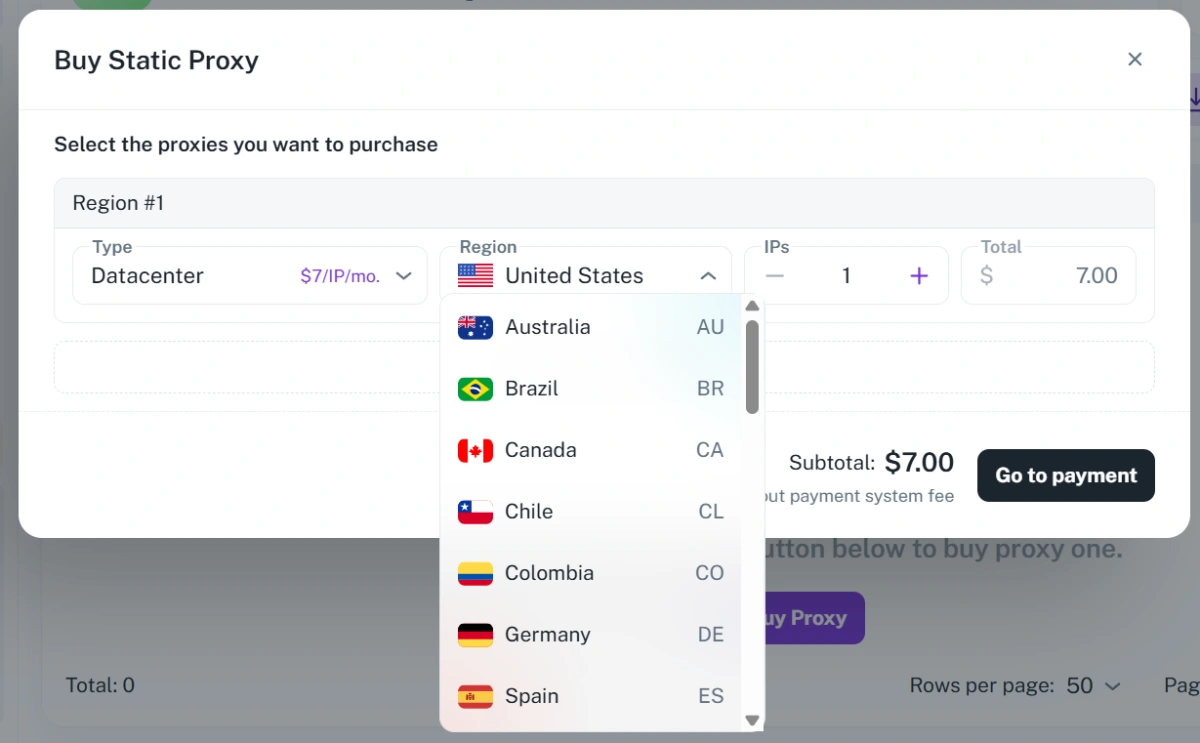
Integration of proxy and fingerprint in one environment
Instead of juggling separate tools for proxy and user-agent switching, FlashID lets you configure everything in a single profile. This reduces setup time and ensures consistency between fingerprint and IP location.
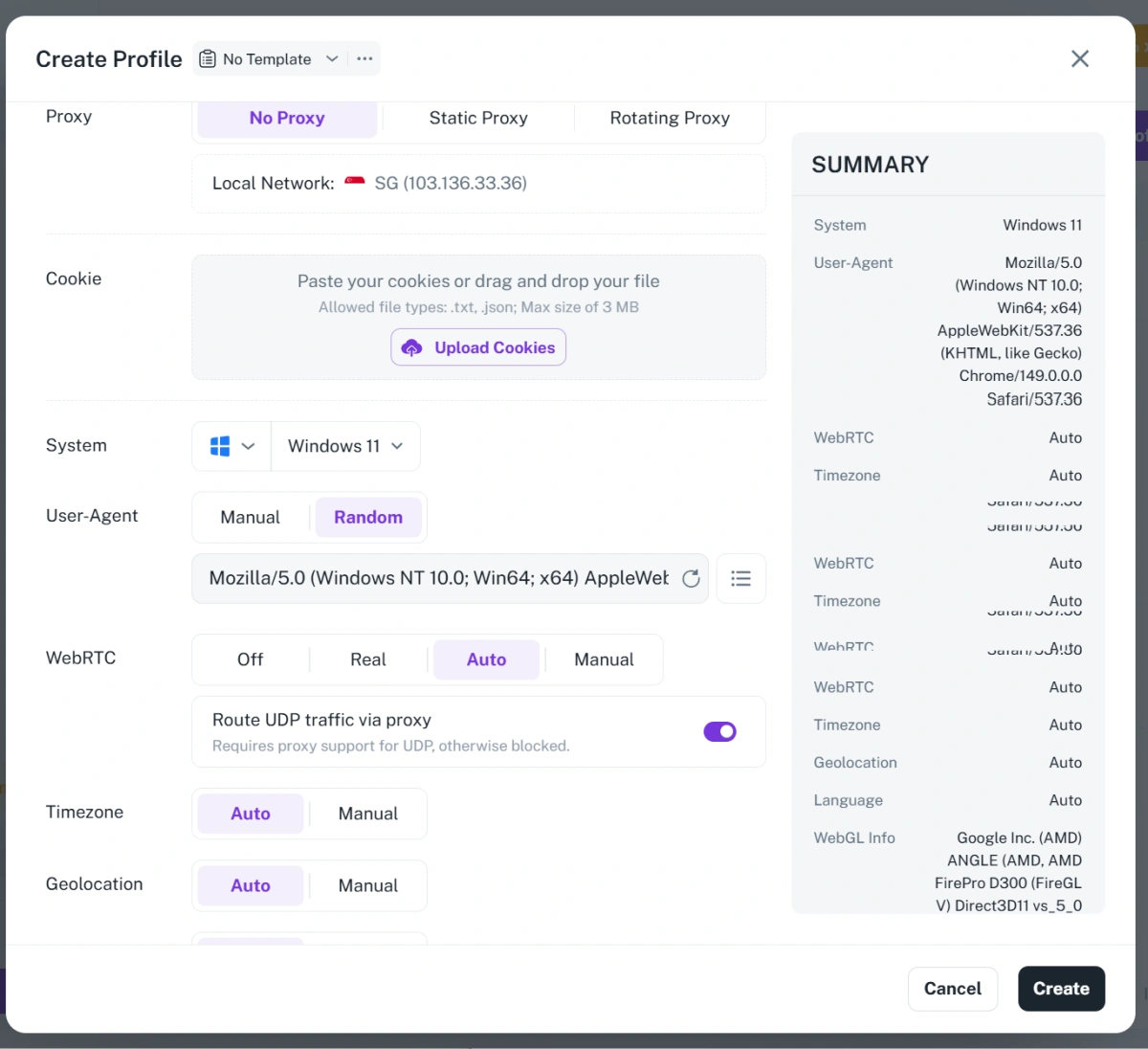
Use cases: e-commerce, social media, ad agencies
Run and manage multiple stores across markets such as Amazon, eBay, Shopee, or Lazada. FlashID helps maintain account security while automating everyday operations like product listings and inventory updates.
Best paired with static ISP proxies for long-term stable store operations.
- Global Marketing and Social Media Teams
Safely handle multiple ad or content accounts across Facebook, Instagram, and TikTok, avoiding detection and maximizing reach.
Use residential or rotating proxies for safer account scaling and geo-based targeting.
- Advertising Agencies and Affiliates
Operate multiple ad accounts in isolated environments for campaign testing and optimization, while maintaining consistent performance and ROI. Combine datacenter proxies + automation for high-efficiency campaign testing.
User-Agent Switcher vs FlashID: Feature Comparison Table
| Feature | User-Agent Switcher | FlashID |
|---|---|---|
| Spoofing coverage | User-Agent only | Full fingerprint (canvas, WebGL, fonts, WebRTC, audio, etc.) |
| Proxy support | None | Built-in (static, rotating, datacenter, ISP, 20+ countries) |
| Automation | None | RPA engine, window sync, open API |
| Profile management | Single browser profile | Workspaces, templates, bulk profile creation |
| Client Hints spoofing | Some extensions support | Supported (set via navigator overrides) |
| Cost | Free or freemium | Paid (with free trial available) |
You can start your free FlashID trial to experience complete anti-detection for yourself.
FAQ
1.Can a user-agent switcher prevent browser fingerprinting?
No. A user-agent switcher only changes the User-Agent string. Other fingerprint vectors like canvas, WebGL, and fonts remain unchanged, so your device can still be identified. To prevent fingerprinting, you need a tool that spoofs multiple signals simultaneously, such as an anti-detect browser.
2.What is the difference between a UA switcher and an anti-detect browser?
A UA switcher is a lightweight extension that alters only the User-Agent header. An anti-detect browser is a standalone application that creates isolated profiles with complete fingerprint spoofing, proxy integration, and often automation features. The latter is necessary for serious multi-account management or privacy.
3.Do I need a proxy with a user-agent switcher?
For basic testing, no. But for multi-account management or privacy, yes. Changing your User-Agent without changing your IP is ineffective because your IP address remains a strong identifier. Anti-detect browsers include proxy management directly, solving this problem.
4.How does FlashID handle modern spoofing like Client Hints?
FlashID spoofs navigator.userAgentData and other modern APIs to ensure consistency across the latest browser versions. While specific Client Hints spoofing capabilities may vary, the product is designed to keep up with evolving fingerprinting techniques.
You May Also Like


