A proxy IP is useful when you need more control over how online requests are routed, displayed, or localized. It works by sending your traffic through an intermediary server, so the destination website sees the proxy IP instead of your original IP address. This is why proxy IPs are commonly used for regional testing, SEO monitoring, ad verification, public web research, and other workflows that depend on location-specific or more consistent network conditions.
Quick Answer: What Should You Know First?
- A proxy IP acts as a middle layer between your device and the website you visit.
- It helps make online access more flexible for tasks involving location, traffic routing, or repeated web requests.
- Different proxy types serve different needs: datacenter proxies focus on speed, residential proxies on location realism, ISP proxies on session stability, and mobile proxies on mobile-network testing.
- A proxy IP can improve workflow control, but it does not guarantee full anonymity or replace legal and platform compliance.
What Is a Proxy IP, and How Does It Work?
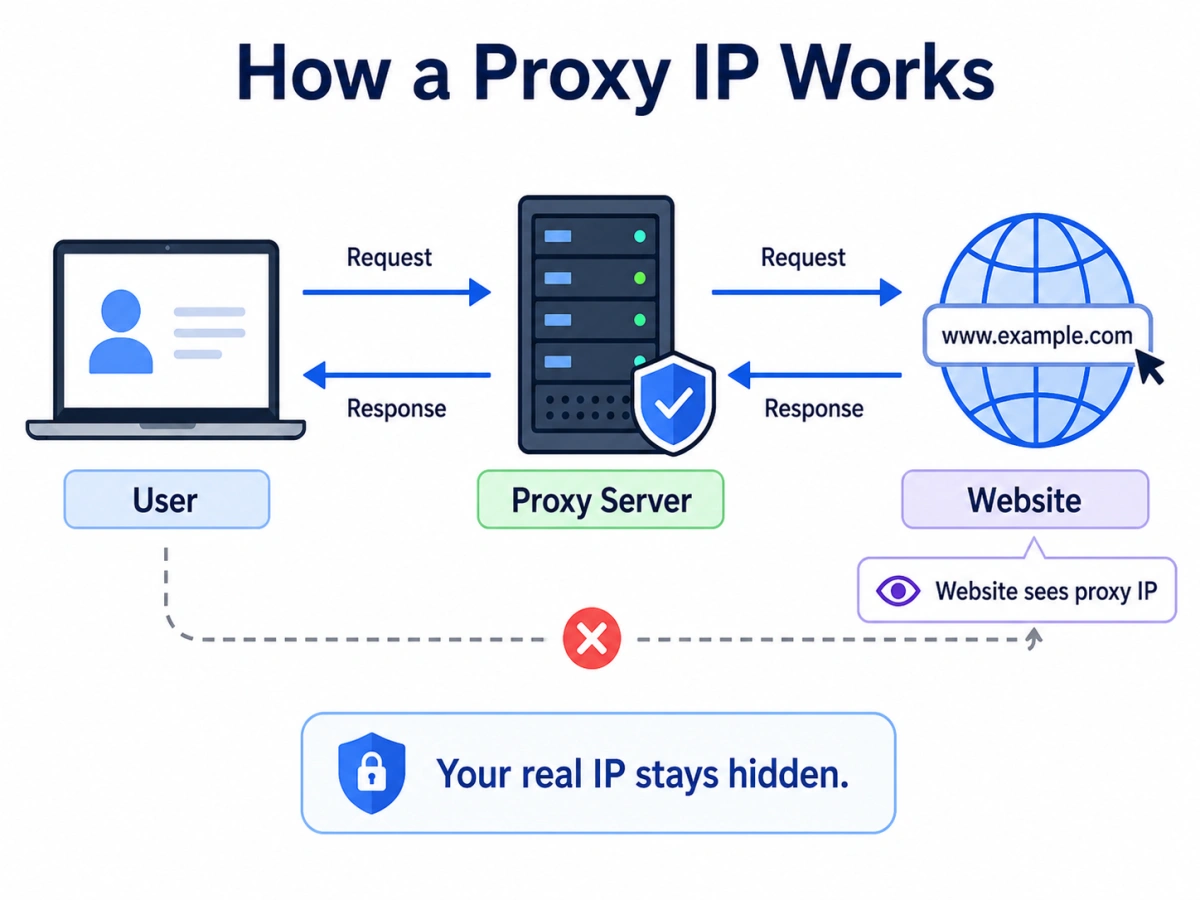
A proxy IP is the address presented to a website when your traffic is sent through a proxy server. Instead of connecting directly to the target website, your browser or application first connects to the proxy. The proxy then forwards the request, receives the response, and sends the result back to you.
In simple terms, the path changes from:
Your device → Website
to:
Your device → Proxy server → Website
This means the website usually sees the proxy IP as the source of the request. In HTTP systems, proxies are recognized as intermediaries that forward requests between clients and servers. Depending on the setup, proxies may also support tunneling or broader traffic handling, such as SOCKS5-based forwarding.
What Can a Proxy IP Help You Do?
A proxy IP is useful because it changes how your traffic reaches a destination. It does not automatically solve every privacy or security problem, but it can support several practical goals.
First, it can help separate your visible network address from your direct connection. This is useful when a business wants to avoid exposing its own office IP during routine testing, verification, or research workflows.
Second, it can help access location-specific views of websites. Many pages, ads, prices, and search results may vary by region, so proxy IPs are often used to check what users in different countries or cities actually see. Modern proxy networks commonly support geographic targeting by country, state, city, ASN, or ZIP code.
Third, proxies can improve request management in large-scale workflows. Teams collecting public web data, monitoring search results, or verifying campaigns may need requests to be distributed across different IP resources instead of relying on a single connection.
Where Are Proxy IPs Commonly Used?
Proxy IPs are widely used in legitimate business, testing, and research workflows.
1. Regional Content and Localization Testing
Companies may need to confirm whether a website, landing page, product page, or localized campaign appears correctly in different regions. A proxy IP from the target location can help testers review the experience more accurately and identify region-specific display issues.
2. Ad Verification and Brand Protection
Advertisers and agencies often need to check whether ads are shown in the right market, on the right page, and in the intended format. Proxy IPs help them inspect location-based ad delivery and monitor suspicious or incorrect placements.
3. SEO Monitoring and Search Result Checks
Search results can differ by country, city, and language. Proxy IPs are therefore useful when marketers track rankings, compare SERP layouts, or review how content performs in different markets.
4. Public Web Data Collection and Market Research
Businesses may collect publicly available information for price comparison, product analysis, travel trends, or competitor research. Proxies can help support more stable, distributed access patterns when gathering this information at scale.
5. Stable Workflow Environments
Some business tasks require a more consistent network setup, especially when teams manage region-specific workflows, testing profiles, or long-running platform operations. In these cases, a stable proxy IP can help keep access conditions more predictable over time.
What Types of Proxy IPs Are There?
Proxy types are usually classified by where the IP comes from and how it behaves. The table below summarizes the most common options.
| Proxy Type | How It Works | Common Strengths | Typical Use Cases |
|---|---|---|---|
| Datacenter Proxy | Uses IPs assigned from data center infrastructure | Fast, scalable, usually cost-efficient | High-volume tasks, general automation, basic testing |
| Residential Proxy | Routes traffic through residential network IPs | Stronger location realism, broader geo flexibility | Localization checks, ad verification, public web data collection |
| ISP Proxy | Uses ISP-issued IPs with more stable server-side infrastructure | Better session stability, often suitable for longer-running tasks | Regional workflows, stable sessions, account consistency |
| Mobile Proxy | Uses IPs associated with mobile carrier networks | Useful for mobile-specific views and carrier-based testing | Mobile ad checks, app testing, mobile localization |
Datacenter, residential, ISP, and mobile proxies are widely recognized practical categories in commercial proxy infrastructure.
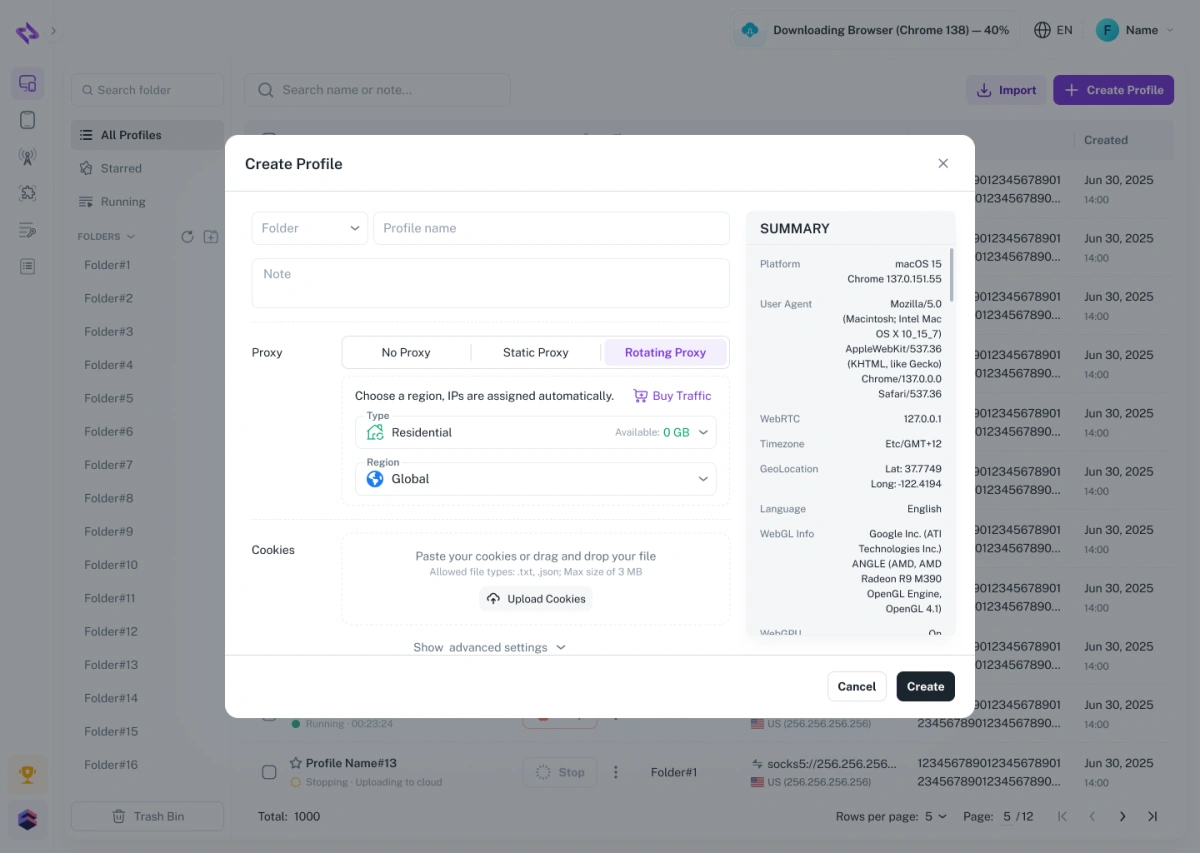
It is also useful to distinguish between static and rotating behavior. A static proxy keeps the same IP for a longer period, which is helpful for session continuity. A rotating proxy changes IPs automatically or according to request/session settings, which is often more suitable for repeated checks or distributed data collection.
For a broader comparison of available services, you can also read our related guide: Top Proxy Services Worth Trying in 2026.
When Does a Proxy IP Not Solve the Problem?
A proxy IP can improve routing flexibility, but it is not a universal fix.
For example, using a rotating proxy in a workflow that needs long session continuity may create more inconsistency instead of improving stability. Similarly, changing location repeatedly does not guarantee more accurate testing if language settings, browser state, cookies, or personalization signals still differ.
Based on this, you may need to combine proxy IPs with other tools, such as anti-detect browsers, if your goal is to maintain a more consistent overall access environment rather than simply change the IP address.
An anti-detect browser can create separate browser profiles for different tasks and help manage cookies, browser parameters, and session states independently. When used together with proxy IPs, it can improve workflow consistency from both the network environment and browser environment perspectives.
When Can FlashID Help?
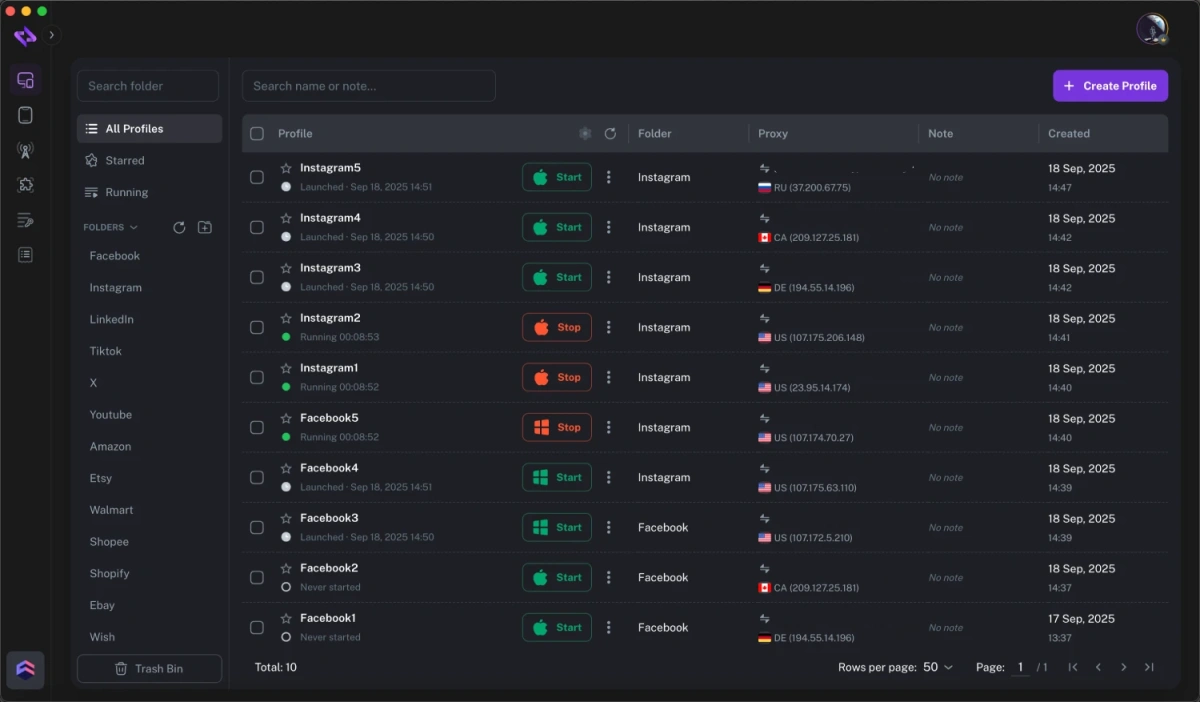
In practice, FlashID serves as a tool that brings browser profiles, proxies, and device environments into one system, helping users combine proxy IPs with more isolated and consistent operating environments.
For users who need to organize region-specific tasks, maintain more consistent operating environments, or bind different proxies to different profiles, FlashID provides a more integrated setup. In addition to its anti-detect browser capabilities, FlashID offers proxy purchase services, including datacenter proxies, static ISP proxies, and rotating residential proxies, allowing users to configure and manage proxies more efficiently within the same platform.
This is especially helpful when the goal is not only to obtain IP resources, but also to keep proxy settings, browser profiles, and ongoing workflows easier to manage over time.
Conclusion
Proxy IPs are useful whenever you need more control over how you access and interact with websites. They can help with regional testing, SEO checks, ad verification, public data research, and other workflows that depend on stable or location-specific network conditions. Since different proxy types serve different purposes, the best choice comes down to your actual needs. Understanding how proxies work—and choosing a suitable provider—makes it much easier to build a setup that is both practical and reliable.
If you’d like to stay updated with practical insights and industry trends, feel free to join our community.
FAQ
1.Is a Proxy IP the Same as a VPN?
No. Both can route traffic through another system, but they are usually used differently. A proxy often handles traffic for a browser, application, or specific workflow, while a VPN typically creates a broader encrypted network tunnel.
2.Can a Proxy IP Make Me Completely Anonymous?
No. A proxy can change the visible source IP, but websites may still observe other identifying signals, such as browser settings, device information, cookies, or fingerprint-related attributes.
3.Which Proxy Type Is Best for Beginners?
For simple testing or basic access needs, datacenter proxies are often easier to understand and more cost-efficient. If location realism or longer session stability matters more, residential or ISP proxies may be better options.
4.What Is the Difference Between Static and Rotating Proxies?
A static proxy keeps the same IP for a longer time, while a rotating proxy changes IPs based on request or session settings. Static proxies are better for continuity; rotating proxies are often used for repeated checks and broader request distribution.
5.Are Proxy IPs Only Used for Web Scraping?
No. They are also used for localization testing, SEO monitoring, ad verification, quality assurance, and other workflows that require region-specific or more flexible network access.
6.Do I Need a Proxy Provider If I Only Run Small Tasks?
Not always. For occasional basic tasks, a simple setup may be enough. But if you need stable access, multiple proxy types, better region coverage, or long-term workflow management, a dedicated provider is usually more practical.
You May Also Like


