In recent years, Telegram has rapidly grown in popularity worldwide. More and more individuals, developers, and businesses are using it for secure communication and automation.
However, many users encounter Telegram API application errors when applying for the API. Why do people choose Telegram? What makes it stand out? And how can you resolve these API errors? This guide will answer all these questions.
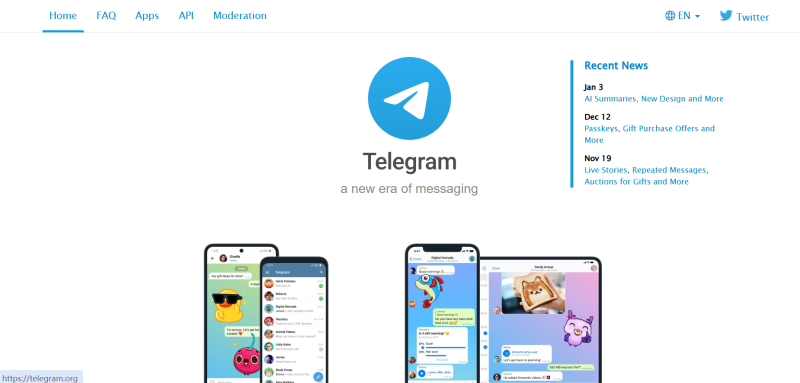
Why People Use Telegram
On search engines, “why do people use Telegram” is a frequently asked question. Users primarily choose Telegram for three reasons:
1. Strong Privacy and Security
Telegram is renowned for its privacy features, offering end-to-end encrypted chats and self-destructing messages while minimizing data collection. These functions make it especially appealing to users who value security and confidentiality.
2. Large Groups and Channels
Telegram supports supergroups with up to 200,000 members and allows users to create public and private channels for broadcasting information. This makes it ideal for cryptocurrency communities, tech and interest groups, and news or information platforms. Managing large communities or sharing information widely is both convenient and efficient.
3. Extensive Bots and Automation Features
Telegram has a robust Bot ecosystem that supports automated customer service, community management, and transaction alerts. These automation capabilities are a major reason why developers apply for the Telegram API, as they can significantly improve operational efficiency.
What Is Telegram API and Who Needs It?
The Telegram API is an interface provided to developers for creating and managing bots, reading and sending messages, and integrating Telegram with third-party systems. Typical users who need the Telegram API include:
- Bot developers
- SaaS project teams
- Operators managing multiple Telegram accounts
However, many users encounter Telegram API application errors during the process.
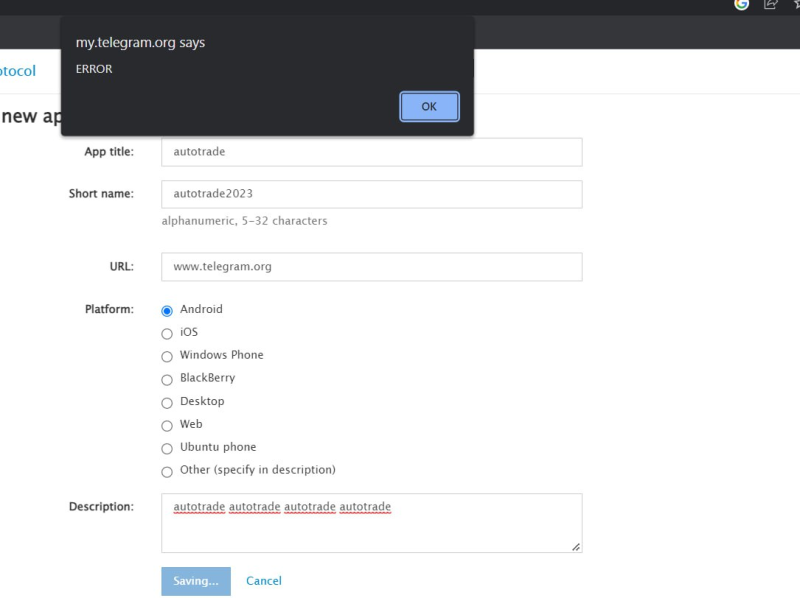
Common Causes of Telegram API Application Errors
Abnormal Account Status: Accounts that are newly registered, used irregularly, or have previously been restricted or warned are more likely to trigger Telegram API application errors.
IP or Network Environment Issues: Telegram is highly sensitive to network conditions. Using shared IPs, low-reputation VPNs, or frequently changing IPs can cause the system to flag your application as risky. In practice, Telegram evaluates IP type, network ownership (ASN), and any abnormal usage. Tools like iphey can help identify and analyze these network details.
Frequent or Repeated Applications: Submitting multiple API applications in a short time or repeatedly providing the same information can trigger Telegram’s risk controls, leading to application failures.
How to Reduce Telegram API Application Errors
1. Use a Clean and Stable Network
Before applying for the Telegram API:
- Avoid public Wi-Fi
- Don’t switch VPN nodes frequently
- Use stable and trustworthy IPs
Many users resolve API errors simply by adjusting their network environment.
2. Check Account Quality in Advance
Ensure your Telegram account:
- Has been actively used for some time
- Contains basic chat history and contacts
- Is not restricted in any way
Mature accounts have a much higher success rate for API applications.
3. Avoid High-Risk Operations
During the application process, avoid:
- Submitting applications repeatedly
- Frequent logins from multiple devices
- Excessive automation
These behaviors often trigger Telegram API application errors.
4. Long-Term Multi-Account Management (FlashID)
For users who use the Telegram API long-term or manage multiple accounts, network and account quality alone may not suffice. Solutions like FlashID anti-detect browser help manage account environments, reducing risks from multiple accounts or abnormal network conditions and allowing for more stable Telegram API usage.
Conclusion
Telegram is popular because of its privacy, large community features, and automation capabilities. At the same time, understanding common causes of Telegram API application errors—such as account status, network issues, and repeated applications—can help you avoid problems. By maintaining healthy accounts, using stable networks, controlling operation frequency, and leveraging solutions like FlashID for multi-account management, most Telegram API issues can be prevented, ensuring smoother and more efficient use of Telegram.
FAQ (Frequently Asked Questions)
1. Q: Why do people use Telegram?
A: Telegram is popular for its strong privacy, large group and channel features, and powerful bots and automation, making it ideal for individuals, developers, and businesses.
2. Q: What is the Telegram API?
A: The Telegram API allows developers to create and manage bots, send and read messages, and integrate Telegram with third-party systems. It’s mainly used by bot developers, SaaS teams, and multi-account operators.
3. Q: Why do I get a Telegram API application error?
A: Errors can occur due to abnormal account status, network issues (shared IPs, low-reputation VPNs, frequent IP changes), or repeated applications in a short period.
4. Q: How can I check if my network is risky?
A: Tools like iphey can identify IP type, network ownership (ASN), and potential risks, helping you understand if your network may trigger Telegram API errors.
5. Q: How can I reduce Telegram API errors?
A: Use a stable network, maintain an active account with basic history and contacts, and avoid repeated applications or excessive automation.
6. Q: How to manage multiple accounts safely?
A: For long-term multi-account use, tools like FlashID anti-detect browser can help manage account environments and reduce risk from multiple accounts or unstable networks.
7. Q: Can Telegram API issues be avoided?
A: Yes. Maintaining account health, stable networks, controlled operations, and using solutions like FlashID can prevent most Telegram API errors.
You May Also Like


