Allow Copy +
Unlock text selection and right-click functionality with Allow Copy +. Effortlessly remove copy protection and bypass blocks on any website.
Unblock Web Content Instantly
Tired of websites blocking your right-click or text selection? Enable Allow Copy + to bypass restrictions and streamline your research and data gathering processes.
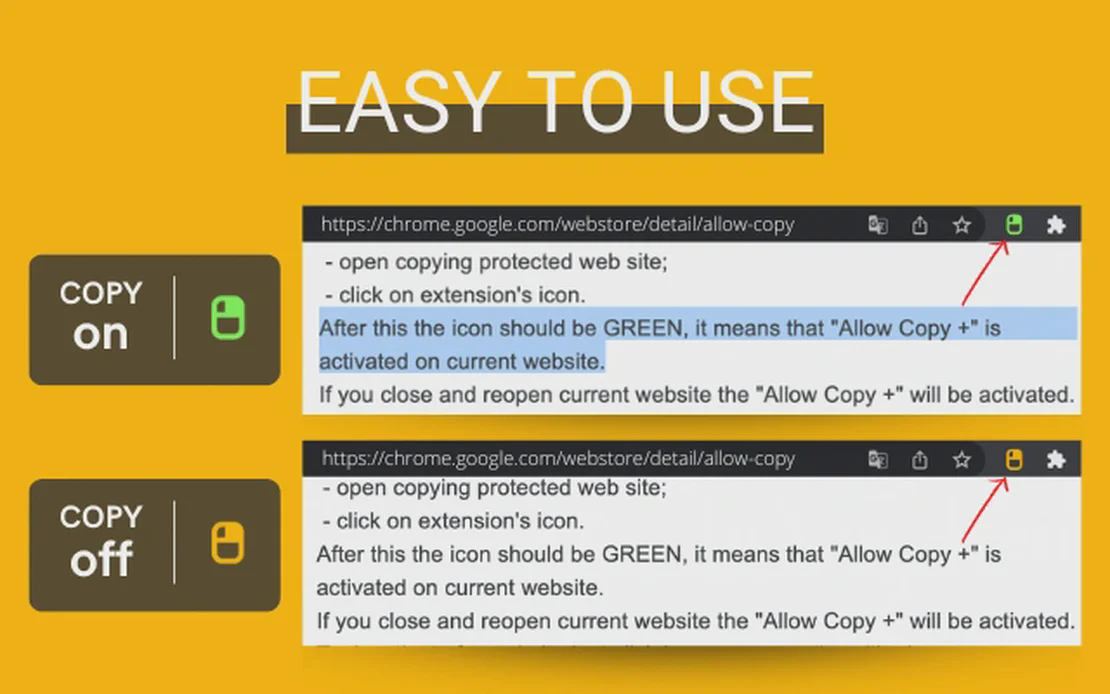
Allow Copy + is a powerful browser tool designed to reclaim your right to select and copy text online. Integrated with FlashID’s environment, it removes right-click restrictions and selection blocks, ensuring seamless information access across all web platforms.
Remove Copy Protection
Instantly enable text selection and copy functionality on websites that have disabled them, including those using complex protection scripts.
Get Started
Enable Right-Click Context Menu
Restore the native browser right-click menu and mouse buttons, allowing for standard navigation and image saving on restricted pages.
Get Started
OCR & Image Text Extraction
Utilize beta features to grab text from images on social media platforms like LinkedIn and Instagram, or extract content from protected Google Docs.
Get Started

Unlimited Multiplicity
Multiple devices, no limits
No purchase limit, no multiplicity limit, no opening limit

Multi-Platform Control
Anytime, anywhere, just click
No client download required, accessible via PC and mobile browsers

Application Management
Application management so easy
Bulk install, uninstall, and launch applications

RPA
Leverage FlashID’s pre-built RPA templates for fast automation or custom workflows in secure cloud.

API
FlashID API handles account lifecycles and automates browser actions: batch social logins.

One-Click Sharing
Efficient management
Join a team with one click, share cloud devices among multiple users
Unlock the Web with Allow Copy +
One click to enable copying and right-clicking. Simplify your browsing experience and remove annoying web restrictions today.
Frequently Asked Questions
How do I use Allow Copy + to enable text selection?
Is Allow Copy + safe to use with FlashID?
Can it extract text from images?
Does it work on Google Docs?
Does the extension remember my settings?
How do I know if the extension is active?
Is this extension free?
What should I do if a site still blocks copying?
Does it collect my browsing history?
Is it compatible with Firefox?
More Recommended Platforms




















Connect all your platform accounts
Thanks to our fingerprint technology, you no longer need to worry about your account being at risk, you just need to focus on your business.
User Success Stories
Operations Manager, Efficiency Experts
Digital Marketing Manager, Tech Innovations
Customer Support Lead, Service Plus