Blur Extension
Enhance your browsing privacy with Blur Extension. Automatically blur images and videos on any webpage, perfect for discreet browsing with FlashID.
Discreet Browsing with Instant Blur
Protect your privacy effortlessly! Blur Extension automatically obscures images and videos, keeping your screen safe from prying eyes.
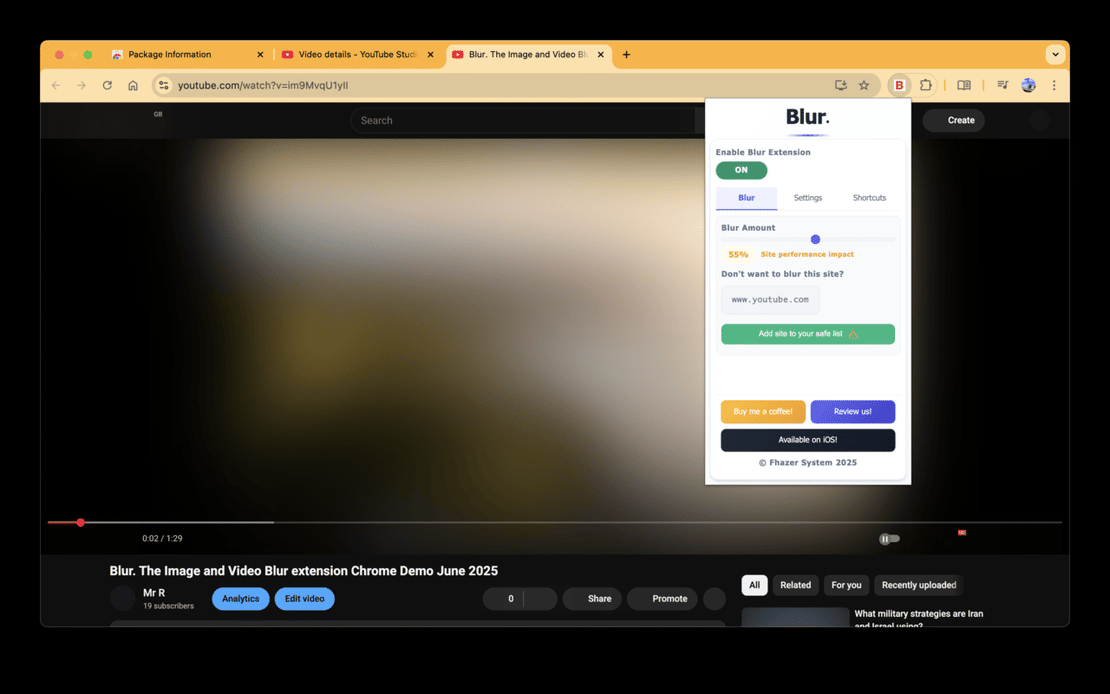
Blur Extension is a powerful Chrome tool that blurs all images and videos on webpages. Integrated with FlashID’s privacy technology, it ensures discreet browsing, protecting your focus and privacy across online platforms.
Automatic Image and Video Blurring
Blur all images, videos, and iframes on any webpage instantly, ensuring privacy in public or work environments.
Get Started
Customizable Privacy Controls
Use shortcuts like ALT+K to toggle blur on hover, ALT+L to enable/disable, and whitelist sites for selective blurring.
Get Started
Advanced Themes and Languages
Choose light/dark themes, fun options, and support for 5+ languages including English, Mandarin, and more.
Get Started

Unlimited Multiplicity
Multiple devices, no limits
No purchase limit, no multiplicity limit, no opening limit

Multi-Platform Control
Anytime, anywhere, just click
No client download required, accessible via PC and mobile browsers

Application Management
Application management so easy
Bulk install, uninstall, and launch applications

RPA
Leverage FlashID’s pre-built RPA templates for fast automation or custom workflows in secure cloud.

API
FlashID API handles account lifecycles and automates browser actions: batch social logins.

One-Click Sharing
Efficient management
Join a team with one click, share cloud devices among multiple users
Blur Away Distractions and Protect Privacy
Blur Extension delivers instant image and video blurring, empowering focused and private browsing experiences tailored for modern users.
Frequently Asked Questions
What does Blur Extension do?
Is Blur Extension safe and private?
How do shortcuts work in Blur Extension?
Can I customize Blur Extension?
Is Blur Extension compatible with all browsers?
How do I install Blur Extension?
Does FlashID support other extensions?
What if Blur Extension doesn't work?
Does Blur Extension store my data?
What languages does it support?
More Recommended Platforms




















Connect all your platform accounts
Thanks to our fingerprint technology, you no longer need to worry about your account being at risk, you just need to focus on your business.
User Success Stories Trusted Worldwide
IT Specialist, Privacy Pros
Content Manager, Focus Tech
Remote Worker, Digital Nomad