Extension Manager
Optimized Extension Manager for FlashID. Quickly enable, disable, and group your browser extensions with smart sorting and batch operations for maximum productivity.
Complete Control Over Your Extensions
Tired of a cluttered browser? Extension Manager lets you toggle, group, and search your extensions instantly, keeping your FlashID environment fast and secure.
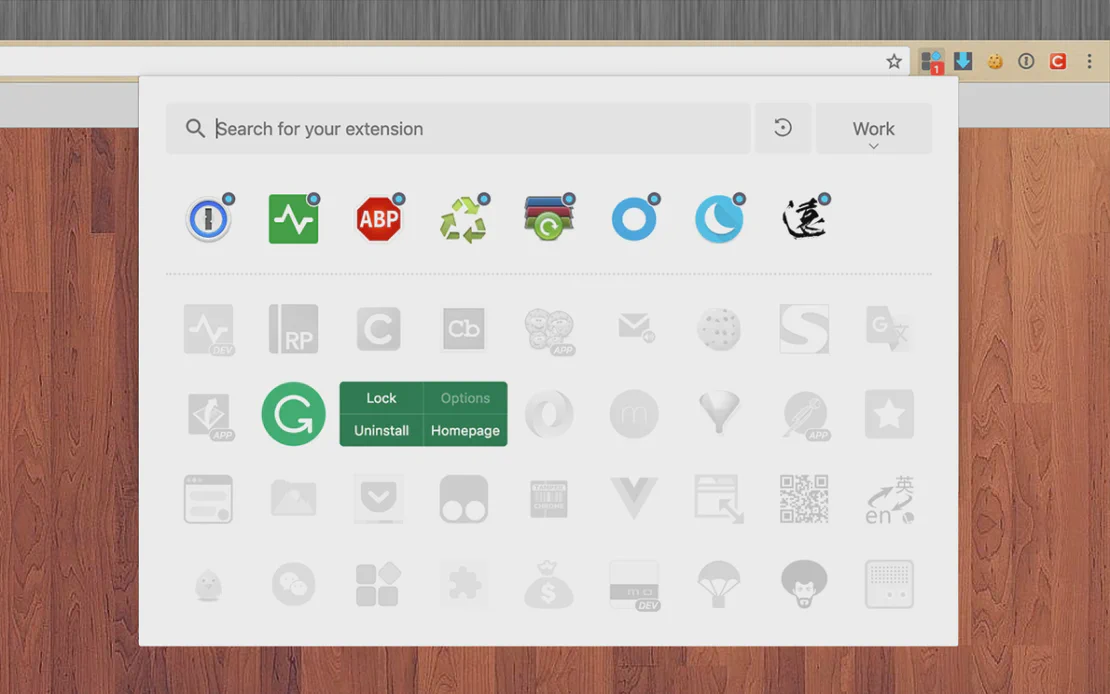
Extension Manager is a streamlined tool designed to simplify your browser workflow. Integrated with FlashID’s technology, it allows you to batch manage, group, and automate extension states, ensuring a high-performance browsing environment without resource clutter.
One-Key Batch Operations
Instantly enable or disable multiple extensions with a single click. Use 'Lightning Groups' to toggle sets of tools based on your current task.
Get Started
Smart Sorting & Search
Find what you need in seconds with keyword search and intelligent sorting based on your usage frequency. Supports both list and grid views.
Get Started
Context-Aware Automation
Automatically match extension states to specific websites. Maintain your privacy and reduce memory consumption by running only what you need.
Get Started

Unlimited Multiplicity
Multiple devices, no limits
No purchase limit, no multiplicity limit, no opening limit

Multi-Platform Control
Anytime, anywhere, just click
No client download required, accessible via PC and mobile browsers

Application Management
Application management so easy
Bulk install, uninstall, and launch applications

RPA
Leverage FlashID’s pre-built RPA templates for fast automation or custom workflows in secure cloud.

API
FlashID API handles account lifecycles and automates browser actions: batch social logins.

One-Click Sharing
Efficient management
Join a team with one click, share cloud devices among multiple users
Master Your Browser Extensions
The Extension Manager automates the organization of your toolkit, providing a fast, simple, and secure way to handle high volumes of extensions.
Extension Manager FAQ
Can I enable multiple extensions at once?
Is Extension Manager secure to use with FlashID?
Does it support Dark Mode?
What is the Lightning Group feature?
Can I rename my extensions?
Does it help with browser performance?
Is there a search function?
Can extensions be automated by website?
Does it store my extension data?
How do I install the Extension Manager?
More Recommended Platforms




















Connect all your platform accounts
Thanks to our fingerprint technology, you no longer need to worry about your account being at risk, you just need to focus on your business.
User Success Stories Worldwide
Operations Manager, Efficiency Experts
Digital Marketing Manager, Tech Innovations
Customer Support Lead, Service Plus