Ignore X-Frame-Options
Use Ignore X-Frame-Options to drop X-Frame-Options and CSP headers, allowing you to embed any external page in iframes for better workflow management.
Complete Iframe Flexibility
Tired of iframe blocking? This tool automatically strips restrictive headers from HTTP responses, letting you embed any site into your local or web environment instantly.
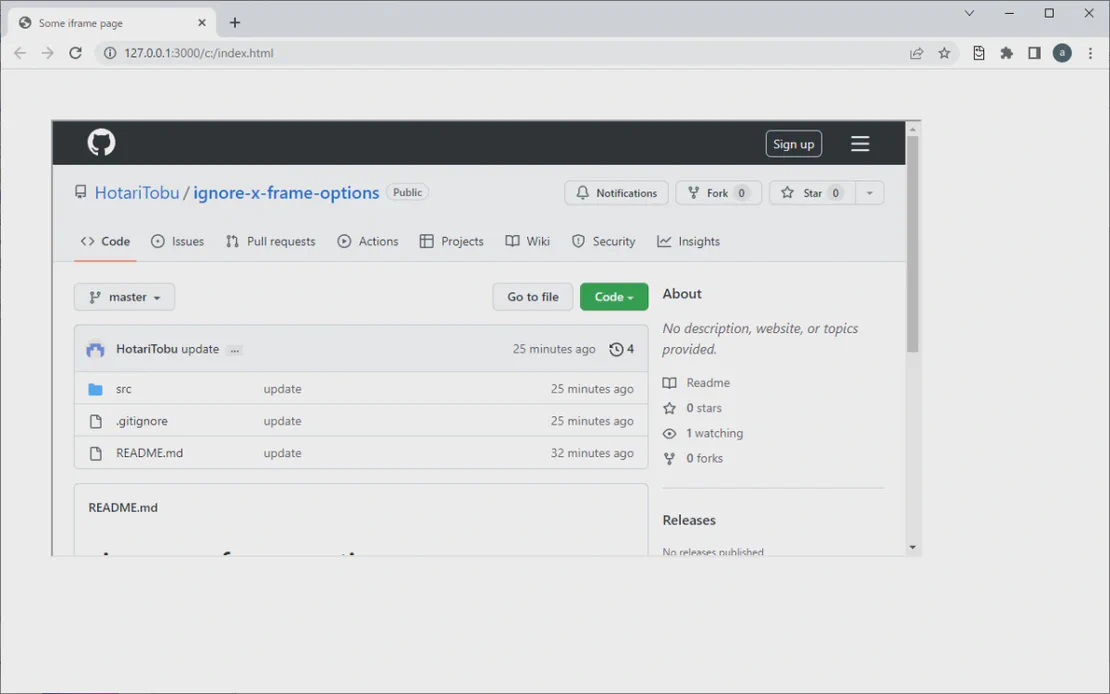
Ignore X-Frame-Options is a powerful browser extension designed to remove header restrictions like X-Frame-Options and Content-Security-Policy. Integrated with FlashID technology, it empowers developers and power users to display external websites within iframes, overcoming common ‘Refused to Display’ errors.
Bypass Header Restrictions
Automatically drops 'X-Frame-Options: SAMEORIGIN' and 'DENY' headers to enable seamless external page embedding.
Get Started
Strip CSP Barriers
Removes specific Content-Security-Policy constraints that prevent pages from being loaded in frame environments.
Get Started
Enhanced Web Automation
Perfect for dashboard creation and multi-site monitoring. Our tool integrates safely with your browsing environment.
Get Started

Unlimited Multiplicity
Multiple devices, no limits
No purchase limit, no multiplicity limit, no opening limit

Multi-Platform Control
Anytime, anywhere, just click
No client download required, accessible via PC and mobile browsers

Application Management
Application management so easy
Bulk install, uninstall, and launch applications

RPA
Leverage FlashID’s pre-built RPA templates for fast automation or custom workflows in secure cloud.

API
FlashID API handles account lifecycles and automates browser actions: batch social logins.

One-Click Sharing
Efficient management
Join a team with one click, share cloud devices among multiple users
Stop Refused-to-Display Errors
Ignore X-Frame-Options automates the removal of restrictive headers, providing a seamless way to include external pages in your iframes.
Ignore X-Frame-Options FAQs
What does Ignore X-Frame-Options do?
Why are some pages blocked from iframes?
Is it safe to use with FlashID?
How do I enable the extension?
Can I toggle the header removal off?
Does it support Firefox?
Will this fix 'Refused to display in a frame' errors?
Does it work on all websites?
Does the extension collect my data?
What should I do if a site still won't load?
More Recommended Platforms




















Connect all your platform accounts
Thanks to our fingerprint technology, you no longer need to worry about your account being at risk, you just need to focus on your business.
Developer Success Stories
Full Stack Developer, DevSystems
QA Lead, WebSolutions
Security Researcher, CyberNexus