Proxy Switcher and Manager
Effortlessly manage and switch between multiple proxy types including SOCKS, PAC, and Direct. Enhance your browsing privacy and network control with profile support.
Professional Proxy Management Made Easy
Take full control of your browser’s network settings. Switch between multiple proxy profiles and types with a single click, perfectly optimized for privacy and speed.
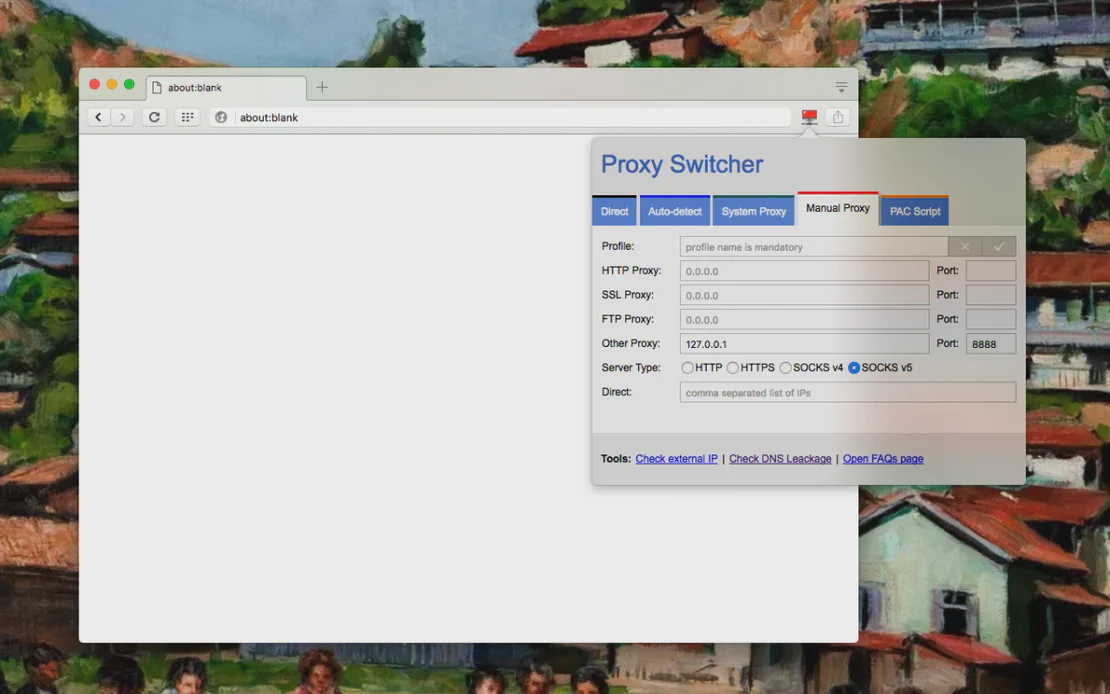
Proxy Switcher and Manager is a robust tool designed for seamless proxy configuration. By integrating with FlashID’s environment, it allows users to switch between SOCKS, PAC, and Direct modes instantly, ensuring optimized network management without changing system-wide settings.
Multi-Profile Support
Create and store multiple proxy configurations. Switch between Direct, Manual (SOCKS/HTTPS), and PAC Script modes effortlessly through a dedicated management panel.
Get Started
Enhanced PAC Scripting
Supports inline PAC scripts and remote script refreshing. Automatically route your traffic based on complex rules while monitoring failed resources in real-time.
Get Started
Visual Profile Indicators
Use badge text and distinct toolbar colors to identify active proxy profiles quickly. Operates with zero resource usage when the extension panel is closed.
Get Started

Unlimited Multiplicity
Multiple devices, no limits
No purchase limit, no multiplicity limit, no opening limit

Multi-Platform Control
Anytime, anywhere, just click
No client download required, accessible via PC and mobile browsers

Application Management
Application management so easy
Bulk install, uninstall, and launch applications

RPA
Leverage FlashID’s pre-built RPA templates for fast automation or custom workflows in secure cloud.

API
FlashID API handles account lifecycles and automates browser actions: batch social logins.

One-Click Sharing
Efficient management
Join a team with one click, share cloud devices among multiple users
Complete Control Over Your Proxy Network
Stop struggling with complicated network settings. Proxy Switcher and Manager provides a clean interface for all your SOCKS, HTTPS, and PAC needs.
Proxy Switcher FAQ
Does Proxy Switcher and Manager support SOCKS5?
Is it safe to use with FlashID?
How does the PAC Script mode work?
Does this extension change my system settings?
Can I see which proxy profile is currently active?
How do I install Proxy Switcher and Manager?
Does it support remote PAC script updates?
Will it slow down my browser?
Does it store my proxy login credentials?
Can I use different proxies for different tabs?
More Recommended Platforms




















Connect all your platform accounts
Thanks to our fingerprint technology, you no longer need to worry about your account being at risk, you just need to focus on your business.
User Experiences with Proxy Switcher
Operations Manager, Efficiency Experts
Digital Marketing Manager, Tech Innovations
Customer Support Lead, Service Plus