RoboForm Password Manager
Enhance your browsing with RoboForm Password Manager Chrome extension. Securely store, autofill passwords, and manage logins effortlessly for ultimate online security and convenience.
Effortless Password Management
Say goodbye to password hassles! RoboForm securely stores your logins, autofills forms, and generates strong passwords for seamless browsing.
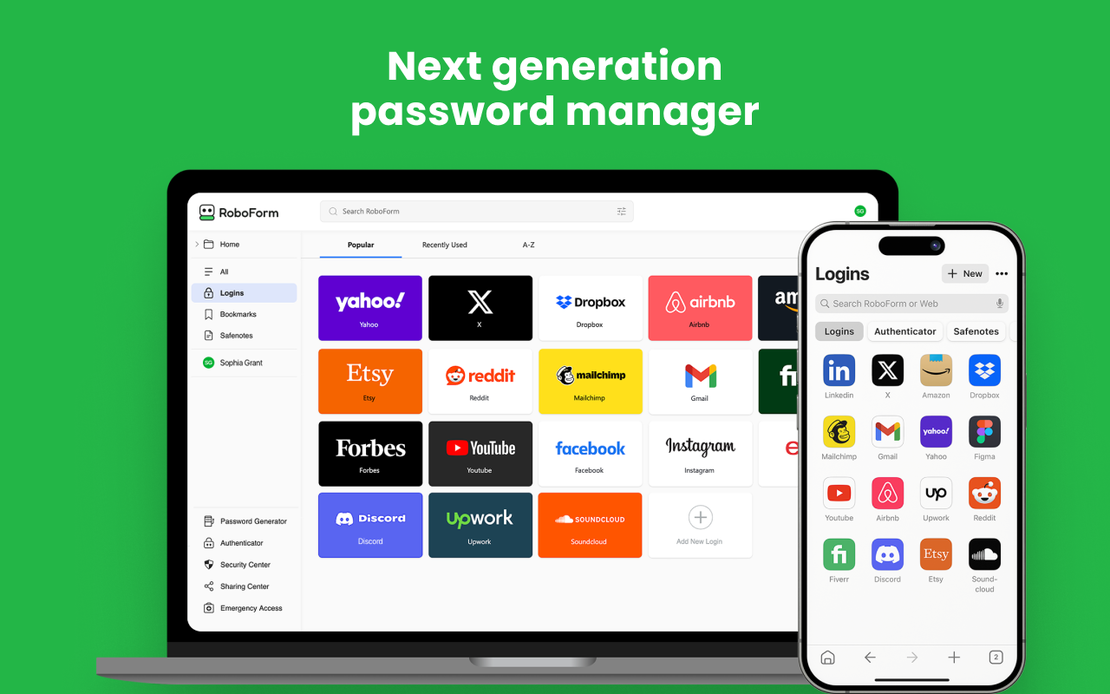
RoboForm Password Manager is a powerful Chrome extension that simplifies your online life by securely storing passwords, enabling one-click logins, and generating strong credentials across all devices.
Secure Password Storage & Auto-Fill
RoboForm remembers your passwords, autofills logins with one click, and generates strong, unique passwords for every site.
Get Started
Cross-Device Sync & Easy Import
Works on all browsers and devices. Import passwords from browsers or other managers in seconds for effortless management.
Get Started
Advanced Security Features
Zero-knowledge encryption, breach monitoring, passkeys, and emergency access ensure your data stays safe and private.
Get Started

Unlimited Multiplicity
Multiple devices, no limits
No purchase limit, no multiplicity limit, no opening limit

Multi-Platform Control
Anytime, anywhere, just click
No client download required, accessible via PC and mobile browsers

Application Management
Application management so easy
Bulk install, uninstall, and launch applications

RPA
Leverage FlashID’s pre-built RPA templates for fast automation or custom workflows in secure cloud.

API
FlashID API handles account lifecycles and automates browser actions: batch social logins.

One-Click Sharing
Efficient management
Join a team with one click, share cloud devices among multiple users
Say Goodbye to Password Frustrations
RoboForm Password Manager automates secure logins, generates strong passwords, and protects against breaches for a seamless online experience.
Common related content QA
Can RoboForm autofill passwords automatically?
Is RoboForm safe for password management?
How does RoboForm password autofill work?
Can I use RoboForm without interruptions?
Is RoboForm compatible with all browsers?
How do I install the RoboForm extension?
Does RoboForm support passkeys and 2FA?
What if RoboForm detects a data breach?
Does RoboForm store my data securely?
Can I customize RoboForm settings?
More Recommended Platforms




















Connect all your platform accounts
Thanks to our fingerprint technology, you no longer need to worry about your account being at risk, you just need to focus on your business.
Client Success Stories Trusted Worldwide
Operations Manager, Efficiency Experts
Digital Marketing Manager, Tech Innovations
Customer Support Lead, Service Plus