ShadowBot RPA Extension
Empower your web automation with the ShadowBot RPA Chrome extension. Seamlessly connect FlashID with ShadowBot to capture elements and automate complex workflows.
Professional RPA Automation for Chrome
Unlock the full potential of web automation. This extension provides the essential communication link for ShadowBot users to interact with and automate browser-based processes with surgical precision.
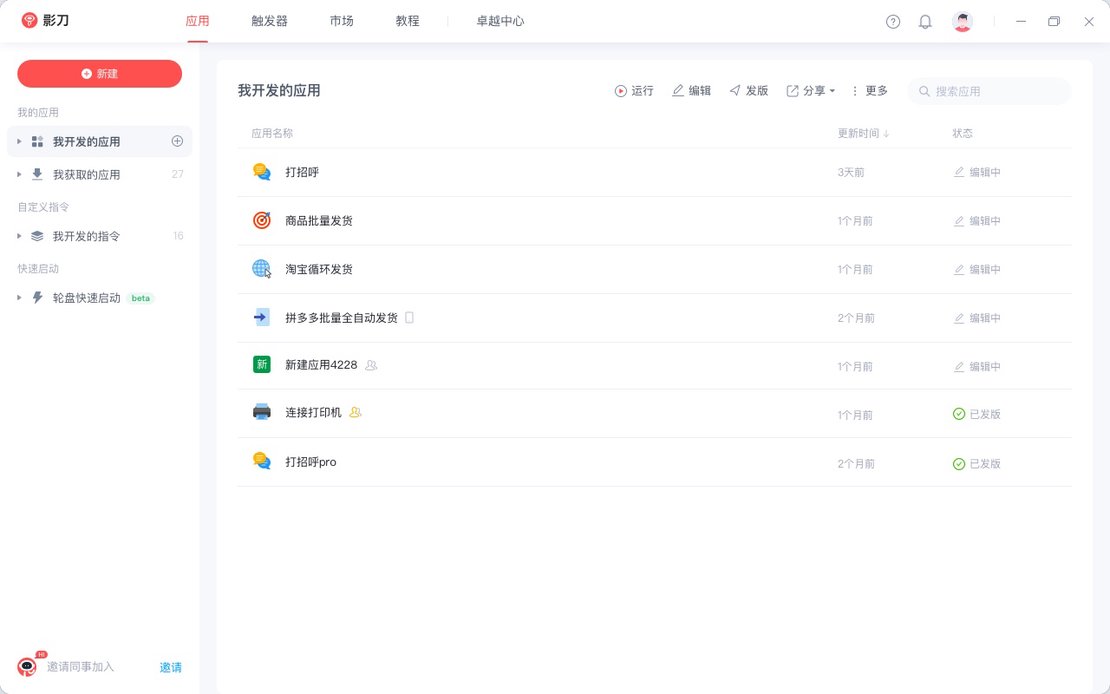
ShadowBot RPA is a specialized browser extension designed to bridge the gap between FlashID and ShadowBot’s automation engine. It enables users to capture HTML elements efficiently and execute high-speed web automation tasks across any online platform.
Precise Element Capture
Easily identify and pick HTML elements within the browser to build robust automation flows without coding complexities.
Get Started
Seamless Integration
Designed specifically for ShadowBot RPA users, ensuring stable communication between the RPA client and your FlashID browser profiles.
Get Started
Reliable Workflow Execution
Execute repetitive tasks, data scraping, and form filling automatically within a secure environment optimized for productivity.
Get Started

Unlimited Multiplicity
Multiple devices, no limits
No purchase limit, no multiplicity limit, no opening limit

Multi-Platform Control
Anytime, anywhere, just click
No client download required, accessible via PC and mobile browsers

Application Management
Application management so easy
Bulk install, uninstall, and launch applications

RPA
Leverage FlashID’s pre-built RPA templates for fast automation or custom workflows in secure cloud.

API
FlashID API handles account lifecycles and automates browser actions: batch social logins.

One-Click Sharing
Efficient management
Join a team with one click, share cloud devices among multiple users
Automate Anything on the Web
Leverage the synergy between FlashID and ShadowBot RPA to eliminate manual tasks and boost your operational speed to the next level.
ShadowBot RPA Extension FAQ
What is the primary purpose of the ShadowBot RPA extension?
Is this extension required for ShadowBot to work?
Can I use ShadowBot RPA with FlashID browser?
Does this extension work for non-ShadowBot users?
How do I start picking elements after installation?
Are there any privacy concerns with this extension?
Does FlashID support the ShadowBot Firefox plugin?
What should I do if the extension is not connecting?
Can I automate multiple browser profiles at once?
Is there a cost to use the ShadowBot extension?
More Recommended Platforms




















Connect all your platform accounts
Thanks to our fingerprint technology, you no longer need to worry about your account being at risk, you just need to focus on your business.
Trusted by Automation Specialists
Automation Engineer, DataFlow Systems
Product Lead, Innovate Digital
IT Solutions Architect, Service Pro