Scroller
Experience hands-free reading with Scroller. Automate webpage scrolling for blogs, news, and manga with customizable speeds and advanced triggers.
Personalized Auto-Scrolling Experience
Tired of manual scrolling? Scroller automates your browsing movement so you can focus on reading. Perfectly optimized for long-form content and media-heavy pages.
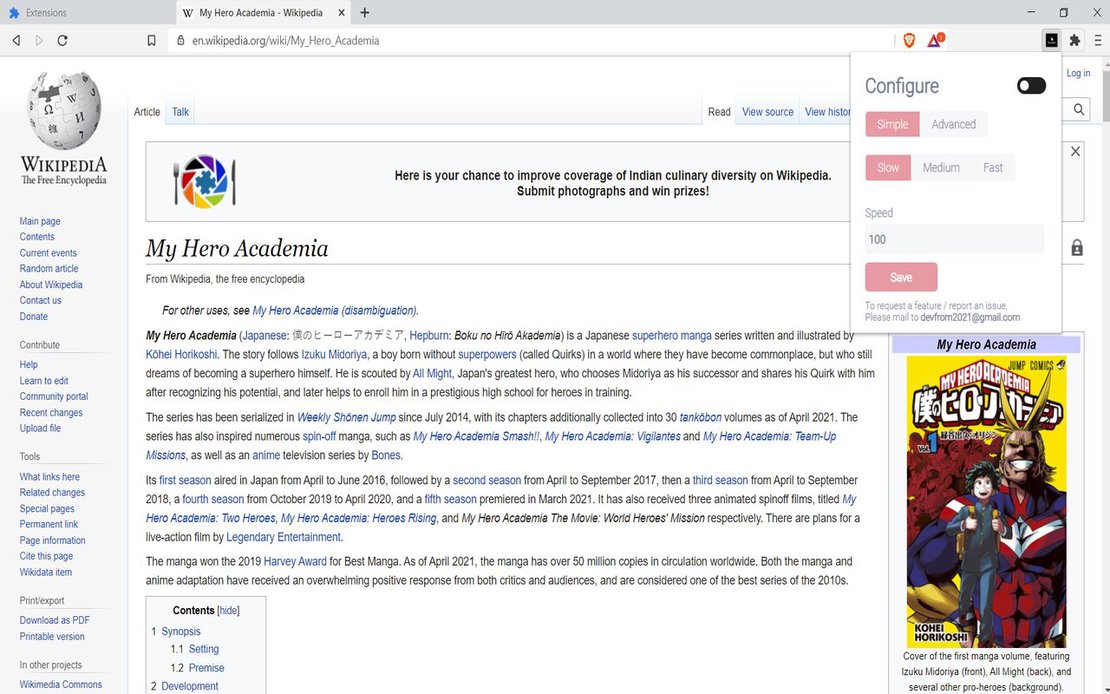
Scroller is a versatile Google Chrome extension that automates webpage scrolling. Integrated with FlashID’s browsing technology, it offers a seamless, hands-free reading experience for manga enthusiasts, researchers, and casual readers alike.
Customizable Scroll Speed
Choose between Simple Mode for quick speed adjustments or Advanced Mode for precision control over scroll percentages and time intervals.
Get Started
Multiple Trigger Methods
Activate auto-scroll via the right-click menu, a simple double-click, or set it to run automatically as soon as the page loads.
Get Started
Smart Element Targeting
Use the Advanced Mode to scroll until a specific element is reached. Our built-in element picker ensures scrolling stops exactly where you want.
Get Started

Unlimited Multiplicity
Multiple devices, no limits
No purchase limit, no multiplicity limit, no opening limit

Multi-Platform Control
Anytime, anywhere, just click
No client download required, accessible via PC and mobile browsers

Application Management
Application management so easy
Bulk install, uninstall, and launch applications

RPA
Leverage FlashID’s pre-built RPA templates for fast automation or custom workflows in secure cloud.

API
FlashID API handles account lifecycles and automates browser actions: batch social logins.

One-Click Sharing
Efficient management
Join a team with one click, share cloud devices among multiple users
Master Your Reading Flow with Scroller
Stop clicking and start reading. Scroller automates the movement, providing a more ergonomic and enjoyable online experience.
Scroller Frequently Asked Questions
How do I start using Scroller?
Is Scroller safe to use with FlashID?
What is the difference between Simple and Advanced Mode?
Can I stop the scroll automatically?
Does it work on all websites?
How do I pause the scrolling?
Does FlashID support Scroller on Firefox?
Can I set the page to scroll to the top automatically?
Is my browsing data stored by Scroller?
Can I customize settings for specific domains?
More Recommended Platforms




















Connect all your platform accounts
Thanks to our fingerprint technology, you no longer need to worry about your account being at risk, you just need to focus on your business.
What Our Readers Are Saying
Content Curator, MangaHub
Research Analyst, Tech Innovations
Frontend Developer, Service Plus