WebGL Fingerprint Defender
Utilize the WebGL Fingerprint Defender to effortlessly hide your real WebGL fingerprint, enhancing your online privacy and security.
Empower Your Online Privacy
Stop WebGL fingerprinting in its tracks! With WebGL Fingerprint Defender, you can easily protect your real fingerprint and browse without worrying.
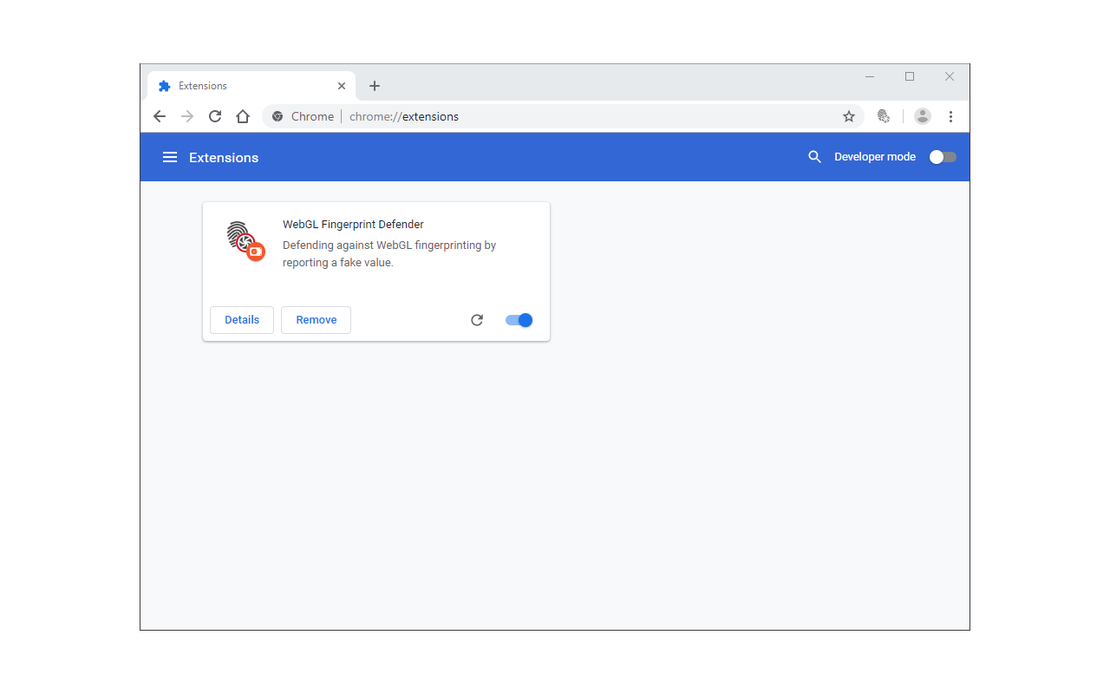
WebGL Fingerprint Defender is designed to combat WebGL fingerprinting by reporting a random fake value, making it easier for users to maintain their privacy while browsing.
Effective Fingerprint Spoofing
Easily hide your real WebGL fingerprint by reporting a random fake value, enhancing your online anonymity.
Get Started Now
Seamless Integration
The extension works discreetly in the background, adding a layer of protection without hindering your browsing experience.
Get Started Now
Enhanced Security
By spoofing your WebGL data, you gain greater control over your privacy while navigating the web.
Get Started Now

Unlimited Multiplicity
Multiple devices, no limits
No purchase limit, no multiplicity limit, no opening limit

Multi-Platform Control
Anytime, anywhere, just click
No client download required, accessible via PC and mobile browsers

Application Management
Application management so easy
Bulk install, uninstall, and launch applications

RPA
Leverage FlashID’s pre-built RPA templates for fast automation or custom workflows in secure cloud.

API
FlashID API handles account lifecycles and automates browser actions: batch social logins.

One-Click Sharing
Efficient management
Join a team with one click, share cloud devices among multiple users
Protect Your Privacy Today!
WebGL Fingerprint Defender effectively hides your real WebGL fingerprint, allowing you to browse with confidence and peace of mind.
Frequently Asked Questions
Can WebGL Fingerprint Defender hide my fingerprint?
Is using this extension safe?
How does it work?
Does it work seamlessly with all websites?
Is WebGL Fingerprint Defender compatible with multiple browsers?
How can I install WebGL Fingerprint Defender?
What if I want to disable the extension?
Does it store my data?
Can I request new features for the extension?
How do I report bugs?
More Recommended Platforms




















Connect all your platform accounts
Thanks to our fingerprint technology, you no longer need to worry about your account being at risk, you just need to focus on your business.
User Success Stories Around the Globe
Online Privacy Advocate
Web Developer
Cybersecurity Analyst