Authenticator
使用 Authenticator 提升您的在线安全性,直接在浏览器中生成双因素认证代码,享受更安全的体验。
Enhanced Online Security
告别安全漏洞!使用 Authenticator,您可以无缝生成 2FA 代码,确保您的在线账户得到充分保护。
https://chromewebstore.google.com/detail/authenticator/bhghoamapcdpbohphigoooaddinpkbai
Copied!
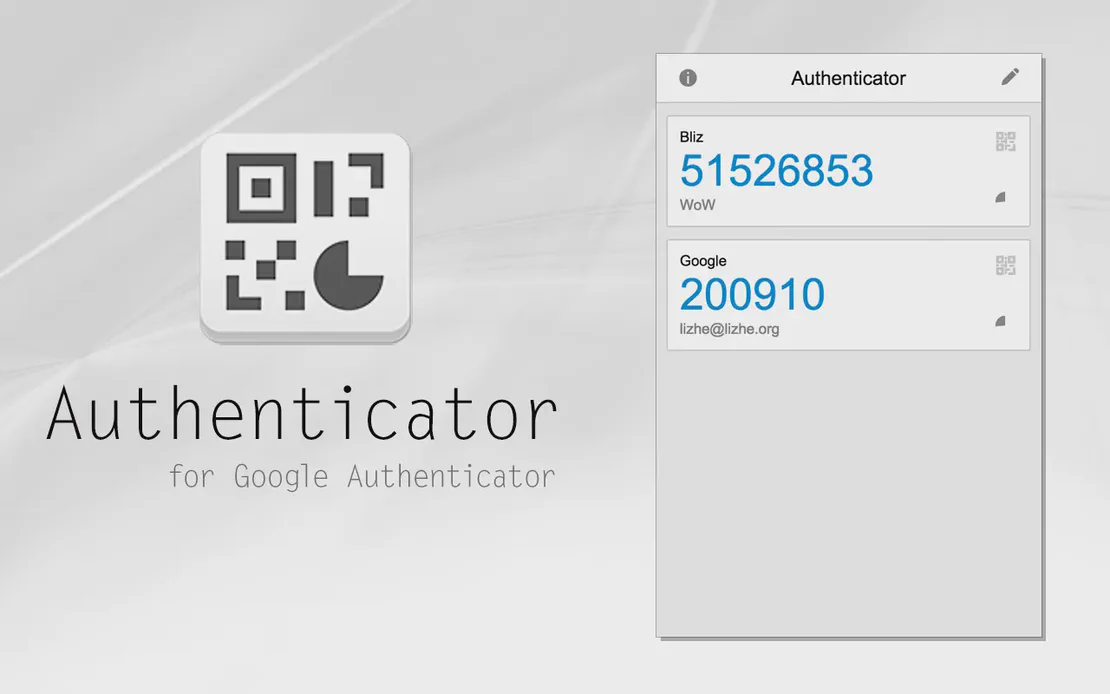
Authenticator 是一款强大的工具,旨在在您的浏览器中生成双因素认证 (2FA) 代码。通过利用 FlashID 的技术,用户可以轻松保护其在线账户,增加额外的安全层。




无限多开
多设备,无限制
无购买限制,无多开限制,无开启限制

多平台控制
随时随地,一键点击
无需下载客户端,通过 PC 和移动浏览器访问

应用管理
应用管理如此简单
批量安装、卸载和启动应用

RPA
利用 FlashID 预置的 RPA 模板实现快速自动化,或在安全云端自定义工作流。

API
FlashID API 处理账户生命周期并自动化浏览器操作:批量社交登录。

一键分享
高效管理
一键加入团队,多用户共享云设备
Say Goodbye to Security Risks
Authenticator 轻松生成 2FA 代码,实现更安全的在线体验。
Common related content QA
Authenticator 可以生成 2FA 代码吗?
是的,Authenticator 专门设计用于生成双因素认证代码,以提升安全性。
使用 Authenticator 安全吗?
绝对安全。Authenticator 会加密您的密钥,确保您的数据保持私有。
2FA 生成是如何工作的?
Authenticator 使用 TOTP 和 HOTP 算法生成安全代码,模拟传统认证应用的功能够。
我可以无中断地使用 Authenticator 吗?
是的!安装后,该工具会无缝集成到您的浏览体验中,让您安全工作。
Authenticator 兼容所有浏览器吗?
Authenticator 当前针对 Google Chrome 进行了优化。目前不支持其他浏览器。
如何安装 Authenticator 扩展?
您可以直接从 Google Chrome 网上应用店安装,或使用扩展的打包 URL 手动上传。
FlashID 支持 Firefox 扩展吗?
目前,FlashID 不支持 Firefox 扩展,但我们正在考虑未来的兼容性。
如果 Authenticator 不工作怎么办?
确保您安装了最新版本。如果问题持续存在,请尝试清除缓存并重启浏览器。
Authenticator 会存储我的数据吗?
不会,FlashID 的 Authenticator 不会存储您的个人数据。您的隐私是我们首要考虑。
我可以自定义 Authenticator 的设置吗?
是的,Authenticator 提供可自定义的设置,根据您的偏好调整其运行方式。




















Client Success Stories Trusted Worldwide
Security Manager, Efficiency Experts
IT Manager, Tech Innovations
Operations Lead, Service Plus